
הקדמה
This manual provides essential information for setting up, operating, maintaining, and troubleshooting your TCL 55QM64L Series Mini LED QLED 4K HDR Smart Fire TV. Please read these instructions carefully before using your television to ensure proper functionality and safety.
סעטאַפּ
וואָס איז אין די קעסטל
באַשטעטיקן אַז אַלע קאָמפּאָנענטן זענען פאַראַן איידער איר גייט ווייטער מיט דער סעטאַפּ.
- TCL טעלעוויזיע מיט פייער טעלעוויזיע
- טעלעוויזיע סטאַנדז (2)
- מאַכט קאַבלע
- TV Remote + Batteries (2 AAA batteries required)
- וואָראַנטי קאַרד
- שנעלער אָנהייב גייד (נישט אַרייַנגערעכנט אין דעם דיגיטאַלן מאַנואַל)

Image: The TCL 55QM64L television, its remote control, and stand, with a diagram illustrating the product dimensions and a list of included accessories.
Physical Dimensions and Ports
The TCL 55QM64L TV measures approximately 11.6 inches deep, 48.4 inches wide, and 30.5 inches high (with stand). It features multiple connectivity options for various devices.
- USB 3.0 Flash Drive Port: For easy access to pictures and movies.
- USB 2.0 Flash Drive Port: For easy access to pictures and movies.
- Ethernet (Internet Router) Port: For the fastest, most stable internet connection.
- HDMI 1, HDMI 2, HDMI 3 Ports: For cable box, Blu-ray player, and other HDMI devices.
- HDMI 4 (eARC) Port: HDMI with ARC/eARC audio return channel for soundbars or receivers.
- Cable/Antenna Port: פֿאַר איבער-דער-לופֿט viewing.
- אָפּטיש אַודיאָ אויס: Digital output for soundbars or receivers.

בילד: א דעטאלירטע זייט view of the TCL 55QM64L television, highlighting the various input and output ports including USB, Ethernet, HDMI, Cable/Antenna, and Optical Audio Out.
אַטאַטשירן די טעלעוויזיע שטאַנדן
To attach the included TV stands:
- לייגט פֿאָרזיכטיק דעם טעלעוויזיע־עקראַן אַראָפּ אויף אַ ווייכער, ריינער ייבערפֿלאַך כּדי צו פֿאַרמייַדן שאָדן.
- גלייכט יעדן שטאַנד מיט די קאָרעספּאָנדירנדיקע סלאָץ אויף דער אונטערשטער טייל פון דעם טעלעוויזאָר.
- באַפעסטיקט די שטאַנדן מיט די צוגעשטעלטע שרויפן. מאַכט זיכער אַז זיי זענען פעסט אָנגעצויגן.

בילד: א זייט פראפעסיאנאלfile view of the TCL 55QM64L television, illustrating the slim design and the attached stand.

בילד: א נאָענטע בילד view of the TV stand securely attached to the bottom frame of the TCL 55QM64L television.
וואַנט מאַונטינג
If you choose to wall mount your TV, ensure you use a VESA-compatible wall mount (75 x 75 mm standard) and follow the wall mount manufacturer's instructions carefully. Professional installation is recommended.
Connecting Power and Initial Setup
Connect the power cable to the TV and then to a power outlet. Follow the on-screen instructions to complete the initial setup, including network connection and Fire TV account login.
אפערירן דיין טעלעוויזיע
ווייַט קאָנטראָל
The included remote control allows you to navigate the Fire TV interface, control volume, change channels, and access various features. Ensure the two AAA batteries are correctly inserted.

Image: The remote control for the TCL 55QM64L television, featuring dedicated buttons for streaming services and voice control.
Fire TV Interface and Streaming
Your TCL 55QM64L TV features the Fire TV operating system, providing access to a wide range of streaming applications and content. Navigate using the remote control's directional pad and select button.
- צוטריט אַפּפּס: Enjoy apps like Prime Video, Netflix, Disney+, Hulu, and HBO Max.
- Free Streaming: Stream content from Fire TV Channels, Pluto TV, Tubi, and more.
- אינהאַלט זוך: Use Fire TV Search to find movies, shows, and games by actor, plot, or quotes.
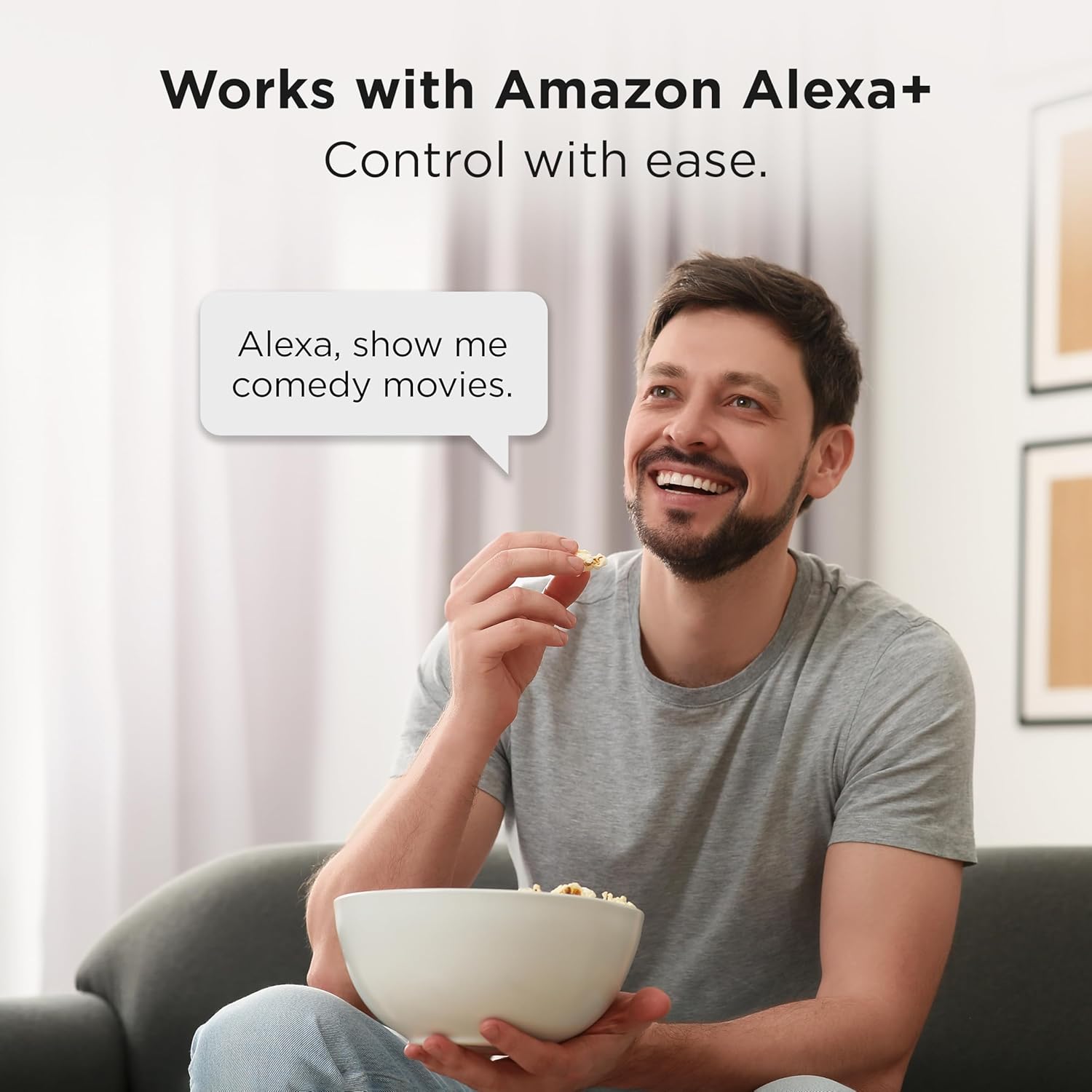
Image: The TCL 55QM64L television screen showing the Fire TV home interface, with a selection of streaming applications and content recommendations.
Alexa+ Voice Remote and Smart Home Integration
The Alexa+ Voice Remote allows for voice control of your TV and compatible smart home devices.
- קול קאַמאַנדז: Use voice commands to search for content, control playback, and manage settings.
- סמאַרט היים כאַב: Pair your Fire TV with compatible smart devices to view live camera feeds, control lighting, and adjust thermostats using Alexa+.

Image: A man sitting on a couch, speaking a voice command to his TCL Fire TV, demonstrating the Alexa+ integration.
בילד און סאָונד סעטטינגס
Your TV offers advanced picture and sound technologies for an optimized viewינג דערפאַרונג.
- QD-Mini LED & Halo Control System: Provides high-quality viewing with precise lighting and "Halo-Free" images.
- Local Dimming Pro: Dynamically adapts to on-screen content for deep blacks and enhanced contrast.
- High Brightness Pro: Ensures a clear picture in various room lighting conditions.
- Enhanced QLED: Delivers vibrant colors and realism, reproducing nearly all the DCI-P3 color space.
- 4K אולטראהד רעזאלוציע: Offers incredible detail with four times the resolution of 1080p Full HDTVs.
- 144 הערץ געבוירן רעפרעש קורס: Provides smooth video playback and motion clarity.
- TCL AIPQ PRO Processor: Optimizes picture clarity, contrast, color, motion, upscaling, and backlighting using AI.
- ONKYO 2.1 Speaker System with Subwoofer: Delivers high-performance spatial sound with Dolby Atmos and DTS Virtual:X.

Image: Graphic illustrating the QD-Mini LED technology, emphasizing its visual and visionary capabilities.

Image: A comparison graphic showing a conventional display versus TCL's Halo Control System, demonstrating precision lighting for ultimate performance.

Image: Illustration of Local Dimming Pro, showing adaptive local dimming for deep blacks and great contrast.

Image: A comparison graphic demonstrating High Brightness Pro, showing a great picture in virtually any room lighting environment.

Image: A comparison graphic illustrating the High Contrast HVA Panel technology, providing incredible contrast for stunning pictures.

Image: A graphic comparing colors without QLED versus with QLED, highlighting more vibrant and realistic colors.

Image: A living room scene with the TCL 55QM64L TV displaying a high-resolution 4K image, demonstrating the clarity of 4K UltraHD Resolution.

Image: A graphic comparing a scene without 144Hz Native Refresh Rate versus with it, showing enhanced fluidity and clarity for gaming and sports.

Image: An illustration of the TCL AIPQ PRO Processor chip, representing its role in optimizing picture quality with AI.

Image: A graphic depicting a living room with the TCL TV and sound waves emanating from it, illustrating the immersive audio experience of the Onkyo 2.1 Speaker System with Subwoofer.
גיימינג פֿעיִקייטן
- Game Accelerator 288 (240 on 55”): Provides blistering fast Variable Refresh Rate (VRR) for lag-free gaming.
- Auto Game Mode (ALLM) with AMD FreeSync Premium Pro: Automatically enables game mode for the lowest input lag and latency.

Image: A scene from a video game, illustrating the smooth and lag-free experience provided by Game Accelerator 288.

Image: A gaming scene demonstrating the benefits of Auto Game Mode (ALLM) with AMD FreeSync Premium Pro for optimized gaming performance.
עפּל אַירפּלייַ 2
Share videos, photos, music, and more directly from your Apple devices to your TCL 55QM64L Smart TV using Apple AirPlay 2.

Image: A graphic showing an iPhone screen mirroring content to the TCL TV via Apple AirPlay 2.
וישאַלט
רייניקונג דיין טעלעוויזיע
- שטענדיק אויסשטעקן דעם טעלעוויזאר איידער איר רייניגט.
- ניצט אַ ווייכן, טרוקענעם שטאָף צו ווישן דעם עקראַן און קאַבינעט.
- פֿאַר שווערע פֿלעקן, לײַכט דריקןampווישט דעם שטאָף מיט וואַסער אָדער אַ מילדן, נישט-אַבראַוויזיוון עקראַן רייניגער. שפּריצט נישט רייניגער גלייך אויף דעם עקראַן.
- פֿאַרמײַדט ניצן אַלקאָהאָל, בענזין, פֿאַרדינער, אָדער אַנדערע פֿליכטיקע סובסטאַנצן, ווײַל זיי קענען שעדיקן דעם טעלעוויזאָר.
ווייכווארג דערהייַנטיקונגען
Your Fire TV will periodically check for and install software updates automatically when connected to the internet. Ensure your TV remains connected to a stable internet connection to receive these updates, which can improve performance and add new features.
טראָובלעשאָאָטינג
אויב איר טרעפט פּראָבלעמען מיט אייער טעלעוויזיע, באַזירט זיך אויף די פאלגענדע געוויינטלעכע לייזונגען:
קיין מאַכט / טעלעוויזיע טוט זיך נישט אָן
- זייט זיכער אז דער עלעקטרישער קאַבל איז זיכער אריינגעשטעקט אין ביידע דעם טעלעוויזיע און אין א ארבעטנדיקן עלעקטרישן ווענטיל.
- קאָנטראָלירט צי די עלעקטרישע אַוטלעט אַרבעט דורך אַרײַנשטעקן אַן אַנדער דעוויס.
- דריק דעם פּאַוער קנעפּל אויף דער טעלעוויזיע אַליין, נישט נאָר די ווײַטקאָנטראָל, צו אויסשליסן אַ פּראָבלעם מיטן ווײַטקאָנטראָל.
קיין בילד / שלעכטע בילד קוואַליטעט
- באַשטעטיקט אַז די ריכטיקע אַרייַנגאַנג מקור איז אויסגעקליבן (למשל, HDMI 1, קאַבל/אַנטענע).
- Check all cable connections (HDMI, antenna) to ensure they are secure.
- אויב איר ניצט אַן עקסטערנעם מיטל, זאָרגט אַז עס איז אנגעצינדן און אַרבעט ריכטיק.
- אַדזשאַסטירן בילד סעטטינגס (ברייטקייט, קאָנטראַסט, קאָליר) אין די טעלעוויזיע מעניו.
- If experiencing "halo" effects or poor local dimming, ensure the latest software is installed and consider adjusting picture modes.
קיין קלאַנג / שלעכטע קלאַנג קוואַליטעט
- Increase the volume on both the TV and any connected audio devices (soundbar, receiver).
- קאָנטראָלירט די אַודיאָ קאַבל קאַנעקשאַנז (HDMI ARC, אָפּטיש).
- זיכער מאַכן אַז די טעלעוויזיע'ס מיוט פונקציע איז נישט אַקטיוויזירט.
- איבערקוקן די אַודיאָ אַוטפּוט סעטטינגס אין די טעלעוויזיע מעניו (למשל, אינעווייניקסטע רעדנערס, עקסטערנע אַודיאָ סיסטעם).
רימאָוט קאָנטראָל ניט ריספּאַנדינג
- טוישט די באַטעריעס מיט נייע AAA באַטעריעס.
- זיכער מאַכן אַז עס זענען נישטאָ קיין שטערונגען צווישן דעם ווײַטקאָנטראָל און דעם טעלעוויזיע'ס IR סענסאָר.
- ריכט די ווײַטקאָנטראָל גלייך אויפן טעלעוויזאָרס סענסאָר.
- אויב די ווײַטקאָנטראָל איז געפּאָרט דורך בלועטוט, פּרוּווט עס ווידער צו פאַרבינדן לויט די אינסטרוקציעס אויף'ן עקראַן.
Network / Internet Connectivity Issues
- ריסטאַרט דיין Wi-Fi ראַוטער און מאָדעם.
- Check the TV's network settings to ensure it is connected to the correct Wi-Fi network and the password is entered correctly.
- If using an Ethernet cable, ensure it is securely connected to both the TV and the router.
- Try moving the TV closer to the router or using a Wi-Fi extender if the signal is weak.
ספּעסאַפאַקיישאַנז
| שטריך | דעטאַל |
|---|---|
| סאָרט | TCL |
| מאָדעל נאָמען | QM64L |
| מאָדעל נומער | 55QM64L |
| פאַרשטעלן גרייס | 55 אינטשעס |
| ווייַז טעכנאָלאָגיע | QLED, Mini-LED Backlight |
| האַכלאָטע | 4K אולטראהד (3840 x 2160) |
| דערפרישן קורס | 144 הערץ געבוירן |
| HDR פֿאָרמאַט שטיצט | HDR10, HDR10+, Dolby Vision IQ, HLG |
| Motion Enhancement Technology | Motion Rate 480, Game Accelerator 240 |
| פּראַסעסער | TCL AIPQ PRO Processor |
| אַודיאָ סיסטעם | ONKYO 2.1 Speaker System with built-in subwoofer |
| Integrated Surround Sound | דאָלבי אַטמאָס, די-טי-עס ווירטועל:X |
| אָפּערייטינג סיסטעם | פייער טעלעוויזיע |
| קאַנעקטיוויטי טעכנאָלאָגיע | Bluetooth, HDMI (4 ports), USB (2 ports), Wi-Fi, Ethernet |
| HDMI פּאָרץ | 4 (אריינגערעכנט 1 eARC) |
| וסב פּאָרץ | 2 (1x USB 3.0, 1x USB 2.0) |
| ספּעציעלע פֿעיִקייטן | Ambient Light Sensor, Bezel-Less Design, Game Mode, Wide Viewing Angle, Apple AirPlay 2, Alexa+ Voice Remote |
| פּראָדוקט גרייס (מיט שטאַנד) | 11.6"ד רענטגענ 48.4"וו רענטגענ 30.5"ה |
| וועסאַ מאָונט סטאַנדאַרט | 75 רענטגענ 75 מם |
| אַרייַנגערעכנט קאַמפּאָונאַנץ | Power Cable, Remote Control, Stand, Warranty Card |
| באַטעריז פארלאנגט | 2 AAA batteries for remote |
וואָראַנטי אינפֿאָרמאַציע
Your TCL 55QM64L Series TV comes with a 1 יאָר מאַנופאַקטורער וואָראַנטי. Please refer to the included Warranty Card for full terms and conditions. Keep your proof of purchase for warranty claims.
קונה שטיצן
For further assistance, technical support, or service inquiries, please contact TCL Customer Support. Contact information can typically be found on the TCL official webזייטל אדער אויף אייער גאַראַנטיע קאַרטל.
Before contacting support, please have your TV model number (55QM64L) and serial number ready.


