
הקדמה
Thank you for choosing the EZVALO Rechargeable Motion Sensor Night Lights. This 2-pack of magnetic, stick-on LED lights provides convenient illumination with adjustable color temperatures and brightness, designed for various indoor spaces. This manual provides essential information for setup, operation, and maintenance to ensure optimal performance and safety.
וואָס איז אין די קעסטל
- Night Light x2
- Magnetic Plates x2
- 1-to-2 Type-C Charging/Data Cable x1
- באַניצער מאַנואַל x1

ספּעסאַפאַקיישאַנז
| שטריך | דעטאַל |
|---|---|
| מאָדעל נומער | NL05 |
| פּראָדוקט דימענשאַנז | 3.15"ד רענטגענ 3"וו רענטגענ 0.59"ה |
| באַזע מאַטעריאַל | ABS+PP |
| ליכט מקור טיפּ | געפירט |
| נומער פון ליכט קוואלן | 16 |
| מאַכט מקור | באַטעריע געטריבן (1000mAh ריטשאַרדזשאַבאַל) |
| Voltage | 5 וואלטס |
| באַשטימען טיפּ | Automatic / Push Button |
| קאָנטראָל מעטאָד | דרוק קנעפּל |
| מאַונטינג טיפּ | Magnetic, Adhesive |
| נאָך פֿעיִקייטן | Adjustable Color Temperature, Cordless, Dimmable, Motion Sensor, Rechargeable |
| דרינענדיק / דרויסנדיק באַניץ | דרינענדיק |
| וואַסער קעגנשטעל מדרגה | ניט וואַסער קעגנשטעליק |
סעטאַפּ
1. אויפלאָדן די נאַכט ליכט
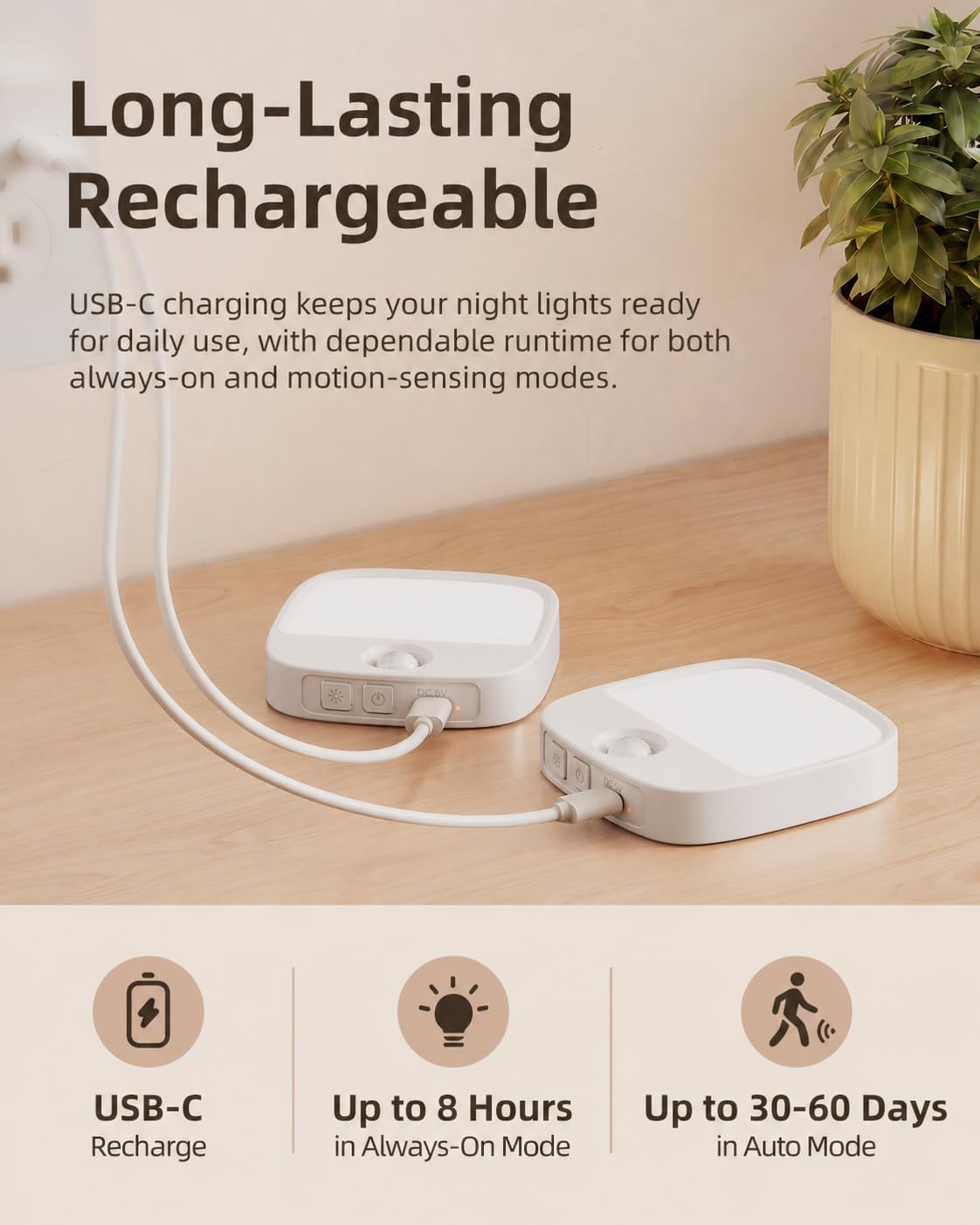
Before first use, fully charge the night lights. Each light has a built-in 1000mAh rechargeable battery.
- Connect the provided 1-to-2 Type-C charging cable to the charging port on the night light.
- פֿאַרבינדט דעם אַנדערן עק פֿונעם קאַבל צו אַ USB מאַכט אַדאַפּטער (נישט אַרייַנגערעכנט) אָדער אַ קאָמפּיוטער USB פּאָרט.
- די טשאַרדזשינג אינדיקאַטאָר ליכט וועט זיך אָנצינדן בעת טשאַרדזשינג און זיך אויסלעשן ווען עס איז גאָר אויפגעלאָדן.
A full charge takes approximately 3 hours. The light provides up to 8 hours of continuous use at maximum brightness, and 30-60 days in motion sensor mode, depending on brightness level and motion frequency.
2. Mounting the Night Light
The night lights offer flexible mounting options using built-in magnets or adhesive metal plates.
- מאַגנעטיק מאַונטינג: The night light has a built-in magnet. Simply attach it to any metallic surface, such as a refrigerator or metal cabinet.
- קלעפּיק מאַונטינג: For non-metallic surfaces, use the included adhesive metal plates.
- a. Peel: Remove the protective film from one side of the adhesive metal plate.
- b. Stick: Press the adhesive side firmly onto a clean, dry, and smooth surface where you want to install the light.
- c. Mount: Attach the night light magnetically to the metal plate.


אַפּערייטינג ינסטראַקשאַנז
The night light features multiple modes and adjustable settings for customized illumination.
1. אן/אויס און מאָדע אויסוואל
Locate the control buttons on the side of the night light. There are typically two buttons: one for mode selection and one for color/brightness adjustment.
- שטענדיק אויף מאָדע: Press the power button once for continuous light.
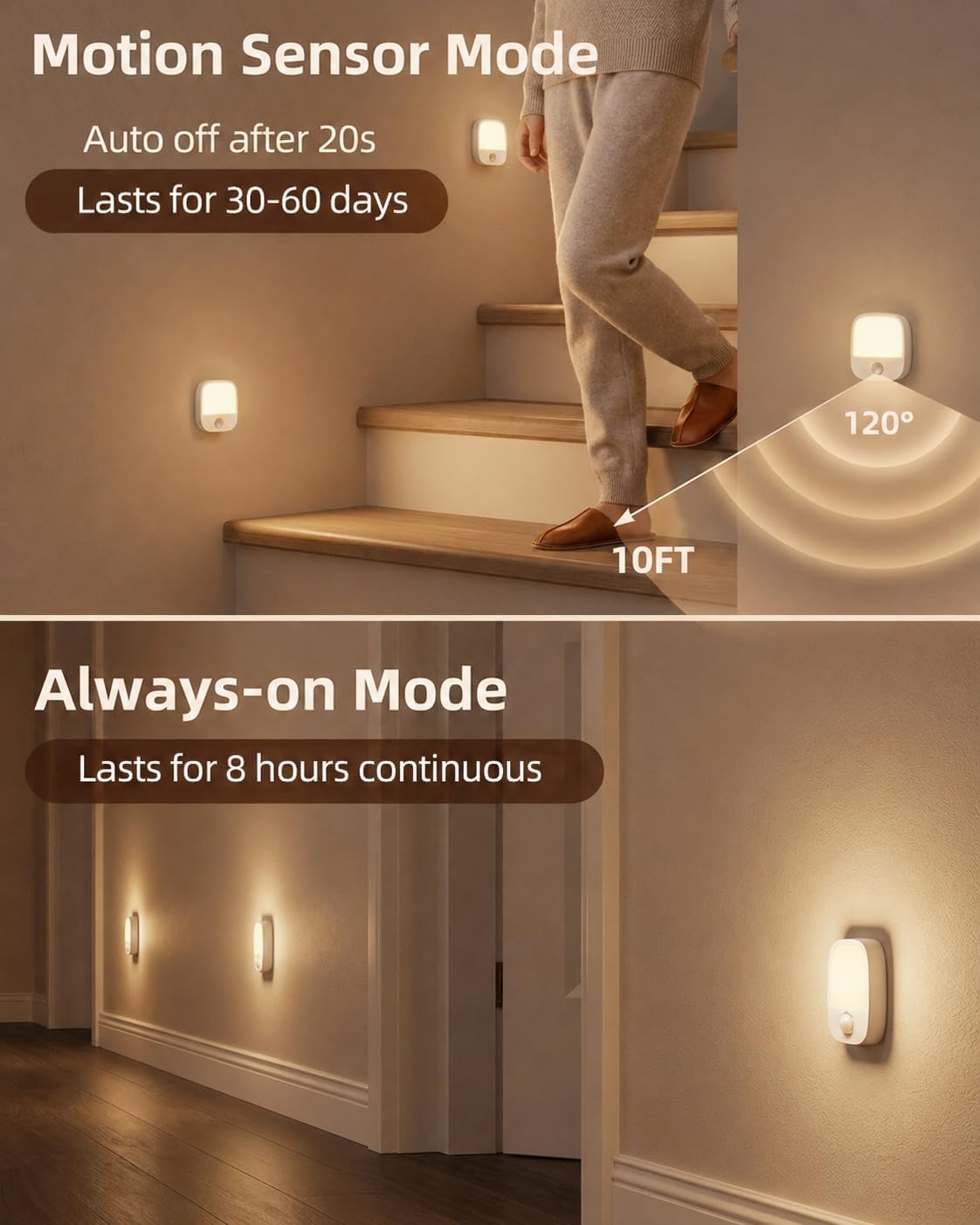
- באַוועגונג סענסאָר מאָדע: Tap the motion sensor button to activate motion sensing. The light will turn on when motion is detected in dark conditions.
- אויסגעלאשן: Cycle through modes until the light turns off, or press and hold the power button.

2. Motion Sensor Functionality
In Motion Sensor Mode, the light detects movement within 10 feet and a 120° wide-angle. It is designed for nighttime use and may not activate if sufficient ambient light is present (below 27 lumens).


3. Color Temperature Adjustment
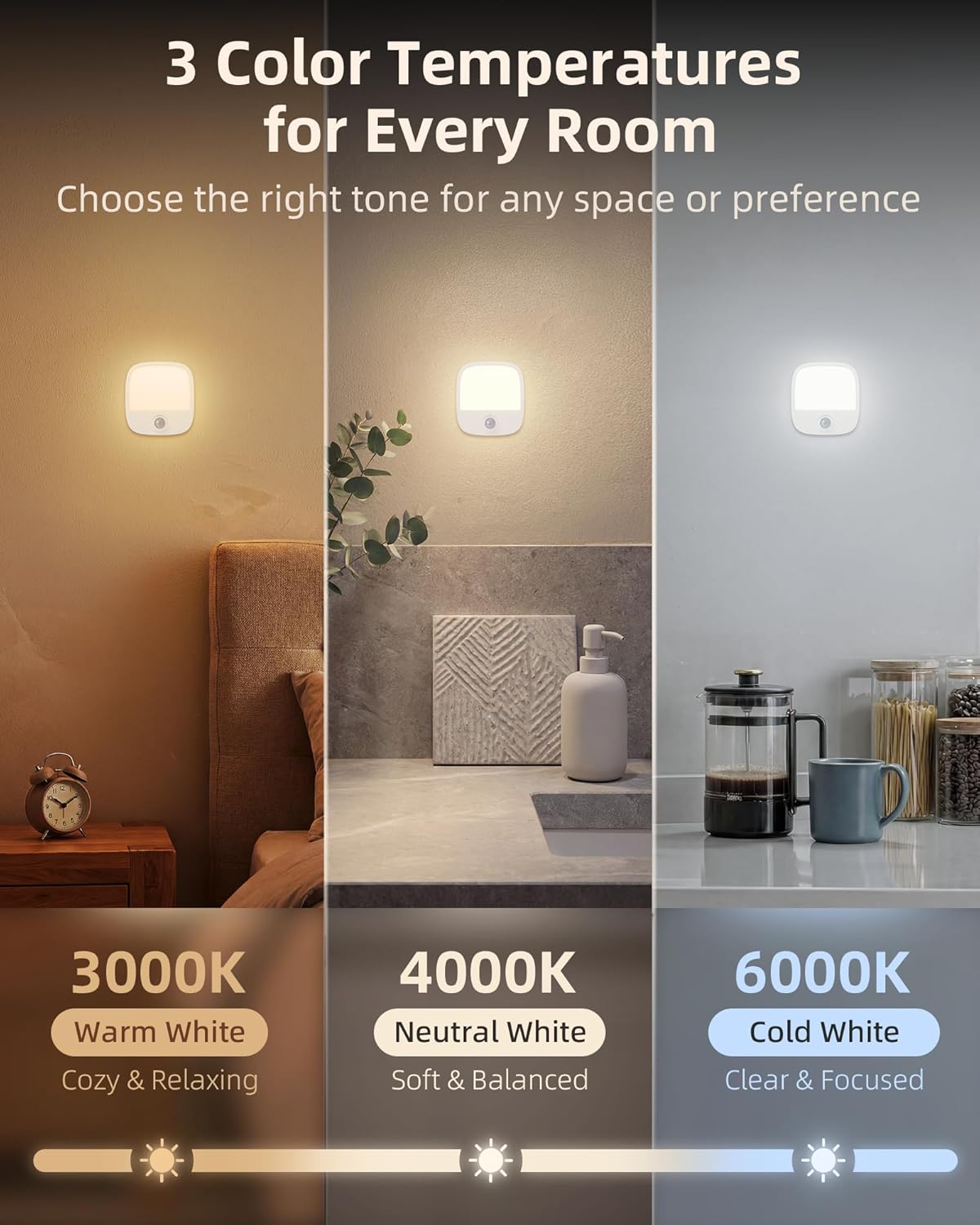
The night light offers three color temperature options: Warm White (3000K), Neutral White (4000K), and Cold White (6000K).
- Tap the color/brightness adjustment button to cycle through the three color temperatures.
4. Brightness Adjustment (Stepless Dimming)
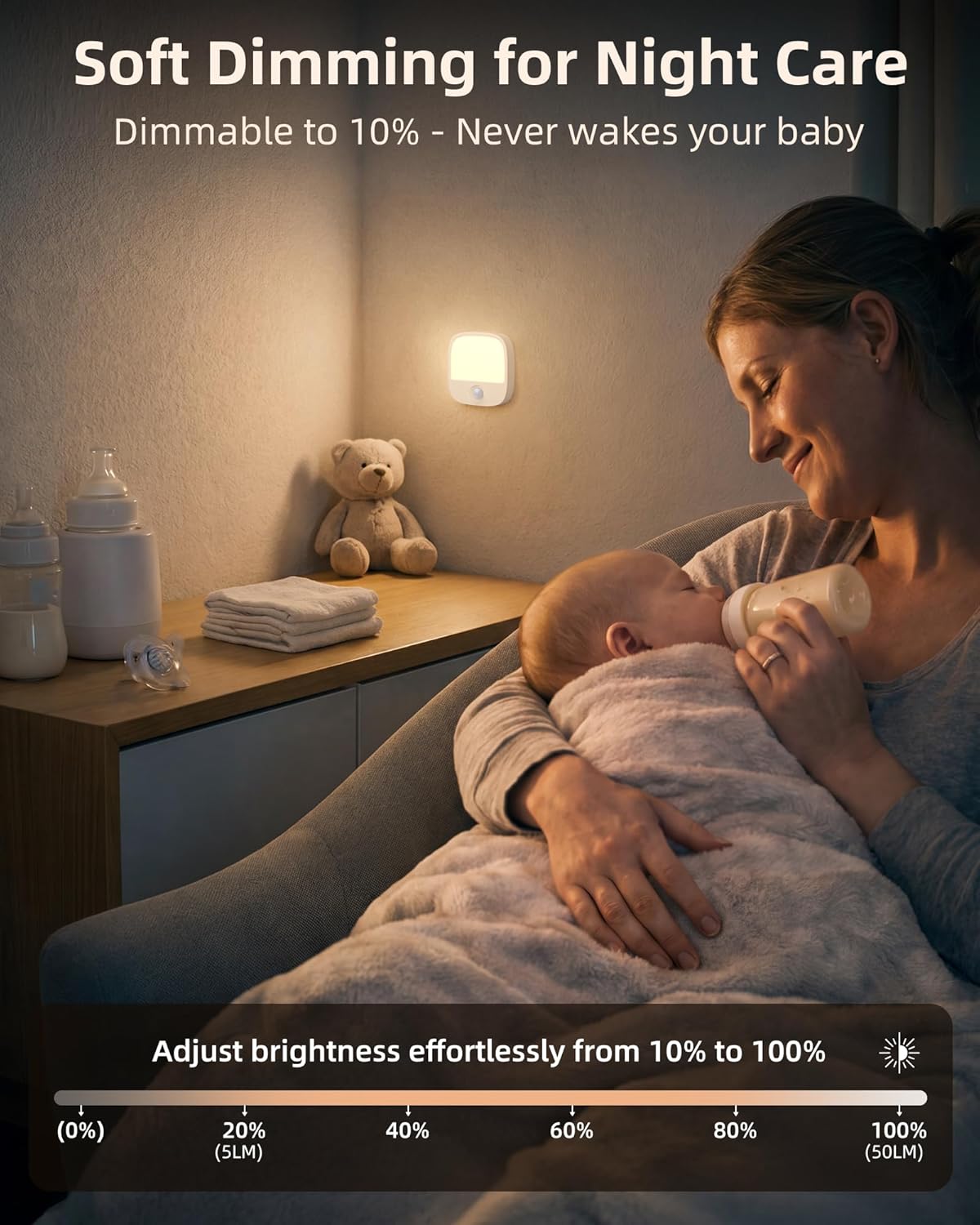
Adjust the brightness from 10% to 100% to suit your preference.
- Press and hold the color/brightness adjustment button to smoothly dim or brighten the light. Release the button when the desired brightness is reached.
5. זכּרון פונקציע
The night light remembers your last brightness and color temperature settings. This means you do not need to readjust it every time you turn it on, providing consistent comfort.
טראָובלעשאָאָטינג
| פּראָבלעם | מעגלעך סיבה / לייזונג |
|---|---|
| באַוועגונג סענסער איז נישט אַקטיווייטיד |
|
| ליכט איז נישט טורנינג אויף |
|
| ליכט נישט האלטן אָפּצאָל |
|
וישאַלט
To ensure the longevity and proper functioning of your EZVALO Night Lights, follow these simple maintenance guidelines:
- רייניקונג: Wipe the surface of the night light with a soft, dry cloth. Do not use abrasive cleaners, solvents, or harsh chemicals, as these can damage the finish or internal components.
- ויסמיידן וואַסער: The product is not waterproof. Do not expose it to water or high humidity.
- סטאָרידזש: If storing the lights for an extended period, ensure they are fully charged and store them in a cool, dry place. Recharge periodically to maintain battery health.
וואָראַנטי און שטיצן
EZVALO products are manufactured with quality and reliability in mind. For specific warranty information or technical support, please refer to the warranty card included in your packaging or contact EZVALO customer service through the retailer where the product was purchased. Keep your purchase receipt as proof of purchase for warranty claims.