
1. פּראָדוקט איבערview
The TJOY Smart LED Strip Lights with Motion Sensor provide versatile and intelligent lighting solutions for various indoor spaces. This 10-piece kit features a motion sensor for automatic operation, adjustable white light color temperature (warm to cool), and dimmable brightness. Control is available via a smartphone app and an RF remote, making it suitable for kitchens, shelves, closets, and more.
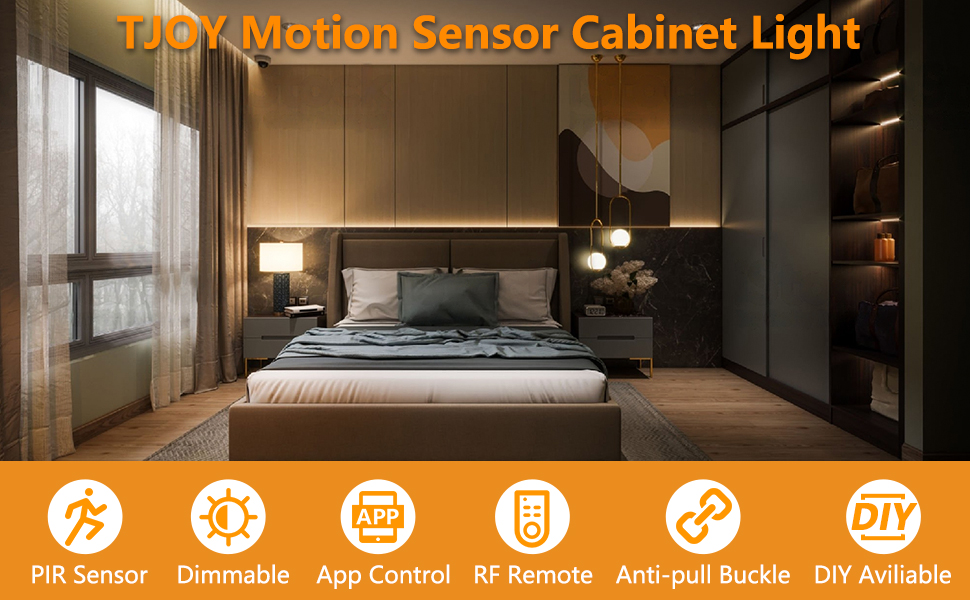
בילד: איבערview of the TJOY Smart LED Strip Light kit, highlighting key features like PIR sensor, dimmable, app control, RF remote, anti-pull buckle, and DIY availability.
2. פּעקל אינהאַלט
באַשטעטיקן אַז אַלע קאָמפּאָנענטן זענען פאַראַן אין דיין פּעקל:
- LED Light Strips (10 pieces, 16.4ft total)
- באַוועגונג סענסאָר קאָנטראָללער
- רף רימאָוט קאָנטראָל
- מאַכט צושטעלן
- Adhesive Tape (pre-applied or separate)
- Connection Cables/Extenders
3. פּראָדוקט ספּעסאַפאַקיישאַנז
| סאָרט | TJOY |
| מאָדעל נומער | PD01 (TCA0615020A-PD01-AUS-L1) |
| ליכט מקור | געפירט |
| נומער פון ליכט קוואלן | 10 |
| ליכט קאָליר | Warm White (2700K) to Cool White (6500K) |
| ברייטנאַס | אַרויף צו קסנומקס לומענס |
| קאָנטראָל מעטאָד | App, RF Remote |
| באַשטימען טיפּ | באַוועגונג סענסאָר |
| מאַכט מקור | קאָרדעד עלעקטריק |
| דרינענדיק / דרויסנדיק באַניץ | דרינענדיק |
| מאַטעריאַל | פּלאַסטיק |
| מאַונטינג טיפּ | אונטער קאַבינעט בארג |
| נומער דימענשאַנז (L X W X H) | 5.51"ל x 4.33"ברייט x 2.56"ה (פּאַקעט) |
4. אויפשטעלן און אינסטאַלירן
The TJOY LED strip lights are designed for easy DIY installation without the need for an electrician or complex wiring. Follow these steps for proper setup:
4.1 צוגרייטונג
- ריין ייבערפלאַך: Ensure the installation surface (under cabinets, shelves, etc.) is clean, dry, and smooth. Dust, grease, or moisture can affect adhesive performance.
- פּלאַן אויסלייג: Before peeling the adhesive, plan the desired layout for your LED strips. The strips can be cut to length at designated marks if needed.
- מאַכט אַקסעס: Confirm you have access to a power outlet for the power supply.
4.2 ינסטאַללאַטיאָן סטעפּס
- Connect Light Strip: Connect the arrow on the light strip connector to the +12V output of the controller. Ensure a secure connection.
- Connect Motion Sensor Controller: Connect the motion sensor controller to the DC wire from the power supply.
- פּאָזיציע קאָנטראָללער: Fix the controller in the desired direction, ensuring the motion sensor has a clear line of sight for optimal detection.
- Apply Light Strip: Carefully peel the release layer from the adhesive backing of the light strip. Press the light strip firmly onto the clean, flat surface. Apply even pressure along the entire length to ensure good adhesion.
באַמערקונג: If using extender strips to bypass obstacles, these may not have adhesive backing and might require additional tape for secure placement.

בילד: עקסamples of flexible installation, showing linear and random patterns for the LED strips in a closet setting.
5. אַפּערייטינג ינסטרוקטיאָנס
The TJOY Smart LED Strip Lights offer multiple operating modes and control options for customized lighting.
5.1 Motion Sensor Mode (PIR Mode)
In Motion Sensor Mode, the built-in PIR sensor detects human movement and automatically turns the lights on. After a preset delay (configurable via the app, e.g., 20s/60s) without further motion, the lights will gently fade out. This mode is ideal for areas like closets, hallways, and cabinets to conserve energy.

Image: A kitchen scene demonstrating motion-activated lighting, with a visual representation of the sensor detecting movement.

Image: Diagram illustrating the PIR motion sensor's 120-degree sensing range and 30ft distance, showing when lights turn on and off based on motion detection.
5.2 Intelligent Night Light Mode (Dual Sensor)
Enable Night Mode for automated lighting in low-light conditions. The ambient light sensor detects surrounding brightness. The lights will only activate when it is dark AND motion is detected, preventing unnecessary illumination during daylight hours. This functions as a smart night light for bedrooms, stairs, or kitchens.

Image: Illustration of Smart Night Light Mode, showing lights off at dawn and automatically turning on at dusk.
5.3 Dual Color Temperature & Dimmable Brightness
The LED strips feature high-quality dual-color LEDs, allowing you to switch between Warm White (2700K) and Cool White (6500K). Brightness is steplessly dimmable, providing infinite adjustability to create the desired ambiance for any situation, from bright task lighting to a soft glow.

Image: Visual representation of 6 brightness levels (10% to 100%) and three color temperatures: Yellow (3000K), Natural (4000K), and White (6000K).

Image: A bedroom setting demonstrating the ability to adjust brightness from 100% to 10% and color temperature from Warm 2700K to Cool 6500K.
6. אַפּ קאָנטראָל
The TJOY Smart LED Strip Lights can be fully controlled using a dedicated smartphone application. This provides comprehensive access to all settings and modes.
6.1 דאַונלאָודינג די אַפּ
זוכן פֿאַר "Marvellight" in the Google Play Store (for Android devices) or the Apple App Store (for iOS devices) and download the application.
6.2 אַפּ פֿעיִקייטן
- 4 אַרבעט מאָדעס: Manual Mode, PIR Mode, Night Light Mode, Dual-Sensor Mode.
- קאָליר טעמפּעראַטור אַדזשאַסטמאַנט: Precisely select your desired white light temperature.
- ברייטנאַס קאָנטראָל: שריטלאָזע דימינג פון 1% ביז 100%.
- באַוועגונג סענסאָר סעטטינגס: Adjust sensitivity and time delay for PIR mode.
- Night Light Thresholds: Set ambient light levels for activation in Night Light Mode.
- סקעדזשולינג: Set active times for specific modes.

Image: Screenshots of the Marvellight app interface, showing options for Manual Mode, PIR Mode, Night Light Mode, and Dual-Sensor Mode settings.
7. RF ווײַטקאָנטראָל
The included 20-key RF remote control provides convenient operation from anywhere in the room without needing line-of-sight to the controller.
7.1 ווייַט פאַנגקשאַנז
- מאַכט אויף / אַוועק: קער די לייץ אויף אָדער אַוועק.
- ברייטנאַס אַדזשאַסטמאַנט: פֿאַרגרעסערן אָדער פֿאַרקלענערן ליכט אינטענסיטעט.
- קאָליר טעמפּעראַטור סעלעקציע: Switch between warm and cool white tones.
- מאָדע סעלעקציע: Activate different lighting modes (e.g., motion sensor, manual).
- Timed Off: Set a timer for the lights to turn off automatically.
- דינאַמיש לייטינג: Access pre-programmed lighting effects (if available).
- סענסינג דיסטאַנסע: Adjust motion sensor range (if supported by remote).
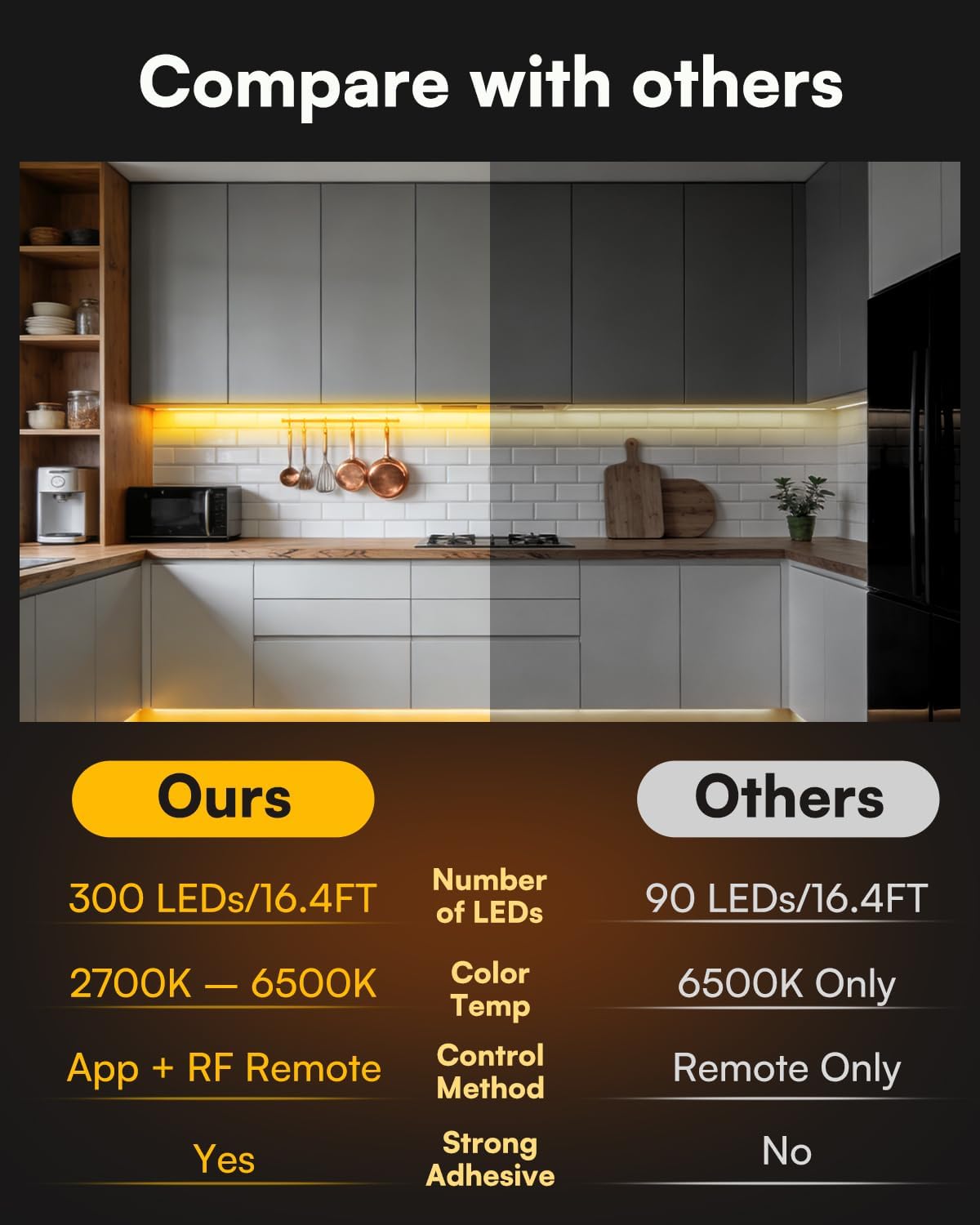
Image: The 20-key RF remote control shown alongside a smartphone displaying the app interface, illustrating dual control options.
8. וישאַלט
Proper maintenance ensures the longevity and optimal performance of your TJOY LED Strip Lights.
- רייניקונג: Gently wipe the LED strips and sensor with a soft, dry cloth. Avoid using abrasive cleaners or excessive moisture, which can damage the electronics.
- קשר טשעק: Periodically inspect all connections to ensure they are secure and free from corrosion.
- קלעפּיק אָרנטלעכקייט: If the adhesive begins to lose its grip, reinforce it with additional double-sided tape suitable for electronics.
- סענסאָר שטערונג: Ensure the motion sensor is not obstructed by objects, which could impair its detection capabilities.
9. טראָובלעשאָאָטינג
If you encounter issues with your TJOY LED Strip Lights, refer to the following common problems and solutions:
| פּראָבלעם | לייזונג |
|---|---|
| לייץ טאָן ניט קער אויף. |
|
| ווייַט קאָנטראָל איז נישט ארבעטן. |
|
| Motion sensor is not detecting movement or is too sensitive. |
|
| Lights flicker or change color unexpectedly. |
|
| Adhesive is not holding the strips. |
|
10. וואָראַנטי אינפֿאָרמאַציע
The TJOY Smart LED Strip Lights (Model PD01) come with a 1-יאָר פאַבריקאַנט ס וואָראַנטי פֿון דעם קויפֿדאַטום. די וואָראַנטי דעקט חסרונות אין מאַטעריאַלן און אַרבעט אונטער נאָרמאַלן באַנוץ. עס דעקט נישט קיין שאָדן פֿאַראורזאַכט דורך אומרעכטן באַנוץ, אומגליקן, נישט-אָטעריזירטע מאָדיפֿיקאַציעס, אָדער אומרעכטע אינסטאַלאַציע.
ביטע האַלטן דיין דערווייַז פון קויפן פֿאַר וואָראַנטי קליימז.
11. קונה שטיצן
For further assistance, technical support, or warranty inquiries, please contact TJOY customer service through the following channels:
- אָנליין שטיצן: Visit the official TJOY store on Amazon: TJOY Store
- בליצפּאָסט: Refer to your product packaging or the TJOY store page for specific customer service email addresses.
When contacting support, please have your product model number (PD01) and proof of purchase ready.