
הקדמה
Welcome to your new Yamaha YDP105 Digital Piano. This manual provides essential information for setting up, operating, maintaining, and troubleshooting your instrument. Please read it thoroughly to ensure proper use and to maximize your playing experience.
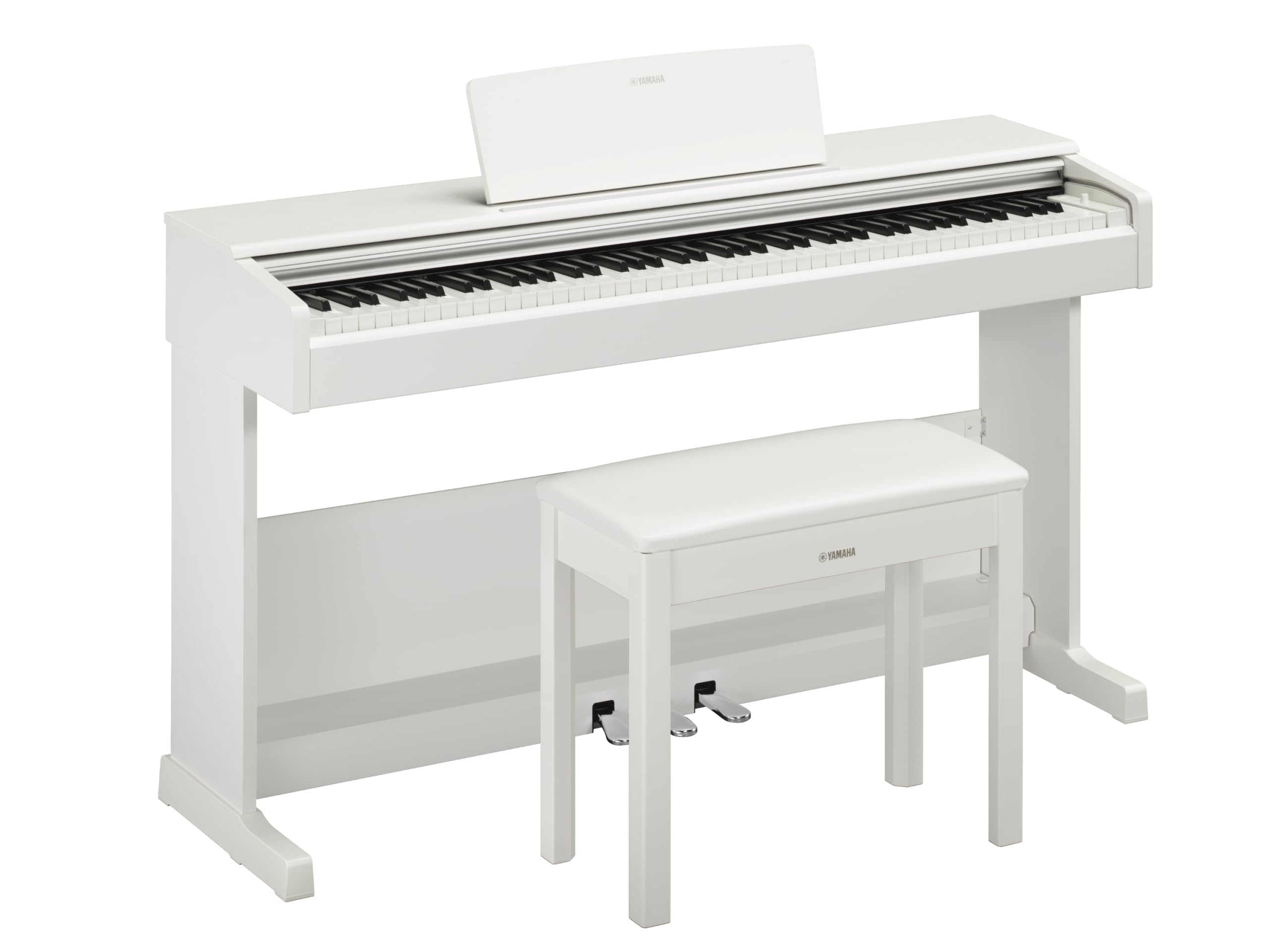
This image shows the Yamaha YDP105 digital piano in a white finish, positioned in a modern living room environment, highlighting its elegant design.
וויכטיק סאַפעטי אינסטרוקציעס
- מאַכט צושטעלן: ניצט נאָר דעם ספּעציפֿירטן מאַכט אַדאַפּטער. זיכערט זיך אַז דער וואָלומעןtage שוועבעלעך דיין היגע מאַכט צושטעלן.
- וואַסער און נעץ: שטעלט נישט אויס דעם אינסטרומענט צו רעגן, פייכטקייט, אדער איבערגעטריבענע הומידיטי. האַלט פליסיקייטן ווייט פון דעם פּיאַנע.
- ווענטילאַטיאָן: זיכער מאַכן אַז עס איז דאָ גענוג ווענטילאַציע אַרום דעם אינסטרומענט. נישט פֿאַרשטאָפּן די ווענטילאַציע עפענונגען.
- אָרט: Place the piano on a stable, level surface. Avoid direct sunlight, heat sources, and areas with excessive dust or vibrations.
- האַנדלינג: באַהאַנדלט דאָס אינסטרומענט מיט פֿאָרזיכט. פֿאַרמײַדט עס צו לאָזן פֿאַלן אָדער אויסשטעלן עס צו שטאַרקע קלאַפּן.
- סערוויס: פרובירט נישט צו סערוויסן דעם אינסטרומענט אליין. לאָזט איבער אלע סערוויסינג צו קוואַליפֿיצירטע פּערסאָנעל.
סעטאַפּ
ונפּאַקקינג
Carefully remove all components from the packaging. Ensure all included items are present: the piano unit, bench, 3-pedal unit, power adapter, and music rest.
פֿאַרזאַמלונג
The Yamaha YDP105 requires some assembly. Follow these steps:
- Attach the side panels to the main keyboard unit using the provided screws.
- Secure the pedal unit to the assembled frame.
- Attach the backboard.
- Place the music rest into its slot on the keyboard unit.
- Assemble the bench according to its separate instructions.

This image shows the fully assembled Yamaha YDP105 digital piano in white, complete with its matching bench and music rest.
מאַכט קאַנעקשאַן
Connect the supplied power adapter to the DC IN jack on the rear of the piano and then to a standard AC outlet.
Pedal Unit Connection
Ensure the 3-pedal unit cable is securely connected to the corresponding jack on the piano.

This image displays a close-up of the three-pedal unit, showing the sustain, sostenuto, and soft pedals.
אַפּערייטינג ינסטראַקשאַנז
מאַכט אויף / אַוועק
דרוק די מאַכט button to turn the instrument on or off.
באַנד קאָנטראָל
ניצן די בעל באַנד קנעפּל צו סטרויערן דעם אַלגעמיינעם געזונט לעוועל.
אויסקלייבן שטימען (אינסטרומענט קלאַנגען)
The YDP105 features 10 instrument voices. To select a voice:
- דרוק די קול קנעפּל.
- Use the keyboard keys to select the desired voice as indicated in the manual's voice list.

This image shows a close-up of the control panel on the left side of the keyboard, highlighting the "GRAND PIANO" and "FUNCTION" buttons.
ניצן כעדפאָונז
The piano includes dual headphone jacks for private practice or duets. Connect standard 3.5mm headphones to either jack.

This image shows a pair of headphones resting on the top surface of the digital piano, near the keys.
Smart Pianist App Integration
Enhance your experience by connecting the YDP105 to the Yamaha Smart Pianist app. This app allows for intuitive control of piano functions, access to scores, and learning tools. Refer to the Smart Pianist app's documentation for detailed connection and usage instructions.

This image displays the icon for the Yamaha Smart Pianist App, featuring a stylized piano keyboard and musical notes.
וישאַלט
רייניקונג
ווישט אָפּ דאָס אינסטרומענט מיט אַ ווייכן, טרוקענעם שטאָף. פֿאַר שווערן שמוץ, ניצט אַ לייכט טרוקענעם שטאָף.amp cloth and then wipe dry. Avoid abrasive cleaners, solvents, or polishes.
סטאָרידזש
Store the piano in a stable environment, away from direct sunlight, extreme temperatures, and high humidity.
Moving the Instrument
When moving the piano, ensure it is powered off and disconnected from the power source. Handle with care to prevent damage.
טראָובלעשאָאָטינג
קיין געזונט
- קוק אויב די מאַכט איז אויף.
- פאַרזיכערן אַז די באַנד איז געוואקסן.
- אויב כעדפאָונז זענען פארבונדן, דיסקאָנעקט זיי צו קאָנטראָלירן רעדנער אַוטפּוט.
- באַשטעטיקן אַז אַלע קייבלס זענען זיכער פארבונדן.
שליסלען ניט ריספּאַנדינג
- Power cycle the instrument (turn off, then on again).
- Ensure no objects are obstructing the keys.
Pedals Not Working
- Check the pedal unit cable connection.
- Ensure the pedal unit is correctly assembled and positioned.
ספּעסאַפאַקיישאַנז
| שטריך | דעטאַל |
|---|---|
| מאָדעל נאָמען | YDP-105 |
| נומער פון קיז | 88 |
| שליסל טיפּ | Graded Hammer Standard (GHS) keyboard with matte black keytops |
| ריר ענטפער | Hard/Medium/Soft/Fixed |
| קולות | 10 (including Grand Piano) |
| פּאָליפאָני | 64 הערות |
| פּעדאַלז | 3 (דamper with half pedal effect, Sostenuto, Soft) |
| קאַנעקטיוויטי | USB to Host, Headphone Jacks (2 x Standard Stereo Phone Jack) |
| ספּיקערז | 12 סענטימעטער רענטגענ 2 |
| Ampליפער | 8 וו רענטגענ 2 |
| דימענשאַנז (ב x ד x ה) | 1357 מ״מ x 422 מ״מ x 815 מ״מ (53.44" x 16.63" x 32.09") |
| וואָג | 37.5 קג (82.7 לבס) |
| מאַכט צושטעלן | PA-150B or an equivalent recommended by Yamaha |
וואָראַנטי אינפֿאָרמאַציע
The Yamaha YDP105 Digital Piano comes with a 1-year manufacturer warranty. Yamaha Corporation of America is committed to the quality and craftsmanship of its products. This limited warranty applies only to products purchased from an authorized Yamaha retailer in the fifty United States (including the District of Columbia) and used within this area. For complete warranty details and terms, please refer to the official Yamaha webזייטל אדער קאָנטאַקט יאַמאַהאַ קונה שטיצע.
קונה שטיצן
פֿאַר ווייטערדיקע הילף, טעכנישע שטיצע, אדער סערוויס אָנפֿראַגעס, ביטע באַזוכט די אָפֿיציעלע יאַמאַהאַ webפּלאַץ אָדער קאָנטאַקט זייער קונה סערוויס אָפּטיילונג.