
1. הקדמה
This manual provides detailed instructions for assembling and operating your ROBOTIME Slow Life Café Miniature House Kit, model DG162-01. This 1:18 scale DIY kit allows you to construct a charming coffee shop diorama complete with intricate details and functional LED lighting. Designed for adults and hobbyists with intermediate crafting experience, this kit offers a rewarding building experience and results in a beautiful display piece.
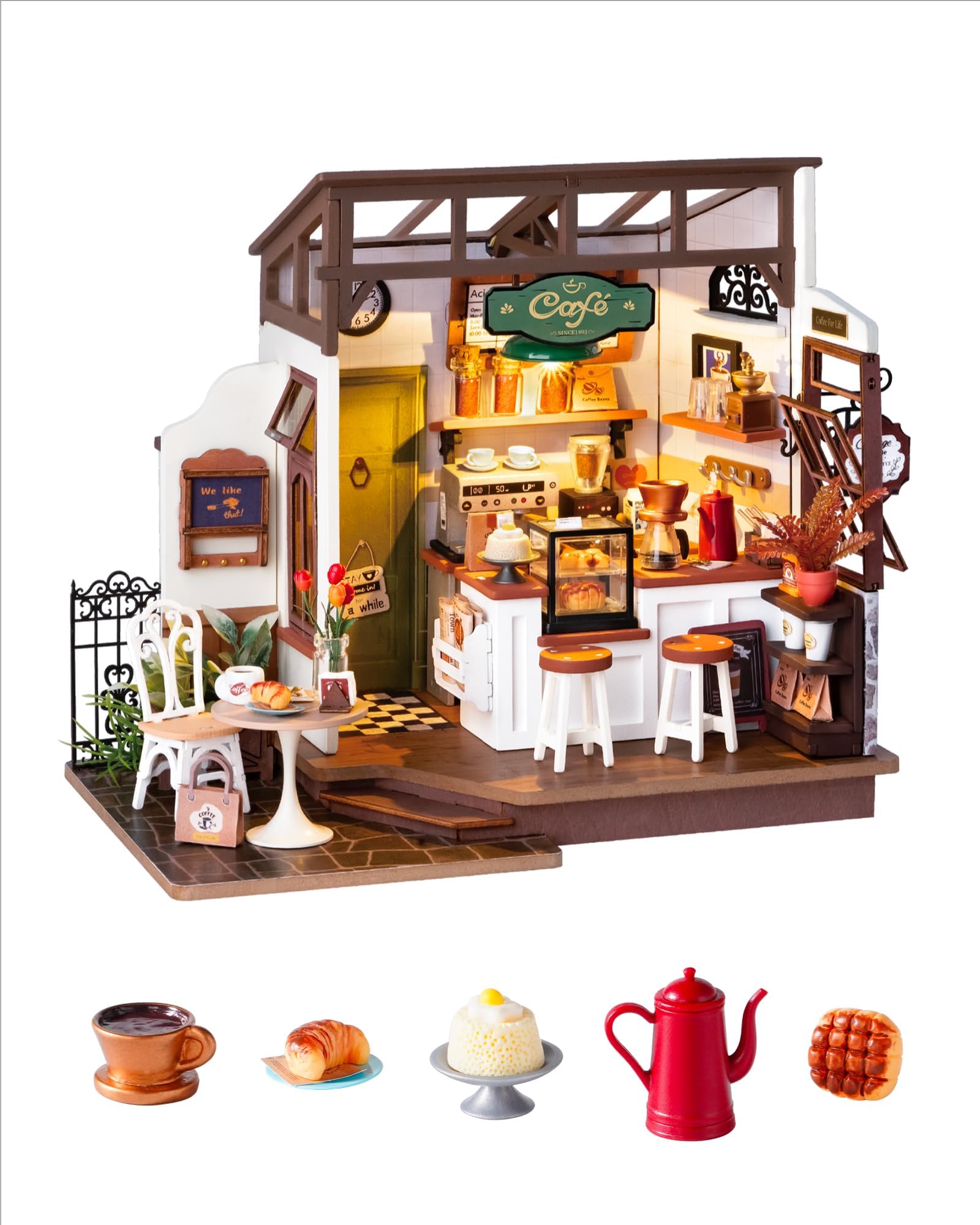
Image 1.1: The completed Slow Life Café Miniature House Kit.
2. זיכערקייַט אינפֿאָרמאַציע
- This kit contains small parts. Keep out of reach of small children to prevent choking hazards.
- Exercise caution when using sharp tools such as craft knives or scissors during assembly.
- Use glue in a well-ventilated area. Avoid contact with skin and eyes. In case of contact, rinse thoroughly with water.
- Batteries (AAA/LR03/AM4 1.5V) are not included. Ensure correct polarity when inserting batteries. Do not mix old and new batteries or different types of batteries. Remove batteries if the product is not used for an extended period.
3. פּעקל אינהאַלט
Before beginning assembly, verify that all components are present. The kit includes approximately 240 precision pieces made primarily of wood, along with paper components, LED lighting elements, and basic assembly tools (tweezers, glue). Refer to the detailed parts list in your instruction booklet for a complete inventory.

Image 3.1: Various components and tools included in the kit.
4. סעטאַפּ און אַסעמבלי
The assembly process is estimated to take approximately 8 hours. This kit is rated for intermediate difficulty, requiring patience and attention to detail. Follow the pictorial instructions provided in your kit booklet carefully.
4.1 צוגרייטונג
- Clear a well-lit, spacious workspace.
- Organize all pieces by their designated bags and labels as per the instruction booklet.
- Prepare 2 AAA/LR03/AM4 1.5V batteries (not included) for the LED lights.
- Have an art knife or precision scissors ready for cutting and trimming.
4.2 שריט-ביי-שריט צוזאַמענשטעלונג
- אויספּאַקן און אידענטיפיצירן: Carefully remove all pieces from their packaging. Match each piece to the corresponding diagram in the instruction manual.
- Construct Base Structure: Begin by assembling the main structural components of the café, such as walls and flooring. Ensure all connections are secure.
- Detailing and Furniture: Proceed to assemble the smaller furniture pieces and decorative elements. Pay close attention to the order of assembly for these intricate parts.
- Paper Components: For paper elements, use the provided glue. Apply glue evenly and press firmly to ensure a smooth finish. Allow adequate drying time.
- עלעקטריקאַל וויירינג: Install the LED lighting system as directed. This involves connecting wires and securing the battery box. Ensure all connections are correct before inserting batteries.
- לעצטע פּלאַצירונג: Once all individual components are built, carefully place and secure them within the café structure.

Image 4.1: Close-up of various detailed elements within the café.
Video 4.2: An official ROBOTIME video demonstrating the assembly process and features of the Coffee Shop Miniature Kit.
5. אפערירן די LED לייץ
Your Slow Life Café kit includes LED lights to enhance its ambiance. To operate the lights:
- Ensure 2 AAA/LR03/AM4 1.5V batteries are correctly installed in the battery box, observing polarity.
- Locate the on/off switch on the battery box.
- Flip the switch to the 'ON' position to illuminate the café. Flip to 'OFF' to turn off the lights.

Image 5.1: Comparison of the miniature café with LED lights on (top) and off (bottom).
6. וישאַלט
To keep your miniature café in excellent condition:
- שטויב: Gently dust the model regularly with a soft brush or compressed air to prevent accumulation.
- האַנדלינג: באַהאַנדלט דאָס צוזאַמענגעשטעלטע מאָדעל מיט פֿאָרזיכט כּדי צו פֿאַרמייַדן אַרויסצורײַסן קליינע קאָמפּאָנענטן.
- סטאָרידזש: Store in a dry environment away from direct sunlight and extreme temperatures to prevent material degradation.
- באַטעריז: Remove batteries if the model will not be used for an extended period to prevent leakage.
7. טראָובלעשאָאָטינג
| פּראָבלעם | מעגלעך סיבה | לייזונג |
|---|---|---|
| פעלנדיק אָדער צעבראכן טיילן | פאבריקאציע דעפעקט אדער שיפּינג שאדן. | Contact ROBOTIME customer support for assistance. |
| געפירט לייץ נישט ארבעטן | Incorrect battery installation, dead batteries, loose wiring. | Check battery polarity, replace batteries, ensure all wire connections are secure. |
| שטיקער פּאַסן זיך נישט צוזאַמען | Incorrect orientation, excess material, or misidentified part. | Refer to the instruction manual to verify part orientation. Gently sand or trim excess material if necessary. Ensure you are using the correct piece. |
| Glue not holding | Insufficient glue, improper application, or not enough drying time. | Apply a sufficient amount of glue evenly. Ensure surfaces are clean and dry. Allow ample time for the glue to set before handling. |
8. ספּעסאַפאַקיישאַנז
- מאָדעל נומער: DG162-01
- וואָג: 1:18
- צוזאַמענגעשטעלטע גרייסן (L x B x H): 9.8 X 5.9 X 7.7 אינטשעס (24.9 X 15 X 19.6 סענטימעטער)
- נומער פון ברעקלעך: בעערעך 240
- עסטימאַטעד אַסעמבלי צייט: 8 שעה
- רעקאַמענדיד עלטער: 14+ יאָר
- הויפּט מאַטעריאַל: האלץ
- לייטינג: LED (requires 2 x AAA/LR03/AM4 1.5V batteries, not included)
9. וואָראַנטי און שטיצן
For any issues regarding missing or broken parts, or other product-related inquiries, please contact ROBOTIME customer support. Detailed warranty information may be available on the official ROBOTIME webוועבזייטל אדער דורך אייער הענדלער.
ROBOTIME Official Webפּלאַץ: www.robotimeonline.com