
הקדמה
Thank you for choosing the iScooter iK1 Kids Electric Scooter. This manual provides essential information for the safe assembly, operation, and maintenance of your scooter. Please read it thoroughly before first use and retain it for future reference. Ensure all users understand the instructions and safety warnings.

Image: Two children enjoying their iScooter iK1 scooters, illustrating the product's range, battery life, and motor power.
זיכערקייַט אינפֿאָרמאַציע
Your safety is paramount. Always follow these guidelines:
- טראָגט שטענדיק אַ העלם און פּאַסיקע שוץ-קליידער (קני פּעדס, עלנבויגן פּעדס) ווען איר רײַט.
- Supervise children during use. This scooter is designed for children aged 6-10 years, weighing up to 110 lbs.
- Do not ride in traffic, on wet surfaces, or near stairs.
- זיכער מאַכן אַז דער סקוטער איז גאָר אויפגעלאָדן איידער יעדער רייזע.
- The scooter features a non-zero-start mechanism for safer pushing-off.
- An automatic standby mode activates after 5 minutes of inactivity to conserve energy.
- A red indicator light flashes to alert you when the battery is low.

Image: Children riding the iScooter iK1, illustrating recommended rider height, maximum load, and age range for safe use.
סעטאַפּ און אַסעמבלי
The iScooter iK1 requires minimal assembly. Only the handlebar and stem need to be attached.
- קערפאַלי באַזייַטיקן אַלע קאַמפּאָונאַנץ פון די פּאַקקאַגינג.
- Insert the handlebar stem into the main body of the scooter.
- Align the handlebar with the front wheel and secure it using the provided tool kit. Ensure all screws are tightened firmly.
- Check all connections and moving parts before the first ride.

בילד: א דעטאַלירטע view of the magnetic energy-replenishment charging port on the iScooter iK1.
אַפּערייטינג ינסטראַקשאַנז
מאַכט אויף / אַוועק און גיכקייַט קאָנטראָל
- מאַכט אויף / אַוועק: Long press the power button to turn the scooter on or off.
- גיכקייַט מאָדעס: With the scooter powered on, press the power button once to switch between the two speed settings: 6 MPH and 9 MPH.

Image: Instructions for using the power button to turn the scooter on/off, switch speeds, and identify low battery warnings.
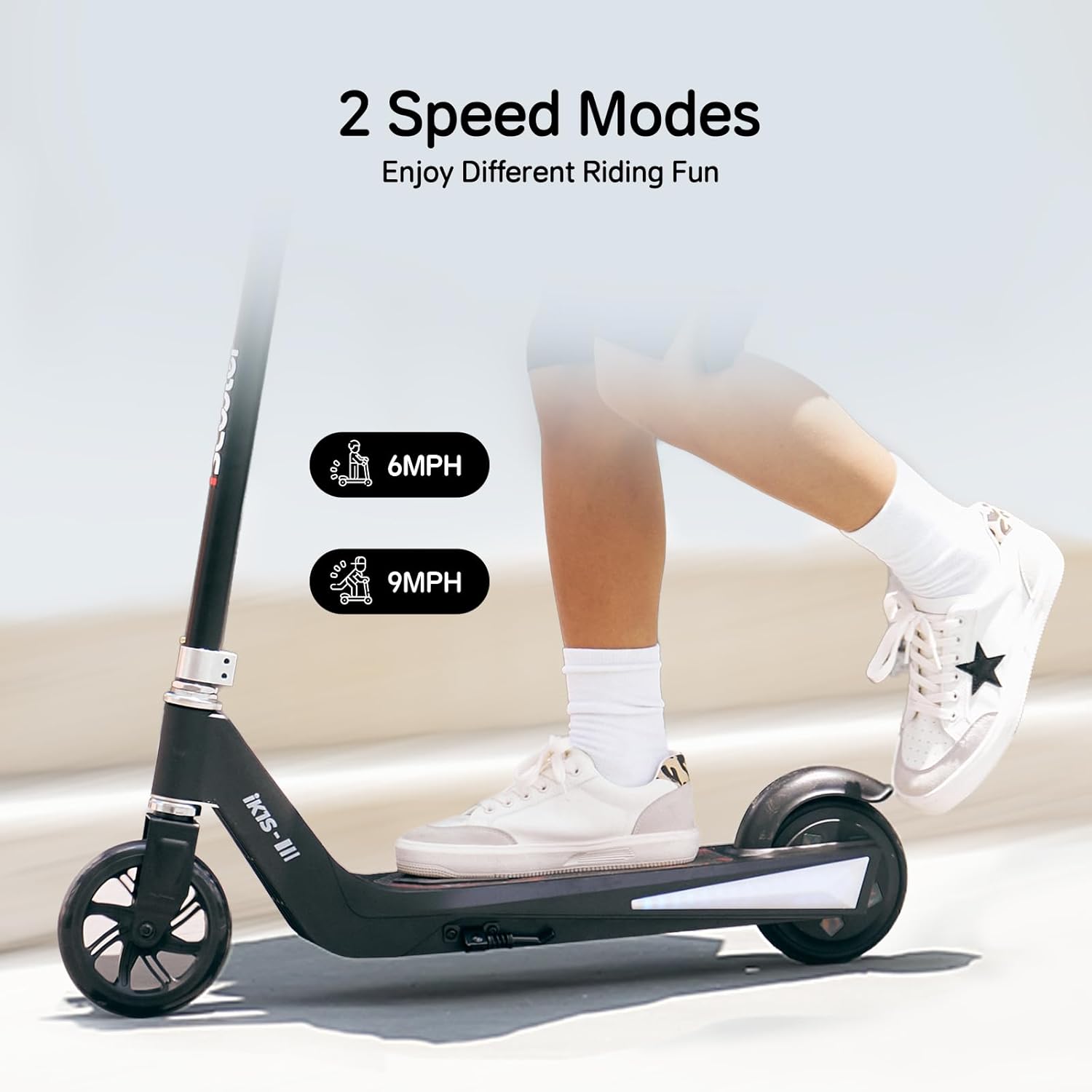
Image: Illustration of the two available speed modes, 6 MPH and 9 MPH, for varied riding experiences.
אַדזשאַסטאַבאַל הייך
The iK1 scooter features 3-level height adjustment to accommodate growing children:
- Adjustable heights: 32 inches, 34.5 inches, and 37 inches.
- To adjust, locate the quick-release clamp on the stem, open it, adjust the handlebar to the desired height, and securely close the clamp. Ensure the handlebar is locked in place before riding.

Image: Demonstrates the three adjustable handlebar heights of the iScooter iK1, accommodating different child sizes.
לייץ
The scooter is equipped with:
- 7-color rim lights on the front wheel.
- Side-board ambient lighting on the deck.
These lights enhance visibility and add to the riding experience, especially at night.

Image: The iScooter iK1 illuminated with its colorful rim lights and side-board ambient lighting, enhancing safety and fun.
ברייקינג
The iK1 scooter utilizes a rear braking system. To slow down or stop, apply pressure to the rear fender brake with your foot.
וישאַלט
Regular maintenance ensures the longevity and safe operation of your iScooter iK1.
- רייניקונג: ווישט אויס דעם סקוטער מיט אדווערטייזמענטamp cloth after use. Avoid using harsh chemicals or excessive water.
- באַטערי זאָרגן: Charge the scooter fully after each use. Do not store the scooter with a completely depleted battery for extended periods.
- טייער דורכקוק: Regularly check the rubber wheels for wear and tear.
- פאַסטענערס: Periodically check all screws and bolts to ensure they are tight. Tighten any loose fasteners.
- סטאָרידזש: האַלט דעם סקוטער אין אַ טרוקענעם, קילן אָרט אַוועק פון דירעקטער זון און עקסטרעמע טעמפּעראַטורן.
טראָובלעשאָאָטינג
If you encounter issues with your iScooter iK1, refer to the following common solutions:
- סקוטער טוט זיך נישט אן: Ensure the battery is charged. Long press the power button firmly.
- נידעריק באַטאַרייע גראדן: A red flashing light indicates low battery. Charge the scooter immediately.
- Scooter not moving: Ensure the scooter is powered on and you are using the non-zero-start method (pushing off with your foot first).
- ליכטער ארבעטן נישט: Check if the scooter is powered on. If issues persist, contact customer support.
ספּעסאַפאַקיישאַנז
| שטריך | דעטאַל |
|---|---|
| סאָרט | iScooter |
| מאָדעל נאָמען | IK1 |
| עלטער ראַנגע (רעקאָמענדירט) | Kids (6-10 years) |
| וואָג לימיט | 110 פונט |
| נומער פון ווילז | 2 |
| ראָד מאַטעריאַל | גומע |
| ראָד גרייס | 5.5 אינטשעס |
| ראָד טיפּ | האַרט |
| טאָרמאָז סטייל | הינטערשטע ברעיקינג |
| אַדזשאַסטאַבאַל כאַנדלעבאַר הייך | 32"/34.5"/37" |
| גיכקייַט סעטטינגס | 6 MPH / 9 MPH |
| מאָטאָר מאַכט | 100 וו |
| קייט | 3.0-4.3 מייל |
| Continuous Fun Time | 33 מינוט |
| ספּעציעלע פֿעיִקייטן | Magnetic Energy-Replenishment, Smart Safety Management, Colorful Flashing Wheels & Deck Lights |
וואָראַנטי אינפֿאָרמאַציע
The iScooter iK1 comes with a warranty covering different parts:
- A 360-day warranty on certain parts.
- A 180-day warranty on other specific parts.
Please refer to the warranty card included in your package for detailed terms and conditions, or visit the official iScooter webפּלאַץ פֿאַר מער אינפֿאָרמאַציע.
קונה שטיצן
For any questions, technical assistance, or warranty claims, please contact iScooter customer support:
- Visit the official iScooter webפּלאַץ: iScooter Store on Amazon
- Refer to the contact information provided on the brand card included with your product.