
1. הקדמה
This manual provides detailed instructions for the safe and proper installation, operation, and maintenance of your LOKLNEYK Universal TV Bracket, Model liangwei 90. This low-profile wall mount is designed for most 14-60 inch flat or curved TVs with a maximum VESA compatibility of 200x200mm and a maximum load capacity of 40kg.
Please read this manual thoroughly before installation and retain it for future reference. Ensure all components are present and undamaged before proceeding.
2. זיכערקייַט אינפֿאָרמאַציע
ווארענונג: Improper installation may result in serious personal injury or damage to your TV and property. If you do not understand these instructions or have doubts about the safety of the installation, please contact a qualified installer.
- Do not exceed the maximum load capacity of 40kg (88 lbs).
- Ensure the wall structure can safely support the combined weight of the mount and your TV.
- Always use a stud finder to locate wall studs for secure mounting. If mounting to concrete or brick, use appropriate anchors (not always included).
- טראָגט פּאַסיקע זיכערהייט-עקוויפּמענט, אַרייַנגערעכנט אויג-שוץ, בעת דער אינסטאַלאַציע.
- האַלטן קינדער און פּעץ אַוועק בעשאַס ינסטאַלירונג.
- Do not overtighten screws, as this may cause damage.
- דער פּראָדוקט איז בדעה בלויז פֿאַר דרינענדיק נוצן.
3. פּראָדוקט ספּעסאַפאַקיישאַנז
| פּראָדוקט טיפּ | TV Mount Accessories |
| סקרין גרייס קאַמפּאַטאַבילאַטי | 14-60 inches (Flat/Curved TVs) |
| VESA קאַמפּאַטאַבילאַטי | Max VESA 200x200mm |
| מאַקסימום מאַסע וואָג | 40 קג (88 לבס) |
| אַדזשאַסטמאַנט | Fixed with 0-15° tilting angle |
| ייַנמאָנטירונג טיפּ | וואַנט מאַונטינג |
| מאַטעריאַל | קאַלט ראָולד שטאָל |
| פּונקט וואָג | 1.76 אונסעס (0.05 קג) |
| מאָדעל נומער | liangwei 90 |
Note: The product is designed for a low-profile installation, keeping your TV close to the wall.
4. פּעקל אינהאַלט
Please verify that all parts are included before installation. If any parts are missing or damaged, do not proceed with installation and contact customer support.
- וואנט טעלער (1)
- טעלעוויזיע קלאַמער אָרעמס (2)
- Mounting Hardware (Screws, Washers, Spacers, Wall Anchors - specific quantities may vary)
- Bubble Level (1) (Often included for installation)

Figure 1: Mount Dimensions and VESA Compatibility. This image illustrates the overall dimensions of the mount (440mm width, 417mm height) and indicates compatibility for 26-60 inch TVs. While the image shows VESA up to 400x400mm, please adhere to the product specification of Max VESA 200x200mm.
5. סעטאַפּ און ייַנמאָנטירונג
Follow these steps carefully to install your LOKLNEYK Universal TV Bracket.
5.1 נויטיקע מכשירים (נישט אַרייַנגערעכנט)
- בלייַער
- בויער
- פיליפּס קאָפּ שרויפנ - ציער
- שטיפֿ־פֿינדער (פֿאַר האָלץ־שטיפֿ־ווענט)
- מעאַסורינג טייפּ
- Level (a small bubble level is often included)
5.2 באַפעסטיקט טעלעוויזיע קלאַמערן צו טעלעוויזיע
- לייגט פֿאָרזיכטיק אייער טעלעוויזיע מיטן פּנים אַראָפּ אויף אַ ווייכער, ריינער ייבערפֿלאַך כּדי צו פֿאַרמייַדן שאָדן צום עקראַן.
- ידענטיפיצירן די VESA מאַונטינג האָלעס אויף די צוריק פון דיין טעלעוויזיע.
- Select the appropriate screws, washers, and spacers from the provided hardware that fit your TV's mounting holes. Ensure the screws are long enough to securely fasten the brackets but not so long that they damage internal components.
- Attach the two vertical TV bracket arms to the back of your TV using the selected hardware. Ensure the hooks on the bracket arms are facing upwards and the arms are centered and level. Do not overtighten.
5.3 מאָנטירן די וואַנט פּלאַטע
- Determine the desired height for your TV. Mark the center of where you want the TV to be.
- Hold the wall plate against the wall at the desired height and use a level to ensure it is perfectly horizontal. Mark the drilling locations through the holes on the wall plate.
- פֿאַר האָלץ שטאַפּל ווענט: Use a stud finder to locate the center of two adjacent wood studs. Drill pilot holes at the marked locations. Secure the wall plate to the studs using the provided wood screws and washers.
- פֿאַר בעטאָן/ציגל ווענט: Drill pilot holes at the marked locations. Insert the plastic wall anchors into the drilled holes. Secure the wall plate using the provided concrete screws and washers.
- Verify the wall plate is securely fastened and level before proceeding.

Figure 2: Wall Plate Installation. This image shows the main wall plate securely mounted to a wall, ready for the TV to be attached.

Figure 3: Mount Construction Detail. This image emphasizes the cold-rolled steel material, indicating durability, and shows a built-in bubble level for accurate installation.
5.4 אויפהענגען דעם טעלעוויזאר
- With assistance, carefully lift the TV with the attached bracket arms.
- Hook the TV bracket arms onto the top edge of the wall plate.
- לאָזט דעם טעלעוויזאָר פֿאָרזיכטיק אַראָפּ ביז די קלאַמער־אַרעמס גייען גאָר אַרײַן אין דער וואַנט־פּלאַטע.
- Secure the TV to the wall plate using the safety screws or locking mechanisms located at the bottom of the TV bracket arms. This prevents accidental dislodging.
- Check that the TV is level and securely mounted.
6. אָפּעראַציע
The LOKLNEYK Universal TV Bracket is a low-profile wall mount designed for a fixed position with a slight tilting capability.
- פאַרפעסטיקט שטעלע: Once installed, your TV will be held securely in a fixed position close to the wall, optimizing space.
- טילטינג ווינקל: This mount allows for a 0-15° tilting adjustment. To adjust the tilt, loosen the tilt adjustment screws on the side of the TV bracket arms, set the desired angle, and then securely tighten the screws. This feature helps reduce glare and provides a comfortable viewing experience from various positions.
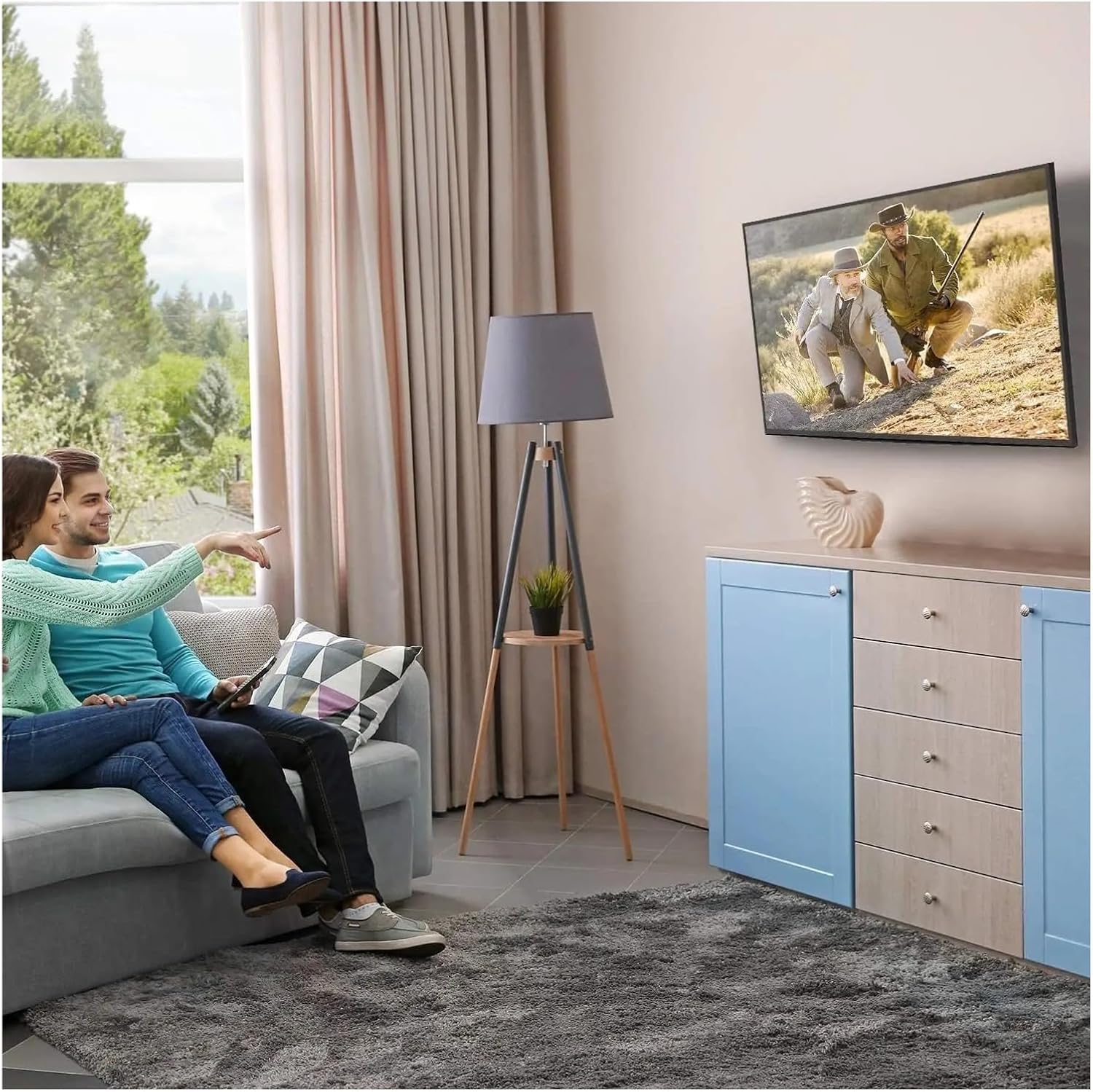
Figure 4: Optimal Viewing Experience. This image demonstrates the TV mounted on the wall, providing an enhanced viewing experience and saving space.
7. וישאַלט
Regular maintenance ensures the longevity and safety of your TV mount.
- רייניקונג: Dust the mount periodically with a soft, dry cloth. Avoid abrasive cleaners or solvents.
- טשעק קאַנעקשאַנז: Annually, or if you notice any instability, check all screws and bolts to ensure they are securely tightened. Do not overtighten.
- דורכקוקן פֿאַר שעדיקן: Periodically inspect the mount for any signs of wear, corrosion, or damage. If any damage is found, contact customer support for replacement parts or advice.
8. טראָובלעשאָאָטינג
אויב איר טרעפט פּראָבלעמען בעת אָדער נאָך דער אינסטאַלאַציע, זעט די פאלגענדע געוויינטלעכע פּראָבלעמען און לייזונגען.
| פּראָבלעם | מעגלעך סיבה | לייזונג |
|---|---|---|
| טעלעוויזיע איז נישט גלייך | וואַנט פּלאַטע נישט גלייך בעת אינסטאַלאַציע. | Remove TV, adjust wall plate to be level, re-mount TV. Use a level during installation. |
| TV feels unstable | Screws not fully tightened; incorrect wall anchors used; wall structure insufficient. | Ensure all screws are tightened. Verify wall type and use correct anchors. Consult a professional if wall structure is questionable. Do not exceed weight capacity. |
| Cannot attach TV bracket arms to TV | אומרעכטע VESA מוסטער; אומרעכטע שרויפן געניצט. | Verify your TV's VESA pattern matches the mount's compatibility (max 200x200mm). Ensure correct screw diameter and length are used for your TV. |
| TV does not tilt | Tilt adjustment screws are too tight. | Loosen the tilt adjustment screws slightly, adjust the angle, then re-tighten. |
9. וואָראַנטי און שטיצן
For warranty information or technical support, please refer to the documentation included with your purchase or contact LOKLNEYK customer service directly. Please have your model number (liangwei 90) and purchase details ready when contacting support.
Manufacturer: LOKLNEYK
ערשטער בנימצא דאַטע: 10טן יאַנואַר, 2026