
1. פּראָדוקט איבערview
The Hunter ZenTech 52 Inch Smart Ceiling Fan (Model 53638) is designed for both indoor and covered outdoor spaces, offering quiet, efficient performance with advanced smart home integration. This 5-blade fan features a slim DC motor, adjustable LED lighting with TrueLight technology, and Wi-Fi connectivity for control via the HunterSMART app, Amazon Alexa, Google Assistant, and Apple HomeKit. It is ENERGY STAR certified and damp-rated for versatile use.
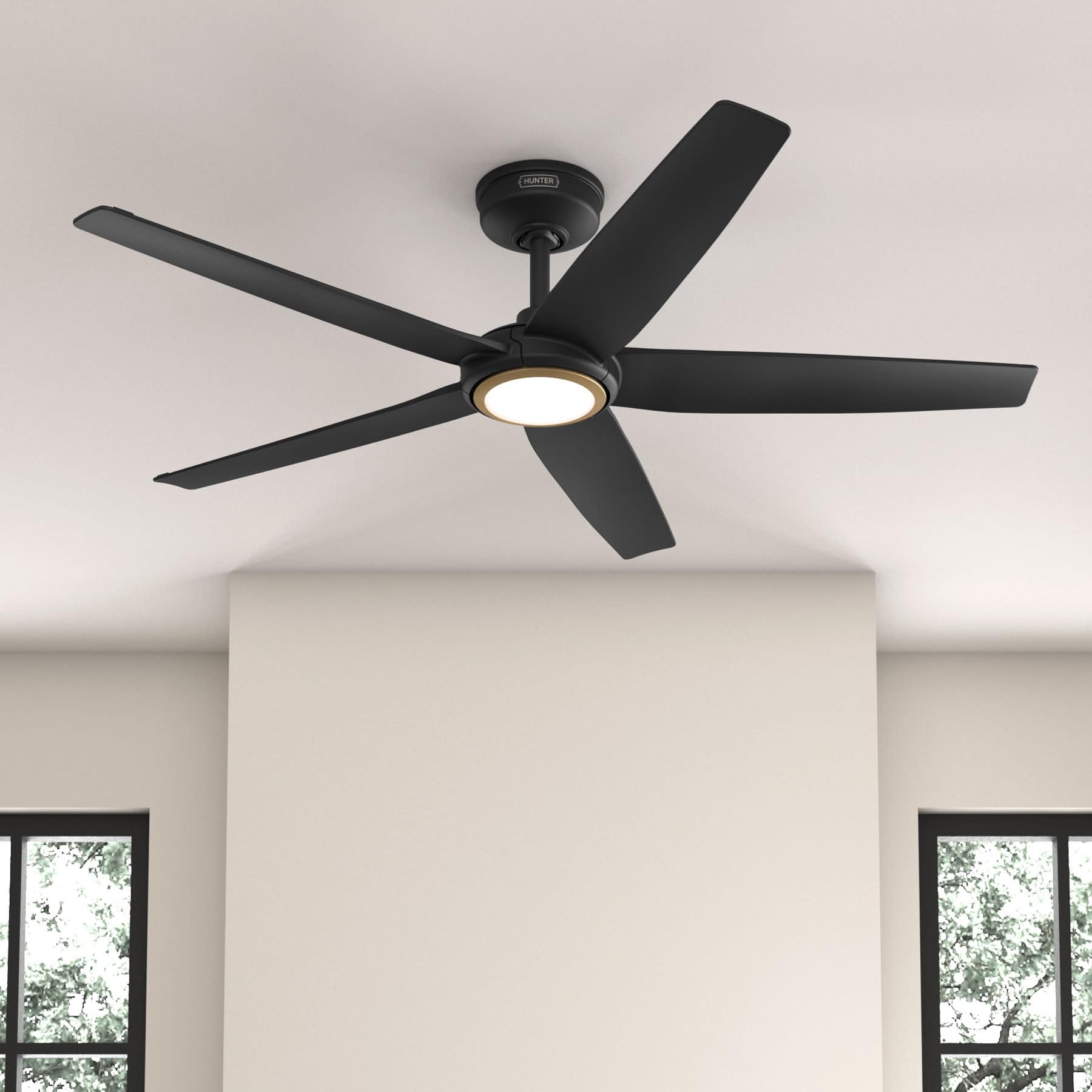
Figure 1: Hunter ZenTech 52 Inch Smart Ceiling Fan (Matte Black)
שליסל פֿעיִקייטן:
- אַוואַנסירטע פּלאַן: Ultra-slim DC motor for powerful, quiet airflow and a modern aesthetic.
- סמאַרט היים ינטעגראַטיאָן: HunterSMART technology for app and voice control via Amazon Alexa, Google Assistant, and Apple HomeKit.
- אַדזשאַסטאַבאַל געפירט לייטינג: TrueLight LED offers 10 brightness levels and 10 color temperatures, protected by a durable Duralight lens.
- SureSpeed Guarantee: Delivers strong, consistent airflow with quiet, wobble-free performance.
- ענערגיע עפעקטיוו: ENERGY STAR certified reversible 6-speed DC motor.
- Damp רייטאַד: Suitable for indoor and covered outdoor areas.
2. וויכטיק סאַפעטי אינסטרוקציעס
ליינט אלע אינסטרוקציעס קערפול איידער איר הייבט אן די אינסטאלאציע. נישט נאכפאלגן די אינסטרוקציעס קען רעזולטירן אין עלעקטרישע שאק, פייער, אדער פערזענליכע שאדן.
- שטענדיק אָפּשטעקן די מאַכט בײַם הויפּט קרייַז ברעאַקער איידער ינסטאַלירונג אָדער סערוויסינג.
- Ensure all electrical connections comply with local codes and ordinances. If you are unfamiliar with electrical wiring, consult a qualified electrician.
- די מאָנטירונג סטרוקטור מוז זיין טויגיק צו שטיצן די וואָג פון די פאָכער (אומגעפער 14.11 פונט).
- Do not bend blade brackets during installation or cleaning.
- האַלט די הענט ווײַט פֿון די ווענטילאַטאָר בלעטער ווען דער ווענטילאַטאָר אַרבעט.
- דער פאן איז דamp-rated for use in covered outdoor areas but should not be exposed directly to water.
3. פּעקל אינהאַלט
Verify that all components listed below are present in your package before beginning installation.
- סופיט פאָכער מאָטאָר האָוסינג
- 5 פאַן בלאַדעס
- Light Kit with Duralight Lens
- 6-אינטש דאַונראַד
- קאַנאָפּי און מאַונטינג קלאַמער
- כאַנדכעלד רימאָוט קאָנטראָל
- האַרדווער פּאַק (שרויף, וואַשערס, דראָט ניסלעך)

Figure 2: ZenTech 52 Inch Fan Components
4. ינסטאַללאַטיאָן גייד
Professional installation is recommended. Ensure the power is OFF at the circuit breaker before starting.
4.1 מאָונטינג די פאָכער
- Secure the mounting bracket to the ceiling junction box. The junction box must be listed for fan support.
- Assemble the downrod (6-inch included, compatible with up to 24-inch downrods) to the fan motor housing.
- Hang the fan assembly from the mounting bracket.
- Complete electrical wiring connections as per the wiring diagram provided in the full manual.
- באַפעסטיקט די ווענטילאַטאָר בליידז צו די מאָטאָר האָוסינג.
- Install the light kit and Duralight lens.

Figure 3: ZenTech Fan installed in a covered outdoor space
5. אַפּערייטינג ינסטרוקטיאָנס
The ZenTech fan can be operated using the included handheld remote control or through the HunterSMART app.
5.1 רימאָוט קאָנטראָל אָפּעראַציע
- פאָכער אויף/אַוועק: דריק דעם ווענטילאַטאָר קנעפּל צו דרייען דעם ווענטילאַטאָר אָן אָדער אויס.
- פאַן גיכקייַט: ניצט די גיכקייט קנעפּלעך צו דורכגיין 6 ווענטילאַטאָר גיכקייטן.
- ליכט אויף/אַוועק: דרוק די ליכט קנעפּל צו קער די ליכט אויף אָדער אַוועק.
- ליכט דימינג: Hold the light button to dim or brighten the light.
- קאָליר טעמפּעראַטור: Press the color temperature button to cycle through different color temperatures (warm to cool).
- פאַרקערט פֿונקציע: Press the reverse button to change the fan's direction for seasonal use.
5.2 LED Light Control (TrueLight Technology)
The TrueLight LED system allows for precise control over your lighting environment. You can select from 10 brightness levels and 10 color temperatures to match your preference.

Figure 4: TrueLight LED Technology for adjustable lighting
6. קלוגע היים אינטעגראַציע
The ZenTech fan features HunterSMART technology, enabling seamless integration with popular smart home ecosystems.
6.1 Connecting to HunterSMART App
- Download the HunterSMART app from your device's app store.
- Follow the in-app instructions to create an account and add your ZenTech fan.
- Ensure your fan is powered on and your mobile device is connected to a 2.4 GHz Wi-Fi network during setup.
6.2 קאָמפּאַטיביליטי מיט שטימע קאָנטראָל
Once connected to the HunterSMART app, you can link your fan to:
- אַמאַזאָן אַלעקסאַ
- Google אַססיסטאַנט
- עפּל האָמעקיט
Refer to the respective smart home platform's instructions for linking smart devices.

Figure 5: HunterSMART Control Options
7. קער און וישאַלט
רעגולערע אויפהאלטונג גאראנטירט אפטימאלע פאָרשטעלונג און לענגלעבעדיקייט פון אייער סופיט ווענטילאַטאָר.
- רייניקונג: Dust the fan blades and motor housing periodically with a soft, lint-free cloth. For damp-rated areas, wipe down with a slightly damp cloth, then dry thoroughly. Do not use abrasive cleaners or solvents.
- פעסטקייט קאָנטראָל: Annually, check all screws and connections for tightness. Vibrations can cause them to loosen over time.
- ליכט קיט: The LED light source is designed for long life and is not user-serviceable.
8. טראָובלעשאָאָטינג גייד
If you encounter issues with your ZenTech ceiling fan, refer to the table below for common problems and solutions.
| פּראָבלעם | מעגלעך סיבה | לייזונג |
|---|---|---|
| פאָכער טוט נישט אָנהייבן | קיין שטראָם צום ווענטילאַטאָר; לויזע דראָט פֿאַרבינדונגען; נידעריקע באַטאַרייע אין דער ווײַטקאָנטראָל. | קאָנטראָלירט דעם קרייז ברעיקער; באַשטעטיקט אַז אַלע דראָט פֿאַרבינדונגען זענען זיכער; פאַרבייטן די באַטאַרייע פֿון דער ווײַט קאָנטראָל. |
| ליכט טוט נישט אַרבעטן | No power to the light kit; Loose wire connection; Light kit malfunction. | Check circuit breaker; Verify light kit wiring; Contact customer support if LED is faulty. |
| פאן װאבלט זיך | Loose blades or blade holders; Improperly balanced blades; Loose mounting bracket. | Ensure all blade screws are tight; Use a blade balancing kit (not included); Tighten mounting bracket screws. |
| קלוגע פֿונקציעס פֿאַרבינדן זיך נישט | Incorrect Wi-Fi network (not 2.4 GHz); Incorrect app setup; Router issues. | Ensure connection to 2.4 GHz Wi-Fi; Re-attempt app setup; Restart router and fan. |
9. טעכניש ספּעסאַפאַקיישאַנז
| באַשרייַבונג | דעטאַל |
|---|---|
| סאָרט | הונטער |
| מאָדעל נאָמען | ZenTech |
| מאָדעל נומער | 53638 |
| גרייס | 52 אינטשעס |
| קאָליר | מאַט שווארצע |
| פּראָדוקט דימענשאַנז | 52"ד רענטגענ 52"וו רענטגענ 11.78"ה |
| פּונקט וואָג | 14.11 פונט |
| נומער פון בלאַדעס | 5 |
| מאָטאָר טיפּ | DC |
| נומער פון ספּידז | 6 |
| לופט פלאָו קאַפּאַסיטי | 5443.94 קוביק פֿיס פּער מינוט |
| וואָסtage | 17 וואטס |
| Voltage | 120 וואלטס |
| דרינענדיק / דרויסנדיק באַניץ | אינעווייניק, באדעקט דרויסנדיק (דamp ראַטעד) |
| ספּעציעלע פֿעיִקייטן | LED Light, Quiet Operation, Water Resistant, Wi-Fi Enabled |
| קאָנטראָללער טיפּ | אַפּ קאָנטראָל, ווײַט קאָנטראָל |
| סערטיפיקאַטיאָנס | ETL, Energy Star, FCC |
| דאַונראָד לענג | 6 Inches (included) |
10. וואָראַנטי אינפֿאָרמאַציע
The Hunter ZenTech 52 Inch Smart Ceiling Fan is backed by Hunter's commitment to quality. It includes a limited lifetime motor warranty, ensuring long-term confidence in your product. For full warranty details and terms, please refer to the documentation included with your fan or visit the official Hunter Fan Company webפּלאַץ.
11. קונה שטיצן
If you require further assistance, have questions about installation, operation, or troubleshooting that are not covered in this manual, please contact Hunter Fan Company customer support. You can typically find contact information on the official Hunter Fan Company webזייטל אדער אין דער פּראָדוקט פּאַקאַדזשינג.