
הקדמה
The LOFREE Pudding Dual Mode Wireless Mouse (Model OE929) is designed for versatile use across various operating systems and devices. It offers both Bluetooth and 2.4G wireless connectivity, adjustable DPI settings, and a comfortable, ergonomic design. This manual provides instructions for setup, operation, maintenance, and troubleshooting to ensure optimal performance of your device.
פּעקל אינהאַלט
- LOFREE Pudding Dual Mode Wireless Mouse
- יו-עס-בי ריסיווער (2.4 דזשי)
- Charging Cable (USB-C to USB-A, typically)
- באַניצער מאַנואַל
פּראָדוקט איבערview
The LOFREE Pudding mouse features a unique transparent texture and an ergonomic design for comfortable use. It includes an adjustable ambient light feature and a scroll wheel with integrated button functionality.

בילד: The LOFREE Pudding mouse showcasing its high transparency texture and sleek design.

בילד: A hand holding the LOFREE Pudding mouse, illustrating its comfortable, skin-like touch and ergonomic grip.
סעטאַפּ
1. אויפלאָדן די מויז
Before first use, ensure the mouse is fully charged. Connect the provided charging cable to the mouse's charging port and to a USB power source. The ambient light may indicate charging status (e.g., breathing light while charging, solid when full).

בילד: The LOFREE Pudding mouse, highlighting its approximately 100 hours of battery life on a single charge.
2. Dual-Mode Connection
The mouse supports two wireless connection methods: 2.4G via USB receiver and Bluetooth.
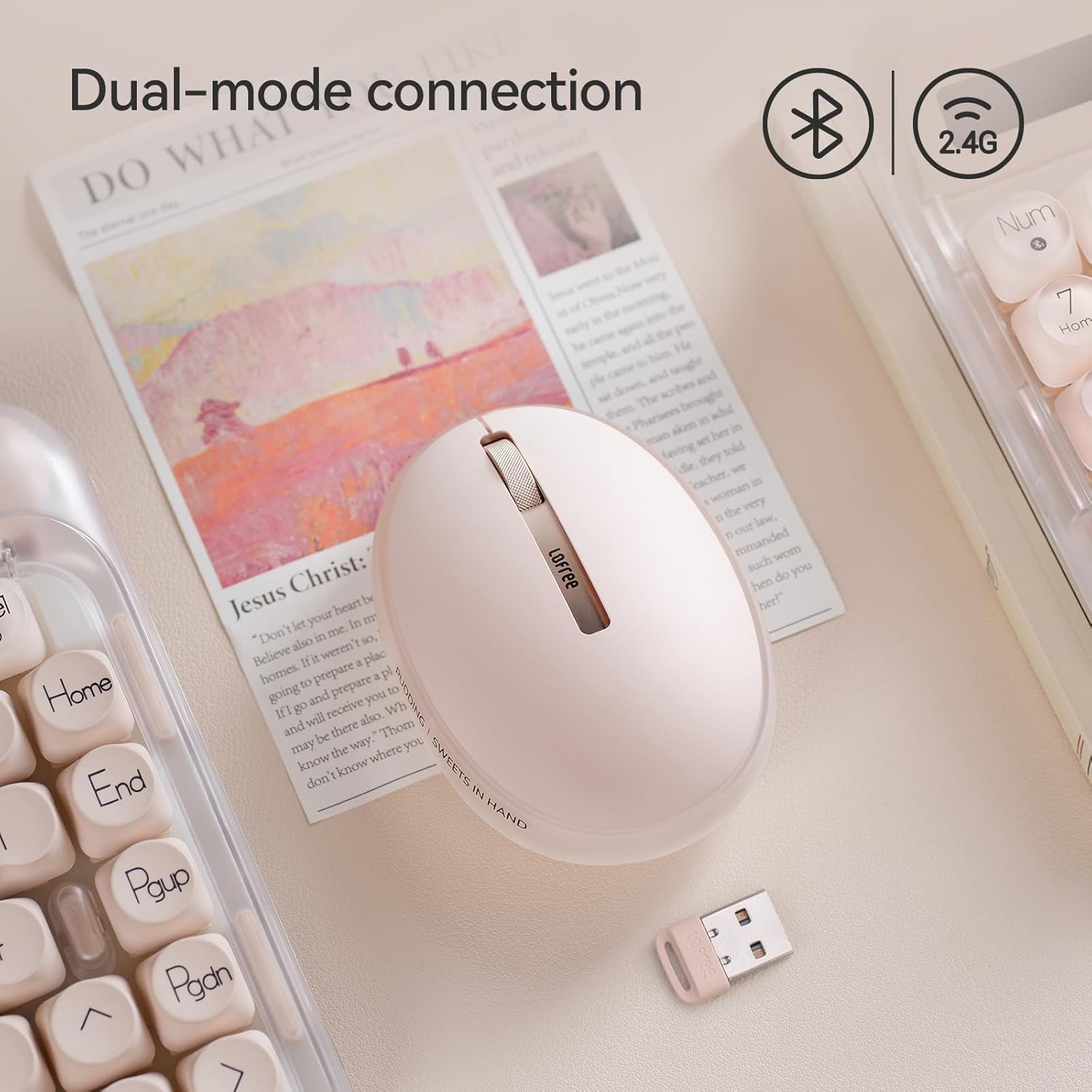
בילד: The LOFREE Pudding mouse demonstrating its dual-mode connection capability, supporting both Bluetooth and 2.4G wireless technologies.
2.1. 2.4ג ווירעלעסס קאַנעקשאַן
- Locate the USB receiver, typically stored in a compartment on the mouse or in the packaging.
- צאַפּן די וסב ופנעמער אין אַ בנימצא וסב פּאָרט אויף דיין קאָמפּיוטער.
- צינד אן די מויז. דער קאמפיוטער זאל אויטאמאטיש דעטעקטירן און אינסטאלירן די נויטיגע דרייווערס.
- באַמערקונג: For systems below Windows 7, the 2.4G connection is recommended as Bluetooth mode may not be supported.
2.2. בלועטאָאָטה קאַנעקשאַן
- זיכער מאַכן אַז אייער מיטל'ס בלועטוט איז ענייבאַלד.
- Switch the mouse to Bluetooth mode (refer to the mouse's bottom switch or button for mode selection).
- On your device, search for Bluetooth devices. The mouse should appear as "LOFREE Pudding Mouse" or similar.
- Select the mouse to pair. Follow any on-screen prompts to complete the pairing process.
3. קאַמפּאַטאַבילאַטי
The LOFREE Pudding mouse is compatible with a wide range of operating systems and devices, including:
- Windows (Windows 7 and above for Bluetooth)
- macOS
- יאָס
- אַנדרויד
- PC, Mac, Laptop, and other compatible devices.
אַפּערייטינג ינסטראַקשאַנז
1. Adjusting DPI Levels
The mouse features 5 adjustable DPI levels to suit different tasks and preferences. You can cycle through these settings by pressing the DPI button, usually located near the scroll wheel or on the bottom of the mouse.
- פאַראַן DPI סעטטינגס: 600, 800, 1200, 1600, 3600.
- Press the DPI button to switch between levels. The mouse cursor speed will change accordingly.

בילד: A hand demonstrating the adjustment of DPI levels on the LOFREE Pudding mouse, with available settings of 600, 800, 1200, 1600, and 3600.
2. Ambient Light Modes
The mouse is equipped with an adjustable ambient light feature, offering two modes:
- Constant Always On: The light remains steadily illuminated.
- ברידינג מאָדע: The light gently pulses on and off.
To switch between these modes, refer to the dedicated light control button or combination of buttons on the mouse. In dormant state, the ambient light will turn off and can be reactivated by clicking any button on the mouse.

בילד: The LOFREE Pudding mouse displaying its adjustable ambient light feature, with options for "Always On" or "Breathing" modes.
3. מאַכט מאַנאַגעמענט
The mouse is designed to conserve battery life. It will enter a dormant state after a period of inactivity, turning off the ambient light. To wake the mouse, simply click any button.
וישאַלט
1. רייניקונג
- Use a soft, dry, lint-free cloth to clean the mouse surface.
- פֿאַר שווערן שמוץ, אַ ביסל דampyi די שטאָף מיט וואַסער אָדער אַ מילד, ניט-אַברייסיוו רייניקונג.
- פֿאַרמײַדט די נוצן פֿון שאַרפֿע כעמיקאַלן, סאָלווענטן אָדער אַברייסיוו מאַטעריאַלן, ווײַל די קענען שאַטן די מויז'ס ענדיקונג.
- זיכער מאַכן אַז קיין פליסיקייט זאָל נישט אַרייַן אין די אינעווייניקסטע קאָמפּאָנענטן פון דער מויז.
2. באַטערי קער
- Charge the mouse regularly to maintain battery health.
- פֿאַרמײַדט אָפֿט פֿולשטענדיק אויסצולאָדן די באַטעריע.
- If storing the mouse for an extended period, charge it to approximately 50% to prevent deep discharge.
טראָובלעשאָאָטינג
Mouse Not Responding / Disconnecting
- קאָנטראָלירן די באַטאַרייע: Ensure the mouse is charged. Connect it to a power source.
- 2.4G קאַנעקשאַן:
- זיכער מאַכן אַז דער USB ופנעמער איז זיכער אַרייַנגעשטעקט אין אַ אַרבעטנדיקן USB פּאָרט.
- פּרוּווט אַ אַנדערש וסב פּאָרט.
- Ensure the mouse is switched to 2.4G mode.
- בלועטאָאָטה קאַנעקשאַן:
- מאַכן זיכער אַז בלועטאָאָטה איז ענייבאַלד אויף דיין מיטל.
- Ensure the mouse is switched to Bluetooth mode.
- Unpair and re-pair the mouse from your device's Bluetooth settings.
- Ensure your device's operating system supports Bluetooth for mice (e.g., Windows versions below 7 may have limited support).
- ינטערפיראַנס: ריקט די מויז נענטער צום ריסיווער/אפאראט. פארמיידט עס צו ניצן לעבן אנדערע דראטלאזע אפאראטן וואס קענען שאפן שטערונגען.
DPI טוישט זיך נישט
- זייט זיכער אז איר דריקט דעם ריכטיקן DPI אַדזשאַסטמענט קנעפּל.
- If the mouse is unresponsive, try restarting it (turn off and on).
Ambient Light Not Working
- Check if the mouse is in a dormant state; click a button to wake it.
- פאַרזיכערן די באַטאַרייע איז גענוג באפוילן.
- Verify you are using the correct button or combination to cycle through light modes.
ספּעסאַפאַקיישאַנז
| שטריך | דעטאַל |
|---|---|
| מאָדעל נומער | OE929 |
| קאַנעקטיוויטי טעכנאָלאָגיע | Bluetooth, 2.4G Radio Frequency |
| באַוועגונג דעטעקשאַן טעכנאָלאָגיע | אָפּטיש |
| דפּי לעוועלס | 600, 800, 1200, 1600, 3600 (אַדזשאַסטאַבאַל) |
| באַטאַרייע קאַפּאַציטעט | 500 מאַה |
| באַטערי לעבן | בעערעך 100 שעה |
| ספּעציעלע פֿעיִקייטן | LED Lights (Ambient), Lightweight, Rechargeable, Wireless |
| קאַמפּאַטאַבילאַטי | Windows, macOS, iOS, Android (PC, Mac, Laptop) |
| פּונקט וואָג | 8.9 אונסעס |
| פּעקל דימענשאַנז | 5.2 X 4.13 X 2.4 אינטשעס |
וואָראַנטי און שטיצן
LOFREE products are manufactured to high-quality standards. For warranty information, technical support, or service inquiries, please refer to the official LOFREE webזייטל אדער קאנטאקט זייער קאסטומער שטיצע גלייך. האלט אייער קויף קוויטל פאר גאראנטיע קליימס.
פֿאַר מער אינפֿאָרמאַציע, באַזוכן די LOFREE Store on Amazon.