
הקדמה
Thank you for choosing the SOUYIE H67 Smart Watch. This manual provides essential information for setting up, operating, and maintaining your device. Please read it thoroughly to ensure optimal performance and a satisfying user experience. The SOUYIE H67 combines elegant design with advanced features for health monitoring, communication, and fitness tracking.
פּעקל אינהאַלט
Your SOUYIE H67 Smart Watch package includes the following items:
- SOUYIE Smart Watch ×1
- USB Magnetic Charging Cable ×1
- Metal Strap Adjustment Tool ×1
- באַניצער מאַנואַל ×1

Image: Luxury packaging for the SOUYIE H67 Smart Watch, highlighting its elegant design and suitability as a gift.
סעטאַפּ
1. ערשטע אויפלאָדונג
Before first use, fully charge your smartwatch. Connect the USB magnetic charging cable to a power source and attach the magnetic end to the charging points on the back of the watch. The watch will power on automatically and display the charging status.
Video: Demonstrates the initial charging process of the SOUYIE Smart Watch.
2. אַפּ ינסטאַללאַטיאָן
To unlock the full potential of your SOUYIE H67, download the companion app. Scan the QR code provided in the user manual or on the watch screen during setup, or search for "FitCloudPro" in your smartphone's app store (compatible with iOS 9.0+ and Android 4.4+).

Image: Instructions on how to connect the smartwatch to the FitCloudPro app for Bluetooth calling and other features.
3. דיווייס פּערינג
Open the FitCloudPro app and follow the on-screen instructions to add your device. Ensure Bluetooth is enabled on your smartphone. Select the SOUYIE H67 (often identified by its model name or a unique ID like "H67") from the list of available devices. Confirm the pairing request on both your phone and watch.
4. Adjusting the Metal Strap
If your watch comes with a metal strap, use the included metal strap adjustment tool to remove or add links for a comfortable fit. Refer to the tool's instructions for proper use.
אַפּערייטינג ינסטראַקשאַנז
1. נאַוויגאַציע
The SOUYIE H67 features a 1.32" HD AMOLED touchscreen, a rotating knurled bezel, and an encoder knob for intuitive navigation:
- טאָוטשסקרעען: Swipe left/right, up/down to navigate menus and access features. Tap to select.
- ראָטירנדיקע בעזל: דרייען די קנurled bezel to quickly switch watch faces, scroll through menus, or adjust settings.
- ענקאָדער קנופּ: Use the rotary encoder knob for seamless menu navigation and scrolling, offering ultra-smooth operation.

Image: The SOUYIE H67 Smart Watch showcasing its rotating bezel and encoder knob for navigation.
2. זייגער פּנים קאַסטאַמייזיישאַן
Personalize your watch face:
- On-Watch: Long-press the current watch face and swipe left/right to browse preloaded options.
- FitCloudPro App: Access over 200 customizable watch faces or upload your own photos (family, pets) to create unique designs.
- שטענדיק-אויף דיספּליי (AOD): Choose between digital and analog AOD options to check the time without waking the screen.

Image: A variety of watch faces available for customization through the FitCloudPro app.
3. Bluetooth Calling & Notifications
בלייבט פארבונדן גלייך פון אייער האַנטגעלענק:
- מאַכן קאַללס: Use the dial pad or contacts synced from your phone to initiate calls.
- ענטפֿערן קאַללס: Accept incoming calls directly on your watch using the built-in microphone and high-fidelity speaker.
- נאָטיפיקאַטיאָנס: Receive real-time alerts for SMS, Facebook, WhatsApp, Twitter, Instagram, Messenger, and more. Manage notification settings via the FitCloudPro app.

Image: A person using the smartwatch to answer a call, demonstrating the Bluetooth calling feature.
4. קול אַססיסטאַנט
Access your AI voice assistant for hands-free control. Use voice commands for navigation, weather updates, calls, and setting alarms.
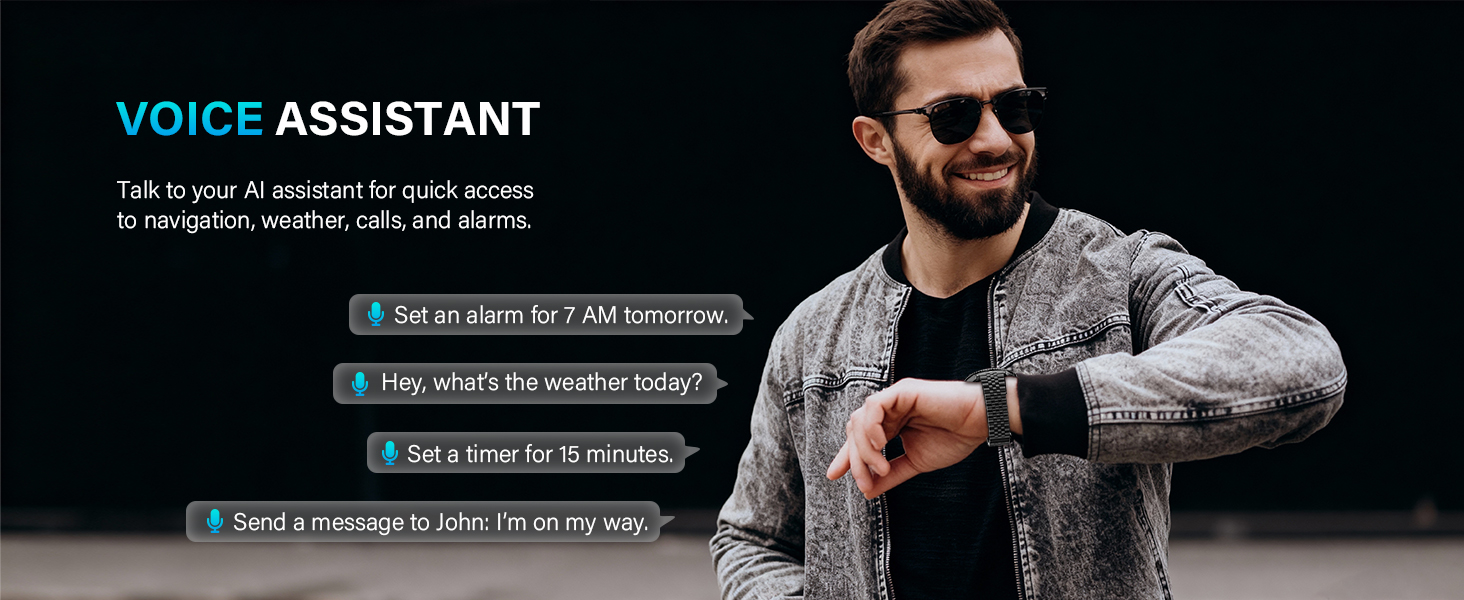
בילד: עקסamples of voice commands for the AI assistant on the smartwatch, such as setting alarms or asking for weather.
5. מוזיק קאָנטראָל
Control music playback on your smartphone directly from your watch. Play, pause, skip tracks, and adjust volume without needing to take out your phone.
6. פלאַשליגהט
Activate the flashlight feature to illuminate dark spaces. The screen converts to white to provide a bright light source.
געזונט מאָניטאָרינג
The SOUYIE H67 is equipped with precise sensors for comprehensive health tracking:
- הארץ ראטע: מאָניטאָרט דיין האַרץ ראַטע 24/7.
- בלוט דרוק: Tracks your blood pressure levels.
- בלוט זויערשטאָף (SpO2): מעסט אייער בלוט זויערשטאָף זעטיקונג.
- שלאָף טראַקינג: Monitors deep, light, and awake sleep stages, generating sleep quality scores.
- Health Reminders: Set reminders to move or drink water to maintain your well-being.
Note: This device is not a medical device. Data is for reference only and should not be used for medical diagnosis.

Image: Visual representation of the smartwatch's comprehensive health tracking features.
ספּאָרט מאָדעס
The SOUYIE H67 offers over 100 sports modes to track your physical activities:
- Includes modes for cycling, running, basketball, football, climbing, yoga, and more.
- Track real-time data such as heart rate, distance, speed, and calories burned to optimize your performance.
- וואַסער קעגנשטעל: With IP68 dust and sweat resistance, the watch can handle handwashing and rainy workouts. It is not suitable for swimming or sauna use.
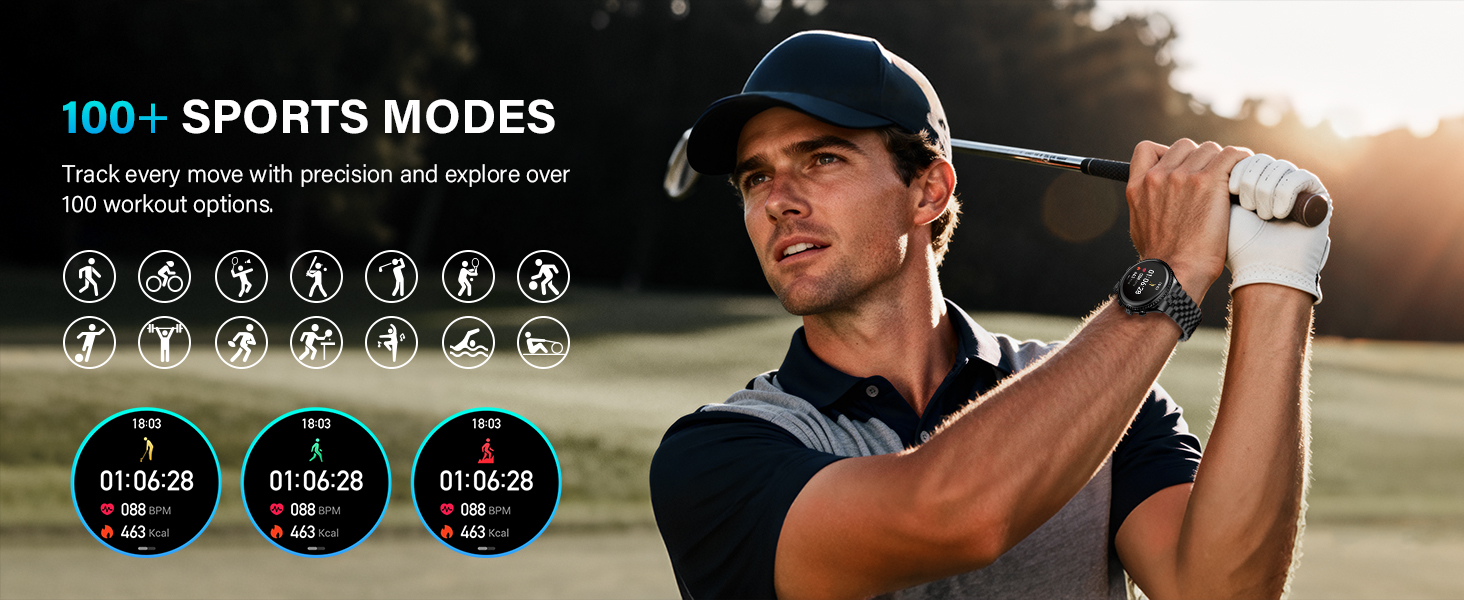
Image: Icons representing various sports modes available on the smartwatch, including running, cycling, and basketball.
באַטאַרייע לעבן & טשאַרדזשינג
The SOUYIE H67 is designed for extended use:
- באַטאַרייע קאַפּאַציטעט: 300mAh high-capacity battery.
- באַניץ געדויער: 7–10 days of regular use.
- סטאַנדביי צייט: אַרויף צו 30 טעג.
- טשאַרדזשינג: Magnetic fast charging, fully powers up in just 2 hours.
וישאַלט
To ensure the longevity and optimal performance of your SOUYIE H67 Smart Watch, follow these maintenance guidelines:
- רייניקונג: ווישט רעגולער אויס דעם זייגער־עקראַן און רימען מיט אַ ווייכן, טרוקענעם שטאָף. פֿאַר שווערן שמוץ, ניצט אַ לייכט טרוקענעם שטאָף.amp שטאָף און טרוקן ונ דורך.
- ויסמיידן קעמיקאַלז: Do not use harsh chemicals, cleaning solvents, or strong detergents, as they may damage the watch's finish or internal components.
- וואַסער ויסשטעלן: While IP68 rated for dust and sweat resistance, avoid prolonged submersion in water, hot water, or exposure to steam (e.g., in saunas or hot showers).
- טעמפּעראַטור: Store and operate the watch within recommended temperature ranges. Extreme temperatures can affect battery life and functionality.
- פּראַל: Avoid dropping the watch or subjecting it to strong impacts, which can damage the screen or internal circuitry.
טראָובלעשאָאָטינג
If you encounter issues with your SOUYIE H67 Smart Watch, try the following solutions:
- זייגער טוט זיך נישט אן: Ensure the watch is fully charged. Connect it to the magnetic charger and wait a few minutes.
- פּאָרינג ישוז: Make sure Bluetooth is enabled on your smartphone and the watch is within range. Restart both your phone and watch, then try pairing again through the FitCloudPro app.
- נאָטיפיקאַטיאָנס ניט באקומען: Check notification permissions for the FitCloudPro app in your phone's settings. Ensure the app is running in the background and not being restricted by battery optimization settings.
- ומפּינקטלעך געזונט דאַטן: Ensure the watch is worn snugly on your wrist, not too tight or too loose. Clean the sensors on the back of the watch. Remember, data is for reference only.
- קורץ באַטאַרייע לעבן: Reduce screen brightness, disable unnecessary notifications, or limit continuous heart rate monitoring. Ensure the watch is fully charged each time.
- אַפּ פֿרירט/קראַשט: Close and restart the FitCloudPro app. Ensure your app and watch firmware are updated to the latest versions.
For further assistance, refer to the "Warranty & Support" section.
ספּעסאַפאַקיישאַנז
| שטריך | דעטאַל |
|---|---|
| מאָדעל נומער | H67 |
| ווייַז גרייס | 1.32 אינטשעס |
| ווייַז טיפּ | HD AMOLED, 466x466 Resolution |
| קאַסע מאַטעריאַל | Aerospace-Grade Zinc Alloy |
| באַטאַרייע קאַפּאַציטעט | 300 מיליamp שעהן |
| קאַנעקטיוויטי | בלועטאָאָטה |
| אַפּערייטינג סיסטעם קאַמפּאַטאַבילאַטי | יאָס 9.0+, אַנדרויד 4.4+ |
| וואַסער קעגנשטעל | IP68 (Dust and Sweat Resistant) |
| ספּעציעלע פֿעיִקייטן | Rotating Bezel, Encoder Knob, Bluetooth Calling, Voice Assistant, 24/7 Health Monitoring (HR, BP, SpO2, Sleep), 100+ Sports Modes, AOD |
וואָראַנטי & שטיצן
SOUYIE offers premium service and wide compatibility for your smartwatch. If you have any questions or require assistance, please contact us via "Your Orders – Contact Seller" on the platform where you purchased the product. Our professional support team is committed to responding within 24 hours with the best solution.