
1. סעטאַפּ
This section guides you through the initial setup of your CHUWI CoreBook X laptop.
1.1 אויספּאַקן און ערשטע איינשטראָם
- פֿאָרזיכטיק אַרויסנעמען דעם לאַפּטאָפּ און אַלע אַקסעסאָריעס פֿון דער פּאַקאַדזשינג.
- Connect the provided USB-C power adapter to the laptop's USB-C port (PD Charging/USB 2.0) and then to a power outlet.
- Open the laptop lid. The laptop may power on automatically or you may need to press the power button located on the keyboard.
- פֿאָלגט די אינסטרוקציעס אויף דעם עקראַן צו פֿאַרענדיקן די ערשטע סעטאַפּ פֿון Windows 11 Pro, אַרייַנגערעכנט שפּראַך אויסוואַל, נעץ פֿאַרבינדונג און באַניצער אַקאַונט שאַפונג.
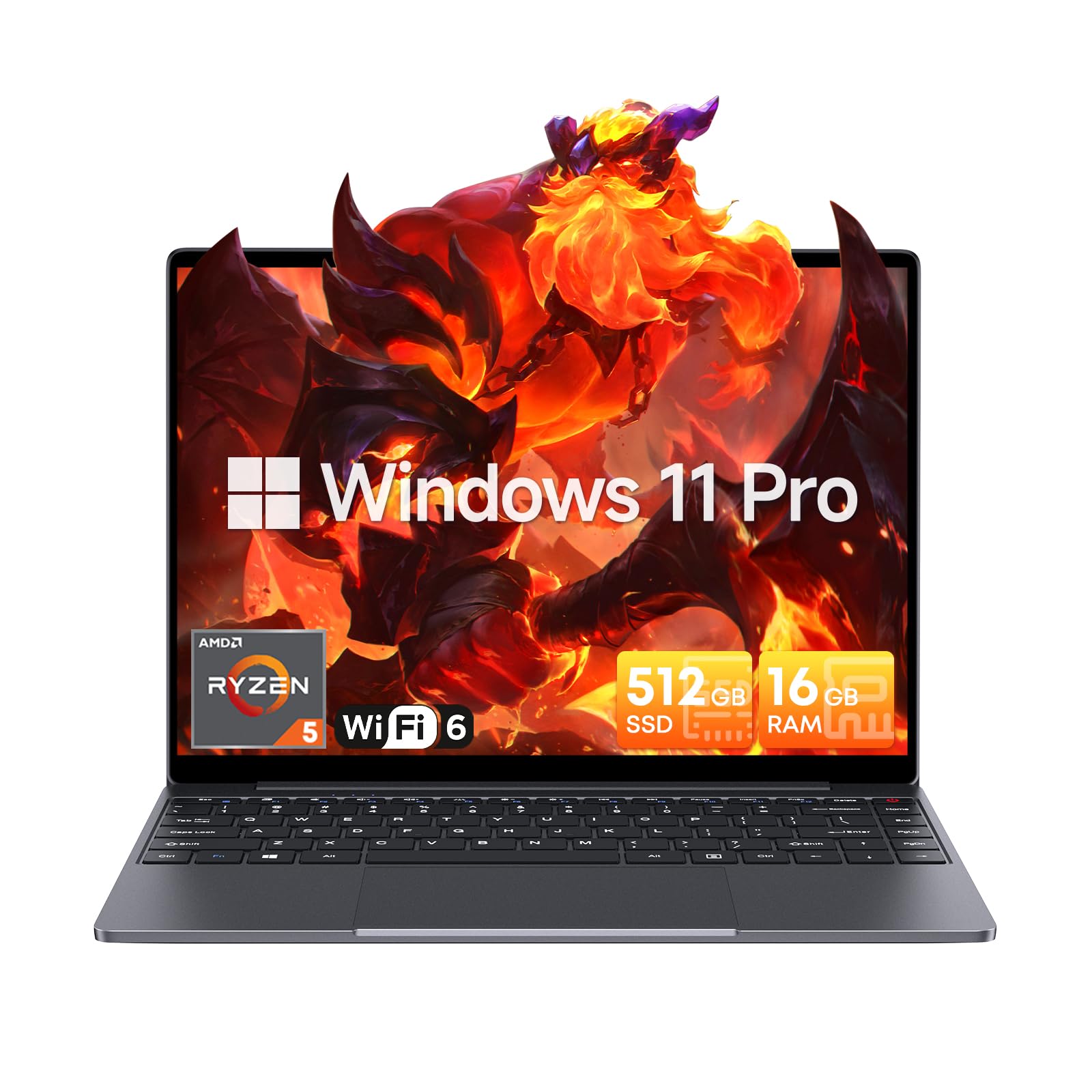
Image: The CHUWI CoreBook X laptop open on a desk, ready for use.
1.2 קאַנעקטינג פּעריפעראַלס
- USB דעוויסעס: Connect USB mice, keyboards, or external storage devices to the available USB 3.0 ports.
- פונדרויסנדיק ווייַז: Use the HDMI 1.4 port or the full-featured USB Type-C port to connect an external monitor.
- אַודיאָ דעוויסעס: פֿאַרבינדט כעדפאָונז אָדער עקסטערנע רעדנערס צו די 3.5 מם אַודיאָ דזשעק.
- TF קאָרט: Insert a TF card into the TF card slot for additional storage.

בילד: דעטאַלירט view of the laptop's ports, including TF Card Slot, 3.5mm Headphone Jack, USB 3.0 Port, Lock Slot, USB Type-C (PD Charging/USB 2.0), HDMI 1.4, and Full-featured USB Type-C Port.
1.3 Network and Bluetooth Connection
- Wi-Fi 6: To connect to a wireless network, click the Wi-Fi icon in the taskbar, select your network, and enter the password.
- בלועטאָאָטה 5.2: To pair Bluetooth devices, go to Windows Settings > Bluetooth & devices, turn on Bluetooth, and select your device to pair.
2. אָפּערייטינג
This section covers the basic operation of your CHUWI CoreBook X laptop.
2.1 מאַכט מאַנאַגעמענט
- מאַכט אויף: דרוק די מאַכט קנעפּל.
- שלאָפן מאָדע: Close the lid or select "Sleep" from the Start menu.
- שאַט אַראָפּ: Select "Shut down" from the Start menu.
- ריסטאַרט: Select "Restart" from the Start menu.
2.2 קלאַוויאַטור און טאָוטשפּאַד
- The laptop features a full-sized backlit keyboard with white illumination. Use the function keys (Fn) in combination with other keys for shortcuts like adjusting brightness, volume, or toggling the backlight.
- The large touchpad supports multi-touch gestures for navigation. Refer to Windows settings for customizing touchpad gestures.

בילד: א נאָענטע בילד view of the laptop's backlit keyboard and large touchpad, highlighting its navigation features.
2.3 אַרויסווייַז און אַודיאָ
- The 14-inch IPS display offers a 2160*1440 resolution. Adjust display settings (brightness, resolution, scaling) through Windows Display Settings.
- The laptop is equipped with stereo speakers. Volume can be controlled via the keyboard function keys or the Windows sound settings.
- An HD webcam is integrated for video conferencing.

Image: The laptop's 14-inch 2K IPS display showcasing vibrant colors and a comparison of 3:2 and 16:9 aspect ratios.
2.4 ווידעא איבערview
Video: An official product video demonstrating various features and usage scenarios of the CHUWI CoreBook X laptop, including its performance, display, and connectivity options.
3. וישאַלט
געהעריגע אויפהאלטונג גאראנטירט די לאנגעוויטי און אפטימאלע פערפארמאנס פון אייער לעפטאפ.
3.1 רייניקונג
- Use a soft, lint-free cloth to clean the screen. For stubborn marks, dampווישט דעם שטאָף לײַכט מיט וואַסער אָדער אַ פאַרשטעלן-זיכערן רייניגער.
- Wipe the chassis and keyboard with a soft, dry cloth. Avoid using harsh chemicals or abrasive materials.
- Periodically use compressed air to clear dust from the vents to maintain efficient cooling.
3.2 באַטערי קער
- Avoid fully discharging the battery frequently. Charge the laptop when the battery level is low.
- האַלט דעם לאַפּטאָפּ אין אַ קיל, טרוקן אָרט אויב עס ווערט נישט גענוצט פֿאַר לענגערע פּעריאָדן, מיט דער באַטאַרייע אויפֿגעלאָדן צו אַרום 50-70%.
- Use only the original or certified compatible USB-C PD charger.
3.3 סטאָרידזש און זכּרון אַפּגרעידס
The laptop supports RAM and SSD upgrades.
- The 16GB DDR4 RAM can be expanded up to 64GB via 2 SODIMM slots.
- The 512GB PCIe SSD can be expanded up to 2TB using the M.2 2280 PCIe slot.
- A convenient detachable bottom cover allows for easier access to upgrade components without removing the entire back panel.

Image: The underside of the laptop with the detachable cover removed, revealing the dual-channel SO-DIMM slot for RAM upgrades.
4. טראָובלעשאָאָטינג
די סעקציע גיט לייזונגען פֿאַר געוויינטלעכע פּראָבלעמען וואָס איר קענט באַגעגענען.
4.1 פּראָסט ישוז און סאַלושאַנז
- לאַפּטאָפּ אַרבעט נישט אָן:
- זיכער מאַכן אַז דער מאַכט אַדאַפּטער איז זיכער פארבונדן צו ביידע דעם לאַפּטאַפּ און אַ אַרבעטנדיקן מאַכט ווענטיל.
- באַשטעטיקן אַז די מאַכט ווענטיל איז פאַנגקשאַנאַל.
- פרובירט צו האַלטן דעם פּאַוער קנעפּל פֿאַר 10-15 סעקונדעס צו דורכפירן אַ האַרד ריסעט.
- פּראָבלעמען מיטן אַרויסווייַזן (קיין בילד, פליקערן):
- אַדזשאַסטירן די ברייטקייט פון דעם עקראַן מיט די פונקציע קנעפּלעך.
- אויב אַן עקסטערנער מאָניטאָר איז פארבונדן, פּרוּווט עס אָפּצוטיילן.
- ריסטאַרט די לאַפּטאַפּ.
- Wi-Fi אדער בלועטוט קאנעקטיוויטי פראבלעמען:
- Ensure Wi-Fi/Bluetooth is enabled in Windows settings.
- ריסטאַרט דיין ראַוטער/מאָדעם פֿאַר Wi-Fi פּראָבלעמען.
- Remove and re-pair Bluetooth devices.
- Update network and Bluetooth drivers through Device Manager.
- לאַנגזאַמע פאָרשטעלונג:
- שליסט אומנייטיקע אַפּליקאַציעס וואָס לויפן אין הינטערגרונט.
- Check for Windows updates and driver updates.
- זיכער מאַכן אַז עס איז גענוג פריי פּלאַץ אויף דער SSD.
- Run a malware scan.
If you encounter issues not covered here or require further assistance, please refer to the Support section.
5. ספּעסאַפאַקיישאַנז
Detailed technical specifications for the CHUWI CoreBook X laptop.

Image: An illustration of the AMD Ryzen 5 processor, highlighting its core count, threads, and clock speed.
| שטריך | באַשרייַבונג |
|---|---|
| מאָדעל נאָמען | Corebook X |
| פּראַסעסער | AMD Ryzen 5 (6 Cores, 12 Threads, up to 4.3 GHz) |
| גראַפיקס | AMD Radeon Graphics (1800MHz, Max 2GB Memory) |
| באַראַן | 16GB DDR4 (Expandable up to 64GB via 2 SODIMM slots) |
| סטאָרידזש | 512GB PCIe SSD (Expandable up to 2TB via M.2 2280 PCIe slot) |
| ווייַז | 14-inch IPS, 2160*1440 Resolution, 100% sRGB Color Gamut |
| אָפּערייטינג סיסטעם | Windows 11 פּראָ |
| קאַנעקטיוויטי | Wi-Fi 6 (802.11ax), בלועטוט 5.2 |
| פּאָרץ | USB Type-C (PD Charging/USB 2.0), USB 3.0, HDMI 1.4, Full-featured USB Type-C, 3.5mm Audio Jack, TF Card Slot, Lock Slot |
| באַטערי | 46.2Wh Lithium-Ion Battery, 65W USB-C PD Fast Charging |
| קלאַוויאַטור | Full-sized Backlit Keyboard with White Illumination |
| טאָוטשפּאַד | Large Touchpad, Multi-touch |
| Webקאַם | HD Webקאַם |
| דימענשאַנז | 12.2"L x 9"W x 0.67"Th (17mm thin) |
| וואָג | 2.2 פונט (1.4 קג) |
6. וואָראַנטי
The CHUWI CoreBook X laptop comes with a 1-יאָר פאַבריקאַנט ס וואָראַנטי.
This warranty covers defects in materials and workmanship under normal use. It does not cover damage caused by accidents, misuse, unauthorized repairs, or modifications. Please retain your proof of purchase for warranty claims.
7. שטיצן
For technical assistance, warranty claims, or further inquiries, please contact CHUWI customer support.
- Manufacturer Support: Visit the official CHUWI webזייטל פֿאַר שטיצע רעסורסן, אָפֿט געשטעלטע פֿראַגעס, און קאָנטאַקט אינפֿאָרמאַציע.
- פארקויפער שטיצע: If purchased through a retailer, you may also contact the seller for assistance.