
GMKtec G3S
GMKtec Mini PC N95 G3S Instruction Manual
Model: G3S | Brand: GMKtec
1. הקדמה
The GMKtec Mini PC N95 G3S is a compact and versatile desktop computer designed for various applications including office work, home entertainment, and business use. Powered by the 12th Gen Intel N95 processor, it offers efficient performance in a small form factor. This manual provides essential information for setting up, operating, and maintaining your device.
2. וואָס איז אין דער קעסטל
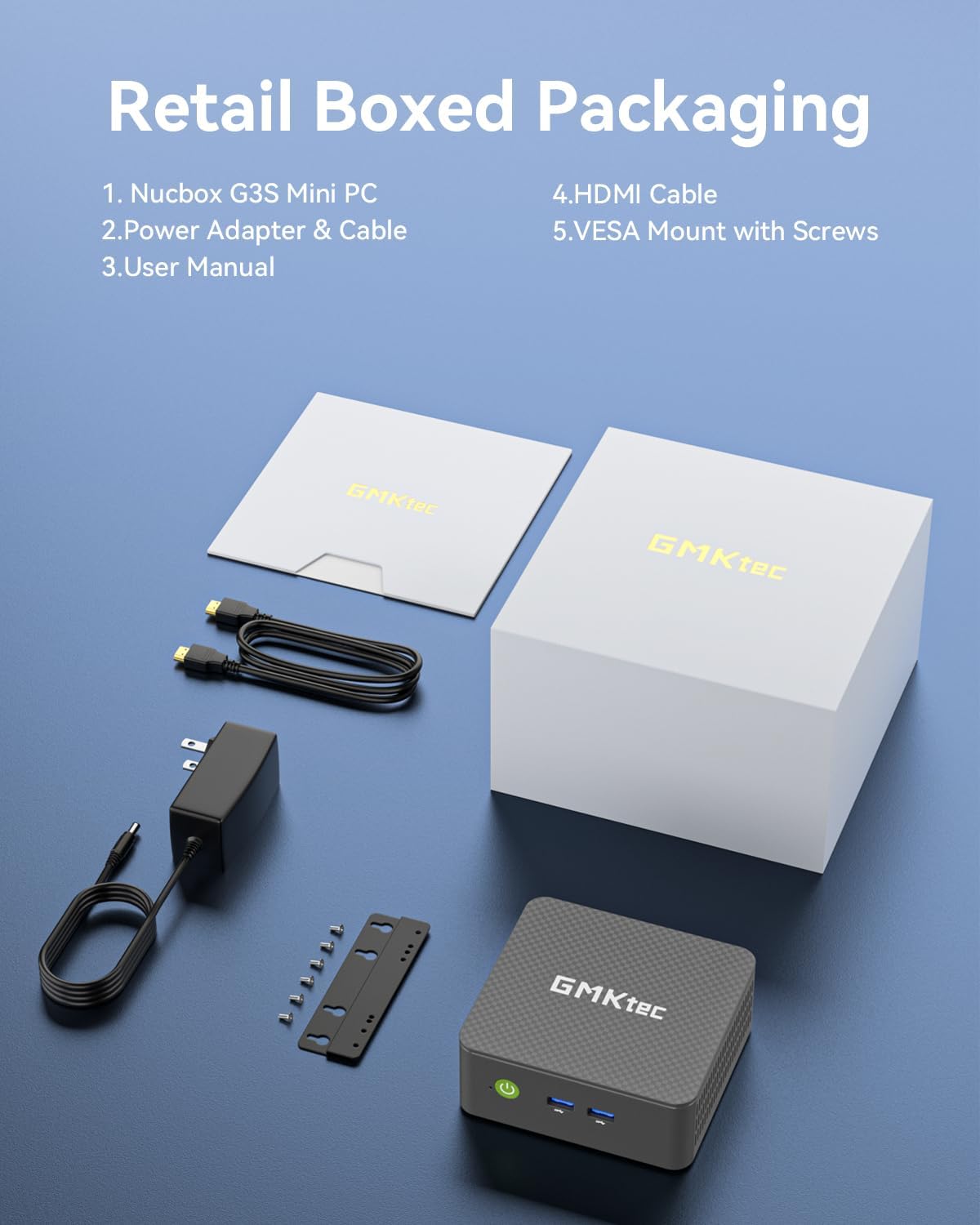
- GMKtec Nucbox G3 S Mini PC
- וועסאַ מאָונט מיט שרויפן
- HDMI קאַבלע
- מאַכט אַדאַפּטער
- באַניצער מאַנואַל
3. סעטאַפּ
3.1 ערשט קאַנעקשאַן
- פאַרבינדן מאַכט: Plug the power adapter into the DC 12V 3A port on the Mini PC and then into a power outlet.
- פֿאַרבינדן דיספּליי: Use the provided HDMI cable to connect the Mini PC to your monitor or TV. The device supports dual 4K@60Hz displays via its two HDMI 2.0 ports.
- פאַרבינדן פּעריפעראַלס: Plug in your keyboard, mouse, and other USB devices into the available USB 3.2 ports. For wired network access, connect an Ethernet cable to the Gigabit Ethernet (RJ45 1000MbE) port.
- מאַכט אויף: דריק דעם מאַכט קנעפּל וואָס געפינט זיך אויף דער פראָנט פון די מיני פּיסי.

3.2 אָפּערייטינג סיסטעם סעטאַפּ
The GMKtec Mini PC comes pre-installed with Windows 11 Pro. Follow the on-screen instructions to complete the initial setup, including language selection, network configuration, and user account creation.
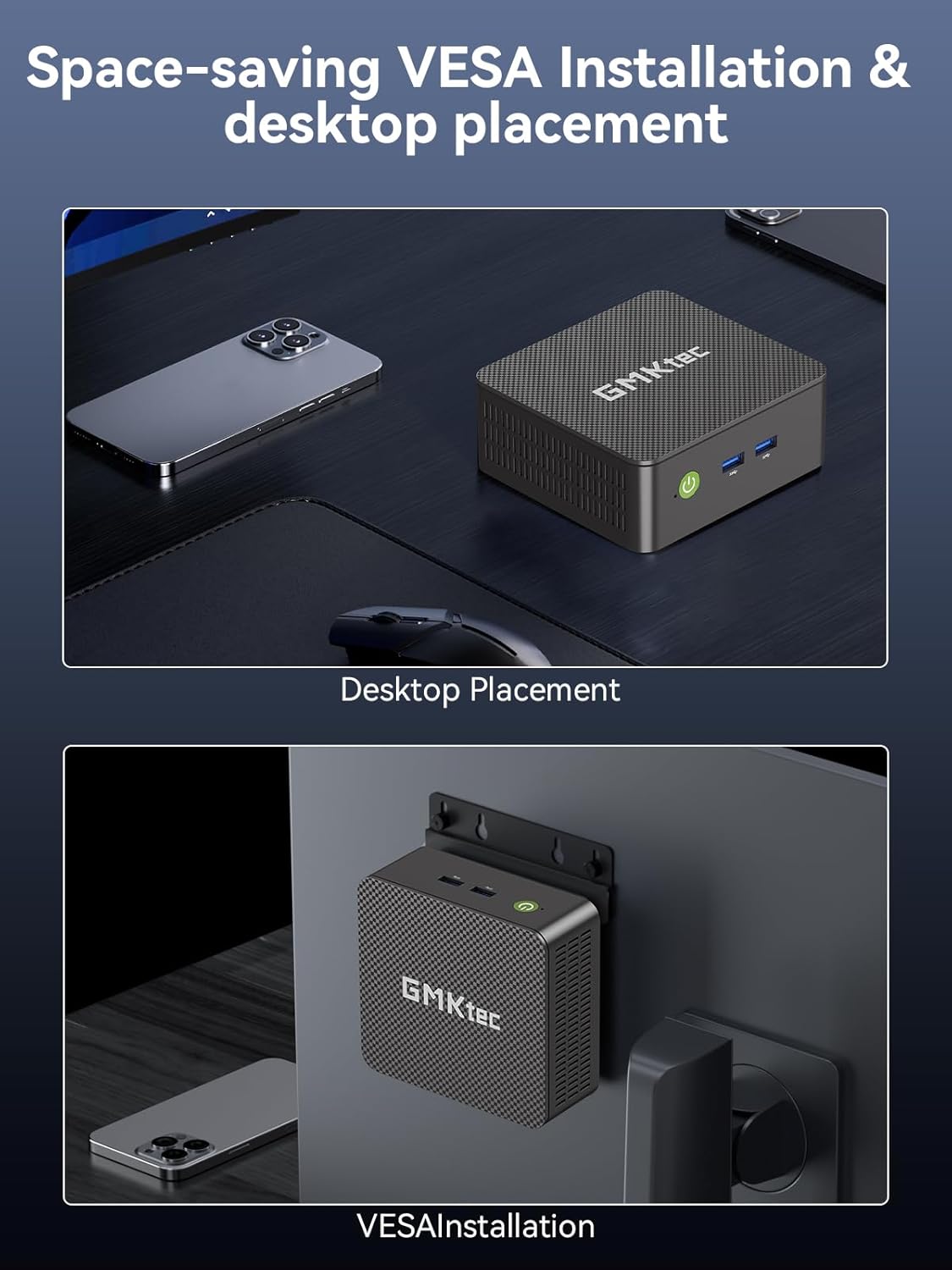
3.3 וועסאַ מאָונט אינסטאַלאַציע
The Mini PC includes a VESA mount and screws for convenient installation behind a compatible monitor or TV, allowing for a clutter-free desktop setup.
- באַפעסטיקט די VESA מאָונט קלאַמער צו דער הינטערשטער טייל פון אייער מאָניטאָר מיט די צוגעשטעלטע שרויפן.
- Slide the Mini PC onto the mounted bracket until it securely locks into place.
4. אָפּערייטינג
4.1 Dual 4K Display Support
Leverage the upgraded Intel UHD Graphics (up to 1000MHz) to connect two 4K@60Hz displays simultaneously via the dual HDMI outputs. This feature enhances multitasking capabilities for both work and entertainment.

4.2 פאָרשטעלונג מאָדעס
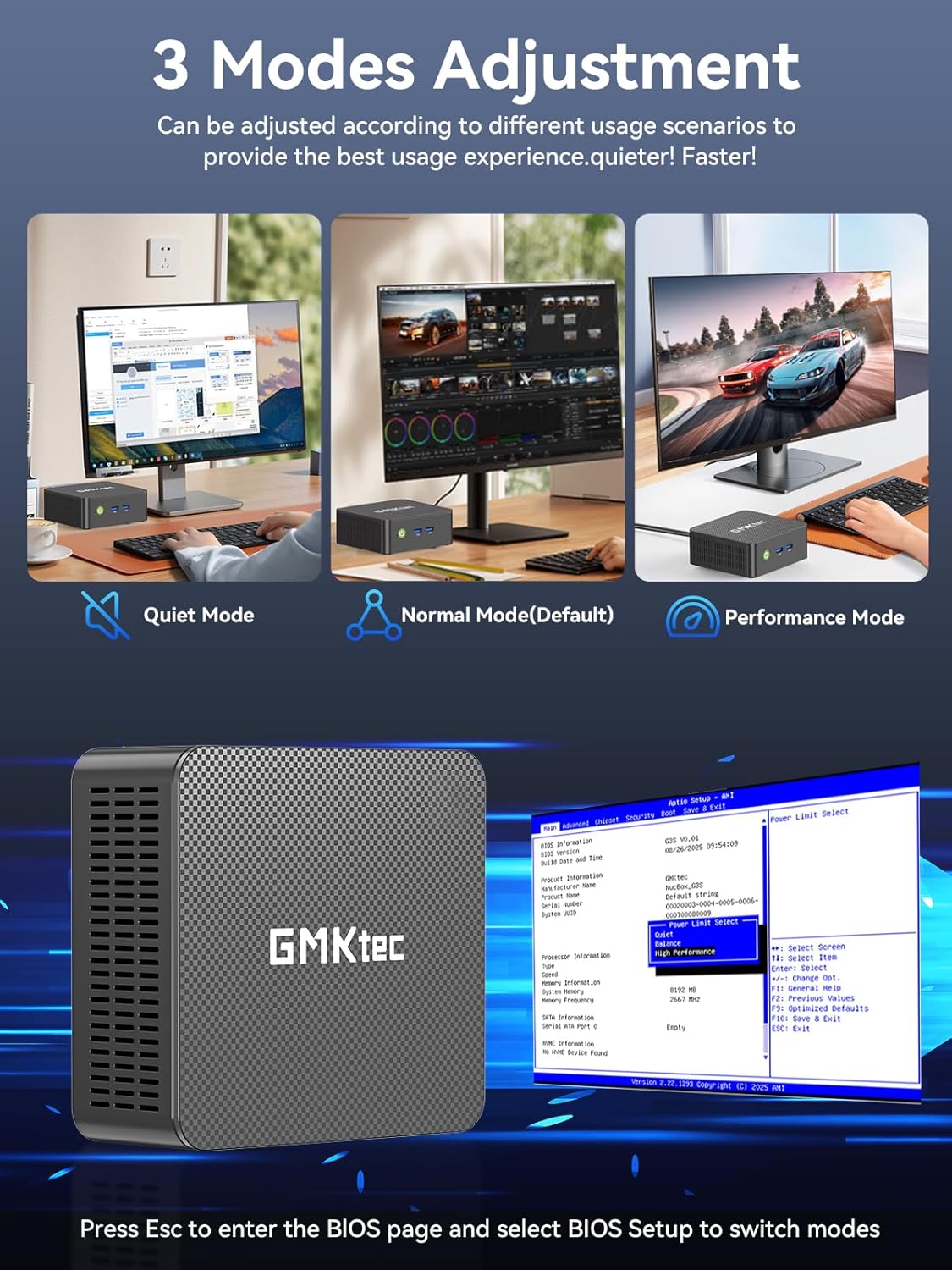
The Mini PC offers three adjustable performance modes to optimize your user experience based on your needs:
- שטיל מאָדע: For silent operation during light tasks.
- נאָרמאַלער מאָדע (דעפאָלט): Provides a balanced performance for everyday use.
- פאָרשטעלונג מאָדע: Maximizes CPU and GPU power for demanding applications.
To switch between modes, press the 'Esc' key to enter the BIOS page during startup and select 'BIOS Setup'.
4.3 ווירעלעסס קאַנעקטיוויטי
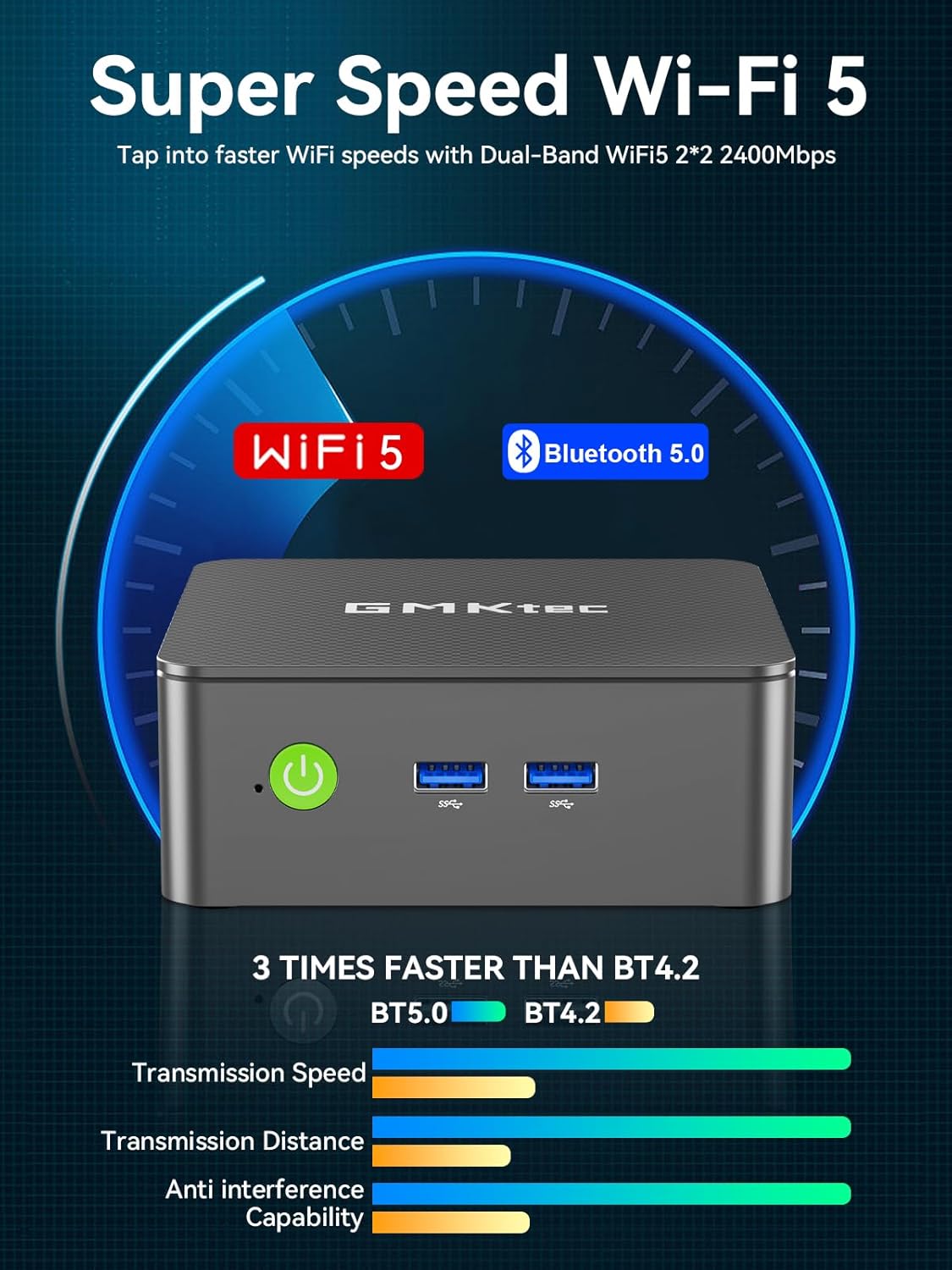
The Mini PC supports WiFi 5 and Bluetooth 5.0 for wireless connections to networks and peripherals.
5. וישאַלט
To ensure optimal performance and longevity of your GMKtec Mini PC, consider the following:
- ווענטילאַטיאָן: Ensure the Mini PC is placed in a well-ventilated area to prevent overheating. Avoid blocking the ventilation grilles.
- רייניקונג: Regularly clean the exterior of the device with a soft, dry cloth. Avoid using liquid cleaners directly on the ports.
- ווייכווארג דערהייַנטיקונגען: Keep your Windows 11 Pro operating system and drivers updated to benefit from the latest security patches and performance improvements.
6. טראָובלעשאָאָטינג
- Non-functional USB Port: If a USB port is not recognizing devices, try connecting the device to a different USB port. Ensure the device drivers are up to date. If the issue persists with a specific port, it may indicate a hardware fault.
- קיין אַרויסווייַז רעזולטאַט: Verify that the HDMI cable is securely connected to both the Mini PC and the monitor. Ensure the monitor is set to the correct input source. Try a different HDMI cable or monitor if possible.
- סיסטעם רעאַגירט נישט: If the system becomes unresponsive, perform a hard reboot by pressing and holding the power button until the device turns off, then power it back on.
- איבערהייצונג: If the device feels excessively hot, check that the ventilation is not obstructed. Consider placing the Mini PC in a cooler environment or using a stand to improve airflow.
7. ספּעסאַפאַקיישאַנז
| פּראַסעסער | 12th Gen Intel N95 (4 Cores, 4 Threads, up to 3.4GHz, 6MB Cache) |
| באַראַן | 8GB DDR4 (אַפּגריידאַבאַל צו 16GB) |
| סטאָרידזש | 256GB M.2 2242 SSD (upgradeable to 512GB or 1TB) |
| גראַפיקס | אינטעל UHD גראַפיקס (ביז 1000MHz) |
| ווייַז רעזולטאַט | Dual HDMI 2.0 (4K@60Hz) |
| קאַנעקטיוויטי | WiFi 5, Bluetooth 5.0, Gigabit Ethernet (RJ45 1000MbE) |
| וסב פּאָרץ | USB 3.2 (x2 front), USB 3.2 (x2 rear) |
| אַודיאָ | 3.5 מם אַודיאָ דזשאַק |
| אָפּערייטינג סיסטעם | Windows 11 פּראָ |

8. וואָראַנטי און שטיצן
GMKtec offers a 1-year limited warranty for each Mini PC, starting from the date of purchase. All defects due to design and workmanship are covered. For support, please contact the professional after-sales team.
Ask a question about this manual
Ask about setup, troubleshooting, compatibility, parts, safety, or missing instructions. Manuals+ will review the question and use this page’s manual context to help answer it.