
הקדמה
This manual provides detailed instructions for the safe and proper installation, operation, and maintenance of your Perlegear Ultra Slim Full Motion TV Wall Mount, Model PGTVM65B-LF-US. Please read all instructions carefully before beginning installation and keep this manual for future reference.
זיכערקייַט אינפֿאָרמאַציע
ווארענונג: Failure to read and follow all instructions can result in personal injury, property damage, or voiding your warranty. Do not install on drywall alone. Ensure the mounting surface can safely support the combined weight of the mount and your TV.
- Verify your TV's VESA pattern and weight are within the mount's specifications.
- ניצט אַ שטיפט זוכער צו געפֿינען האָלץ סטאַדז אַקיעראַטלי.
- For concrete or brick walls, use the provided anchors.
- Always use appropriate safety gear, including eye protection.
- צוויי מענטשן זענען רעקאַמענדיד פֿאַר ינסטאַלירונג.
פּעקל אינהאַלט
Please check that all components are present and undamaged before installation. If any parts are missing or defective, contact Perlegear customer support.

פיגורע 1: אַרייַנגערעכנט קאַמפּאָונאַנץ
- וואַנט פּלאַטע פֿאַרזאַמלונג
- טעלעוויזיע בראַקאַץ (2)
- האַרדווער קיט (פאַרשידענע שרויפן, וואַשערס, ספּייסערז, אַנקערס)
- בלאָז לעוועל
- קאַבלע טייז
- ייַנמאָנטירונג מאַנואַל
ספּעסאַפאַקיישאַנז
| שטריך | באַשרייַבונג |
|---|---|
| מאָדעל נומער | PGTVM65B-LF-US |
| סקרין גרייס קאַמפּאַטאַבילאַטי | 42 - 90 אינטשעס |
| מאַקסימום מאַסע קאַפּאַציטעט | 132 לבס (60 קג) |
| VESA קאַמפּאַטאַבילאַטי | 200 קס 200 מם צו 600 קס 400 מם |
| מאַונטינג טיפּ | וואנט בארג |
| באַוועגונג טיפּ | Full Motion (Swivel, Tilt, Extend) |
| טילט ווינקל | +5° / -15° |
| סוויוואַל ווינקל | ±45° |
| מדרגה אַדזשאַסטמאַנט | ±3° |
| פארלענגערונג פון וואנט | אַרויף צו 15 אינטשעס |
| פּראָfile (Retracted) | 1.1 אינטשעס |
| מאַטעריאַל | אַללוי סטיל |
וויכטיק: Always confirm your TV's VESA pattern and weight before installation.

Figure 2: Universal Compatibility and VESA Patterns

Figure 3: VESA Mounting Reference Position
סעטאַפּ און ינסטאַלירונג
פאַר-ינסטאַלירונג טשעקס
- טשעק וואנט טיפ: This mount is suitable for wood studs (16" to 24" spacing), solid concrete, and brick walls. טאָן ניט ינסטאַלירן אויף דרייוואַל אַליין.
- Check TV Weight and VESA: Ensure your TV weighs no more than 132 lbs and has a VESA pattern between 200x200mm and 600x400mm.
- Check Cable Access: Verify that the mount will not block any ports or cable connections on the back of your TV.

Figure 4: Compatible Wall Types and Stud Spacing
ינסטאַללאַטיאָן סטעפּס
Follow these steps carefully for a secure installation. Refer to the included drilling template for precise hole placement.
- צוטשעפּען טעלעוויזיע קלאַמערן: Secure the TV brackets to the back of your TV using the appropriate screws, washers, and spacers from the hardware kit. Ensure the brackets are centered and level.
- מאַרקירן דרילינג לאָקאַציעס: Position the wall plate assembly on the wall at your desired height. Use the integrated bubble level to ensure it is perfectly horizontal. Mark the drilling points through the holes on the wall plate.
- בויער פּילאָט האָלעס:
- פֿאַר האָלץ סטאַדז: Drill pilot holes using a 7/32" (5.5mm) drill bit.
- פֿאַר Solid Concrete/Brick Walls: Drill pilot holes using a 3/8" (10mm) masonry drill bit. Insert wall anchors into these holes.
- בארג וואנט טעלער: Attach the wall plate assembly to the wall using the lag bolts and washers. Tighten all bolts securely.
- הענגען טעלעוויזיע: Carefully lift your TV with the attached brackets and hook it onto the wall plate. Ensure the TV is securely seated on the mount.
- Secure TV to Mount: Use the safety screws or locking mechanisms on the TV brackets to prevent the TV from accidentally lifting off the wall plate.
ייַנמאָנטירונג ווידעא גייד
Video 1: General Installation Guide for Perlegear TV Mounts. This video demonstrates the steps for mounting the TV bracket to the TV and securing the wall plate to various wall types, followed by hanging the TV.
Operating Instructions (Adjustments)
This full-motion TV mount allows for various adjustments to achieve optimal viewינג אַנגלעס.
- פארלענגערונג: Gently pull the TV away from the wall to extend the arms up to 15 inches.
- סוויוול: Pivot the TV left or right up to ±45° to adjust the horizontal viewינג ווינקל.
- טילט: Loosen the tilt knobs on the TV brackets, adjust the screen to your desired vertical angle (+5° up / -15° down), and then re-tighten the knobs to secure the position. This helps reduce glare.
- מדרגה אַדזשאַסטמאַנט: After installation, you can fine-tune the TV's level by rotating it up to ±3°.

פיגור 5: אַדזשאַסטאַבאַל Viewאין אַנגלעס
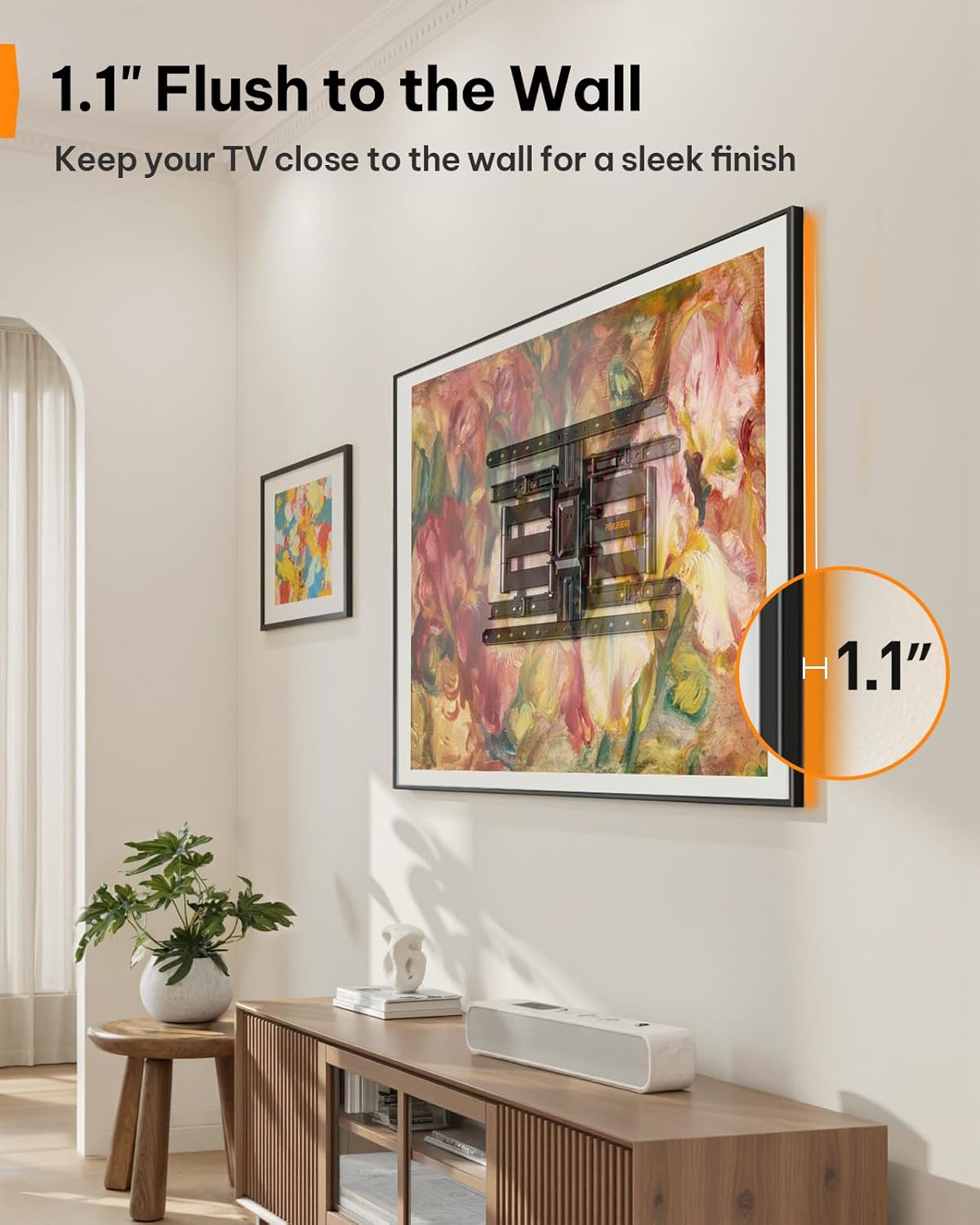
Figure 6: Ultra-Slim Profile
פּראָדוקט פֿעיִטשער ווידעאָ
Video 2: Perlegear Ultra Slim TV Mount Features. This video showcases the mount's slim profile, cable management, swivel, and tilt capabilities in a modern living room setting.
וישאַלט
רעגולערע אויפהאלטונג גאראנטירט די לאנגעוויטי און זיכערע אפעראציע פון אייער טעלעוויזיע מאונט.
- טשעק קאַנעקשאַנז: Periodically inspect all screws and bolts to ensure they remain tight. Re-tighten if necessary.
- ריין: ווישט אָפּ דעם מאַונט מיט אַ ווייכן, טרוקענעם שטאָף צו באַזייַטיקן שטויב. פֿאַרמייַדט אַברייסיוו רייניגער אָדער סאָלווענטן.
- שמירן: The articulating arms are designed for smooth movement. If movement becomes stiff over time, a small amount of silicone-based lubricant can be applied to the pivot points.
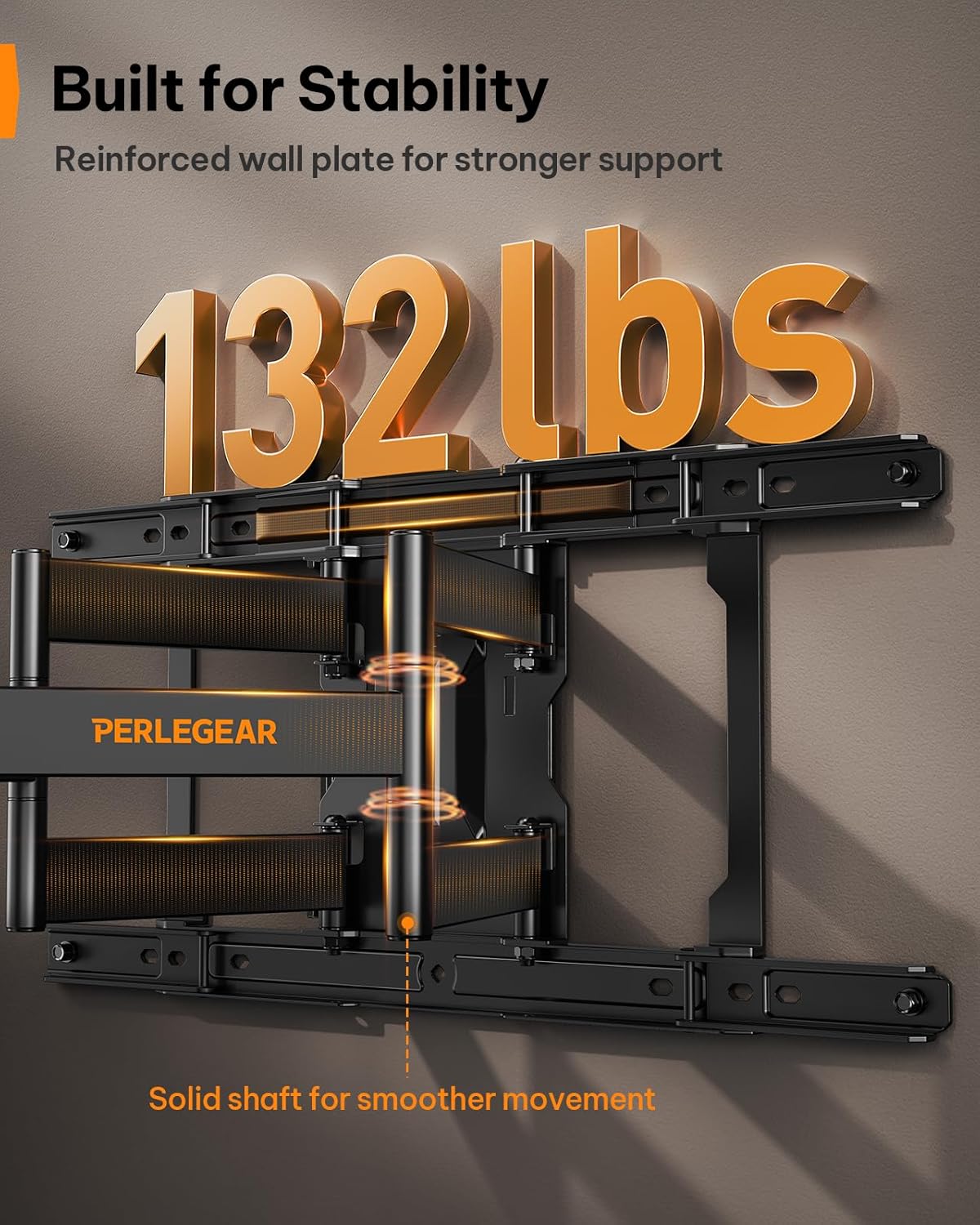
Figure 7: Built for Stability
טראָובלעשאָאָטינג
| פּראָבלעם | מעגלעך סיבה | לייזונג |
|---|---|---|
| דער טעלעוויזאר איז נישט גלייך נאך דער אינסטאלאציע. | א קליינע טעות בעת די אינסטאַלאַציע. | Use the ±3° level adjustment feature to fine-tune the TV's position. |
| דער מאָנט פילט זיך לויז אויף דער וואַנט. | Lag bolts not fully tightened or incorrect wall anchors used. | Ensure all lag bolts are securely tightened. Verify correct anchors were used for your wall type. If on wood studs, ensure bolts are in the center of the stud. |
| דער טעלעוויזיע פּאַסט נישט צום מאָונט. | אומרעכטע VESA מוסטער אדער טעלעוויזיע גרייס/וואָג. | Double-check your TV's VESA pattern and weight against the mount's specifications (200x200mm to 600x400mm, max 132 lbs). |
| Mount arms are stiff to move. | Lack of lubrication or dust accumulation. | Apply a small amount of silicone-based lubricant to the pivot points of the articulating arms. Clean any dust or debris. |
וואָראַנטי און שטיצן
This Perlegear TV wall mount comes with a 5-year warranty. For warranty claims, technical assistance, or any questions regarding installation or operation, please contact Perlegear customer support.
You can find contact information on the official Perlegear webזייטל אדער דורך אייער קויפן פּלאַטפאָרמע.