
1. הקדמה
This manual provides essential instructions for the safe and efficient operation, setup, and maintenance of your Procolored F13 Panda DTF Printer. Please read this manual thoroughly before using the printer to ensure optimal performance and longevity.
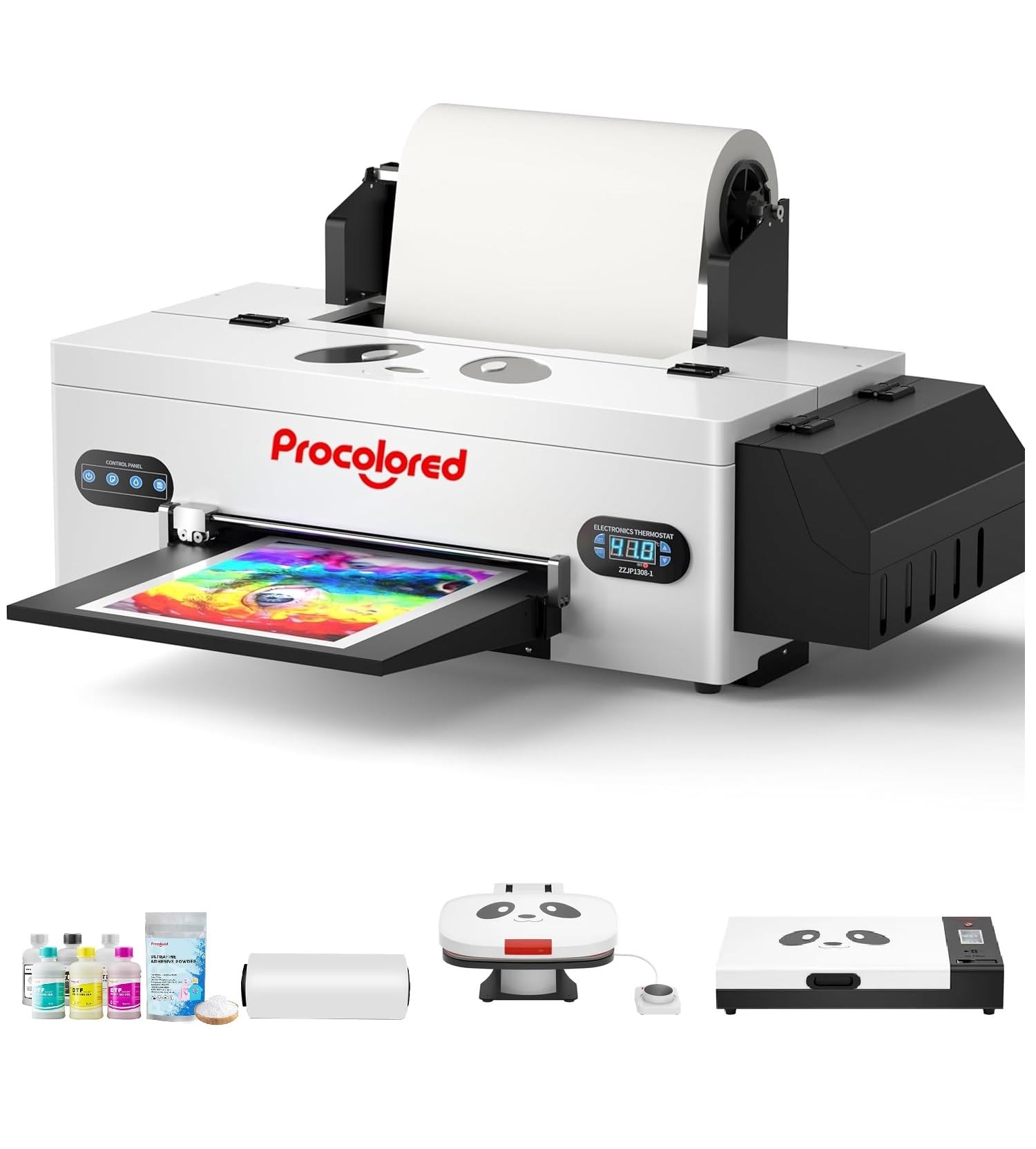
Figure 1: Procolored F13 Panda DTF Printer.
2. זיכערקייַט אינפֿאָרמאַציע
Always observe the following safety precautions to prevent injury or damage to the printer:
- זיכער מאַכן אַז דער דרוקער איז געשטעלט אויף אַ סטאַבילער, גלייכער ייבערפלאַך.
- פֿאַרבינדט דעם דרוקער צו אַ געערדטער עלעקטרישער אַוטלעט מיטן ריכטיקן וואָלומעןtagE (אַק 100-230וו).
- שטעלט נישט אויס דעם דרוקער צו וואַסער אָדער צו פיל הומידיטי.
- האַלטן הענט קלאָר פון מאָווינג טיילן בעשאַס אָפּעראַציע.
- Use only recommended inks and cleaning solutions.
- האַלטן אויס פון דערגרייכן פון קינדער.
3. פּעקל אינהאַלט
באַשטעטיקן אַז אַלע זאכן זענען פאַראַן אין פּעקל:
- Procolored F13 DTF Printer
- Roll Film 13"
- DTF Ink Set (CMYK+WW)
- Nozzle Protection Fluid
- DTF Powder
- פּלאַסטיק שטיצן
- דאַטן קאַבל (USB)
- מאַכט קאַבלע
- Moisturizing Device
- וויסט פלאַש
- פּאַטראָן
- Spare Ink Tube
- וואַל בראַקעט
- טינט פּאַד
- ווישער
- קאַטער בלייד
- וסב דאָנגלע
- שפּריץ
- שרויפנ - ציער
- ראָללער בר
- געשפּרייט טוב
- Needle Hub
- פרילינג
- סוואַב

Figure 2: Included accessories for the Procolored F13 DTF Printer.
4. סעטאַפּ גייד
4.1 אויספּאַקן און ערשטע פּלאַצירונג
Carefully remove the printer and all components from the packaging. Place the printer on a sturdy, level surface in a well-ventilated area.
Video 1: Procolored F13 DTF Printer Unboxing. This video demonstrates the unboxing process and initial setup steps for the printer.
4.2 Film Roll Installation
Install the 13-inch DTF film roll onto the designated holder at the rear of the printer. Ensure the film feeds smoothly into the printer mechanism.
4.3 Ink System Setup
Fill the ink tanks with the corresponding DTF pigment inks (Cyan, Magenta, Yellow, Black, White, Light Cyan). Ensure the white ink circulation system is properly connected and functioning to prevent clogging.

Figure 3: Illustration of the advanced white ink system, showing circulation, siphon effect, and automatic cleaning.
4.4 מאַכט קאַנעקשאַן און ווייכווארג ינסטאַלירונג
Connect the power cable to the printer and a suitable power outlet. Install the Procolored RIP software (compatible with Windows 7/10/11) on your computer. Follow the on-screen instructions for software installation and driver setup.
פיגורע 4: איבערview of the Procolored RIP software interface and available tutorials.
5. אַפּערייטינג ינסטרוקטיאָנס
5.1 Preparing for Print
- Power on the printer using the main switch.
- Ensure the DTF film is correctly loaded and aligned.
- Open the Procolored RIP software on your computer.
- Import your design and adjust settings such as size, resolution (up to 1440x1440dpi), and color profile.
5.2 דרוק פּראָצעס
Initiate the print job from the software. The printer will feed the film and apply ink. The built-in cutter will automatically trim the film after printing, optimizing material usage.
Video 2: Procolored F13 DTF Printer in operation. This video demonstrates the printing process, including film feeding and ink application.
5.3 Post-Printing
After printing, apply DTF powder to the wet ink and cure it using a DTF oven or heat press. Once cured, the design is ready for transfer to textiles.

פיגורע 5: עקסamples of versatile applications for DTF prints, including shirts, flags, tote bags, and caps.
6. וישאַלט
6.1 אָטאַמאַטיק רייניקונג סיסטעם
The F13 Panda DTF Printer features an automatic cleaning system that operates even when the printer is powered on. This system helps prevent print head clogs and ensures consistent print quality. Regular use of this feature is recommended.
6.2 White Ink Circulation
The printer includes a white ink circulation system with a siphon filtration diaphragm pump. This system minimizes blockages and maintains the quality of white ink. Ensure the system is always active during operation.
Video 3: F13 L1800 DTF Apparel Printer features. This video highlights the white ink circulation and automatic cleaning functions.
6.3 אַלגעמיינע רייניקונג
רייניקן פּעריִאָדיש די אויסערלעכע זייט פֿון דרוקער מיט אַ ווייכן, דamp cloth. Refer to the software's maintenance section for specific print head cleaning procedures if needed.
7. טראָובלעשאָאָטינג
If you encounter issues with your printer, consider the following common solutions:
- דרוק קוואַליטעט ישוז: Perform a nozzle check and head cleaning through the software. Ensure ink levels are sufficient.
- Film Feeding Problems: Check for obstructions in the film path and ensure the film roll is correctly installed and aligned.
- ווייכווארג ערראָרס: Restart the software and the printer. Ensure your software and drivers are up to date.
- קאַנעקטיוויטי ישוז: Verify USB cable connection and ensure the printer is powered on.
For persistent issues, contact Procolored customer service.
8. ספּעסאַפאַקיישאַנז
| שטריך | באַשרייַבונג |
|---|---|
| סאָרט | פּראָקאָלאָרעד |
| מאָדעל נאָמען | F13-XMJZ |
| קאַנעקטיוויטי טעכנאָלאָגיע | וסב |
| דרוק טעכנאָלאָגיע | ינגקדזשעט |
| ספּעציעלע שטריך | פּאָרטאַטיוו |
| דרוקער רעזולטאַט | קאָליר |
| מאַקסימום דרוק גיכקייַט (קאָליר) | 1 פּיפּיעם |
| מאַקס פּרינספּעעד מאָנאָטשראָמע | 1 פּיפּיעם |
| פּראָדוקט דימענשאַנז (ד רענטגענ וו רענטגענ ה) | 16.53"ד רענטגענ 34.25"וו רענטגענ 16.4"ה |
| טינט קאָליר | Cyan, Magenta, Yellow, Black, White, Light Cyan |
| האַכלאָטע | 1440 רענטגענ 1440 דפּי |
| מאַקסימום מעדיע גרייס | A3 (13 Inches) |
| ווייכווארג שטיצן | Windows 7/10/11 |
| ספּעציפיש ניצט פֿאַר פּראָדוקט | Textile Printing |
9. וואָראַנטי און שטיצן
Your Procolored F13 Panda DTF Printer comes with a comprehensive warranty:
- Print Head and Related Components: Six-month warranty.
- אנדערע אַקסעסעריז: איין יאָר וואָראַנטי.
Our dedicated customer service team is available 24/6 to address any queries or technical issues you may encounter. Please refer to your purchase documentation for specific contact details.