
1. הקדמה
This manual provides detailed instructions for the installation, operation, and maintenance of your JOOAN 4G Solar Security Camera. This outdoor wireless surveillance camera is designed for areas without traditional power or network infrastructure, utilizing 4G cellular connectivity and solar power for continuous operation. Please read this manual thoroughly before use to ensure proper setup and functionality.

Image 1.1: JOOAN 4G Solar Security Camera with its solar panel and a smartphone displaying the camera's live feed, highlighting its 4MP/5MP HD resolution capability.
2. פּראָדוקט פֿעיִקייטן
- 4G קאַנעקטיוויטי: Operates independently using a SIM card, ideal for remote locations.
- זונ - פּאַוערד: Equipped with a solar panel for continuous charging, reducing the need for external power sources.
- הויך דעפיניציע רעזאלוציע: כאַפּט קלאָרע ווידעאָ פֿוtage for effective surveillance.
- קאָליר נאַכט זעאונג: Offers multiple night vision modes including infrared, full-color, and smart color night vision for enhanced visibility in low-light conditions up to 10 meters.
- לאקאלע און וואָלקן סטאָרידזש: Supports up to 256GB SD card storage and optional cloud storage for recorded footage.
- גרינג ינסטאַלירונג: Designed for straightforward setup and mounting.
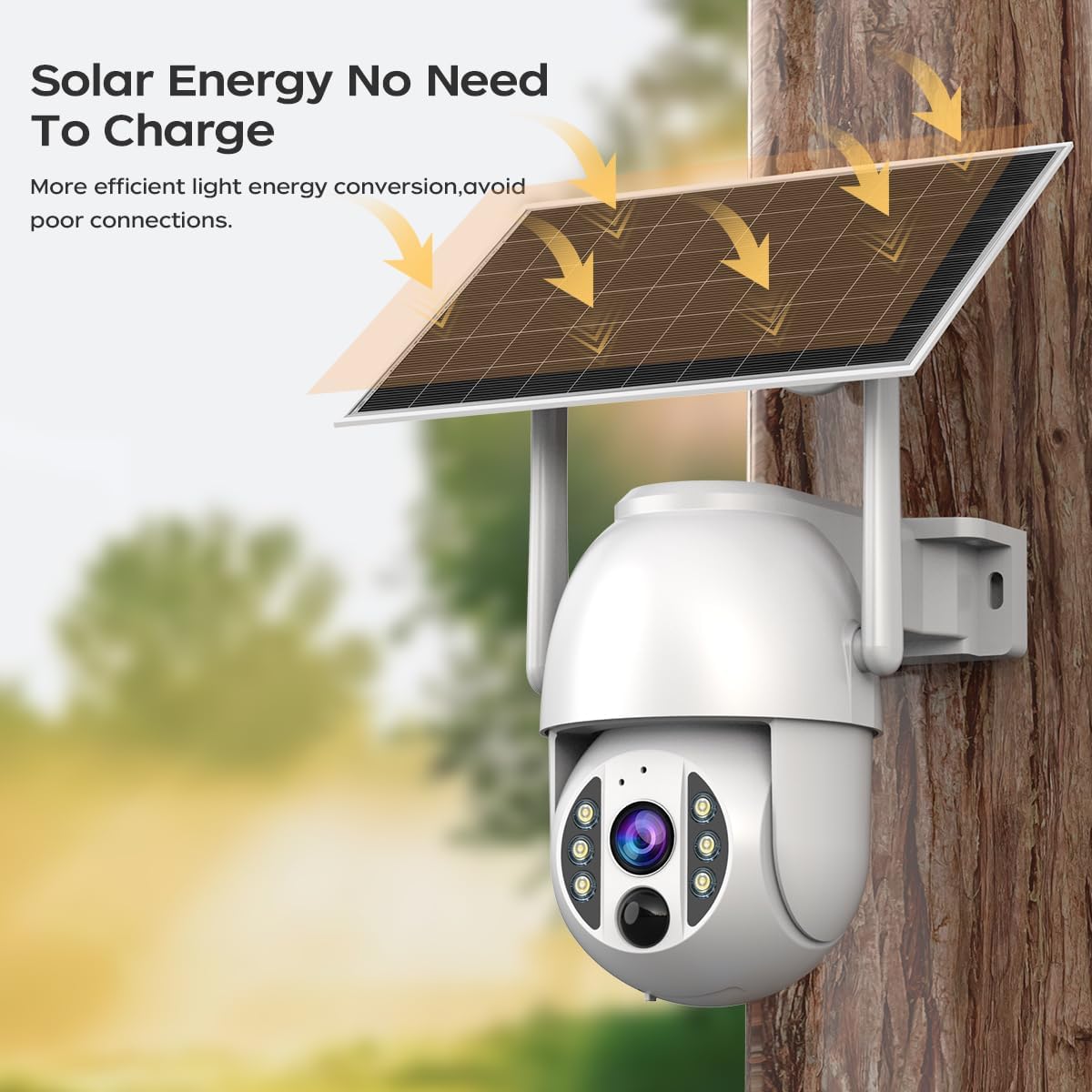
Image 2.1: The JOOAN 4G Solar Security Camera mounted with its solar panel, illustrating its solar energy capability for efficient light energy conversion and avoiding poor connections.
3. סעטאַפּ און ייַנמאָנטירונג
3.1. סים קארטל און סד קארטל אינסטאלירונג
Before mounting, install a 4G SIM card (not included) and an SD card (up to 256GB, not included) into the designated slots on the camera. Ensure the camera is powered off before inserting or removing cards.

בילד 3.1: א נאָענטע בילד view of the JOOAN camera's SD card slot, indicating support for cloud storage and a maximum 256GB SD card.
3.2. מאַונטינג סטעפּס
- Positioning and Punching: Select a suitable location for the camera and solar panel. Mark the drilling points on the wall. Use a drill to create holes at the marked positions.
- אריינשטעלן אויסברייטונג שרויפן: Gently tap the expansion screws into the drilled holes until they are flush with the surface.
- אָנקלאַפּן די אַפּאַראַט: Align the camera bracket with the expansion screws and secure it using the provided screws.
- גאַנץ ינסטאַלירונג: Attach the solar panel to the camera bracket or mount it separately in a location with ample sunlight. Ensure all connections are secure.

Image 3.2: Visual guide showing the four installation steps: 1. Positioning and punching, 2. Inserting expansion screws, 3. Mounting the camera with screws, and 4. Completing the installation with the solar panel.
3.3. אַפּ קאַנעקשאַן
Download the official JOOAN app from your smartphone's app store. Follow the in-app instructions to add your camera. There are typically two methods:
- Add APP Phone Code: Scan the QR code displayed on your mobile phone APP with the camera lens from a distance of 20-30cm to add the distribution network.
- Add Camera Body Code: Scan the QR code located on the camera body using the mobile phone APP to add the distribution network.

Image 3.3: Illustration of the two connection methods: scanning the APP phone code or scanning the camera body code to establish a network connection.
4. אָפּעראַציע
4.1. פּאָווערינג אויף / אויסגעלאשן
The camera automatically powers on when sufficient solar power is available or when connected to a power source. To power off, disconnect the power source and allow the battery to deplete, or use the app if a power-off function is available.
4.2. לייוו View און רעקאָרדינג
Once connected to the app, you can access the live video feed. The camera supports continuous recording to the SD card or cloud storage (subscription may be required). You can also manually record video or capture screenshots from the live view.
4.3. באַוועגונג דעטעקציע און וואָרענונגען
Configure motion detection sensitivity and alert settings within the app. The camera will send notifications to your smartphone when motion is detected. Recorded events can be reviewאין דער אַפּ'ס פּלייבאַק סעקציע.
4.4. נאכט זעאונג מאָדעס
The camera offers three night vision modes, selectable via the app:
- ינפרערעד נאַכט זעאונג: גיט קלאָרע שוואַרץ-ווײַסע בילדער אין פֿולשטענדיקער פֿינצטערניש.
- פול קאליר נאכט זעאונג: Utilizes built-in spotlights to provide color images in low-light conditions.
- קלוגע קאָליר נאַכט זעאונג: Automatically switches from infrared to full-color vision upon detection of motion or specific events.

Image 4.1: Comparison of the three night vision modes: Infrared night vision, Full color night vision, and Smart color night vision, demonstrating the camera's ability to pick out details in darkness up to 10 meters away.
5. וישאַלט
- רייניקונג די לענס: רעגולער רייניקט די קאַמעראַ לענס מיט אַ ווייכן, טרוקענעם שטאָף צו ענשור אַ קלאָר בילד קוואַליטעט. ויסמיידן אַברייסיוו רייניגער.
- זונ פּאַנעל רייניקונג: Keep the solar panel free from dust, dirt, and debris to maximize charging efficiency. Clean with a damp שטאָף ווי דארף.
- Firmware דערהייַנטיקונגען: Check the app periodically for available firmware updates to ensure optimal performance and security.
- באַטערי געזונט: Ensure the solar panel receives adequate sunlight to maintain battery charge. Prolonged periods without sunlight may require temporary charging via a USB power adapter (not included).
6. טראָובלעשאָאָטינג
6.1. Camera Not Connecting to 4G Network
- זיכער מאַכן אַז די סים קאַרטל איז ריכטיק אַרײַנגעשטעלט און אַקטיוויזירט מיט אַ גילטיקן דאַטן פּלאַן.
- Check 4G signal strength at the camera's location.
- Restart the camera by briefly disconnecting and reconnecting its power.
6.2. No Video Feed or Poor Quality
- Verify the camera has sufficient power.
- Check the 4G signal strength.
- ריין די אַפּאַראַט אָביעקטיוו.
6.3. Solar Panel Not Charging
- זיכער מאַכן אַז די זונ - פּאַנעל איז פּאַזיציאָנירט צו באַקומען דירעקט זונשייַן פֿאַר עטלעכע שעה טעגלעך.
- Clean any dirt or obstructions from the solar panel surface.
- קאָנטראָלירט דעם פֿאַרבינדונג קאַבל צווישן דעם זונ - פּאַנעל און דער קאַמעראַ.
6.4. SD Card Not Recording
- Ensure the SD card is correctly inserted and formatted within the app.
- קוק אויב די SD קאַרטל האט גענוג פריי פּלאַץ.
- באַשטעטיקן די רעקאָרדינג סעטטינגס אין דער אַפּ.
7. ספּעסאַפאַקיישאַנז
| שטריך | דעטאַל |
|---|---|
| סאָרט | JOOAN |
| מאָדעל | B0GCFGYCLX |
| מאַכט מקור | זונ - פּאַוערד |
| קאַנעקטיוויטי פּראָטאָקאָל | 4G Cellular (SIM card required), Wi-Fi (for initial setup/local access if applicable) |
| רעקאָממענדעד ניצט | Indoor/Outdoor Surveillance |
| ספּעציעלע שטריך | גרינג צו ינסטאַלירן |
| סטאָרידזש | Supports up to 256GB SD card, Cloud Storage (subscription may apply) |
8. וואָראַנטי און שטיצן
For warranty information and technical support, please refer to the JOOAN official webזייטל אדער קאנטאקט זייער קאסטומער סערוויס גלייך. האלט אייער קויף קוויטל אלס באווייז פון קויפן.
פֿאַר ווייַטער הילף, ביטע באַזוכן: JOOAN Store on Amazon