
1. הקדמה
The Mcbazel Digital Light Meter S8811 is a high-precision illuminance meter designed for accurate light measurement across various applications. Featuring a rapid 8X/s sampling rate, a 270° rotatable sensor, and an HD color screen, this device provides reliable data for professionals and enthusiasts alike. It is suitable for optimizing lighting in environments such as LED grow light setups, photography studios, and general lumen testing.
2. פּראָדוקט פֿעיִקייטן
- Ultra-Wide Range & Fast Sampלינג: Measures from 0 to 200,000 Lux (20,000 FC) with a rapid 8 times per second sampling rate for instant, real-time data.
- 270° Rotatable Sensor: Allows the sensor to be angled towards the light source while keeping the display visible, preventing body shadows from affecting measurements. (Note: Sensor rotates right-side only).
- HD Color Display: A vibrant, backlit HD color screen ensures clear readability in various lighting conditions.
- Multi-Light Calibration: Features Light Source Correction Coefficients for accurate readings with different light types, including LED (White/Red/Warm) and standard lights.
- Smart Data Functions: Includes Data Hold (freezes current reading), Max/Min/Avg recording, and one-touch Unit Switching (Lux/FC, °C/°F).
- אַמביאַנט טעמפּעראַטור סענסאָר: גיט נאָך ענווייראָנמענטאַלע דאַטן.
- ענערגיע-שפּאָרן פּלאַן: Equipped with an intelligent 10-minute Auto-Off function to preserve battery life, which can be manually disabled for continuous monitoring.
- דוראַבאַל בילד: Ergonomic housing designed for resilience in various usage environments.
3. פּעקל אינהאַלט
ביטע באַשטעטיקן אַז אַלע זאכן זענען פאַראַן אין דעם פּעקל:
- 1 x Mcbazel Digital Light Meter S8811
- 1 x User Manual (English/Chinese)

Image: The Mcbazel Digital Light Meter S8811 shown alongside its included user manual, illustrating the package contents.
4. אָנהייבן (סעטאַפּ)
4.1 באַטאַרייע ייַנמאָנטירונג
- געפינט דעם דעקל פונעם באַטעריע־אָפּטייל אויף דער הינטערשטער זייט פונעם אַפּאַראַט.
- שלעפּט אָדער נעמט אַראָפּ דעם דעקל צו עפֿענען דעם אָפּטייל.
- Insert three (3) AAA batteries, ensuring correct polarity (+/-) as indicated inside the compartment. (באַטעריז זענען נישט אַרייַנגערעכנט)
- פאַרבייַטן די באַטאַרייע אָפּטייל דעקן סיקיורלי.

בילד: א נאָענטע בילד view of the battery compartment on the back of the light meter, showing where to insert the three AAA batteries.
4.2 פּאַוערינג אויף / אַוועק
- To power on the device, press the red power button located on the front panel.
- To power off the device, press and hold the red power button for approximately 2 seconds until the screen turns off.
5. אָפּעראַציע
5.1 Basic Light Measurement
- מאַכט אויף די מיטל.
- אַראָפּנעמען די פּראַטעקטיוו היטל פון די סענסער.
- Point the white dome sensor directly towards the light source you wish to measure.
- Read the illuminance value displayed on the HD color screen. The device provides real-time readings.
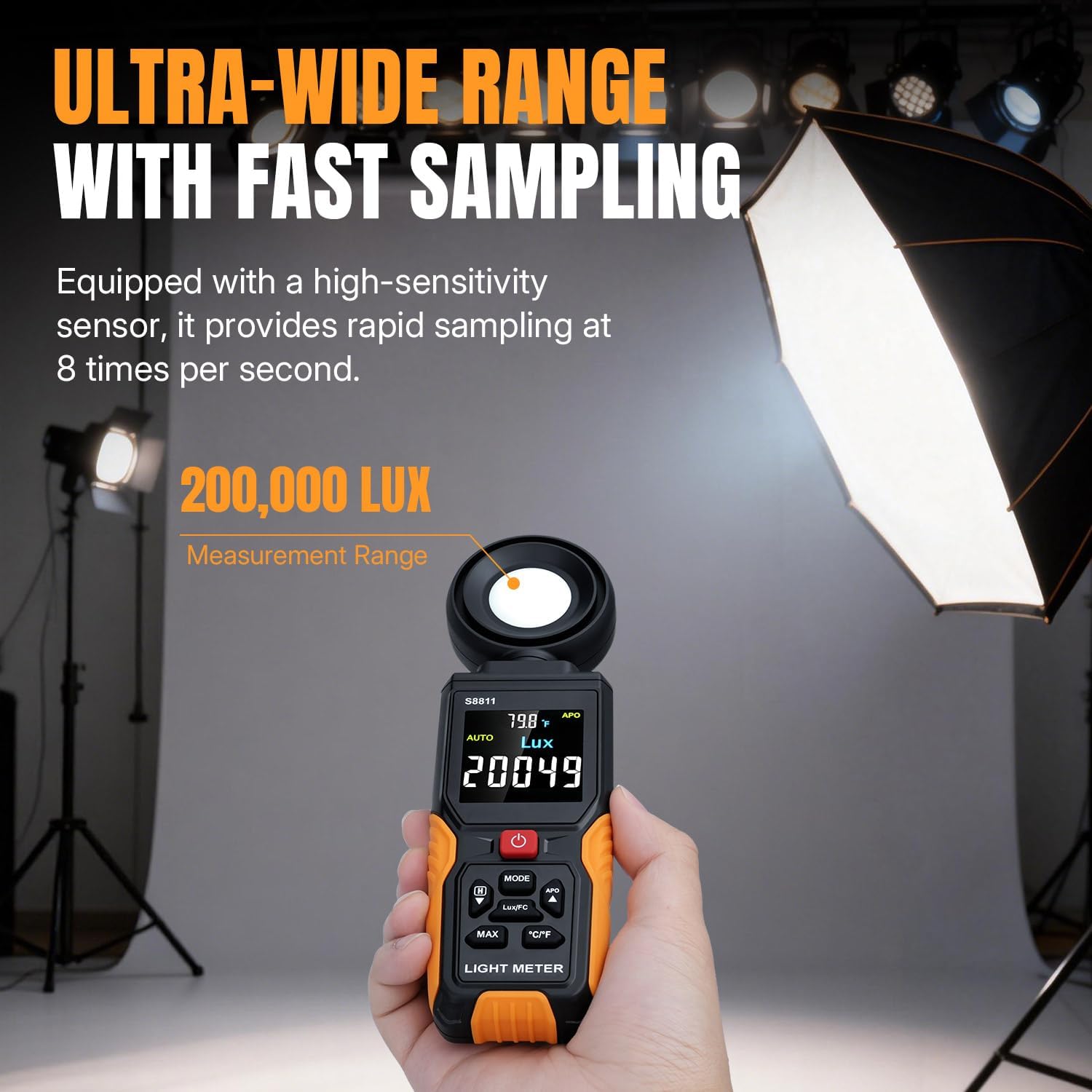
Image: A hand holding the Mcbazel Digital Light Meter S8811, with the screen displaying a light measurement in Lux, demonstrating its fast sampלינג פיייקייט.
5.2 Using the 270° Rotatable Sensor
- The sensor head can be rotated up to 270° to the right. This allows you to position the sensor towards the light source while maintaining a clear view פון די אַרויסווייַזן.
- Gently rotate the sensor head clockwise to the desired angle. Avoid rotating it counter-clockwise beyond its limit to prevent damage.

Image: The Mcbazel Digital Light Meter S8811 with its sensor head rotated, illustrating the 270-degree rotation feature for flexible measurement angles.
5.3 Unit Switching (Lux/FC, °C/°F)
- דרוק די מאָדע button to switch between Lux and Foot-Candle (FC) units for light measurement.
- דרוק די ° C / ° F button to toggle the temperature display between Celsius and Fahrenheit.
5.4 דאַטאַ האַלטן פֿונקציע
- To freeze the current reading on the display, press the האַלטן button (often labeled with a 'H' icon or integrated with the 'Down' arrow button). Press it again to release and resume real-time measurement.
5.5 Max/Min/Avg Recording
- דרוק די מאַקס button to cycle through Maximum, Minimum, and Average recorded values during a measurement session.
- The display will show 'MAX', 'MIN', or 'AVG' indicators.

Image: The light meter's screen showing different data modes including maximum, minimum, and average light readings, along with temperature.
5.6 Light Source Correction Coefficients
- This meter includes specific calibration settings for various light sources, particularly LEDs (White, Red, Warm). Refer to the on-screen indicators or the detailed user manual (included in the package) for instructions on how to select the appropriate correction coefficient for your light source to ensure optimal accuracy.

Image: A graphic illustrating the multi-light calibration feature of the light meter, showing different light spectrums and the device's ability to switch between Lux and FC units.
5.7 אַוטאָ-אַוועק פונקציע
- The device automatically powers off after 10 minutes of inactivity to conserve battery.
- To disable the auto-off function, consult the detailed user manual for specific button combinations, typically involving holding a button during power-on.
6. וישאַלט
6.1 רייניקונג
- ווישט אָפּ דאָס אַפּאַראַט מיט אַ ווייכן, טרוקענעם שטאָף. ניצט נישט קיין שרײַבנדיקע רייניגערס אָדער סאָלווענטן.
- Keep the sensor dome clean and free from dust or smudges to ensure accurate readings. Use a soft brush or lens cloth if necessary.
6.2 סטאָרידזש
- ווען נישט אין באַנוץ פֿאַר לענגערע פּעריאָדן, אַרויסנעמען די באַטעריעס צו פאַרמייַדן ליקאַדזש.
- האַלט דעם אַפּאַראַט אין אַ קיל, טרוקן אָרט, אַוועק פון דירעקט זונשייַן און עקסטרעמע טעמפּעראַטורן.
- Always place the protective cap over the sensor when storing to prevent damage.
7. טראָובלעשאָאָטינג
7.1 די דעווייס גייט נישט אן
- קוק אויב די באַטעריז זענען ינסערטאַד ריכטיק מיט די געהעריק פּאָולעראַטי.
- פאַרבייַטן מיט פריש אַאַאַ באַטעריז.
- מאַכן זיכער אַז די מאַכט קנעפּל איז פעסט געדריקט.
7.2 אומגענויע מעסטונגען
- Ensure the sensor dome is clean and unobstructed.
- Verify that the sensor is pointed directly at the light source.
- Check if the correct Light Source Correction Coefficient is selected for your specific lighting type.
- Avoid casting shadows on the sensor with your body or other objects during measurement.
7.3 ווייַז ישוז
- אויב דער עקראַן איז טונקל אָדער פליקערט, טוישט די באַטעריעס.
- If the display shows an error message, refer to the detailed user manual for specific error codes and solutions.
8. ספּעסאַפאַקיישאַנז
| שטריך | דעטאַל |
|---|---|
| מאָדעל נומער | S8811 |
| מעאַסורעמענט ראַנגע | 0 to 200,000 Lux / 0 to 20,000 FC |
| Sampלינג קורס | 8 מאל פּער סעקונדע |
| Sensor Rotation | 270° (Right-side only) |
| ווייַז | HD Color Backlit Screen |
| וניץ | Lux, FC, °C, °F |
| מאַכט מקור | 3 X AAA באַטעריז (ניט אַרייַנגערעכנט) |
| אַוטאָ-אויסגעלאשן | 10 מינוט (קען ווערן אויסגעלאשן) |
| פּראָדוקט דימענשאַנז | 2.36 X 1.1 X 8.07 אינטשעס |
| פּונקט וואָג | 7 אונסעס |
9. וואָראַנטי און שטיצן
Mcbazel products are manufactured to high-quality standards. For warranty information, technical support, or service inquiries, please refer to the contact details provided in the separate warranty card included with your product or visit the official Mcbazel webזייטל. ביטע באַהאַלטן אייער קויפן באַווייַז פֿאַר וואָראַנטי קליימז.