
1. הקדמה
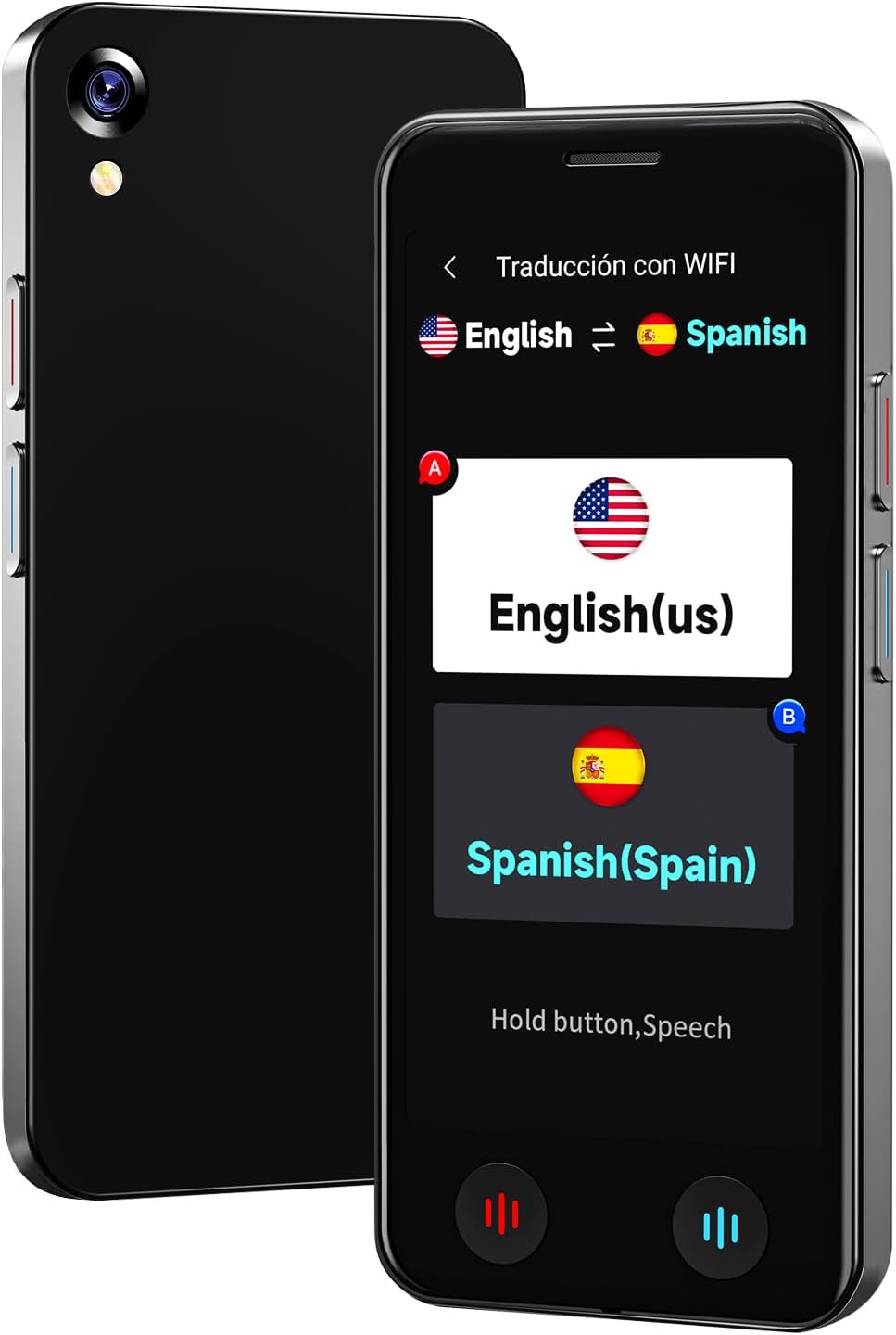
The VORMOR A20 AI Language Translator Device is a portable, real-time two-way translation tool designed to facilitate communication across language barriers. Featuring advanced AI technology, it supports online translation for 150 languages and accents, offline translation for 21 commonly used languages, and photo translation for up to 74 languages. Its compact design, long battery life, and integration with features like ChatGPT make it an ideal companion for international travel, business, and language learning.
2. וואָס איז אין דער קעסטל
- 1 x VORMOR A20 AI Language Translator Device
- 1 רענטגענ וסב- C טשאַרדזשינג קאַבלע
- 1 X Lanyard
- 1 x Clear Protective Case
- 1 x באַניצער מאַנואַל
3. סעטאַפּ
- טשאַרדזשינג די מיטל: Connect the provided USB-C charging cable to the device and a power adapter (not included). A full charge takes approximately 1-2 hours.
- מאַכט אויף / אַוועק: Press and hold the power button (usually on the side) for a few seconds to turn the device on or off.
- ערשטע שפּראַך אויסוואַל: Upon first use, follow the on-screen prompts to select your preferred system language.
- Wi-Fi קאַנעקשאַן: For online translation and downloading offline language packages, navigate to the 'Settings' menu and connect to a stable Wi-Fi network.
- Attach Protective Case and Lanyard: For added protection and portability, carefully fit the clear protective case onto the device. Attach the lanyard to the designated loop hole on the device or case.
4. אַפּערייטינג ינסטרוקטיאָנס
The VORMOR A20 features a 5-inch HD touch screen and intuitive physical buttons for ease of use.
4.1. Online Voice Translation (150 Languages)
This mode requires an active internet connection (Wi-Fi or mobile data). It offers real-time, two-way translation with 98% accuracy and a response time of 0.5 seconds.
- From the main menu, select 'Online Translation' (Traducción con WIFI).
- Tap on the language displayed on the left to select your source language.
- Tap on the language displayed on the right to select your target language.
- Press and hold the corresponding physical button (red for source language, blue for target language) while speaking. Release the button to hear the translation.

4.2. Offline Voice Translation (21 Languages)
The device supports offline translation for 21 languages, allowing use without an internet connection. Ensure necessary language packages are downloaded in advance.
- From the main menu, select 'Offline Translation' (Traducción sin).
- To download packages: Go to 'Offline Package Management' in settings, connect to Wi-Fi, and select the languages you wish to download.
- Select your source and target languages from the available offline options.
- Press and hold the corresponding physical button while speaking. Release to translate.

4.3. Photo Translation (74 Online / 40 Offline Languages)
Utilize the built-in 8-megapixel camera and OCR technology to translate text from images.
- From the main menu, select 'Photo Translation' (Traducción de fotos).
- Point the camera at the text you wish to translate. Ensure the text is well-lit (use flash if needed).
- אויסקלייבן די מקור און ציל שפּראַכן.
- Tap the capture button to take a photo. The device will process and display the translated text.

4.4. ChatGPT Integration
Access the ChatGPT application for intelligent conversations and information retrieval.
- Select 'AI XiaoBei' from the main menu.
- Follow the on-screen instructions to interact with ChatGPT.
4.5. אנדערע פאַנגקשאַנז
- Smart Recording: Record conversations and translate them later.
- אַפּאַראַט קאַנווערזשאַן: Convert various units of measurement.
- קראַנטקייַט קאַנווערזשאַן: Get real-time currency exchange rates.
- וועלט זייגער: View times in different time zones.
- Group Translation: Facilitate multi-person conversations (refer to on-screen instructions for setup).
5. וישאַלט
- רייניקונג: ניצט אַ ווייכע, טרוקענע שטאָף צו רייניקן דעם אַפּאַראַט. פֿאַרמייַדט פֿליסיקע רייניגער אָדער אַברייסיוו מאַטעריאַלן.
- באַטערי זאָרגן: To prolong battery life, avoid extreme temperatures and do not leave the device fully discharged for extended periods. The 2000mAh battery provides 6-8 hours of continuous use and 7 days of standby.
- ווייכווארג דערהייַנטיקונגען: The device supports OTA (Over-The-Air) updates. Periodically check for and install updates via Wi-Fi to ensure optimal performance and access to the latest features.
- סטאָרידזש: סטאָר די מיטל אין אַ קיל, טרוקן אָרט ווען ניט אין נוצן.
6. טראָובלעשאָאָטינג
- מיטל נישט פּאַוערינג אויף: Ensure the device is fully charged. If the issue persists, try a different charging cable or adapter.
- Translation Inaccurate/Slow:
- For online translation, check your Wi-Fi connection strength.
- Ensure you have selected the correct source and target languages.
- רעד קלאָר און מיט אַ מיטלמעסיקן טעמפּאָ.
- Offline Translation Not Working: Verify that the required language packages have been successfully downloaded. This requires an initial internet connection.
- Photo Translation Issues: Ensure adequate lighting and clear focus on the text. The text should be within the frame and not blurry.
- אַפּאַראַט פֿאַרפֿרירט/נישט רעאַגירנדיק: Press and hold the power button to force a restart.
7. ספּעסאַפאַקיישאַנז
| סאָרט | BSTBOO (VORMOR) |
| מאָדעל נומער | A20 |
| פאַרשטעלן גרייס | 5-אינטש הד ריר סקרין |
| באַטאַרייע קאַפּאַציטעט | 2000 מאַה ליטהיום באַטערי |
| קעסיידערדיק אַרבעט צייט | 6-8 שעה |
| סטאַנדביי צייט | 7 טעג |
| טשאַרדזשינג צייט | 1-2 שעה |
| אַפּאַראַט | 8 Million Pixel Rear Camera |
| פּונקט וואָג | 0.22 קילאָגראַמס |
| מיקראָפאָן | Built-In with Noise Cancellation, Speech Recognition |
| כעדפאָונז דזשאַק | קיין כעדפאָון דזשאַק |
8. וואָראַנטי און שטיצן
וואָראַנטי: This VORMOR A20 AI Language Translator Device comes with a 1-year manufacturer's warranty from the date of purchase, covering defects in materials and workmanship.
שטיצן: For technical assistance, troubleshooting, or warranty claims, please contact our customer support team:
- בליצפּאָסט: support@vormor.cn
- ווהאַצאַפּפּ: +8618820461144
- אָנליין רעסורסן: Follow "VORMOR" on social media or visit vormor.co פֿאַר דערהייַנטיקונגען און נאָך אינפֿאָרמאַציע.