
1. הקדמה
Thank you for choosing the VOCOO 15.7" Digital Wall Timer and Clock. This device is designed to provide clear time display, versatile countdown and count-up timer functions, and customizable alarm settings for various environments such as offices, homes, kitchens, gyms, and classrooms. Please read this manual carefully to ensure proper setup and operation.
2. וואָס איז אַרייַנגערעכנט
באַשטעטיקן אַז אַלע קאָמפּאָנענטן זענען פאַראַן אין דער פּאַקעט:
- VOCOO 15.7" Digital Wall Timer and Clock
- ווייַט קאָנטראָל
- 16.4ft מאַכט שנור
- 5V/2A מאַכט אַדאַפּטער
- 3 x AAA Batteries (for memory backup)
- 2 x AAA באַטעריעס (פֿאַר ווײַטקאָנטראָל)
- באַניצער מאַנואַל (דעם דאָקומענט)
3. סעטאַפּ
3.1 מאַכט קאַנעקשאַן
- Connect the 16.4ft power cord to the DC 5V input port on the back of the timer.
- Plug the 5V/2A power adapter into a standard electrical outlet. The timer will power on automatically.
3.2 Memory Backup Battery Installation
The timer uses 3 AAA batteries (included) to retain settings during power outages. This ensures that time, colors, and alarms are preserved without reprogramming.
- געפינט די באַטאַרייע אָפּטייל אויף דער צוריק פון דעם טייַמער.
- עפענען די אָפּטייל דעקן.
- אַרײַנשטעלן 3 AAA באַטעריעס, אָבסערווירנדיק די ריכטיקע פּאָלאַריטעט (+/-).
- פאַרמאַכן די באַטאַרייע אָפּטייל דעקן סיקיורלי.

Image: Illustration of memory backup battery installation. The diagram shows the timer connected to power and the location for AAA batteries to preserve settings during power loss.
3.3 אינסטאַלאַציע פון באַטעריע פֿאַר ווײַטקאָנטראָל
The remote control requires 2 AAA batteries (included).
- עפענען די באַטאַרייע אָפּטייל אויף די צוריק פון די ווייַט קאָנטראָל.
- אַרייַנלייגן 2 אַאַאַ באַטעריז, ינשורינג ריכטיק פּאָולעראַטי.
- נאָענט די אָפּטייל דעקן.
3.4 מאַונטינג און פּלייסמאַנט
The timer can be wall-mounted or placed on a desk.
- וואַנט מאָונטינג: Use the keyhole slots on the back of the timer to hang it securely on screws (not included) in your desired wall location.
- שרייַבטיש אָרט: Place the timer on a flat, stable surface.
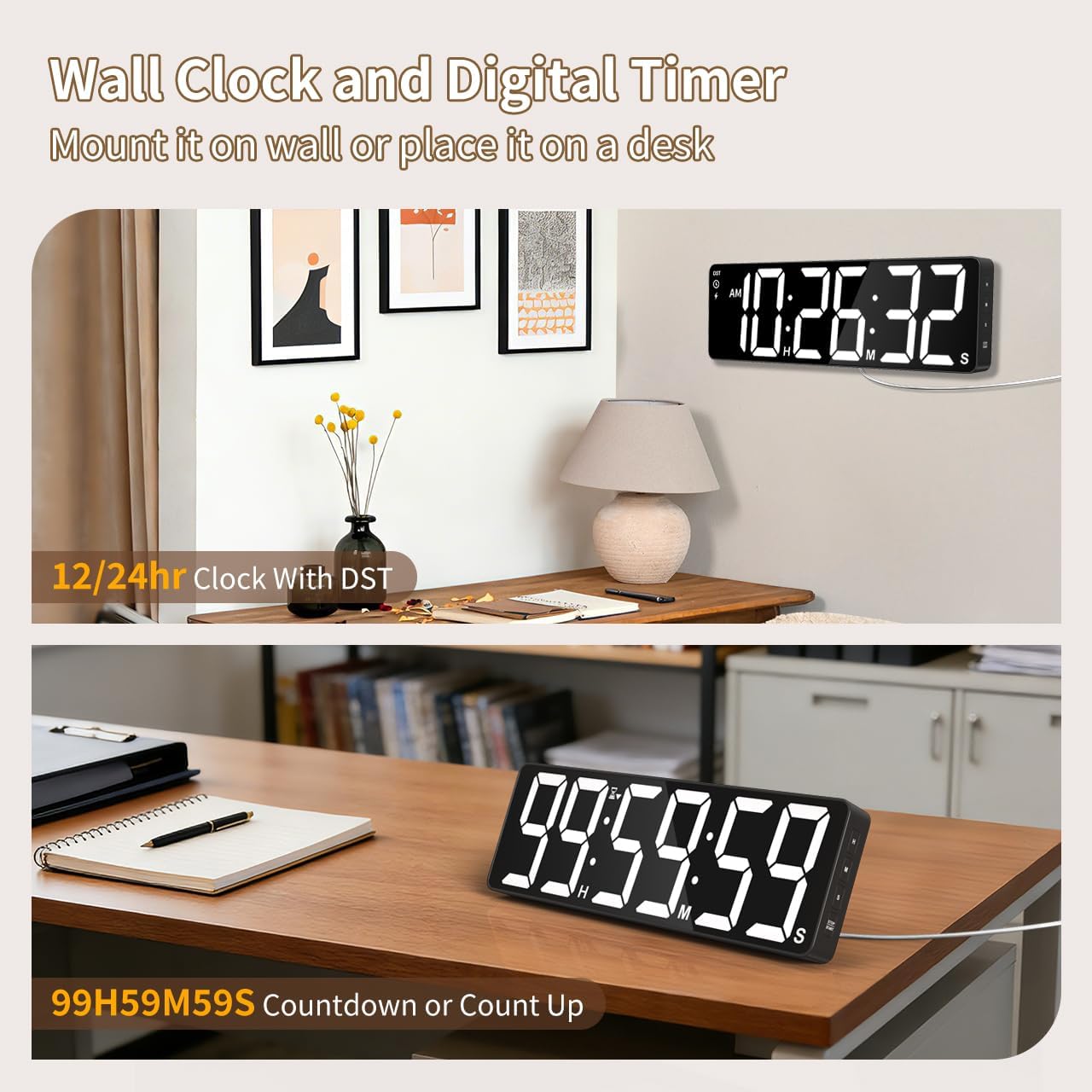
בילד: עקסamples of the digital timer's placement, showing it mounted on a wall and resting on a desk, illustrating its versatility.
4. אַפּערייטינג ינסטרוקטיאָנס
The timer can be operated using the buttons on the device or the included remote control.

בילד: איבערview of the timer's physical buttons and the remote control, highlighting their functions for easy operation.
4.1 Basic Clock Settings
Upon initial power-on or after a full power loss without backup batteries, the clock may need to be set.
- שטעלן צייט: דרוק די שטעלן button on the remote or device. Use the number buttons (0-9) on the remote or the אַרויף / אַראָפּ buttons on the device to adjust hours and minutes. Press שטעלן ווידער צו באַשטעטיקן.
- 12/24 שעה פֿאָרמאַט: דרוק די 12/24ה button on the remote to switch between 12-hour (with AM/PM indicator) and 24-hour formats.
- טאָגליכט שפּאָרן צייט (דסט): The timer features automatic DST adjustment. Ensure the DST setting is enabled if your region observes it. Refer to the remote control for a dedicated DST button or a combination key press.
4.2 ברייטנאַס אַדזשאַסטמאַנט
The display has 3 brightness levels.
- דרוק די ברייטנאַס button on the remote or device to cycle through the available brightness levels (Dim, Medium, Bright).
4.3 קאָליר סעלעקציע
Choose from 18 color options for the display digits.
- דרוק די ליכט קאָליר button on the remote or device to cycle through 8 solid colors, 3 RGB fixed colors, and 7 RGB gradient colors.

Image: Visual representation of the 18 color options and 3 brightness levels (Dim, Medium, Bright) available for the timer's display.
4.4 Timer Functions (Countdown/Count Up)
The timer supports both countdown and count-up modes, up to 99 hours, 59 minutes, and 59 seconds.
- Set Countdown: דרוק TIMER on the remote. Use the number buttons (0-9) to input the desired time (HH:MM:SS). Press אָנהייב / פּויזע צו אָנהייבן.
- Count Up (Stopwatch): דרוק TIMER און דעמאָלט קלאָר to set the timer to 00:00:00. Press אָנהייב / פּויזע צו אָנהייבן ציילן אַרויף.
- פּויזע / נעמענ זיכ ווידער: דרוק אָנהייב / פּויזע during an active timer to pause or resume.
- באַשטעטיק: דרוק באַשטעטיק to clear the current timer setting.
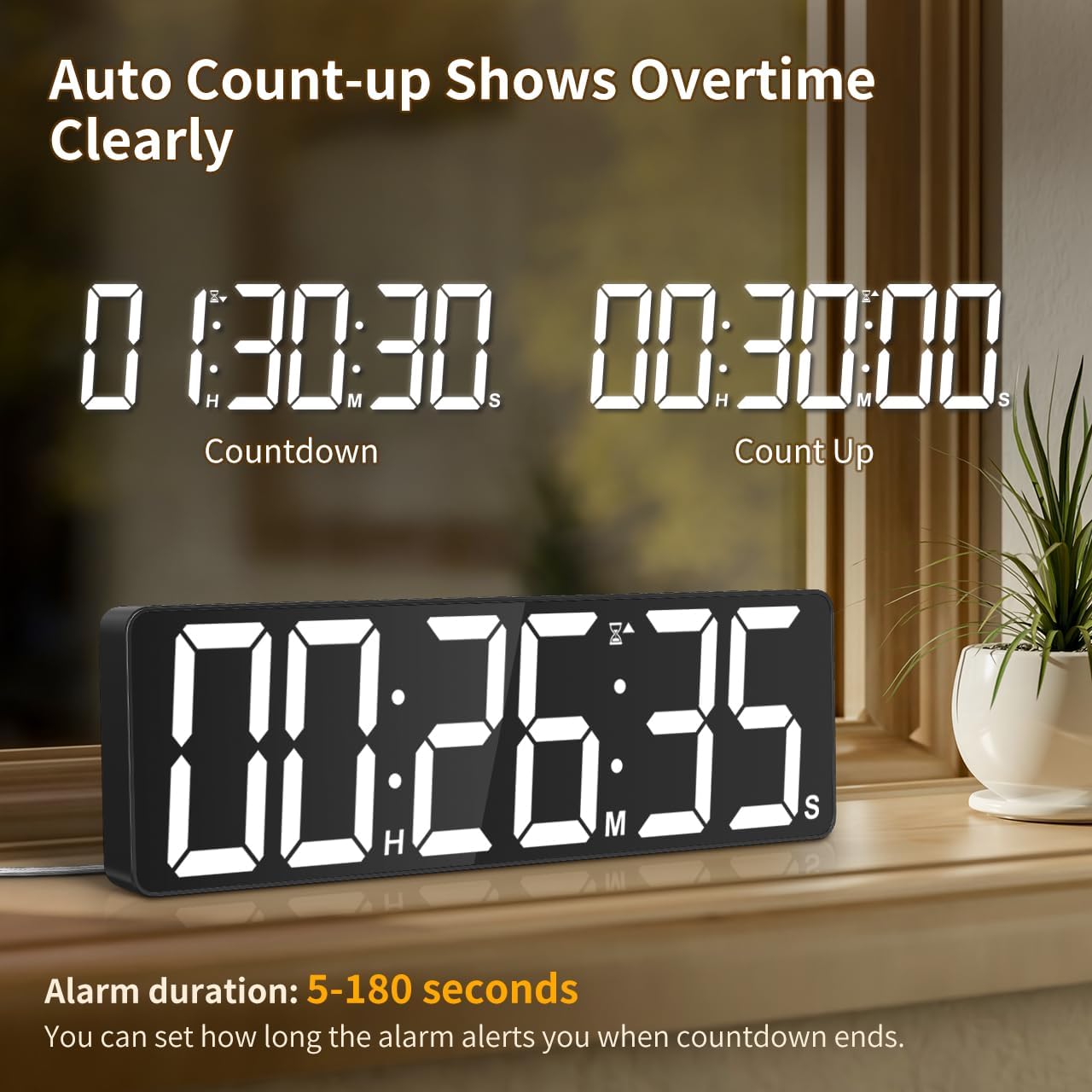
Image: The timer showing a countdown from 01:30:30 and an automatic count-up to 00:30:00 after a countdown finishes, indicating overtime tracking.
4.5 Quick-Set Shortcuts
The remote control includes 6 one-touch shortcut buttons for common timer durations:
- קסנומקס מינוט
- קסנומקס מינוט
- קסנומקס מינוט
- קסנומקס מינוט
- קסנומקס מינוט
- 5 שעה
Press the desired shortcut button to instantly set and start a countdown.
4.6 שרעק סעטטינגס
The timer offers 6 distinct ringtones and 4 adjustable volume levels.
- שטעלן שרעק: דרוק שרעק on the remote. Use number buttons to set the alarm time. Press שרעק ווידער צו באַשטעטיקן.
- Select Ringtones: דרוק די רינגטאָנע button on the remote to cycle through the 6 available tones (Buzzer, Melody 1-5).
- סטרויערן באַנד: דרוק די באַנד button on the remote to cycle through 4 volume levels (L01-L04) or L00 for silent mode (digits flash).
- אַלאַרם געדויער: The alarm duration can be set from 5 to 180 seconds. Refer to the remote control for specific buttons or combination presses to adjust this setting.
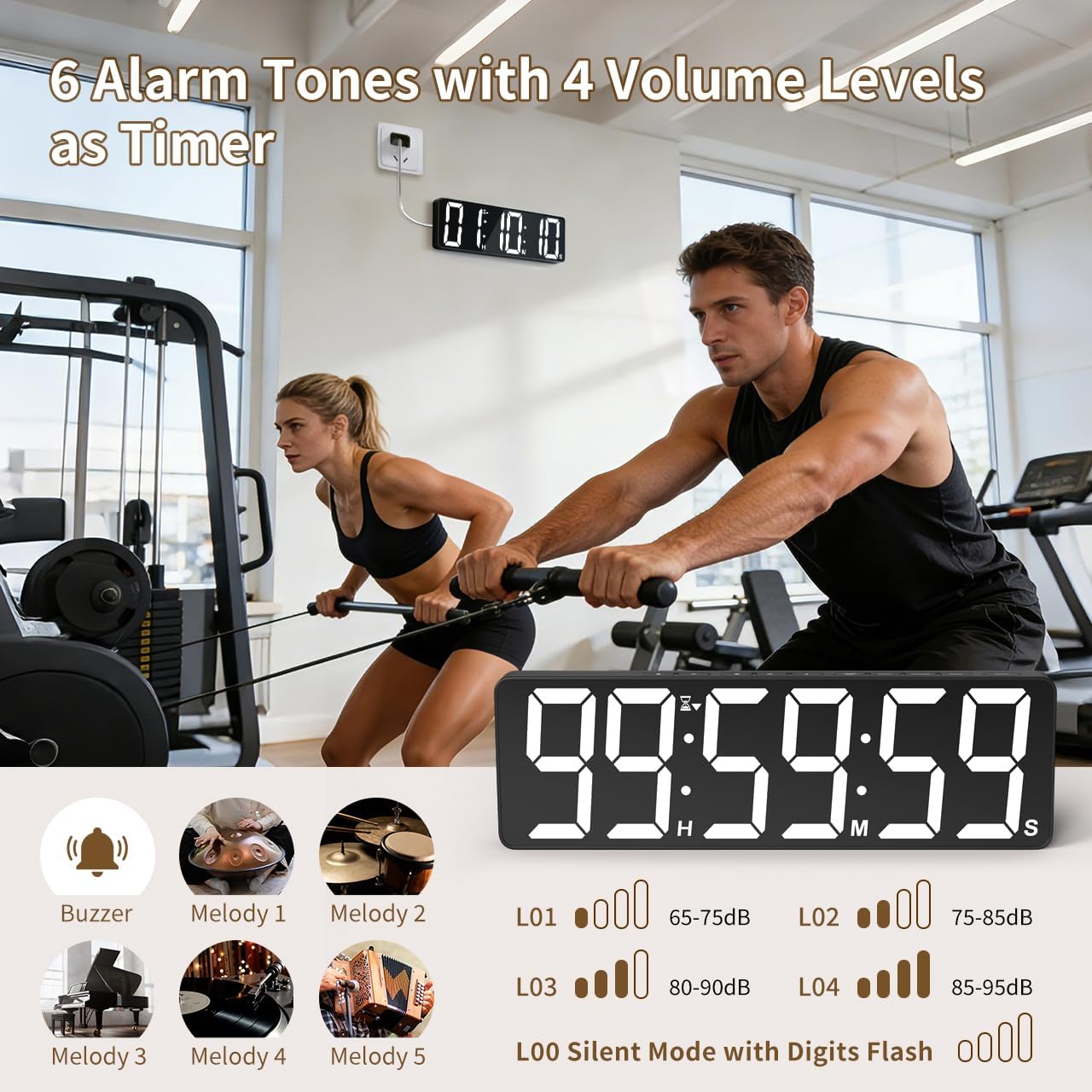
Image: Visual guide to the 6 alarm tones (Buzzer, Melody 1-5) and 4 volume levels (L01-L04), including a silent mode (L00) with flashing digits.
5. וישאַלט
5.1 רייניקונג
To clean the timer, gently wipe the display and casing with a soft, dry cloth. Do not use abrasive cleaners, solvents, or spray directly onto the device.
5.2 באַטערי פאַרבייַט
- Memory Backup Batteries: Replace the 3 AAA batteries in the main unit annually or if you notice settings are not retained during power outages.
- רימאָוט קאָנטראָל באַטעריז: Replace the 2 AAA batteries in the remote control when its range or responsiveness decreases.
שטענדיק אַוועקוואַרפן געוויינט באַטעריז לויט די היגע רעגיאַליישאַנז.
6. טראָובלעשאָאָטינג
- Timer not powering on: Ensure the power adapter is securely connected to both the timer and a working electrical outlet. Check if the outlet is functional.
- רימאָוט קאָנטראָל נישט ארבעטן: Check if the remote control batteries are correctly installed and not depleted. Ensure there are no obstructions between the remote and the timer. The remote has a range of 30ft+.
- סעטינגס פארלוירן נאך אויסשטראםtage: Verify that the 3 AAA memory backup batteries are installed correctly and are not depleted. Replace them if necessary.
- Display is dim or colors are incorrect: Adjust the brightness level using the ברייטנאַס button. Cycle through color options using the ליכט קאָליר קנעפּל.
- Alarm not audible: Check the alarm volume setting using the באַנד button on the remote. Ensure it is not set to L00 (silent mode).
7. ספּעסאַפאַקיישאַנז
| מאָדעל נומער | 6247 |
| ווייַז טיפּ | געפירט |
| פאַרשטעלן גרייס | 15.7 אינטשעס |
| ציפֿער הייך | 4.1 אינטשעס |
| קאָליר אָפּציעס | 18 (8 solid, 3 RGB fixed, 7 RGB gradients) |
| ברייטנאַס לעוועלס | 3 |
| טיימער ראַנגע | ביז 99 שעה, 59 מינוט, 59 סעקונדעס |
| שרעק רינגטאָנעס | 6 |
| אַלאַרם וואָלומען לעוועלס | 4 + Silent Mode |
| שרעק געדויער | 5-180 סעקונדעס |
| מאַכט אַרייַנשרייַב | 5V/2A DC |
| מאַכט שנור לענג | 16.4 פט (5 מעטער) |
| זכּרון באַקקופּ | 3 X AAA באַטעריז (אַרייַנגערעכנט) |
| רימאָוט קאָנטראָל באַטעריז | 2 X AAA באַטעריז (אַרייַנגערעכנט) |
| רימאָוט קאָנטראָל קייט | 30 פֿוס+ |
| פּראָדוקט דימענשאַנז (ד רענטגענ וו רענטגענ ה) | 3.7D x 38W x 12H סענטימעטער |
| פּונקט וואָג | 820 גראַמז |
| מאַטעריאַל | אַקרילאָניטרילע בוטאַדיענע סטירענע |
8. וואָראַנטי און שטיצן
For warranty information or technical support, please refer to the contact details provided with your purchase or visit the official VOCOO webפּלאַץ. האַלטן דיין קויפן קאַבאָלע פֿאַר וואָראַנטי קליימז.