
הקדמה
This manual provides detailed instructions for the proper use and maintenance of your CAMMHD H4 1920P Body Camera. Please read this manual thoroughly before operating the device to ensure optimal performance and longevity. The CAMMHD H4 is designed for reliable audio and video recording in various professional and personal scenarios, featuring 1920P Full HD resolution, night vision, and a long-lasting battery.

Image: The CAMMHD H4 Body Camera, illustrating its compact design and 360-degree rotating clip for versatile attachment.
וואָס איז אין די קעסטל
באַשטעטיקט אַז אַלע זאכן וואָס זענען אויסגערעכנט אונטן זענען אַרייַנגערעכנט אין אייער פּעקל:
- 1* H4 Body Camera (with 64GB memory pre-installed)
- 1* 360° Rotating Long Clip
- 1* 360° Rotating Short Clip
- 1 * טשאַרדזשער
- 1 * וסב קאַבלע
- 1 * באַניצער מאַנואַל

Image: All components included with the CAMMHD H4 Body Camera: the camera unit, long clip, short clip, USB cable, charger, and user manual.
פּראָדוקט איבערview
The CAMMHD H4 Body Camera is a compact and robust recording device. It features a high-definition lens, infrared LEDs for night vision, and intuitive controls for easy operation. The device is designed for durability and versatility in various environments.

Image: The CAMMHD H4 Body Camera highlighting its one-touch start buttons for video and audio recording, emphasizing user-friendly operation.
שליסל פֿעיִקייטן:
- 1920P Full HD Video Resolution: כאַפּט קלאָרע און דעטאַלירטע פֿוטערtage.
- 3000 מאַה באַטאַרייע: Provides 8-10 hours of continuous recording at 1080P (night vision off, screen idle).
- Auto/Manual Night Vision: High-power infrared for clear recording in low light or darkness.
- 150° ברייט ווינקל לינז: Expansive field of view.
- שלייף רעקאָרדינג: איבערשרייבט עלטסטע עסןtagE ווען סטאָרידזש איז פול.
- באַוועגונג דעטעקשאַן: Records when movement is detected.
- שפּריכוואָרט שוץ: Secures recorded data.
- צייט סטamp: Embeds date and time into recordings.
סעטאַפּ
1. טשאַרדזשינג די מיטל
Before first use, fully charge the body camera. Connect the USB cable to the camera and then to the provided charger. Plug the charger into a standard wall outlet. The charging indicator light will show the charging status. A full charge typically takes about 4 hours.

Image: The CAMMHD H4 Body Camera emphasizing its 3000mAh battery, capable of 8 hours of continuous use.
2. צוטשעפּען דעם קלעמערל
Select either the long or short 360° rotating clip based on your preference. Attach the clip to the back of the camera by sliding it into the designated slot until it clicks securely into place. The clip allows for flexible mounting on clothing or gear.
3. פּאָווערינג אויף / אויסגעלאשן
- מאַכט אויף: דריק און האלט דעם פּאַוער קנעפּל פֿאַר אַ פּאָר סעקונדעס ביז דער עקראַן באַלויכטנט זיך.
- מאַכט אַוועק: דריק און האלט דעם פּאַוער קנעפּל ביז דער אַפּאַראַט שליסט זיך אויס.
אַפּערייטינג ינסטראַקשאַנז
1. ווידעא רעקאָרדינג
From standby mode, press the dedicated Video Record button once to start recording. The indicator light will flash, and a recording icon will appear on the screen. Press the button again to stop recording. Videos are saved automatically.
2. אַודיאָ רעקאָרדינג
From standby mode, press the dedicated Audio Record button once to start audio-only recording. An audio recording icon will appear. Press the button again to stop recording. Audio files ווערן אויטאָמאַטיש געראַטעוועט.
3. פאָטאָ כאַפּן
From standby mode, press the Photo button once to take a still image. The screen may briefly flash, indicating a photo has been captured.
4. נאַכט זעאונג
The camera features automatic and manual night vision. In low-light conditions, the camera can automatically activate its infrared LEDs. You can also manually toggle night vision on or off via the menu settings or a dedicated button (refer to device interface for specific button). Ensure clear visibility in dark environments.
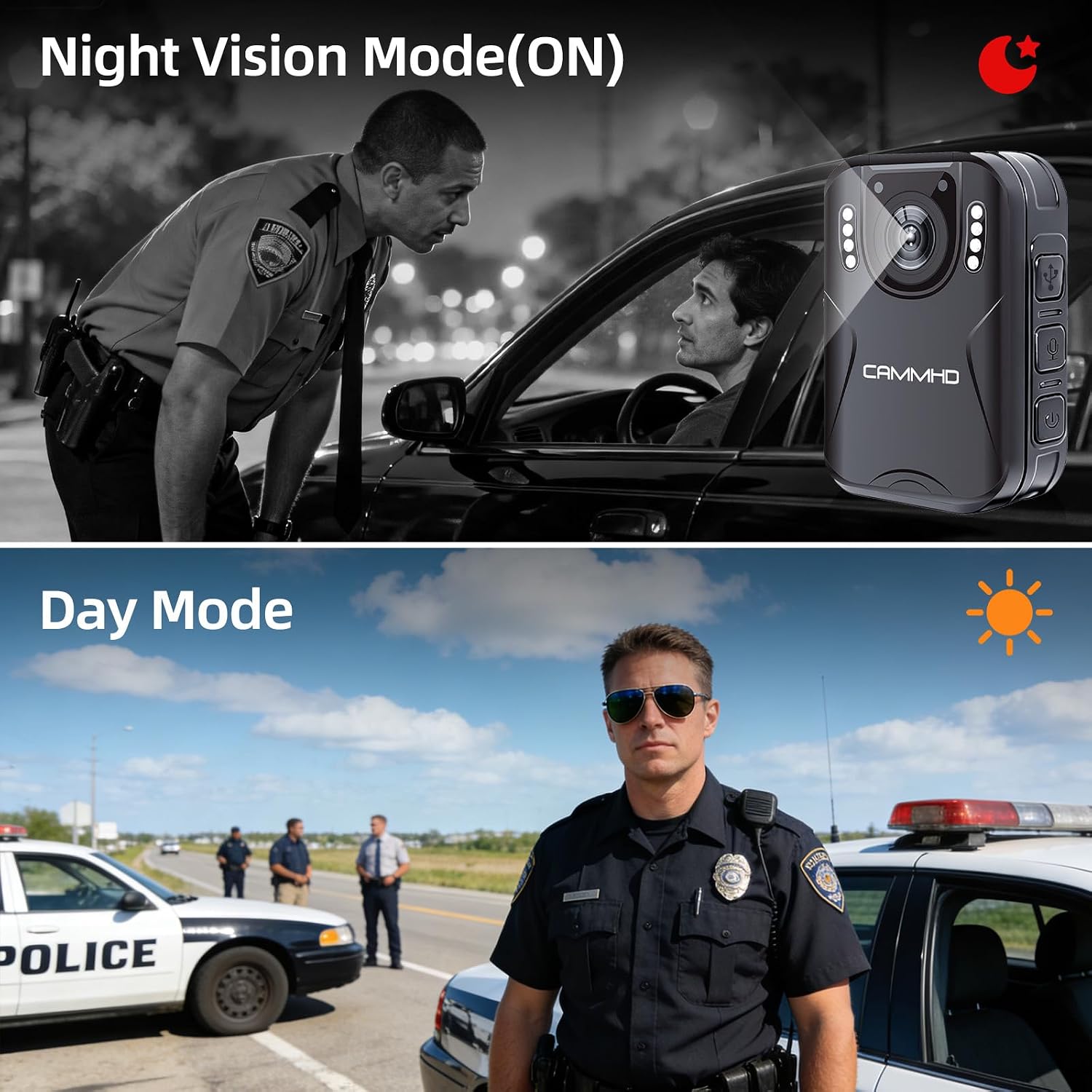
Image: Illustrates the difference between Night Vision Mode (ON) and Day Mode, showing clear visibility in dark conditions with the CAMMHD H4.
5. שלייף רעקאָרדינג
When enabled, loop recording allows the camera to continuously record. Once the memory card is full, the oldest files will be automatically overwritten by new recordings. This ensures continuous operation without manual deletion of old files.
6. באַוועגונג דעטעקשאַן
Activate motion detection in the camera settings. When enabled, the camera will automatically begin recording when it detects movement within its field of view and stop when motion ceases, conserving battery and storage space.
7. Password Protection and Time Stamp
The camera supports password protection to secure your recorded data. Access the settings menu to set up or change your password. The time stamp feature automatically embeds the date and time onto all recordings, providing crucial chronological evidence.
וישאַלט
- רייניקונג: Use a soft, dry cloth to clean the camera body. For the lens, use a specialized lens cleaning cloth and solution to avoid scratches.
- סטאָרידזש: האַלט די קאַמעראַ אין אַ קיל, טרוקן אָרט אַוועק פון דירעקט זונשייַן און עקסטרעמע טעמפּעראַטורן.
- באַטערי זאָרגן: To prolong battery life, avoid fully discharging the battery frequently. Charge the camera regularly, even if not in use, to maintain battery health.
- Firmware דערהייַנטיקונגען: קוק די פאַבריקאַנט ס webזוכט דעם וועבזייטל פון צייט צו צייט פאר אלע פארהאן פירמווער דערהייַנטיקונגען צו זיכער מאכן אפטימאלע פאָרשטעלונג און נייע פֿעיִקייטן.
טראָובלעשאָאָטינג
| פּראָבלעם | מעגלעך סיבה | לייזונג |
|---|---|---|
| די קאַמעראַ גייט נישט אָן. | נידעריגע באַטעריע; אַפּאַראַט אַרבעט נישט ריכטיק. | Charge the camera for at least 4 hours. If still unresponsive, contact support. |
| קען נישט רעקאָרדירן ווידעא/אודיאָ. | Memory card full; memory card error; incorrect mode. | Check available storage. Format the memory card (this will erase all data). Ensure you are in the correct recording mode. |
| נעבעך ווידעא קוואַליטעט. | שמוציקע לינז; שוואַכע ליכט באדינגונגען; אומרעכטע רעזאָלוציע איינשטעלונג. | Clean the lens. Activate night vision in low light. Check video resolution settings in the menu. |
| באַטאַרייע דריינז געשווינד. | Continuous recording; night vision active; screen always on. | Reduce continuous recording time. Turn off night vision when not needed. Set screen to idle or turn off display. |
ספּעסאַפאַקיישאַנז
| סאָרט | CAMMHD |
| מאָדעל נאָמען | CAMMHD-H4 |
| ווידעא קאַפּטורע רעסאָלוטיאָן | 1920 פּ |
| פאָטאָ סענסאָר האַכלאָטע | 4 מפּ |
| Viewינג אַנגלע | 170 דיגריז |
| באַטאַרייע קאַפּאַציטעט | 3000 מאַה |
| קעסיידערדיק רעקאָרדינג צייט | 8-10 hours (at 1080P, night vision off, screen idle) |
| טשאַרדזשינג צייט | בעערעך 4 שעה |
| קאַנעקטיוויטי טעכנאָלאָגיע | וסב |
| סטאָרידזש | 64GB (pre-installed Micro SD) |
| נומער דימענשאַנז | 1.03 X 2.08 X 2.99 אינטשעס |
| פּונקט וואָג | 110 גראַמז |
| קאָליר | שוואַרץ |
וואָראַנטי און שטיצן
פאַבריקאַנט וואָראַנטי
CAMMHD offers a warranty for its products. If there is any quality problem within 30 working days after purchase, you may apply for returning the goods. Please retain your proof of purchase for warranty claims.
קונה שטיצן
For technical assistance, troubleshooting, or warranty inquiries, please contact CAMMHD customer support. Refer to the product packaging or the official CAMMHD webזייטל פֿאַר די מערסט אַקטועלע קאָנטאַקט אינפֿאָרמאַציע.
איר קענט אויך באַזוכן די יו CAMMHD Store on Amazon פֿאַר מער פּראָדוקט אינפֿאָרמאַציע און שטיצע רעסורסן.