
הקדמה
Welcome to your new Power Acoustik CA1-77W car stereo. This manual provides detailed instructions for the installation, operation, and maintenance of your 7-inch flip-out car stereo with Wireless Apple CarPlay and Android Auto. Please read this manual thoroughly before using the product to ensure proper function and safety.
זיכערקייַט אינפֿאָרמאַציע
אָבסערווירן די פאלגענדע זיכערהייט מיטלען בעת ינסטאַלירונג און אָפּעראַציע:
- ניצט נישט דעם אַפּאַראַט אויף אַ וועג וואָס זאָל אייך אָפּלענקן פֿון פֿאָרן. שטעלט שטענדיק אין פֿאָרויס זיכערקייט אויף דער גאַס.
- Ensure all wiring connections are secure and correctly insulated to prevent short circuits and electrical hazards.
- באַראַטן זיך מיט אַ קוואַליפֿיצירטן פאַכמאַן פֿאַר ינסטאַלירונג אויב איר זענט נישט זיכער וועגן קיין שריט.
- פֿאַרמײַדט אויסשטעלן דעם אַפּאַראַט צו עקסטרעמע טעמפּעראַטורן, דירעקטע זונשײַן פֿאַר פֿאַרלענגערטע פּעריאָדן, אָדער איבערגעטריבענע פֿײַכטקייט.
- פרובירט נישט צו צענעמען אדער מאדיפיצירן דעם איינהייט. דאס קען בטל מאכן די גאראנטיע און שאפן שאדן.
פּעקל אינהאַלט
באַשטעטיקן אַז אַלע זאכן זענען פאַראַן אין פּעקל:
- Power Acoustik CA1-77W Head Unit
- וויירינג כאַרניס
- באַזיצער ס מאַנואַל
- מאָונטינג קלאַמער
- גפּס אַנטענע
- Radio Removal Tools
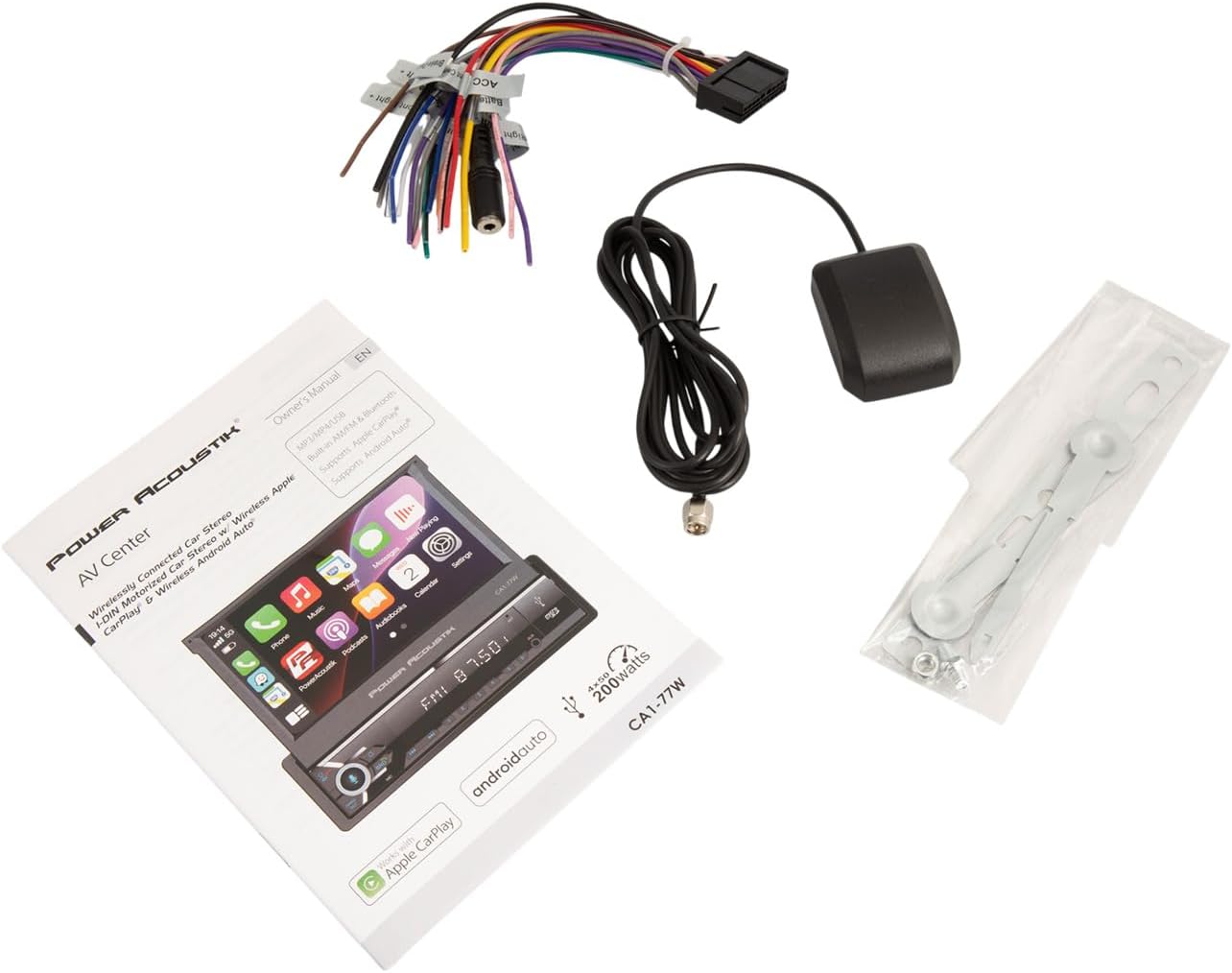
Image: All components included with the Power Acoustik CA1-77W car stereo.
ייַנמאָנטירונג
מאָונטינג די אַפּאַראַט
The CA1-77W is designed for single DIN dashboards. Ensure sufficient space for the motorized flip-out screen to extend and retract without obstruction.
- Remove the existing car stereo from the dashboard.
- Install the provided mounting bracket into the single DIN opening.
- Slide the CA1-77W head unit into the mounting bracket until it locks into place.

בילד: זייט view of the CA1-77W demonstrating the flip-out screen mechanism.
וויירינג דיאַגראַמע
Connect the wiring harness to the vehicle's electrical system. Refer to your vehicle's wiring diagram for specific connections. Ensure all connections are secure and properly insulated.
- Yellow (Constant 12V): פאַרבינדן צו אַ קעסיידערדיק 12V מאַכט מקור.
- Red (Accessory 12V): Connect to a switched 12V accessory power source.
- שוואַרץ (ערד): Connect to a chassis ground point.
- Orange (Illumination): Connect to the vehicle's illumination wire.
- Blue (Antenna/Amp ווײַט): פאַרבינדן צו מאַכט אַנטענע אָדער amplifier remote turn-on.
- רעדנער ווירעס: פֿאַרבינדט זיך צו די קאָרעספּאָנדירנדיקע רעדנער דראָטן פֿון פֿאָרמיטל (למשל, ווײַס/ווײַס-שוואַרץ פֿאַר פֿראָנט לינקס, גרוי/גרוי-שוואַרץ פֿאַר פֿראָנט רעכטס, גרין/גרין-שוואַרץ פֿאַר הינטער לינקס, לילאַ/לילאַ-שוואַרץ פֿאַר הינטער רעכטס).
- Reverse Gear Wire: Connect to the vehicle's reverse light wire for automatic backup camera display.
- Parking Brake Wire: Connect to the parking brake switch for safety features.
- RCA אַוטפּוץ: פֿאַר פונדרויסנדיק ampלייפייערס (פראנט, הינטן, סובוואופער).
- ווידעא ינפּוט: For backup camera connection.
- USB/SD: Connect USB devices or insert SD cards for media playback.

Image: Rear panel connections of the CA1-77W, illustrating wiring points.
ערשט סעטאַפּ
ערשטער מאַכט אויף
After installation, turn on your vehicle's ignition. The unit should power on and the screen will extend. Follow any on-screen prompts for initial setup, such as language selection, time, and date settings.
סקרין אַדזשאַסטמאַנט
Use the 'OPEN/TILT' button or on-screen controls to adjust the screen angle for optimal viewing. The screen can be tilted to reduce glare and improve visibility.
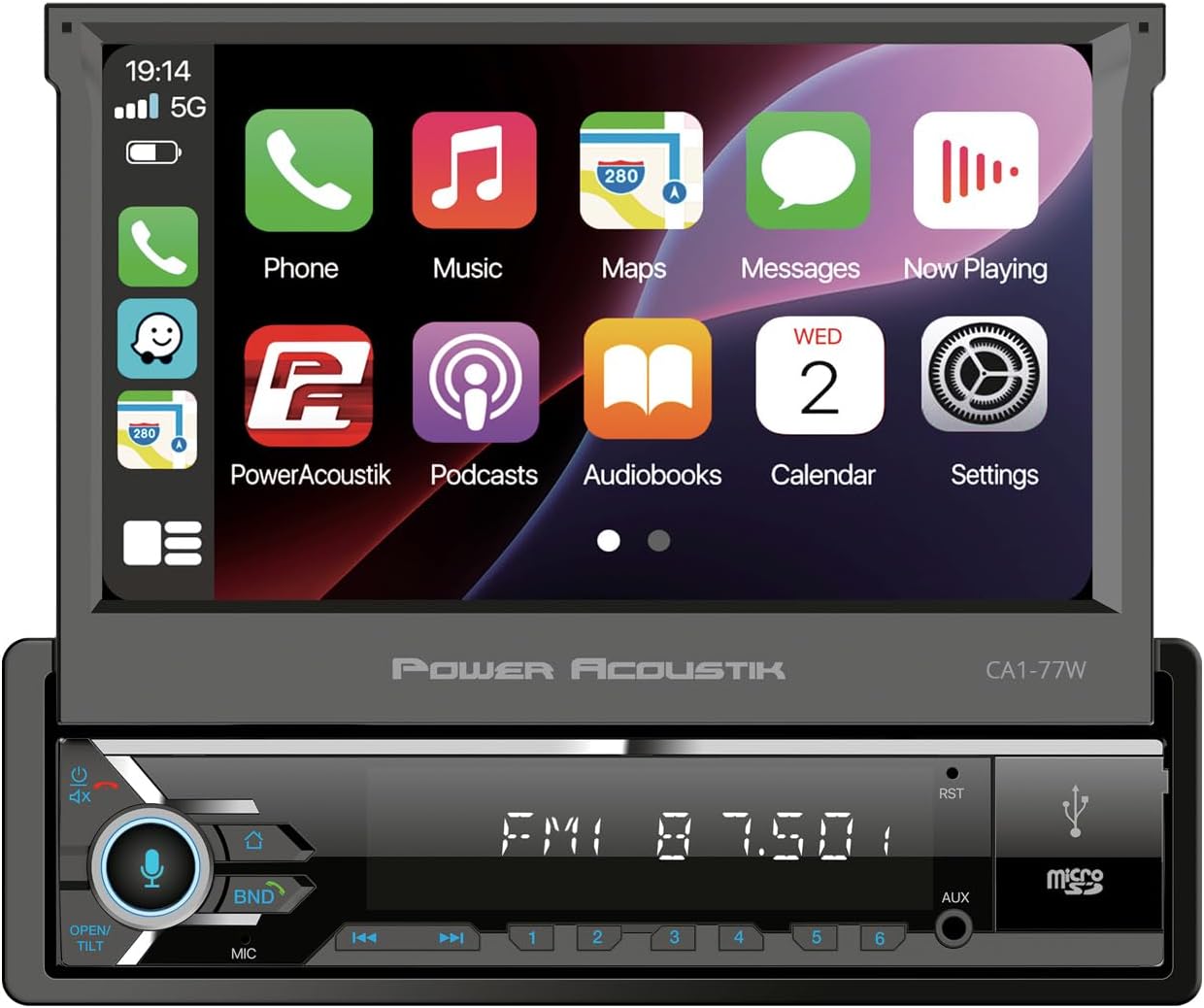
בילד: פראָנט view of the CA1-77W with the screen extended, showing controls.
אַפּערייטינג ינסטראַקשאַנז
אַלגעמיינע קאָנטראָלס
The unit features a touchscreen interface and physical buttons for common functions. Use the volume knob for audio level adjustments. The 'BND' button cycles through radio bands, and the 'MIC' button activates voice commands.
ווירעלעסס עפּל קאַרפּלייַ און אַנדרויד אַוטאָ
Connect your compatible iPhone or Android smartphone wirelessly to access navigation, music, messages, and calls directly on the stereo's display.
- Ensure Bluetooth is enabled on your smartphone and the CA1-77W.
- Pair your phone with the CA1-77W via Bluetooth.
- Once paired, select the Apple CarPlay or Android Auto icon on the stereo's main menu.
- Follow any on-screen prompts on both the stereo and your phone to establish the connection.
- You can now control compatible apps using the touchscreen or voice commands.
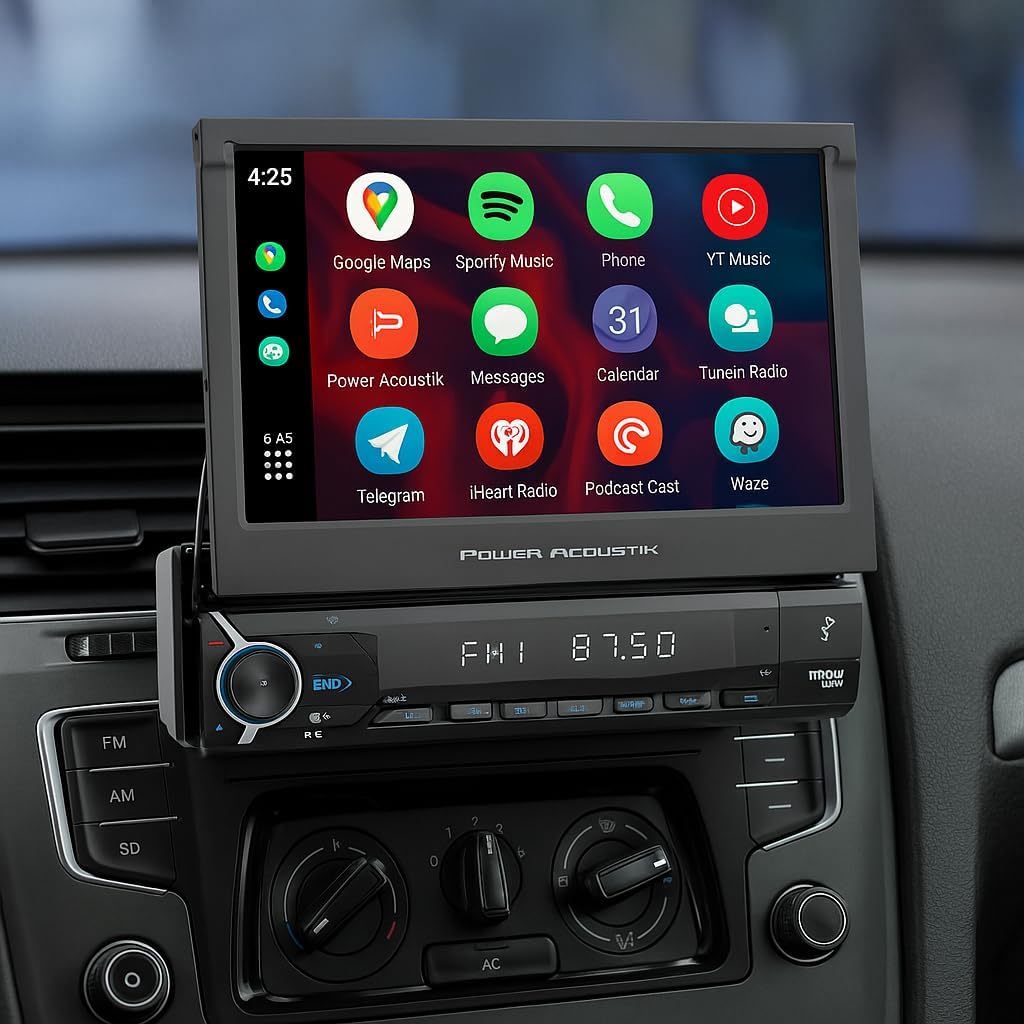
Image: The CA1-77W screen showing the Apple CarPlay interface.
בלועטאָאָטה קאַנעקטיוויטי
For hands-free calling and audio streaming without CarPlay/Android Auto:
- Enable Bluetooth on your phone and the CA1-77W.
- זוכן פֿאַר available devices on your phone and select "Power Acoustik CA1-77W".
- באַשטעטיקן דעם פּערינג קאָד אויב געבעטן.
- אַמאָל פארבונדן, קענט איר מאַכן/באַקומען רופן און סטרימען אַודיאָ פֿון אייער טעלעפאָן.
AM / FM ראַדיאָ
Select the Radio source from the main menu. Use the touchscreen or physical buttons to tune to stations, scan for frequencies, and save your favorite stations as presets.
וסב / סד פּלייבאַק
Insert a USB drive into the USB port or an SD card into the micro SD slot. The unit will automatically detect the media and display playable files. Navigate through folders and select tracks using the touchscreen.
שטיצן פֿאַר באַקקופּ קאַמעראַ
If a backup camera is connected, the display will automatically switch to the camera view when the vehicle is put into reverse gear. On-screen parking guidelines may be available to assist with parking maneuvers.
וישאַלט
Cleaning the Screen and Unit
Use a soft, dry cloth to wipe the screen and unit. For stubborn smudges, slightly dampווישט דעם שטאָף מיט וואַסער אָדער אַ פאַרשטעלן-זיכער רייניגער. פֿאַרמייַדט אַברייסיוו מאַטעריאַלן אָדער שטרענגע כעמיקאַלן.
ווייכווארג דערהייַנטיקונגען
Periodically check the Power Acoustik website for any available software updates for your CA1-77W model. Updates can improve performance and add new features.
טראָובלעשאָאָטינג
| פּראָבלעם | מעגלעך סיבה | לייזונג |
|---|---|---|
| דער אַפּאַראַט טוט נישט מאַכט אויף. | Incorrect wiring, blown fuse. | Check power and ground connections. Inspect vehicle's fuse box and the unit's fuse. |
| קיין געזונט. | Volume too low, incorrect speaker wiring, mute activated. | Increase volume. Check speaker connections. Ensure unit is not muted. |
| בלועטוט קאנעקט נישט. | בלועטוט אויסגעלאשן, אפאראט נישט אין פארינג מאָדע, שטערונג. | Ensure Bluetooth is on for both devices. Put phone in pairing mode. Try restarting both devices. |
| CarPlay/Android Auto not starting. | Phone not compatible, incorrect connection, software issue. | Verify phone compatibility. Ensure proper Bluetooth connection. Update phone OS and stereo firmware. |
| Screen not responding to touch. | Temporary software glitch, screen calibration needed. | Restart the unit. If issue persists, consult support. |
ספּעסאַפאַקיישאַנז
| שטריך | באַשרייַבונג |
|---|---|
| מאָדעל נומער | CA1-77W |
| פאַרשטעלן גרייס | 7 אינטשעס |
| ווייַז טיפּ | Flip-Out Touchscreen |
| קאַמפּאַטאַבילאַטי | Wireless Apple CarPlay, Android Auto |
| קאַנעקטיוויטי | Bluetooth 5.0, USB, SD, RCA |
| ראַדיאָ טונער | AM/FM |
| רעזולטאַט מאַכט | 200 וואטס |
| אַודיאָ רעזולטאַט מאָדע | סטערעאָ |
| קאָנטראָל מעטאָד | ריר |
| פּונקט וואָג | 4.9 פונט |
וואָראַנטי און שטיצן
וואָראַנטי אינפֿאָרמאַציע
The Power Acoustik CA1-77W comes with a 1-יאָר מאַנופאַקטורער וואָראַנטידי וואָראַנטי דעקט חסרונות אין מאַטעריאַלן און אַרבעט אונטער נאָרמאַל נוצן. ביטע האַלטן דיין קויפן באַווייַז פֿאַר וואָראַנטי קליימז.
קונה שטיצן
For technical assistance, troubleshooting, or warranty inquiries, please contact Power Acoustik customer support. Refer to the contact information provided on the official Power Acoustik webזייטל אדער אין דער אריינגערעכנטער גאַראַנטיע קאַרטל.


