
1. פּראָדוקט איבערview
The HP Laptop 15-fd2353la is a versatile and efficient computing device designed for everyday tasks, entertainment, and productivity. It features an Intel Core Ultra 5 processor, a vibrant 15.6-inch Full HD display, ample memory, and fast solid-state storage. This manual will guide you through the setup, operation, and maintenance of your new laptop.

פראָנט view of the HP Laptop 15-fd2353la, highlighting its Intel Core Ultra 5 processor, 24 GB RAM, 512 GB SSD, and 15.6-inch Full HD display.
2. סעטאַפּ
2.1 אַנפּאַקינג
נעמט פֿאָרזיכטיק אַרויס אייער לאַפּטאָפּ און אַלע אַקסעסאָריעס פֿון דער פּאַקאַדזשינג. מאַכט זיכער אַז די פֿאָלגנדיקע זאַכן זענען פֿאַראַן:
- HP Laptop 15-fd2353la
- מאַכט אַדאַפּטער און קאַבלע
- דאָקומענטאַציע (שנעל אָנהייב גייד, וואָראַנטי אינפֿאָרמאַציע)
2.2 פֿאַרבינדן דעם מאַכט אַדאַפּטער
Before first use, connect the power adapter to the laptop's power port and then plug it into a wall outlet. Allow the battery to charge for a few hours, or until fully charged, before initial use.
2.3 ערשטע איינשטראָם און ווינדאָוס סעטאַפּ
Press the power button located on the keyboard to turn on the laptop. Follow the on-screen instructions to complete the Windows 11 Home setup process. This includes selecting your language, connecting to a Wi-Fi network, and creating a user account.
3. אַפּערייטינג ינסטרוקטיאָנס
3.1 אײַנשטעלן/אויסשטעלן און שלאָף מאָדע
- מאַכט אויף: דרוק די מאַכט קנעפּל.
- שאַט אַראָפּ: דריקט דעם אָנהייב קנעפּל, דערנאָך מאַכט > שאַט דאַון.
- שלאָפן מאָדע: מאַכט צו דעם דעקל אָדער גיט דעם אָנהייב קנעפּל, דערנאָך מאַכט > שלאָף.
3.2 ניצן די קלאַוויאַטור און טאָוטשפּאַד
The laptop features a full-size Spanish QWERTY keyboard and a precision touchpad. Use the touchpad for navigation, clicking, and multi-touch gestures. Refer to Windows settings for touchpad customization.
3.3 קאַנעקטינג צו Wi-Fi
צו פאַרבינדן צו אַ וויירליס נעץ:
- דריקט דעם Wi-Fi בילדל אין דער טאַסקבאַר.
- אויסקלייבן אייער געוואונטשענע נעץ פון דער ליסטע.
- Enter the network password if prompted, then click Connect.
4. שליסל פֿעיִקייטן
The HP Laptop 15-fd2353la offers a range of features designed to enhance your computing experience:
- פּראַסעסער: Intel Core Ultra 5 225U (up to 4.8 GHz with Intel Turbo Boost Technology, 12 MB L3 Cache, 12 cores, 14 threads) for efficient multitasking.
- סטאָרידזש: 512 GB PCIe NVMe M.2 Solid State Drive for fast boot times and application loading.
- זכּרון: 24 GB DDR5-5600 MT/s RAM for smooth performance across demanding applications.
- ווייַז: 15.6-inch Full HD (1920 x 1080) IPS anti-glare display with 250 nits brightness and 62.5% sRGB for clear visuals.
- אַפּערייטינג סיסטעם: Pre-installed with Windows 11 Home.
- באַטאַרייע לעבן: Up to 9 hours and 45 minutes of AI-optimized battery life, with HP Fast Charge capable of recharging 50% in approximately 30 minutes.
- Webקאַמעראַ און אַודיאָ: ינטעגראַטעד webcam with a privacy shutter and a clear microphone featuring external noise reduction for improved video calls.
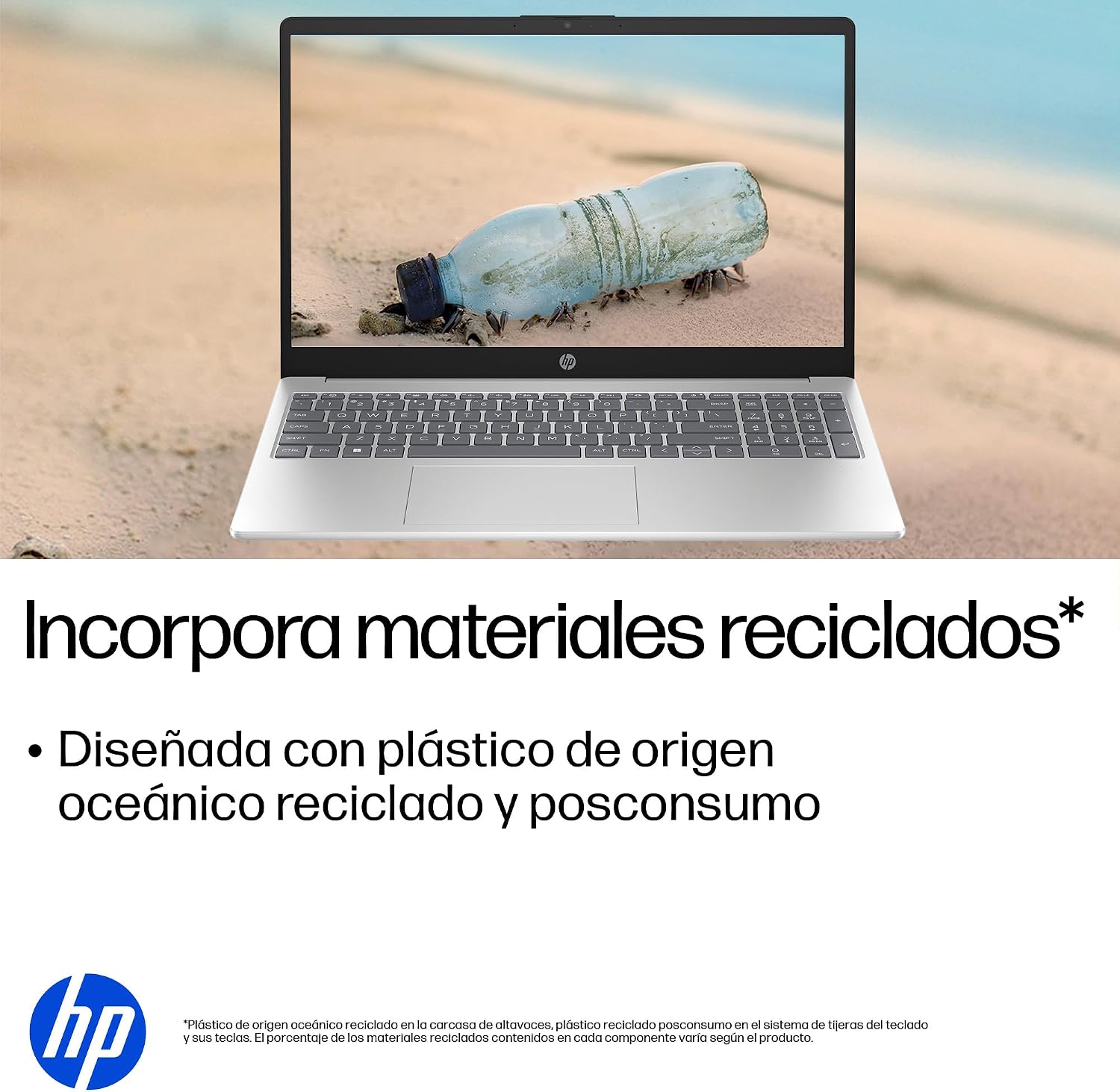
- סאַסטיינאַבאַל פּלאַן: Constructed with ocean-bound and post-consumer recycled plastics in various components.

The laptop features an integrated webcam shutter for privacy and a clear microphone with external noise reduction.

Experience an immersive visual display with an 85% screen-to-body ratio and an anti-glare Full HD screen.

Enjoy extended use with up to 9 hours and 45 minutes of AI-optimized battery life, and quickly recharge 50% in 30 minutes with HP Fast Charge.

This laptop incorporates recycled materials, including ocean-bound and post-consumer plastics, in its design.
5. פּאָרץ און קאַנעקטיוויטי
Your HP Laptop 15-fd2353la is equipped with various ports for connecting peripherals and external devices:

Diagram illustrating the location and type of ports on the HP Laptop 15-fd2353la.
- לינקע זייט:
- 1 x USB Type-A 5 Gbps signaling rate port
- 1 x HDMI פּאָרט
- 1 x USB Type-C 5 Gbps signaling rate port
- 1 x Headphone/Microphone combo jack
- רעכט זייַט:
- 1 x USB Type-A 5 Gbps signaling rate port
- 1 x Power connector
6. ספּעסאַפאַקיישאַנז
| שטריך | באַשרייַבונג |
|---|---|
| סאָרט | HP |
| מאָדעל נאָמען | 15-fd2353la |
| פאַרשטעלן גרייס | 15.6 אינטשעס |
| מאַקסימום סקרין האַכלאָטע | 1920 x 1080 פּיקסעלס (FHD) |
| ווייַז טיפּ | IPS, Anti-glare LCD |
| קאָליר | זילבער |
| קפּו מאָדעל | Intel Core Ultra 5 225U |
| פּראַסעסער ספּיד | אַרויף צו 4.8 GHz |
| באַראַן גרייס | 24 גיגאבייט |
| ראַם טעכנאָלאָגיע | DDR5-5600 MT/s |
| שווער פאָר גרייס | 512 גיגאבייט SSD (PCIe NVMe M.2) |
| אָפּערייטינג סיסטעם | Windows 11 היים |
| גראַפיקס קאָופּראַסעסער | אינטעל אינטעגרירטע גראַפיקס |
| וסב פּאָרץ | 3 (2x USB Type-A, 1x USB Type-C) |
| HDMI פּאָרץ | 1 |
| באַטערי טיפּ | ליטהיום יאָן |
| באַטעריע ענערגיע אינהאַלט | 41 וואט-שעה |
| קלאַוויאַטור אויסלייג | QWERTY (Spanish) |
| וואָג | 1.65 קילאָגראַמס |
| דימענסיעס (L X W X H) | 23.6 X 36 X 1.9 סענטימעטער |
Visual representation of the laptop's dimensions and weight.
7. וישאַלט
7.1 רייניקן דעם לאַפּטאָפּ
- ניצן אַ ווייך, לינט-פֿרייַ שטאָף אַ ביסל דampאָפּגעוואַשן מיט וואַסער אָדער אַ עקראַן רייניגער צו רייניקן דעם עקראַן.
- פֿאַר דער קלאַוויאַטור און שאַסי, ניצט אַ ווייכע שטאָף. פֿאַרמייַדט שטרענגע כעמיקאַלן אָדער אַברייסיוו מאַטעריאַלן.
- Use compressed air to clear dust from keyboard keys and vents.
7.2 באַטערי קער
- ויסמיידן עקסטרעם טעמפּעראַטורעס.
- לאָדט נישט אָפט גאָר אויס די באַטאַרייע.
- אויב איר לייגט אַוועק דעם לאַפּטאָפּ פֿאַר אַ לענגערע צייט, זאָרגט אַז די באַטאַרייע איז אָפּגעלאָדן צו אַרום 50%.
7.3 ווייכווארג דערהייַנטיקונגען
Regularly update your Windows operating system and drivers to ensure optimal performance and security. Windows Update can be accessed via Settings > Windows Update.
7.4 סטאָרידזש פאַרוואַלטונג
פּיריאַדיקלי שייַעךview און אויסמעקן אומנייטיקע files to maintain sufficient free space on your 512 GB SSD, which helps in sustaining system performance.
8. טראָובלעשאָאָטינג
8.1 שטראָם פּראָבלעמען
- לאַפּטאָפּ טוט זיך נישט אָנצינדן: זיכער מאַכן אַז דער מאַכט אַדאַפּטער איז זיכער פארבונדן צו ביידע דעם לאַפּטאַפּ און אַ אַרבעטנדיקער מאַכט אַוטלעט. קאָנטראָלירט אויב די מאַכט אַוטלעט אַרבעט.
- באַטערי נישט טשאַרדזשינג: Verify the power adapter is correctly connected. Try a different power outlet.
8.2 ווייַז פּראָבלעמס
- קיין בילד אויף דעם עקראַן: Connect an external monitor to the HDMI port to check if the issue is with the laptop's display or the graphics card.
- Dim or flickering screen: Adjust screen brightness using the keyboard function keys. Update display drivers.
8.3 קאָנעקטיוויטי פּראָבלעמען
- Wi-Fi פֿאַרבינדט זיך נישט: Ensure Wi-Fi is enabled. Restart your router and modem. Check network settings in Windows.
- USB דעוויסעס נישט דערקענט: Try connecting the device to a different USB port. Ensure device drivers are installed.
8.4 פּראָבלעמען מיט פאָרשטעלונג
- לאַנגזאַמע פאָרשטעלונג: Close unnecessary applications. Check for background processes consuming high resources (Task Manager). Ensure sufficient free storage space.
- סיסטעם פרירט זיך: Restart the laptop. Check for recent software installations or updates that might be causing conflicts.
9. וואָראַנטי און שטיצן
9.1 וואָראַנטי אינפֿאָרמאַציע
Your HP Laptop 15-fd2353la comes with a 1-יאָר לימיטעד וואָראַנטידי וואָראַנטי דעקט פאַבריקאַציע חסרונות און האַרדווער דורכפאַלן אונטער נאָרמאַל נוצן באדינגונגען. ביטע זען די וואָראַנטי דאָקומענטאַציע אַרייַנגערעכנט מיט דיין פּראָדוקט פֿאַר די פולע טערמינען און באדינגונגען.
9.2 טעכניש שטיצן
For technical assistance, warranty claims, or service inquiries, please visit the official HP support website or contact HP customer service. Have your product model number (15-fd2353la) and serial number ready when contacting support.
You can find more information and support resources at the official HP webפּלאַץ: www.hp.com/support