
1. הקדמה
Thank you for choosing the Picun G2 Wireless Gaming Headset. This manual provides detailed instructions for setting up, operating, and maintaining your headset to ensure optimal performance and an immersive gaming experience. Please read this manual thoroughly before use.
וואָס איז אין די קעסטל
- 1 x Picun G2 Wireless Gaming Headset
- 1 x USB-A & Type-C 2-in-1 Wireless Dongle
- 1 רענטגענ וסב- C טשאַרדזשינג קאַבלע
- 1 רענטגענ 3.5 מם אַודיאָ קאַבלע
- 1 x באַניצער מאַנואַל
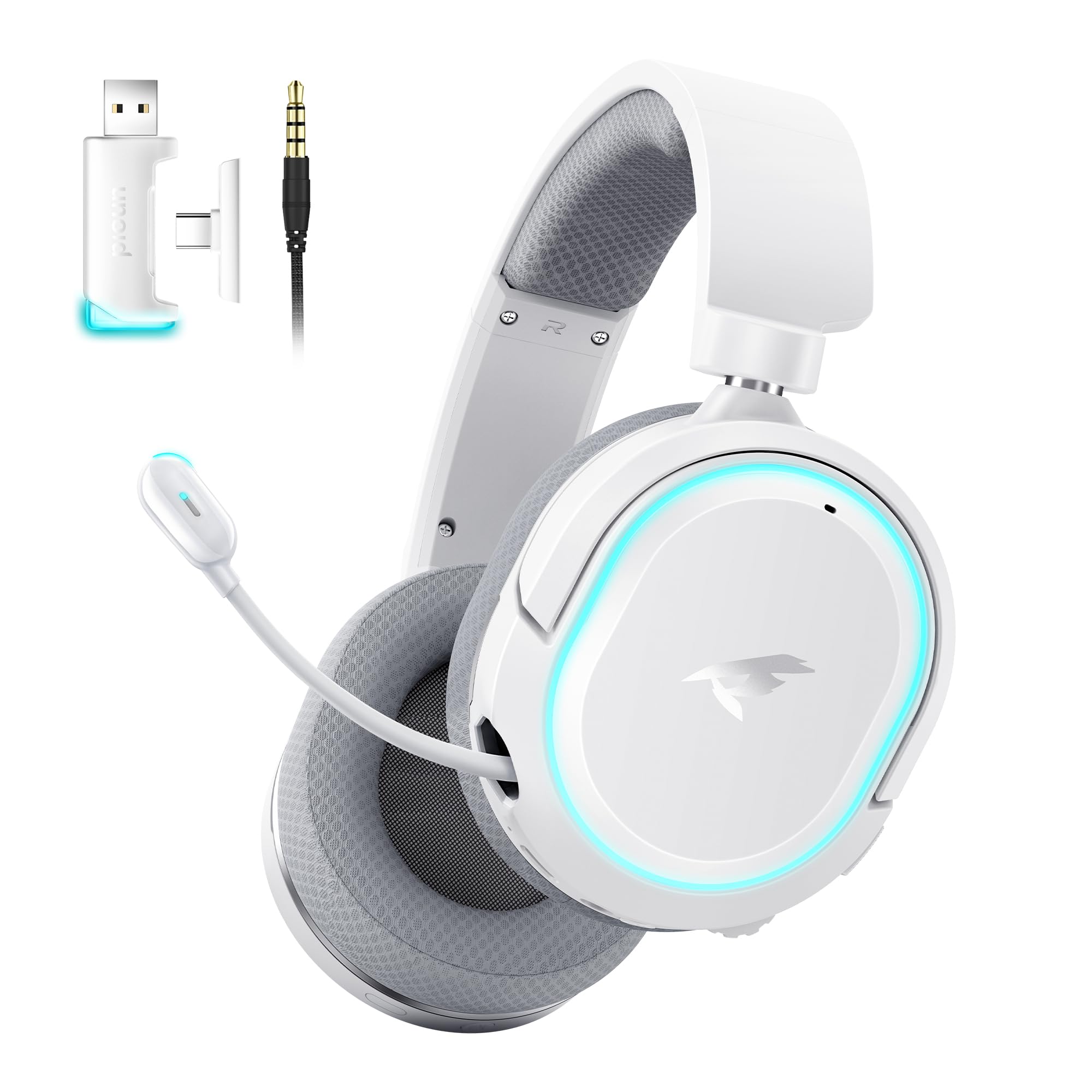
Image: Picun G2 Wireless Gaming Headset (Grey)
2. פּראָדוקט איבערview
Familiarize yourself with the various components and controls of your Picun G2 headset.

Image: Headset Controls Diagram
- 7.1 Mode Light Control: Button to activate/deactivate 7.1 virtual surround sound and control RGB lighting.
- טשאַרדזשינג פּאָרט: USB-C פּאָרט פֿאַר אָפּלאָדן די כעדסעט.
- 3.5 מם אַודיאָ פּאָרט: פֿאַר דראָטיקער פֿאַרבינדונג ניצנדיק דעם אַרייַנגערעכנטן 3.5 מם אַודיאָ קאַבל.
- מאַכט קנעפּל: Press and hold to power on/off. Short press for play/pause in Bluetooth mode.
- באַנד ראָד: Scroll up or down to adjust the volume.
- Mic Mute: Slide switch to mute or unmute the microphone.
3. סעטאַפּ און קאַנעקשאַן
3.1 אויפלאָדן דעם כעדסעט
Before first use, fully charge the headset using the provided USB-C charging cable. Connect the USB-C end to the headset's charging port and the USB-A end to a power source (e.g., computer USB port, USB wall adapter).
3.2 Connecting via 2.4GHz Wireless (Dongle)
For ultra-low latency gaming on PC, PS5, PS4, or Nintendo Switch (docked mode):
- Insert the 2.4GHz USB-A/Type-C dongle into an available USB port on your device.
- Power on the headset. It will automatically connect to the dongle.
- Ensure the headset is selected as the audio output and input device in your device's sound settings.
3.3 פֿאַרבינדן זיך דורך בלועטוט 5.4
For wireless connection to smartphones, tablets, and other Bluetooth-enabled devices:
- With the headset powered off, press and hold the Power Button until the LED indicator flashes blue and red, indicating pairing mode.
- On your device, enable Bluetooth and search for "Picun G2".
- Select "Picun G2" to pair. The LED will turn solid blue once connected.
3.4 Connecting via 3.5mm Wired
For universal compatibility with devices featuring a 3.5mm audio jack:
- פֿאַרבינדט איין עק פֿון דעם 3.5 מ״מ אַודיאָ קאַבל צום כעדסעט'ס 3.5 מ״מ אַודיאָ פּאָרט.
- Connect the other end to your device's 3.5mm audio jack.
- Note: Microphone functionality may vary or be unavailable in wired mode depending on the device.

Image: Multiple Connection Options
4. אַפּערייטינג ינסטרוקטיאָנס
4.1 מאַכט אויף / אַוועק
- מאַכט אויף: דריקן און האַלטן די מאַכט קנעפּל פֿאַר 3 סעקונדעס.
- מאַכט אַוועק: דריקן און האַלטן די מאַכט קנעפּל פֿאַר 3 סעקונדעס.
4.2 באַנד קאָנטראָל
- דרייען די באַנד ראָד upwards to increase volume.
- דרייען די באַנד ראָד downwards to decrease volume.
4.3 Microphone Usage (Retractable ENC Noise-Canceling Mic)
- Extend/Retract Mic: Gently pull out or push in the microphone from the left earcup.
- שטום/אומשטום: ניצן די מיק שטום slide switch located on the earcup.

Image: Retractable ENC Noise-Canceling Microphone
4.4 7.1 Virtual Surround Sound Activation
- דרוק די 7.1 Mode Light Control button to toggle 7.1 virtual surround sound on or off.
- The RGB lighting will indicate the status of the 7.1 mode.

Image: 7.1 Surround Sound Activation
5. באַטערי אינפֿאָרמאַציע
The Picun G2 headset offers extended battery life for prolonged usage.
- Up to 100 hours playtime in Bluetooth mode (RGB off).
- Approximately 42-45 hours playtime via 2.4GHz wireless (RGB on).
- Full charge typically takes 2-3 hours.
- The headset supports charging while in use.

Image: Battery Life and Charging
6. קאָמפאָרט און דיזיין
The Picun G2 is designed for comfort during extended gaming sessions.
- אַדזשאַסטאַבאַל כעדבאַנד: Customize the fit for various head sizes.
- Rotatable Earcups: Allows for flexible positioning and storage.
- Soft Memory Sponge Cushions: Breathable fabric earcups and headband provide comfort and reduce pressure.

Image: Comfort Features
7. טראָובלעשאָאָטינג
If you encounter any issues with your Picun G2 headset, please refer to the following common solutions:
| פּראָבלעם | לייזונג |
|---|---|
| קיין קלאַנג פֿון כעדסעט |
|
| מיקראָפאָן טוט נישט אַרבעטן |
|
| Cannot connect via 2.4GHz wireless |
|
| קענען ניט פאַרבינדן דורך בלועטאָאָטה |
|
| קורץ באַטאַרייע לעבן |
|
8. ספּעסאַפאַקיישאַנז
| שטריך | דעטאַל |
|---|---|
| סאָרט | פּיקון |
| מאָדעל נאָמען | Picun-G2 |
| קאַנעקטיוויטי טעכנאָלאָגיע | 2.4GHz ווירעלעס, בלועטוט 5.4, 3.5 מ״מ מיט ווייערס |
| אויער פּלייסמאַנט | איבער אויער |
| אַודיאָ דרייווער טיפּ | דינאַמישער דרייווער (40 מ״מ) |
| ימפּידאַנס | 32 אָהמס |
| אָפטקייַט ראַנגע | 20 הערץ - 20,000 הערץ |
| אַודיאָ לייטאַנס | 5 Milliseconds (2.4GHz) |
| בלועטאָאָטה ווערסיע | 5.4 |
| בלועטאָאָטה קייט | 10 מעטער |
| באַטערי לעבן | Up to 100 Hours (Bluetooth, RGB off) / 42-45 Hours (2.4GHz, RGB on) |
| טשאַרדזשינג צייט | 2-3 שעה |
| מיקראָפאָן | Retractable ENC Noise-Canceling Omnidirectional Mic |
| קאַמפּאַטאַבאַל דעוויסעס | PC, Mac, Laptop, Desktop, Phone, Pad, Tablet, PlayStation 4/5/pro/Slim, Gaming Consoles, Switch, Nintendo Switch (microphone invalid on Switch via 3.5mm) |
| מאַטעריאַל | ABS, Breathable Fabric, PC, Soft Memory Sponge Cushions |
| נאָך פֿעיִקייטן | 7.1 Virtual Surround Sound, RGB Lighting, Adjustable Headband, Rotatable Earcups |
9. וואָראַנטי און שטיצן
9.1 וואָראַנטי אינפֿאָרמאַציע
The Picun G2 Wireless Gaming Headset comes with a 1 יאָר וואָראַנטי from the date of purchase. This warranty covers manufacturing defects and ensures the product is free from defects in material and workmanship under normal use. Please retain your proof of purchase for warranty claims.
די וואָראַנטי טוט נישט דעקן:
- שאָדן געפֿירט דורך אומרעכט, זידלען, אַקסידענט, אָדער נעגלאַדזשאַנס.
- נישט-אויטאריזירטע רעפּאַראַטור אָדער מאָדיפיקאַציע.
- נאָרמאַל טראָגן און טרער.
9.2 קונה שטיצן
For technical assistance, warranty claims, or any questions regarding your Picun G2 Wireless Gaming Headset, please contact Picun customer support through the following channels:
- בליצפּאָסט: support@picun.com (עקסampלע, פאקטישע אימעיל נישט צוגעשטעלט)
- Webפּלאַץ: Visit the official Picun webוועבזייטל פֿאַר אָפֿט געשטעלטע פֿראַגעס און שטיצע רעסורסן.
Please have your model number (Picun-G2) and proof of purchase ready when contacting support.