
1. הקדמה
Thank you for choosing the Majority D100X Active Bookshelf Speakers. These speakers are designed to deliver high-quality audio for various applications, including home studios, offices, and living rooms. Featuring a powerful 2.2 stereo system, multiple connectivity options, and adjustable sound controls, the D100X provides a versatile and immersive listening experience.
2. זיכערקייַט אינסטרוקציעס
Please read these safety instructions carefully before using your speakers and retain them for future reference. Incorrect use may result in electric shock, fire, or other hazards.
- Do not expose the unit to rain, moisture, or direct sunlight.
- Ensure proper ventilation around the speakers. Do not block any ventilation openings.
- שטעלט נישט די רעדנערס לעבן היץ-קוואַלן ווי ראַדיאַטאָרן, היץ-רעגיסטערס, אויוון, אדער אַנדערע אַפּאַראַטן (אַרייַנגערעכנט ampליפיערס) וואָס פּראָדוצירן היץ.
- ניצן בלויז אַטאַטשמאַנץ / אַקסעסעריז ספּעסיפיעד דורך דער פאַבריקאַנט.
- אָפּשטויסן די אַפּאַראַט בעשאַס בליץ סטאָרמז אָדער ווען אַניוזד פֿאַר לאַנג פּיריאַדז.
- אָפּשיקן אַלע סערוויסעס צו קוואַלאַפייד סערוויס פּערסאַנעל. סערוויס איז פארלאנגט ווען דער אַפּאַראַט איז דאַמידזשד אין קיין וועג, אַזאַ ווי מאַכט צושטעלן שנור אָדער צאַפּן איז דאַמידזשד, פליסיק איז ספּילד אָדער אַבדזשעקץ זענען געפאלן אין די אַפּאַראַט, דער אַפּאַראַט איז יקספּאָוזד צו רעגן אָדער נעץ, אַרבעט נישט נאָרמאַלי , אָדער האט שוין דראַפּט.
- Do not open the speaker enclosures. There are no user-serviceable parts inside.
3. פּעקל אינהאַלט
Carefully unpack your D100X speakers and ensure all items are present and in good condition. If any items are missing or damaged, please contact customer support.

מאַכט אַדאַפּטער

ווייַט קאָנטראָל
3.5m Speaker Connection Cable
באַניצער מאַנואַל
- Majority D100X Speakers (2 units)
- מאַכט אַדאַפּטער
- 3.5m Speaker Connection Cable
- ווייַט קאָנטראָל
- באַניצער מאַנואַל
4. סעטאַפּ
Follow these steps to set up your Majority D100X speakers:
- אָרט: Position the speakers on a stable, flat surface, such as a bookshelf or desk. For optimal stereo imaging, place them equidistant from your listening position.
- פֿאַרבינדן רעדנערס: Use the provided 3.5m speaker connection cable to link the two D100X speaker units. Ensure a secure connection.
- מאַכט קשר: Connect the power adaptor to the main speaker unit and then plug it into a wall outlet.
- ערשט מאַכט אויף: Turn on the main speaker unit using the power switch located on the rear panel.
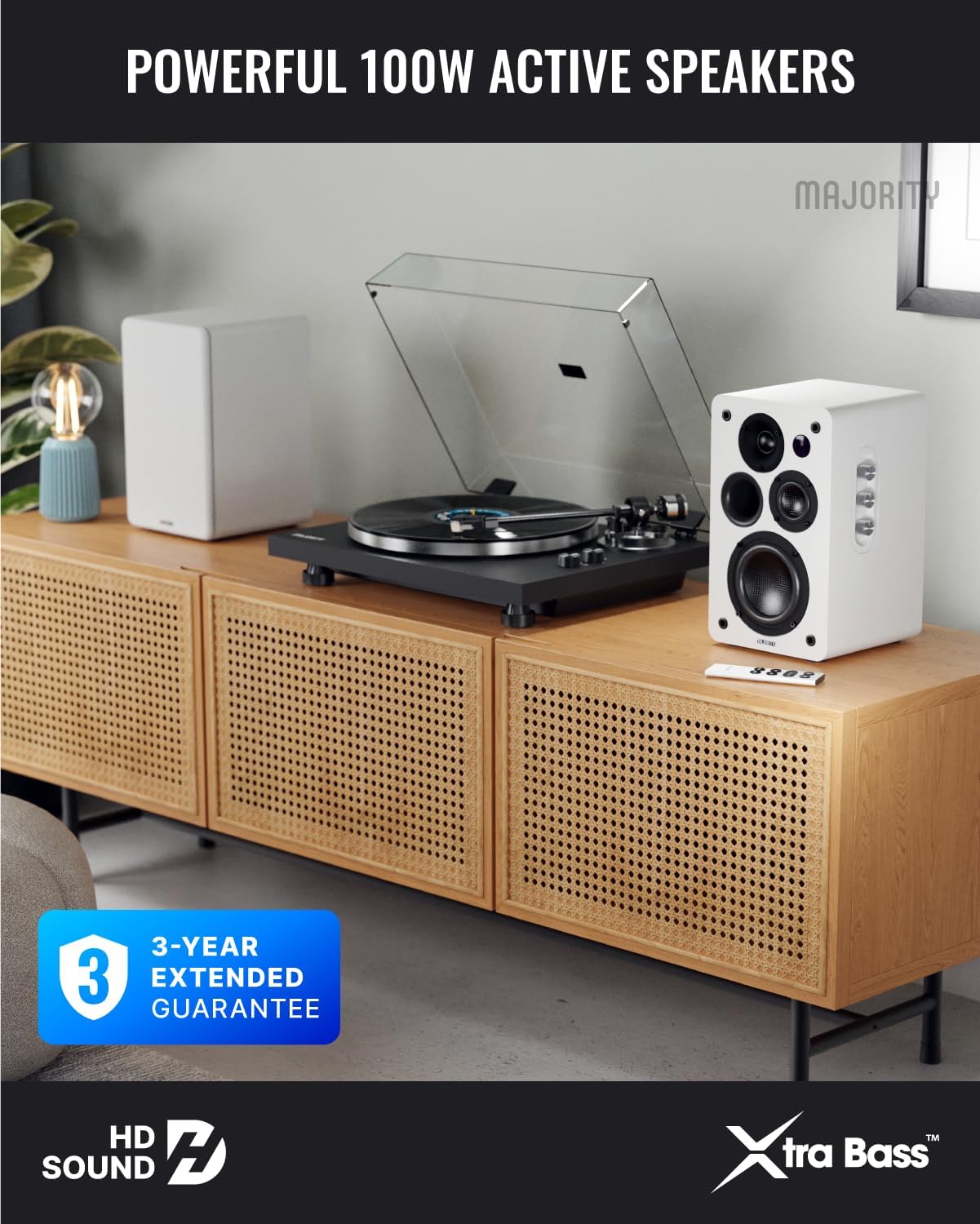
Image: Majority D100X speakers positioned on a wooden cabinet, ready for use.
5. אַפּערייטינג ינסטרוקטיאָנס
The D100X speakers can be controlled via the intuitive front panel controls or the included remote control.
פראָנט פּאַנעל קאָנטראָלס:
- באַנד קנעפּל: דרייען צו סטרויערן די קוילעלדיק באַנד מדרגה.
- טרעבל קנופּ: אַדזשאַסטירט די הויך-פרעקווענץ רעאַקציע.
- באַס קנופּ: אַדזשאַסטירט די נידעריק-פרעקווענץ רעאַקציע.
- איינגאבע סעלעקטאר: Press to cycle through available input sources (Bluetooth, USB, AUX, HDMI ARC, Optical, Phono).
ווייַט קאָנטראָל:
The remote control provides full functionality, including power, volume, input selection, and EQ modes.
- מאַכט קנעפּל: Turns the speakers on or off.
- באַנד אַרויף / אַראָפּ: אַדזשאַסץ די באַנד.
- אַרייַנשרייַב קנעפּלעך: Dedicated buttons for selecting specific input sources.
- EQ Modes (1-3): Available when connected via HDMI ARC or Optical. These modes are designed to enhance clarity, depth, and balance for movies, music, and games.
בילד: פראָנט view of a D100X speaker with its remote control, highlighting the adjustable bass and treble controls.
6. קאַנעקטיוויטי
The D100X offers a wide range of connectivity options to suit various audio sources.

Image: Rear panel of the D100X speaker, displaying various input ports including USB, Optical, HDMI ARC, Phono, and AUX.
6.1. בלועטאָאָטה 5.3
For wireless audio streaming from smartphones, tablets, or laptops.
- Select Bluetooth input on the speakers. The indicator light will flash.
- Enable Bluetooth on your device and search for "Majority D100X".
- Select the speaker to pair. Once connected, the indicator light will be solid.
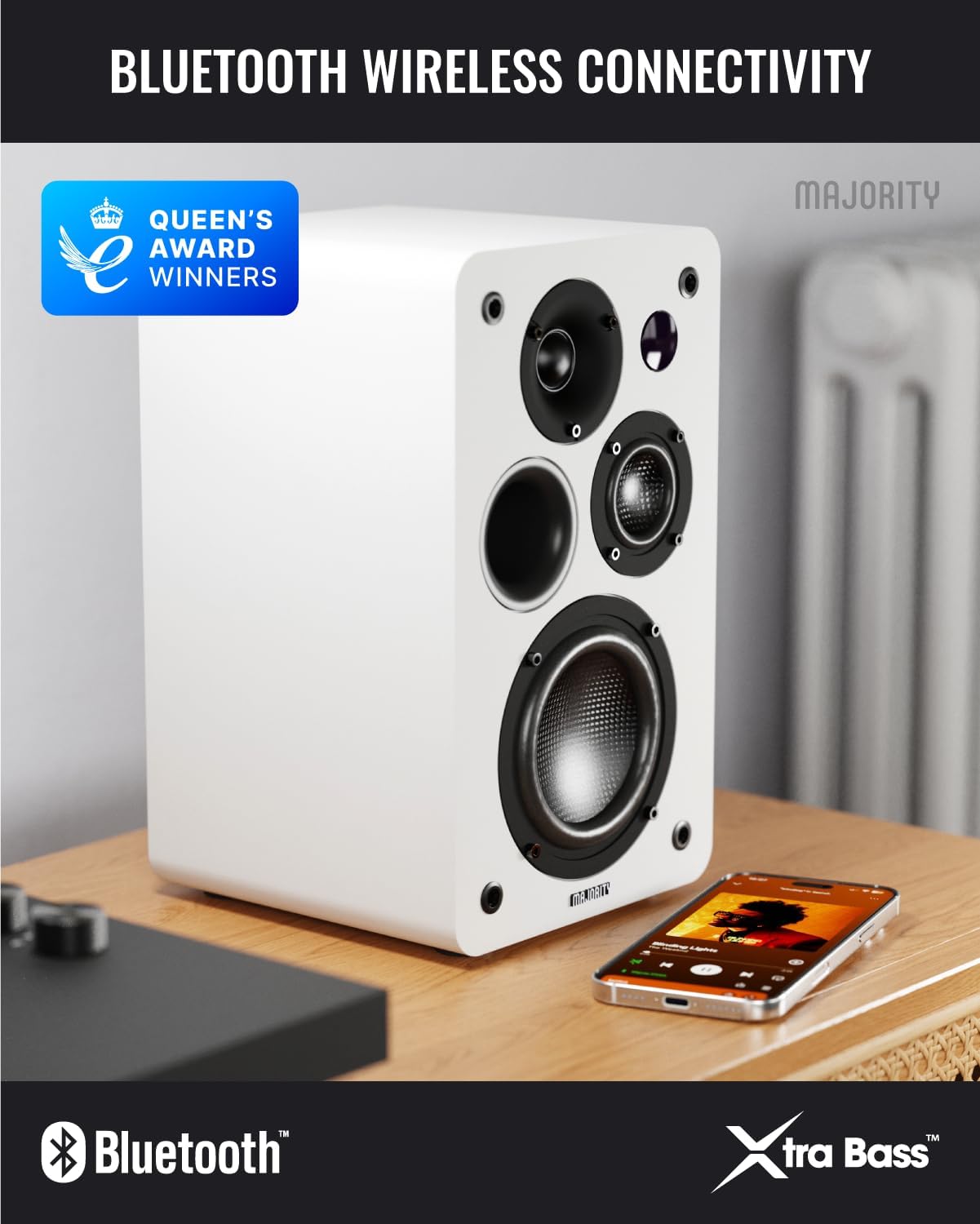
Image: D100X speaker wirelessly connected to a smartphone via Bluetooth.
6.2. הדמי קרייַזבויגן
Connect your TV for enhanced audio. This connection supports the EQ modes (1-3).
- Connect an HDMI cable from your TV's HDMI ARC port to the speaker's HDMI ARC port.
- Select HDMI ARC input on the speakers.
- Ensure your TV's audio output is set to HDMI ARC.
6.3. אָפּטיש
For high-quality digital audio connection from TVs or other devices. This connection also supports the EQ modes (1-3).
- Connect an optical cable from your device's optical output to the speaker's optical input.
- Select Optical input on the speakers.
6.4. Phono (RCA)
Direct connection for turntables with a built-in pre-ampליפער.
- Connect RCA cables from your turntable's output to the speaker's Phono (R-PHONO-L) input.
- Select Phono input on the speakers.
- באַמערקונג: If your turntable's output is higher than 100 RMS, use the AUX input instead of Phono.
6.5. AUX (3.5mm)
For connecting devices with a 3.5mm audio output, such as PCs or older audio players.
- Connect a 3.5mm audio cable from your device's headphone jack or audio out to the speaker's AUX (AUDIO IN) input.
- Select AUX input on the speakers.
6.6. USB Playback & Charging
The USB port allows for direct music playback from storage devices and charging of external devices.
- Insert a USB storage device (e.g., USB flash drive) into the USB port for music playback.
- The USB port can also be used to charge compatible devices.
7. וישאַלט
Proper care will ensure the longevity and performance of your D100X speakers.
- רייניקונג: Use a soft, dry cloth to clean the speaker surfaces. Do not use abrasive cleaners, waxes, or solvents.
- שטויב: Regularly dust the speakers to prevent accumulation, which can affect sound quality and internal components.
- סוויווע: Avoid placing speakers in areas with extreme temperatures, high humidity, or direct sunlight.
8. טראָובלעשאָאָטינג
If you encounter issues with your D100X speakers, refer to the following common problems and solutions:
| פּראָבלעם | מעגלעך סיבה / לייזונג |
|---|---|
| קיין מאַכט |
|
| קיין געזונט |
|
| שלעכטע קלאַנג קוואַליטעט / דיסטאָרשאַן |
|
| ווייַט קאָנטראָל נישט ארבעטן |
|
9. ספּעסאַפאַקיישאַנז
Detailed technical specifications for the Majority D100X Active Bookshelf Speakers.
| סאָרט | מערהייט |
| מאָדעל נומער | D100X |
| דימענסיעס (L X W X H) | 18 x 16.8 x 27.5 cm (per speaker) |
| וואָג | 7.16 ק"ג (גאַנץ) |
| מאַקסימום רעדנער אַרויסגאַנג מאַכט | 100 וואטס |
| אָפטקייַט ענטפער | 20000 הז |
| קאַנעקטיוויטי טעכנאָלאָגיע | Bluetooth, Optical, HDMI, Phono, Auxiliary, RCA |
| בלועטאָאָטה קייט | 10 מעטער |
| אַודיאָ רעזולטאַט מאָדע | סטערעאָ (2.2 קאַנאַלן) |
| אַרייַנשרייַב וואָלtage | 240 וואלטס |
| מאַונטינג טיפּ | פּאָליצע בארג |
| מאַטעריאַל | האלץ |
| וואָאָפער דיאַמעטער | 4 אינטשעס |
| טוועעטער דיאַמעטער | 1 אינטשעס |
| סיגנאַל-צו-נויז ראַטיאָ | 80 דב |
| ימפּידאַנס | 4 אָהמס |
| קאָנטראָל מעטאָד | ווייַט קאָנטראָל |
| רעקאָממענדעד ניצט | Gaming Console, Computer, Television, Home Cinema, Studio |

בילד: דעטאַלירט view of the D100X speaker's carbon fiber drivers, designed for high-quality audio.
10. וואָראַנטי און שטיצן
The Majority D100X speakers come with a 3-year extended guarantee, ensuring peace of mind and reliable performance. For any technical support, warranty claims, or further assistance, please contact Majority customer service.
- אָנליין שטיצן: Visit the official Majority webפּלאַץ פֿאַר FAQ, טראָובלעשאָאָטינג פירער און קאָנטאַקט אינפֿאָרמאַציע.
- E- בריוו שטיצן: Reach out to our support team via email for detailed assistance.
- טעלעפאָן שטיצן: Contact our dedicated support line during business hours.
ביטע באַהאַלטן אייער קויפן-באַווייַז פֿאַר גאַראַנטיע צוועקן.

Image: Majority D100X speakers highlighting the 3-year extended guarantee.