
1. פּראָדוקט איבערview
The HONOR Magic8 Lite 5G is a robust and feature-rich smartphone designed for durability and high performance. It boasts industry-leading resistance to drops, water, and dust, a long-lasting battery, a high-resolution camera, and an immersive display, all powered by an efficient processor with advanced AI capabilities.
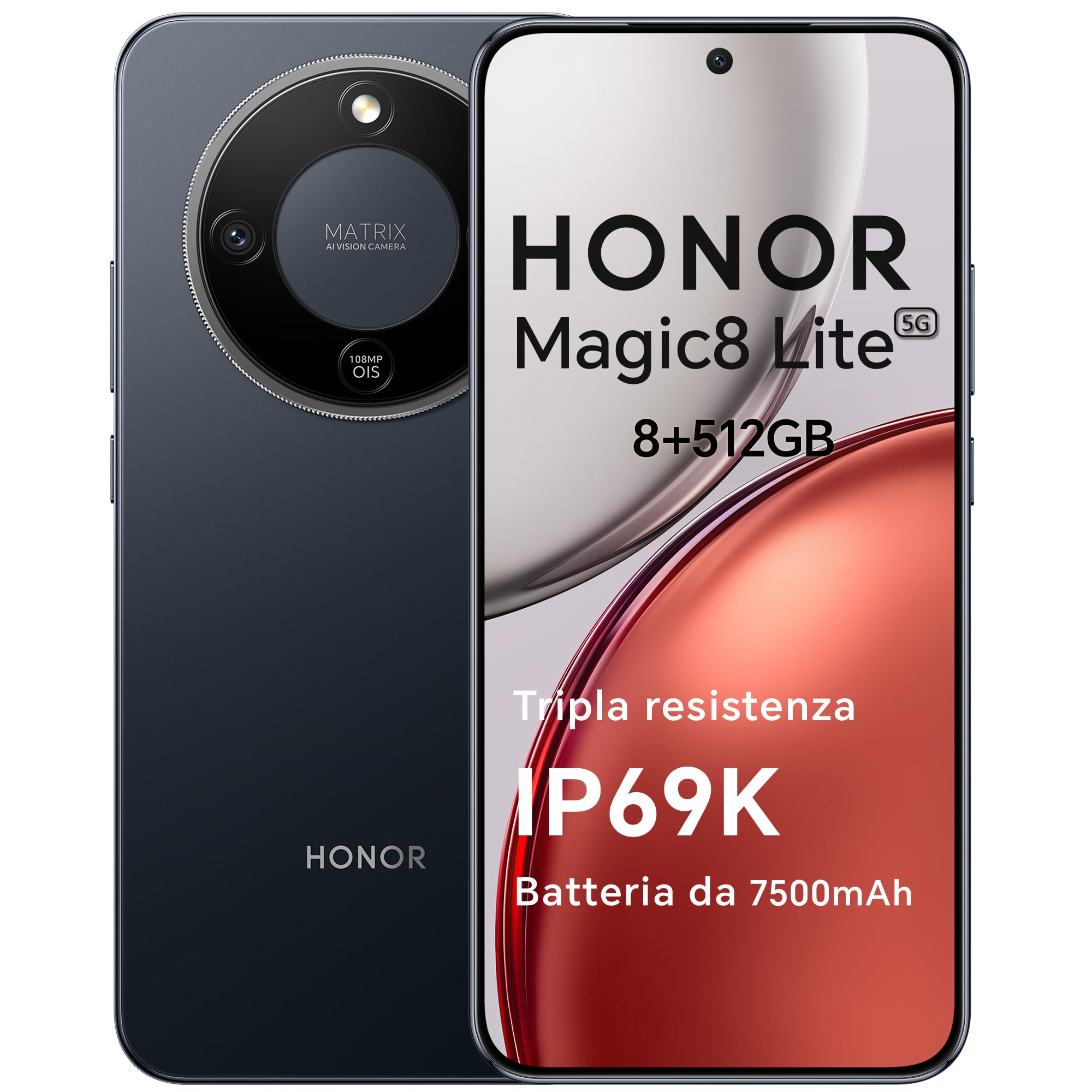
Figure 1: HONOR Magic8 Lite 5G Smartphone, Midnight Black variant.
שליסל פֿעיִקייטן:
- Triple Resistance: SGS Five-Star Overall Drop Resistance (up to 2.5 meters), IP69K and IP68 water and dust resistance.
- לאַנג-בלייַביק באַטערי: 7500 mAh silicon-carbon battery with up to 3 days of autonomy and 66W SuperCharge. Functions as a portable power bank.
- אַוואַנסירטע קאַמעראַ סיסטעם: 108 MP Ultra-Sensing Camera with Optical Image Stabilization (OIS) and Electronic Image Stabilization (EIS) for clear photos and stable 4K videos. Includes AI photography features.
- יממערסיווע ווייַז: 6.79-inch 1.5K OLED display with 6000 nits peak brightness, 120 Hz refresh rate, and HONOR Eye Comfort Display technology.
- שטאַרק פאָרשטעלונג: Snapdragon 6 Gen 4 (4nm) mobile platform for smooth multitasking and gaming, integrated with Google Gemini and other AI functionalities.
2. מיטל סעטאַפּ
2.1 פּעקל אינהאַלט
באַשטעטיקן אַז דיין פּעקל כּולל די פאלגענדע זאכן:
- HONOR Magic8 Lite 5G Smartphone
- וסב- C קאַבלע
- Power Adapter (66W SuperCharge)
- סים עדזשעקטאָר טול
- שנעל אָנהייב גייד
- וואָראַנטי קאַרד
2.2 אריינשטעלן סים קארטלעך
- געפינט די סים קארטל טאַץ אויף דער זייט פון אייער דעווייס.
- שטעקט אריין דעם סים אויסווארף געצייג אין דעם קליינעם לאך לעבן דעם טרעי און דריקט פעסט ביז דער טרעי קומט ארויס.
- Place your Nano-SIM card(s) into the designated slots on the tray. Ensure the gold contacts face downwards. The device supports Dual SIM functionality.
- פֿאָרזיכטיק צוריק אַרײַנשטעלן די סים קאַרטל טאַץ אין דעם טעלעפֿאָן.
The device also supports eSIM functionality. Refer to your carrier for activation details.
2.3 ערשטע אויפלאדונג און אײַנשאַלטן
- Connect the USB-C cable to the phone's charging port and the other end to the 66W power adapter. Plug the adapter into a power outlet.
- Allow the phone to charge for at least 15 minutes before initial use.
- To power on, press and hold the Power button (located on the side) until the HONOR logo appears on the screen.
- פֿאָלגט די אינסטרוקציעס אויף דעם עקראַן צו פֿאַרענדיקן די ערשטע סעטאַפּ, אַרייַנגערעכנט שפּראַך אויסוואַל, Wi-Fi פֿאַרבינדונג, און Google חשבון סעטאַפּ.

Figure 2: The 7500mAh silicon-carbon battery provides extended usage.
3. אַפּערייטינג ינסטרוקטיאָנס
3.1 יקערדיק נאַוויגאַציע
- ריר סקרין: צאַפּן צו סעלעקטירן, סווייפּן צו סקראָלן, צוקניפּן צו פארגרעסערן.
- היים פאַרשטעלן: צוטריט צו אַפּפּס, ווידזשעטס און נאָוטאַפאַקיישאַנז.
- דזשעסטשערז: Customize navigation gestures in Settings for a fluid experience.
3.2 קאַמעראַ באַניץ
The HONOR Magic8 Lite 5G features a 108 MP Ultra-Sensing Camera with OIS and EIS for superior image and video capture.
- Open the Camera app from your home screen or lock screen.
- Select your desired mode (Photo, Video, Portrait, Night, Pro, etc.).
- צאַפּן דעם שאַטער קנעפּל צו נעמען אַ פאָטאָ אָדער אָנהייבן/אָפּשטעלן ווידעאָ רעקאָרדינג.
- Utilize AI features like AI Eraser, AI Cutout, and AI Outpainting for enhanced photo editing.
- For underwater photography, ensure the device is properly sealed and use the dedicated underwater mode.

פיגורע 3: עקסamples of high-quality images captured by the 108 MP camera.
3.3 באַטערי מאַנאַגעמענט
The 7500 mAh battery is designed for extended use. To optimize battery life:
- אַקטיווירן מאַכט-שפּאָרנדיקע מאָדעס ווען די באַטאַרייע איז נידעריק.
- Adjust screen brightness and screen timeout settings.
- Close background apps not in use.
- The device supports reverse charging, allowing it to act as a power bank for other devices. Connect the devices using a compatible USB-C cable.

Figure 4: The device can charge other accessories, acting as a power bank.
3.4 ווייַז פֿעיִקייטן
The 6.79-inch 1.5K OLED display offers vibrant visuals and eye comfort features.
- אויג טרייסט מאָדע: Reduces blue light to prevent eye strain. Activate it in Display Settings.
- דינאַמיש רעפרעש קורס: The 120 Hz adaptive refresh rate adjusts automatically for smooth scrolling and power efficiency.
- הויך ברייטנאַס: With 6000 nits peak brightness, the display remains clear even in direct sunlight.

Figure 5: The 1.5K OLED display offers exceptional clarity and color.
3.5 AI Features and Google Gemini
The device integrates advanced AI functionalities and Google Gemini for enhanced user experience.
- גוגל דזשעמיני: Interact with Gemini for real-time translation, information retrieval, and more.
- קינסטלעכע אינטעליגענץ שרייבן מכשירים: Utilize AI to assist with text composition and productivity tasks.
- מאַגיש פּאָרטאַל: A shortcut for AI-powered tasks.

Figure 6: Google Gemini integration for intelligent assistance.
3.6 NFC פונקציאָנאַליטעט
The HONOR Magic8 Lite 5G supports Near Field Communication (NFC) for quick and secure transactions and data exchange.
- Enable NFC in your phone's Settings.
- Tap your phone to compatible NFC readers for mobile payments or to share content with other NFC-enabled devices.
4. וישאַלט
4.1 רייניקן דיין דעווייס
Despite its IP69K and IP68 ratings for water and dust resistance, proper cleaning helps maintain your device's longevity.
- ניצט אַ ווייכן, לינט-פֿרייע שטאָף צו ווישן דעם עקראַן און קערפּער.
- פֿאַרמײַדן ניצן שאַרפֿע כעמיקאַלן, אַברייסיוו מאַטעריאַלן, אָדער קאַמפּרעסט לופֿט.
- If the device gets wet, wipe it dry with a clean cloth before charging or opening any ports.
4.2 ווייכווארג דערהייַנטיקונגען
Regular software updates provide security patches, new features, and performance improvements. Ensure your device is connected to Wi-Fi and has sufficient battery before initiating an update.
- נאַוויגירן צו סעטטינגס> סיסטעם & דערהייַנטיקונגען> ווייכווארג דערהייַנטיקן צו קאָנטראָלירן פֿאַר פֿאַראַן דערהייַנטיקונגען.
4.3 באַטערי קער
The 7500 mAh battery is designed for a long lifespan. To maximize its performance:
- Avoid extreme temperatures (below -30°C or above 55°C) as they can degrade battery performance.
- Use only HONOR-approved chargers and cables.
- פֿאַרמײַדט אָפֿט גאָר אויסצוליידיקן די באַטעריע.

Figure 7: The device is designed to operate in a wide range of temperatures.
5. טראָובלעשאָאָטינג
This section addresses common issues you might encounter with your HONOR Magic8 Lite 5G.
5.1 אַפּאַראַט טוט זיך נישט אָן
- זיכער מאַכן אַז די באַטאַרייע איז אויפגעלאָדן. פֿאַרבינדט דעם טשאַרדזשער און וואַרט אַ פּאָר מינוט איידער איר פּרוּווט ווידער אָנצוצינדן.
- דריק און האלט דעם פּאַוער קנעפּל פֿאַר לפּחות 10-15 סעקונדעס צו צווינגען אַ ריסטאַרט.
5.2 טשאַרדזשינג ישוז
- Check if the charging cable and adapter are securely connected.
- Try using a different HONOR-approved charger and cable.
- דורכקוקן די טשאַרדזשינג פּאָרט פֿאַר קיין דעבריס אָדער שעדיקן.
5.3 Camera Not Functioning
- ריסטאַרט די מיטל.
- Clear the cache and data of the Camera app in סעטטינגס > אַפּפּס > קאַמעראַ > סטאָרידזש.
- Ensure no other apps are currently using the camera.
5.4 וואַסער/שטויב ויסשטעל
While the device is highly resistant, prolonged exposure or exposure to high-pressure jets (beyond IP69K/IP68 limits) can cause damage.
- If the device gets wet, dry it thoroughly before charging.
- Do not intentionally submerge the device in water beyond specified depths or for extended periods.
- If you suspect water damage, contact customer support.

Figure 8: The device is designed with advanced water resistance.
For other issues, refer to the official HONOR support webפּלאַץ אָדער קאָנטאַקט קונה דינסט.
6. ספּעסאַפאַקיישאַנז
| שטריך | באַשרייַבונג |
|---|---|
| סאָרט | האָנאָור |
| מאָדעל | Magic8 Lite |
| באַראַן | 8 גיגאבייט |
| אינערלעכער סטאָרידזש | 512 גיגאבייט |
| קאָליר | האַלבנאַכט שווארצע |
| באַטאַרייע קאַפּאַציטעט | 7500 מאַה |
| ווייַז | 6.79-inch 1.5K AMOLED, 120Hz, 6000 nits peak brightness |
| דערציען אַפּאַראַט | 108 מעגאַפּיקסעל מיט OIS |
| פּראַסעסער | Snapdragon 6 Gen 4 (4nm) |
| וואַסער & שטויב קעגנשטעל | IP69K, IP68 |
| דראָפּ קעגנשטעל | SGS Five-Star Overall Drop Resistance (up to 2.5m) |
| קאַנעקטיוויטי | 5G, Dual SIM, NFC |
| אָריגין | כינע |
| ASIN | B0G43TWKGS |

Figure 9: Detailed product information sheet.
For more detailed energy efficiency information, please refer to the EPREL database: https://eprel.ec.europa.eu/qr/2515767
7. וואָראַנטי און שטיצן
7.1 וואָראַנטי אינפֿאָרמאַציע
Warranty terms and conditions are typically provided with your purchase documentation. Please retain your proof of purchase for warranty claims. For specific warranty details, refer to the warranty card included in your product package or visit the official HONOR webפּלאַץ פֿאַר דיין געגנט.
7.2 קונה שטיצן
For technical assistance, service, or further inquiries, please contact HONOR customer support:
- באַאַמטער Webפּלאַץ: https://www.honor.com/de/
- Self-Repair Support: https://www.honor.com/de/support/self-repair/
- E- בריוו שטיצן: support@honor.com