
הקדמה
This manual provides detailed instructions for the setup, operation, maintenance, and troubleshooting of your AcclaFit D2 Smartwatch. Please read this manual carefully to ensure proper use and to maximize the device's features.
וואָס איז אין די קעסטל
Upon opening your AcclaFit D2 Smartwatch package, you should find the following items:
- AcclaFit D2 Smartwatch
- טשאַרדזשינג קאַבלע
- Watch Strap
- באַניצער מאַנואַל (דעם דאָקומענט)

Image: AcclaFit D2 Smartwatch with its charging cable and watch strap.
סעטאַפּ גייד
1. אויפלאָדן די סמאַרטוואַטש
Before initial use, fully charge your smartwatch. Connect the magnetic charging cable to the charging port on the back of the watch and plug the USB end into a power adapter (not included) or a computer's USB port.
- באַטאַרייע קאַפּאַציטעט: 400 מאַה
- דורכשניטלעך באַטאַרייע לעבן: אַרויף צו 15 טעג
- טשאַרדזשינג צייט: בעערעך 2-3 שעה פֿאַר אַ פול אָפּצאָל.

Image: The smartwatch display indicating charging in progress.
2. אַפּ אינסטאַלאַציע און פּערינג
To unlock the full potential of your AcclaFit D2 Smartwatch, download and install the דאַ פיט אַפּ אויף דיין סמאַרטפאָנע.
- Scan the QR code provided in the quick start guide (if available) or search for "Da Fit" in your smartphone's app store (Google Play Store for Android, Apple App Store for iOS).
- Install the "Da Fit" app.
- מאַכן זיכער אַז בלועטאָאָטה איז ענייבאַלד אויף דיין סמאַרטפאָנע.
- Open the Da Fit app, create an account or log in.
- Follow the in-app instructions to search for and pair your AcclaFit D2 Smartwatch. The watch name should appear as "D2" or similar.
- באַשטעטיקן די פּאָרינג בעטן אויף ביידע דיין טעלעפאָן און די סמאַרטוואַטש
קאַמפּאַטאַבאַל דעוויסעס: Android devices, iOS devices

בילד: איבערview of smartwatch features: call answering, 100+ sports modes, 24/7 health monitoring, and IP68 water resistance, as seen on the app.
3. ערשט סעטטינגס
After successful pairing, you can configure various settings through the Da Fit app or directly on the smartwatch:
- שפּראַך: Select your preferred language (English, Italian, Spanish, German, French).
- צייט און דאַטע: These will typically synchronize automatically with your paired smartphone.
- נאָטיפיקאַטיאָנס: Enable desired app notifications from your phone to appear on the smartwatch.
- וואַך פּנים: Customize your watch face from the app or directly on the device.

Image: The smartwatch displaying a customizable watch face with a personalized background image.
אַפּערייטינג ינסטראַקשאַנז
יקערדיק נאַוויגאַציע
The AcclaFit D2 Smartwatch features a 1.38-inch touch screen and physical buttons for interaction.
- טאָוטשסקרעען: סווייפּ לינקס/רעכטס, אַרויף/אַראָפּ צו נאַוויגירן מעניוז און סקרינז. צאַפּן צו סעלעקטירן.
- זייט קנעפּל(ן): Typically used for power on/off, returning to the home screen, or accessing specific functions. Refer to on-screen prompts for specific button actions.
Call and Message Functions
With Bluetooth connectivity, you can manage calls and messages directly from your wrist.
- מאַכן קאַללס: Access the dialer or contacts list on the smartwatch to initiate calls.
- באַקומען קאַללס: ענטפֿערן אָדער אָפּוואַרפֿן אײַנקומענדיקע רופֿן גלייך פֿון דער זייגער.
- אָנזאָג נאָטיפיקאַטיאָנס: Receive instant notifications for text messages and other app alerts.
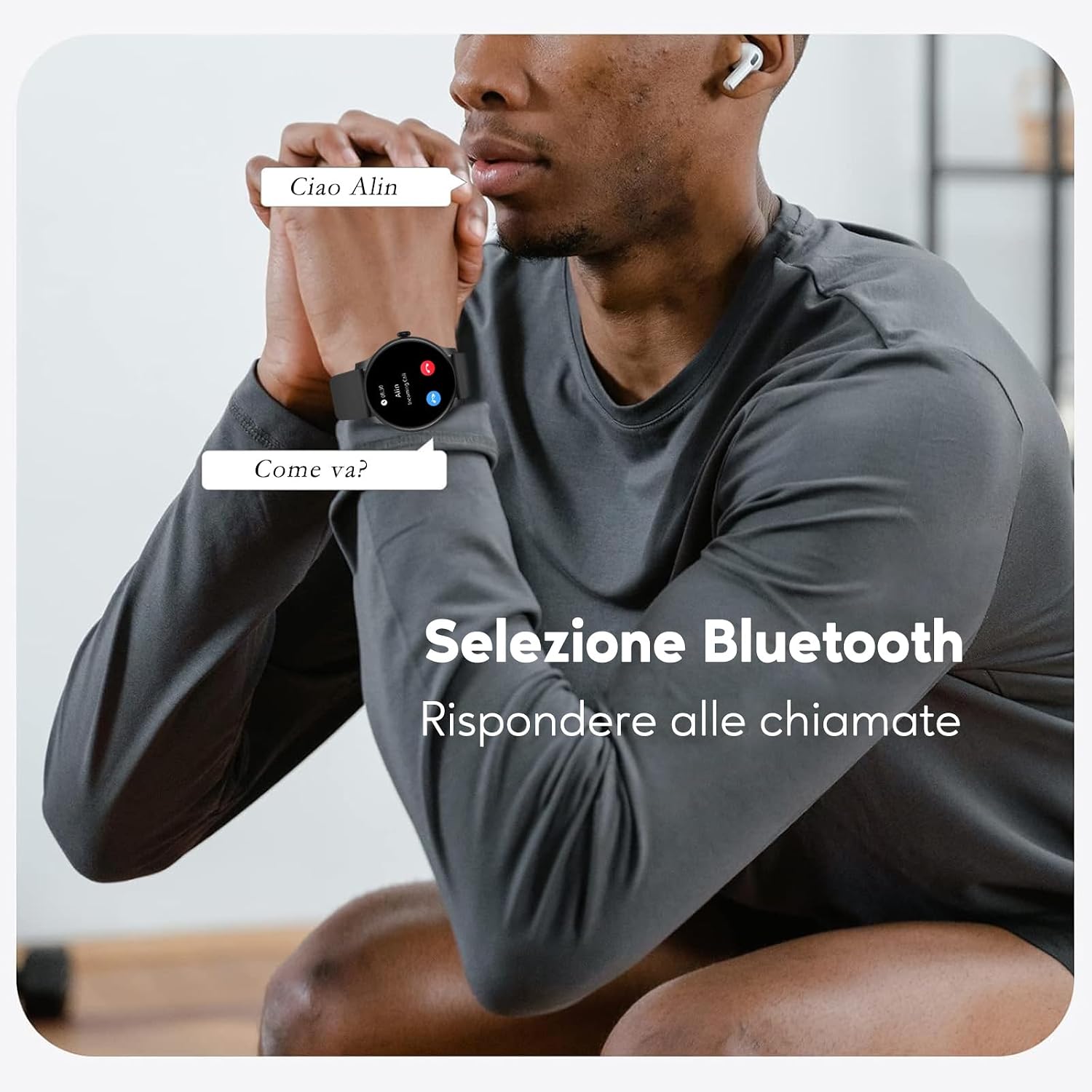
Image: The smartwatch displaying an incoming call notification, showing the caller's name.

Image: The smartwatch displaying various call and message notifications.
פיטנעסס טראַקינג
The AcclaFit D2 Smartwatch supports over 120 sports modes to track your physical activity comprehensively.
- ספּאָרט מאָדעס: Select your activity (e.g., running, cycling, walking, yoga, badminton, football) to track specific metrics.
- שליסל מעטריקס: Monitor distance, pace, calories burned, and heart rate during workouts.
- שריט טאָמבאַנק: ציילט אויטאָמאַטיש אייערע טעגלעכע טריט.

Image: The smartwatch display showing a selection of sports modes, including equestrian sports, athletics, and auto racing.
געזונט מאָניטאָרינג
Monitor your health 24/7 with integrated sensors.
- הארץ ראטע: רעאַל-צייט האַרץ קורס טראַקינג.
- בלוט זויערשטאָף (SpO2): מעסט בלוט זויערשטאָף לעוועלס.
- בלוט דרוק: גיט בלוטדרוק מעסטונגען.
- שלאָף מאָניטאָרינג: Tracks sleep patterns, including light sleep, deep sleep, and REM phases, providing a sleep score and analysis.
- דרוק פאַרוואַלטונג: Tools to help monitor and manage stress levels.
- מענסטרואל ציקל טראַקינג: For women, track predicted cycles, ovulation, and fertile periods.

Image: The smartwatch display showing the heart rate monitoring interface with a graph of readings.

Image: The smartwatch display showing the scientific sleep monitoring interface with a breakdown of sleep stages.
אנדערע פֿעיִקייטן
- מוזיק פּלייבאַק קאָנטראָל: קאָנטראָלירט מוזיק וואָס שפּילט אויף אייער סמאַרטפאָון גלייך פֿון דער זייגער.
- וועטער פאָרויסזאָגן: באַקומען וועטער דערהייַנטיקונגען אין רעאַל-צייט.
- אַלאַרמס: Set smart alarms.

Image: The smartwatch display showing the music control interface, allowing play/pause and track skipping.
וישאַלט
רייניקן דיין סמאַרטוואַטש
- ווישט דעם עקראַן און זייגער־קערפּער מיט אַ ווייכן, לינט־פֿרייעם שטאָף.
- פֿאַר שווערן שמוץ, אַ ביסל דampשווענק דעם שטאָף מיט וואַסער. פֿאַרמייַדט ניצן שאַרפע כעמיקאַלן אָדער אַברייסיוו מאַטעריאַלן.
- רייניקט די טשאַרדזשינג קאָנטאַקטן רעגולער צו ענשור געהעריק טשאַרדזשינג.
באַטערי קער
- פֿאַרמײַדט אָפֿט פֿולשטענדיק אויסצולאָדן די באַטעריע.
- Do not expose the watch to extreme temperatures, as this can degrade battery life.
- ניצן בלויז די צוגעשטעלט טשאַרדזשינג קאַבלע.
וואַסער קעגנשטעל (IP68)
The AcclaFit D2 Smartwatch has an IP68 water resistance rating, meaning it is protected against immersion in water up to 1 meter for 30 minutes.
- It is suitable for daily use, such as hand washing, rain, or accidental splashes.
- Avoid using it for swimming, showering with hot water, or diving, as steam and high water pressure can compromise the seals.
- דריקט נישט אויף קנעפלעך בשעת די זייגער איז אונטערגעטובלט אין וואסער.
- If the watch gets wet, dry it thoroughly before charging.
Image: The AcclaFit D2 Smartwatch, showcasing its sleek design and indicating its IP68 water resistance.
טראָובלעשאָאָטינג
פּראָסט ישוז און סאַלושאַנז
- זייגער טוט זיך נישט אן: זיכער מאַכן אַז די זייגער איז גאָר אויפגעלאָדן. פֿאַרבינדט עס צום טשאַרדזשער פֿאַר לפּחות 30 מינוט.
- קען נישט צוזאמענשטעלן מיט סמאַרטפאָון:
- מאַכן זיכער אַז בלועטאָאָטה איז ענייבאַלד אויף ביידע דעוויסעס.
- Make sure the Da Fit app is installed and running.
- ריסטאַרט ביידע די סמאַרטוואַטטש און דיין סמאַרטפאָנע.
- Try unpairing and re-pairing the device through the Da Fit app.
- נישט פּינקטלעכע געזונט/פיטנעס דאַטן:
- זייט זיכער אז די זייגער טראָגט גוט אויף אייער האַנטגעלענק, נישט צו ענג אדער צו לויז.
- רייניקט דעם סענסאר אויף דער הינטערשטער זייגער.
- Update the Da Fit app and smartwatch firmware to the latest versions.
- נאטיפיקאציעס דערשיינען נישט:
- Check notification settings in the Da Fit app and on your smartphone.
- Ensure the app has necessary permissions to access notifications.
- באַשטעטיקן אַז די זייגער איז פארבונדן דורך בלועטוט.
- קורץ באַטאַרייע לעבן:
- רעדוצירן פאַרשטעלן ברייטנאַס.
- Disable unnecessary features or continuous monitoring if not needed.
- באגרענעצן די צאָל אַפּפּס וואָס שיקן נאָוטאַפאַקיישאַנז צו דער זייגער.
If you encounter persistent issues, refer to the Da Fit app's help section or contact AcclaFit customer support.
ספּעסאַפאַקיישאַנז
| שטריך | דעטאַל |
|---|---|
| סאָרט | AcclaFit |
| מאָדעל נומער | D2 |
| Wearable Computer Type | סמאַרט וואַך |
| אָפּערייטינג סיסטעם | טראָגן OS 3.0 |
| פאַרשטעלן גרייס | 1.38 אינטשעס |
| סקרין טיפּ | דיגיטאַל |
| Maximum Display Brightness | 500 NIT Coating |
| קאַנעקטיוויטי טעכנאָלאָגיע | בלועטאָאָטה |
| ווירעלעסס קאָמוניקאַציע סטאַנדאַרד | בלועטאָאָטה |
| קאַמפּאַטאַבאַל דעוויסעס | סמאַרטפאָנע |
| קאַמפּאַטאַבאַל טעלעפאָן מאָדעלס | Android devices, iOS devices |
| באַטאַרייע קאַפּאַציטעט | 400 מיליamper-hour (mAh) |
| באַטערי טיפּ | ליטהיום יאָן |
| דורכשניטלעך באַטאַרייע לעבן | 15 טעג |
| זכּרון קאַפּאַסיטי | 128 מב |
| אינסטאַלירן באַראַן | 128 מב |
| אינטערנאַציאָנאַלע פּראַטעקשאַן שאַץ | IP68 |
| וואַסער קעגנשטעל טיפקייט | 1 מעטער |
| Case Material Type | אַלומינום צומיש |
| באַנד מאַטעריאַל טיפּ | סיליקאָנע |
| באַנד ברייט | 22 מילאַמיטערז |
| קלעפּיק טיפּ | בלעכע |
| קאָליר | שוואַרץ |
| באַנד קאָליר | שוואַרץ |
| פאָרעם | קייַלעכיק |
| Health Sensor Type | Heart Rate, Blood Oxygen (SpO2), Blood Pressure |
| גפּס | דזשי-פי-עס דורך סמאַרטפאָון |
| שטיצט סאַטעליט נאַוויגאַציע סיסטעם | גפּס |
| שפּראַכן | ענגליש, איטאַליעניש, שפּאַניש, דייַטש, פראנצויזיש |
| ספּעציעלע פֿעיִקייטן | Voice Call, Text Messages, Notifications, Phone Call, Multisport Tracker |
| שטיצט אַפּפּליקאַטיאָן | Contacts, Fitness tracker, Messages, Multisport tracker, Phone |
| User Interface Interaction Type | Dial, Microphone, Buttons, Touchscreen |
| ספּאָרט טיפּ | Badminton, Cycling, Fitness, American Football, Yoga |
| ציל וילעם | Unisex Adults, Unisex Children, Women, Unisex Youth, Men |
| עלטער ראַנגע באַשרייַבונג | דערוואַקסן |
| פאַבריקאַנט | HAVAFIT TECH LIMITED |
וואָראַנטי און שטיצן
פּראָדוקט וואָראַנטי
Your AcclaFit D2 Smartwatch comes with a 2-יאָר פאַבריקאַנט וואָראַנטידי וואָראַנטי דעקט חסרונות אין מאַטעריאַלן און אַרבעט אונטער נאָרמאַל נוצן. עס דעקט נישט שעדיקן געפֿירט דורך מיסברויך, אַקסאַדאַנץ, נישט-אָטעריזירטע מאָדיפיקאַציעס, אָדער נאָרמאַל טראָגן און טרער.
וואָראַנטי טיפּ: לימיטעד
קונה שטיצן
For technical assistance, warranty claims, or any questions regarding your AcclaFit D2 Smartwatch, please refer to the contact information provided with your purchase or visit the official AcclaFit webפּלאַץ.