
1. הקדמה
Thank you for choosing the SOVMIKU Vicohome 2K Indoor Camera CA43. This camera is designed to provide reliable indoor security monitoring with advanced features such as 2K resolution, dual-band Wi-Fi connectivity (2.4GHz and 5GHz), AI tracking, two-way audio, and night vision. This manual will guide you through the setup, operation, and maintenance of your device to ensure optimal performance.

Image: The SOVMIKU Vicohome 2K Indoor Camera CA43, a compact white security camera with a black lens, designed for indoor use.
2. פּעקל אינהאַלט
ביטע טשעק די פּאַקעט פֿאַר די פאלגענדע זאכן:
- Vicohome 2K Indoor Camera CA43
- מאַכט אַדאַפּטער
- USB-C מאַכט קאַבלע
- Mounting Kit (screws and anchors)
- אָפּעראַציע מאַנואַל

Image: A close-up of the SOVMIKU Vicohome 2K Indoor Camera CA43, its power adapter, and mounting accessories, laid out on a white surface.
3. פּראָדוקט איבערview
The Vicohome CA43 camera features a compact design with a pan/tilt head for wide coverage. Key components include:
- לענס: 2K (3MP) resolution for clear video.
- ינפרערעד לייץ: פֿאַר נאַכט זעאונג מעגלעכקייטן.
- מיקראָפאָן און רעדנער: פֿאַר צוויי-וועג אַודיאָ קאָמוניקאַציע.
- באַשטעטיק קנעפּל: Used for device reset during setup or troubleshooting.
- מיקראָ סד קאָרט שפּעלטל: שטיצט אַרויף צו 128 גיגאבייט פֿאַר היגע סטאָרידזש.
- וסב- C פּאָרט: פֿאַר מאַכט פֿאַרבינדונג.
- סטאַטוס ינדיקאַטאָר ליכט: Provides device status feedback.

Image: A diagram highlighting the microphone, infrared light, lens, speaker, and charge port on the Vicohome CA43 camera.
4. סעטאַפּ גייד
Follow these steps to set up your SOVMIKU Vicohome 2K Indoor Camera CA43:
- מאַכט אויף: Connect the camera to a power source using the provided USB-C cable and power adapter. The camera will power on automatically.
- באַשטעטיק די אַפּאַראַט: Locate the reset button (usually near the Micro SD card slot). Press and hold the reset button for approximately 6 seconds until you hear an audible prompt indicating the camera is resetting.
- Download the Vicohome App:
- For Android devices, search for "Vicohome" in the Google Play Store.
- For iOS devices, search for "Vicohome" in the Apple App Store.
- אראפקאפיע און ינסטאַלירן די אַפּלאַקיישאַן.
- שאַפֿן/אַרײַנלאָגירן זיך אין חשבון: Open the Vicohome app. If you are a new user, sign up for a new account. If you already have an account, sign in using your credentials.
- לייג דיווייס:
- אין דער אַפּ, צאַפּן די "+" בילדל אין דער אויבערשטער רעכטער ווינקל צו לייגן צו אַ נייעם מיטל.
- Select "Add a new device" and choose the "Plug-in device" option.
- Confirm that you hear a sound from the camera and proceed to the next step.
- פאַרבינדן צו Wi-Fi:
- The app will prompt you to select your home Wi-Fi network (supports 2.4GHz and 5GHz).
- Enter your Wi-Fi password and confirm.
- The camera will attempt to connect to the network. Once connected, you will hear a confirmation sound and the app will indicate "Connection succeeded".
- געבן א נאמען פאר אייער דעווייס: Assign a name to your camera (e.g., "Living Room Camera", "Baby Monitor").
- Set Home & Location: Choose or add a home location for your camera within the app.
- אָנהייב מאָניטאָרינג: Once the device is successfully added, you can start viewing the live feed and access all camera features.
Video: Official installation guide for the CA43 camera, demonstrating power-on, reset, app download, Wi-Fi connection, and device naming steps.
5. אַפּערייטינג ינסטרוקטיאָנס
5.1 לעבן View און פּלייַבאַקק
- Open the Vicohome app and select your camera to view די לעבן קאָרמען.
- Use the on-screen controls to pan (horizontal) and tilt (vertical) the camera for a 360° view.
- אַקסעס רעקאָרדעד פאָאָtage from the "Library" or "Playback" section in the app.

Image: A smartphone screen displaying the Vicohome app with live feeds from multiple cameras, illustrating multi-device monitoring.
5.2 צוויי-וועג אַודיאָ
- פון די לייוו view, צאַפּן אויף דעם מיקראָפאָן בילדל צו רעדן דורך די קאַמעראַ'ס רעדנער.
- Tap the speaker icon to hear audio from the camera's environment.

Image: A split image showing two children playing in a kitchen on one side, and a person interacting with the camera via the Vicohome app's two-way audio feature on a smartphone on the other side.
5.3 Motion Detection & AI Tracking
- Enable motion detection in the app settings to receive alerts when movement is detected.
- The AI tracking feature allows the camera to automatically follow detected motion within its field of view.
- Customize detection sensitivity and activity zones for precise monitoring.

Image: A white cat walking on a piano, with red tracking boxes overlaid, demonstrating the camera's motion tracking capabilities.
5.4 עמערגענסי סאָס
- The camera features a one-touch SOS call button. Pressing this button will immediately contact pre-set emergency contacts through the app.
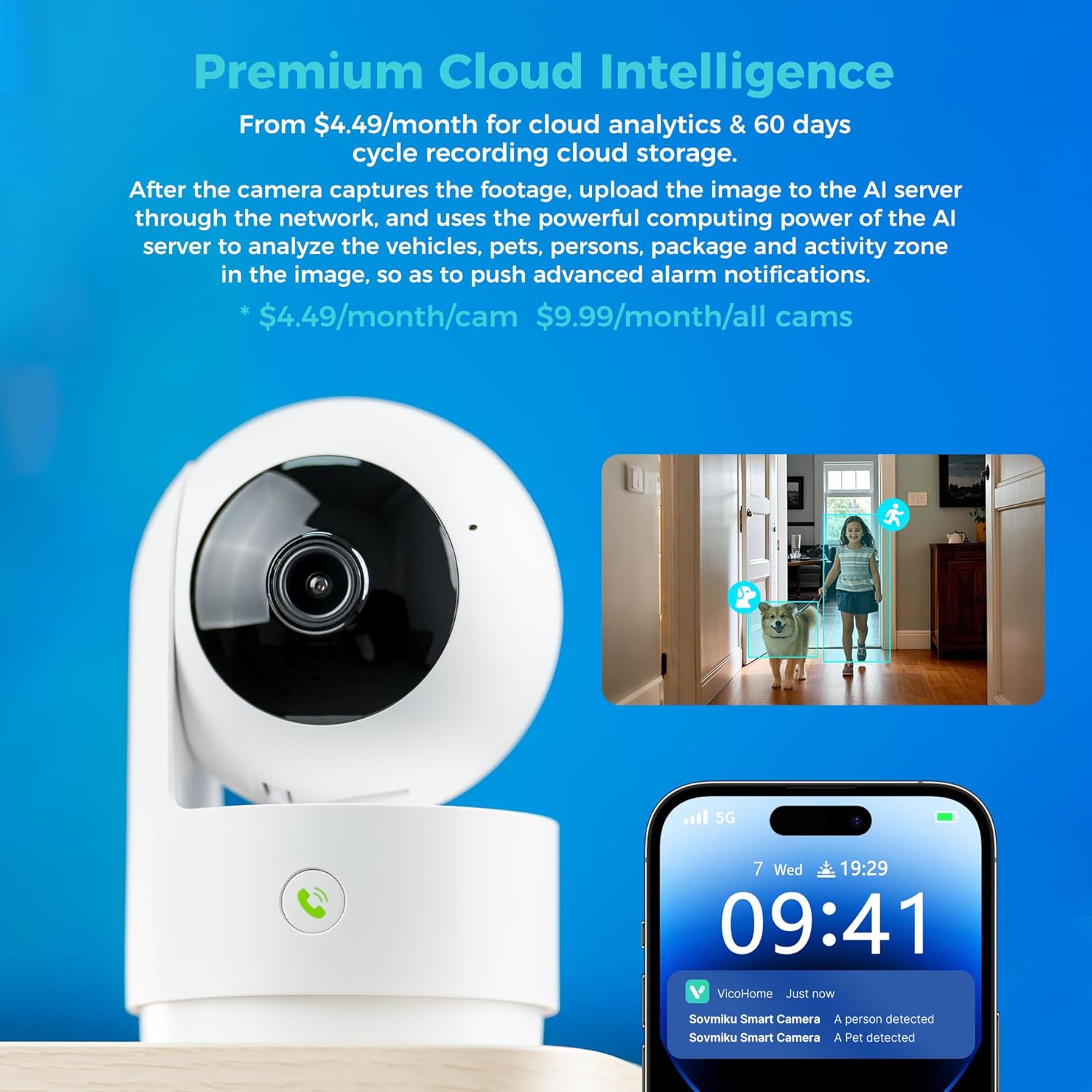
Image: A hand pressing the emergency SOS button on the camera, with a smartwatch showing an incoming call from the Vicohome app, indicating the emergency alert feature.
5.5 פּריוואַטקייט מאָדע
- Activate Privacy Mode in the app to physically hide the camera lens, ensuring privacy when monitoring is not desired.

Image: Two Vicohome cameras side-by-side, one in normal operating mode and the other in privacy mode with its lens retracted, demonstrating the privacy feature.
6. פֿעיִקייטן
- 2K רעזאָלוציע: קאַפּטשערז קלאָר און דיטיילד ווידעא פאָאָtage (3MP effective still resolution).
- צוויי-באַנד ווי-פי: שטיצט ביידע 2.4GHz און 5GHz Wi-Fi נעטוואָרקס פֿאַר פלעקסאַבאַל קאַנעקטיוויטי.
- 360° Pan/Tilt: אָפפערט אַ ברייט viewing angle with horizontal (83.5°), vertical (44°), and diagonal (59.2°) movement.
- AI טראַקינג: Automatically detects and follows human or pet movement.
- צוויי-וועג אַודיאָ: Communicate with individuals near the camera using the built-in microphone and speaker.
- נאַכט זעאונג: Equipped with infrared LEDs for clear black and white video in low-light conditions.
- לאקאלע און וואָלקן סטאָרידזש: Supports Micro SD card up to 128GB for local storage and offers optional cloud storage services.
- Emergency SOS: One-touch call feature for immediate contact in emergencies.
- פּריוואַטקייט מאָדע: Physically hides the camera lens for enhanced privacy.
- Seamless Vicohome App Compatibility: Integrates with existing Vicohome devices for unified management.

Image: The Vicohome camera with example images demonstrating its 3MP resolution, showing clear details of a dog and a child in a home setting.

Image: A graphic illustrating the Vicohome camera's compatibility with both 2.4GHz and 5GHz dual-band Wi-Fi networks.

Image: A hand inserting a Micro SD card into the camera, with icons for 128GB storage and cloud storage, indicating local and cloud storage options.
7. וישאַלט
- רייניקונג: ניצט אַ ווייכע, טרוקענע שטאָף צו רייניקן די קאַמעראַ לינזע און קערפּער. פֿאַרמייַדט אַברייסיוו רייניגער אָדער סאָלווענטן.
- Firmware דערהייַנטיקונגען: Regularly check the Vicohome app for available firmware updates to ensure your camera has the latest features and security enhancements.
- מאַכט צושטעלן: Ensure the camera is connected to a stable power source. Use only the provided power adapter or a compatible replacement.
- אָרט: Place the camera in a location where it has a clear view and is protected from extreme temperatures or direct moisture.
8. טראָובלעשאָאָטינג
- אַפּאַראַט ניט קאַנעקטינג צו Wi-Fi:
- Ensure your Wi-Fi password is correct and the camera is within range of your router.
- Try resetting the camera and repeating the setup process.
- Verify your router supports 2.4GHz or 5GHz Wi-Fi and is not using a hidden SSID.
- קיין לעבן View:
- Check your internet connection and ensure the camera is powered on.
- Restart the Vicohome app.
- Motion Alerts Not Received:
- באַשטעטיקן אַז באַוועגונג דעטעקשאַן איז ענייבאַלד אין די אַפּ סעטטינגס.
- קוק די אַפּ נאָטיפיקאַציע סעטטינגס אויף דיין סמאַרטפאָון.
- צוויי-וועג אַודיאָ ישוז:
- Ensure microphone and speaker permissions are granted to the Vicohome app on your phone.
- Check the volume settings on both the app and your phone.
9. ספּעסאַפאַקיישאַנז
| שטריך | דעטאַל |
|---|---|
| רעקאָממענדעד ניצט | דרינענדיק זיכערהייַט |
| סאָרט | SOVMIKU |
| מאָדעל נאָמען | CA43 |
| קאַנעקטיוויטי טעכנאָלאָגיע | Wi-Fi (2.4GHz און 5GHz) |
| ספּעציעלע שטריך | Adjustable, AI Tracking, Two-Way Audio, Night Vision, SOS Call, Privacy Mode |
| דרינענדיק / דרויסנדיק באַניץ | דרינענדיק |
| קאַמפּאַטאַבאַל דעוויסעס | iOS, Android, iPad OS |
| קאָנטראָל מעטאָד | אַפּ |
| מאַכט מקור | קאָרדעד עלעקטריק |
| עפעקטיוו נאָך האַכלאָטע | 3 מעגאַפּיקסעל (2K) |
| ווידעא קאָדירונג | ה.265 |
| פלאַש זכּרון טיפּ | מיקראָ סד |
| Max Flash Memory Supported | 128 גיגאבייט |
| פּונקט וואָג | 1.5 פונט |
| מאַטעריאַל | פּווק |
10. וואָראַנטי און שטיצן
- וואָראַנטי: The product comes with a 1-Year Manufacturer Warranty.
- וועקסל פּאָליטיק: Enjoy a 180-Day No-Risk Guarantee, backed by a 6-month replacement promise for defects.
- קונה שטיצן: Free expert support is available 24/7 to assist with any questions or issues.
For further assistance, please refer to the contact information provided in your product packaging or through the Vicohome app.