
1. איבערview
The SKYBASIC Industrial Endoscope Borescope Camera is a handheld inspection device designed for viewing hard-to-reach areas. It features a 4.3-inch HD color LCD screen for real-time image display and an 8.5mm ultra-thin camera with 8 adjustable LED lights. The semi-rigid cable allows for flexible navigation through various spaces. This device is self-contained and does not require a mobile phone or additional software for operation.
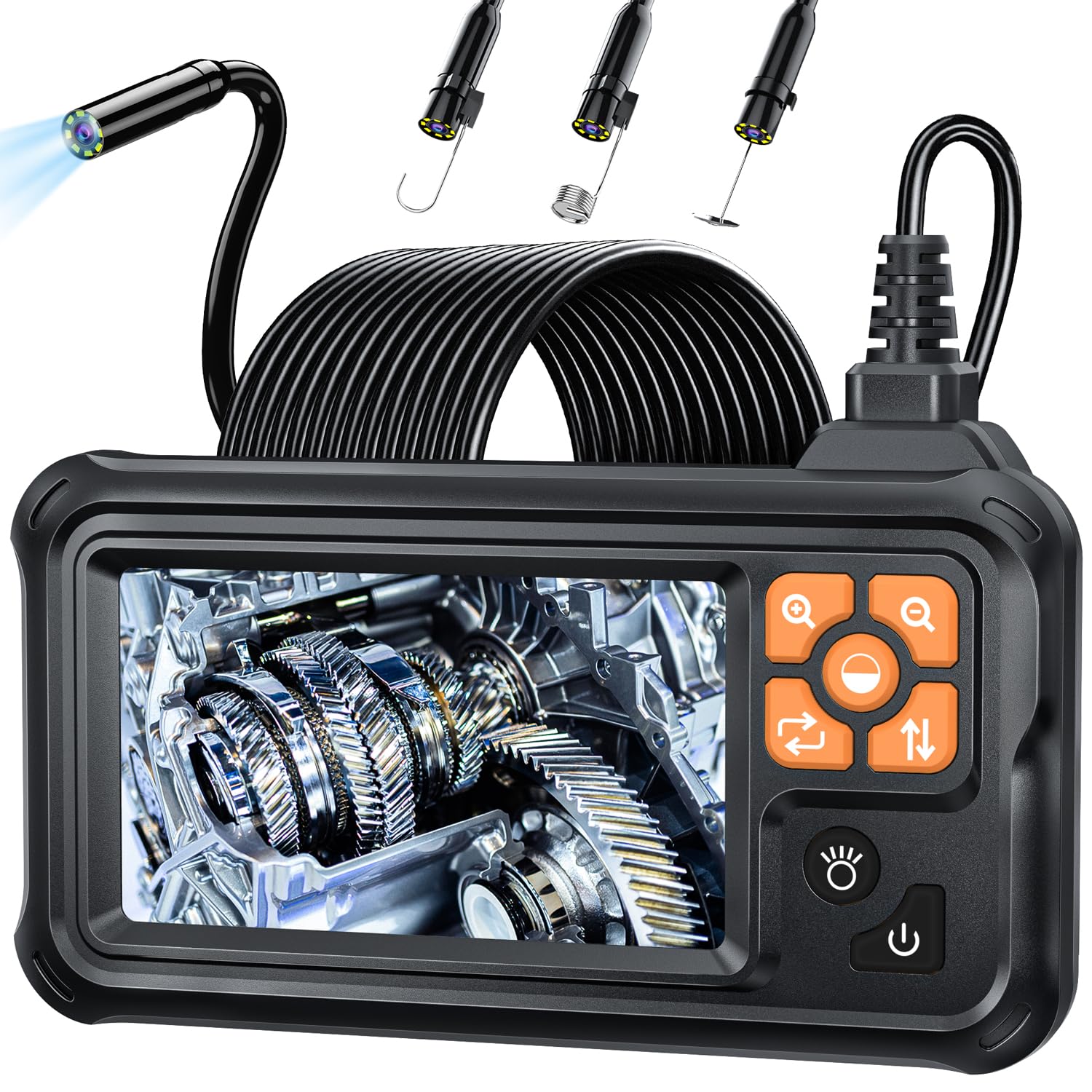
Figure 1: SKYBASIC Industrial Endoscope Borescope Camera
2. פּעקל אינהאַלט
באַשטעטיקן אַז אַלע זאכן זענען פאַראַן אין פּעקל:
- LCD Digital Endoscope Unit
- באַניצער מאַנואַל
- USB Charging Cable (charging plug not included)
- Set of Accessories (including a hook, magnet, and side mirror)

Figure 2: Endoscope with included accessories (hook, magnet, mirror)
3. סעטאַפּ
- טשאַרדזשינג די מיטל: Before first use, fully charge the endoscope using the provided USB charging cable. Connect the cable to the device's charging port and a compatible USB power adapter (not included). The battery indicator on the screen will show charging status.
- אַטאַטשינג אַקסעסעריז: If needed, attach the hook, magnet, or side mirror to the camera tip. These accessories are designed to snap securely onto the camera head for specific tasks.
- מאַכט אויף: Long press the power button located on the side of the device to turn it on. The 4.3-inch HD screen will display the live camera feed.
4. אַפּערייטינג ינסטרוקטיאָנס
The endoscope is designed for immediate use upon powering on, without the need for external applications or Wi-Fi connections.
- אַדזשאַסטינג LED לייץ: The camera features 8 adjustable LED lights. Use the dedicated light adjustment button (often indicated by a sun or lightbulb icon) to cycle through different brightness levels to achieve optimal illumination in dark environments.
- פארגרעסער פֿונקציע: The device supports a 2X optical zoom. Use the zoom buttons (often indicated by '+' and '-' magnifying glass icons) to magnify the image on the screen for closer inspection of details.
- Navigating the Camera Cable: The 16.5-foot (5-meter) semi-rigid cable is designed to be both stiff and flexible. This allows you to bend and shape the cable to navigate through pipes, crevices, and other confined spaces while maintaining its form.
- Optimal Focusing Distance: For the clearest images, maintain a focusing distance of 2cm to 10cm (0.8 inches to 3.9 inches) from the object being inspected.

Figure 3: IP67 Waterproof Probe with Adjustable LED Brightness
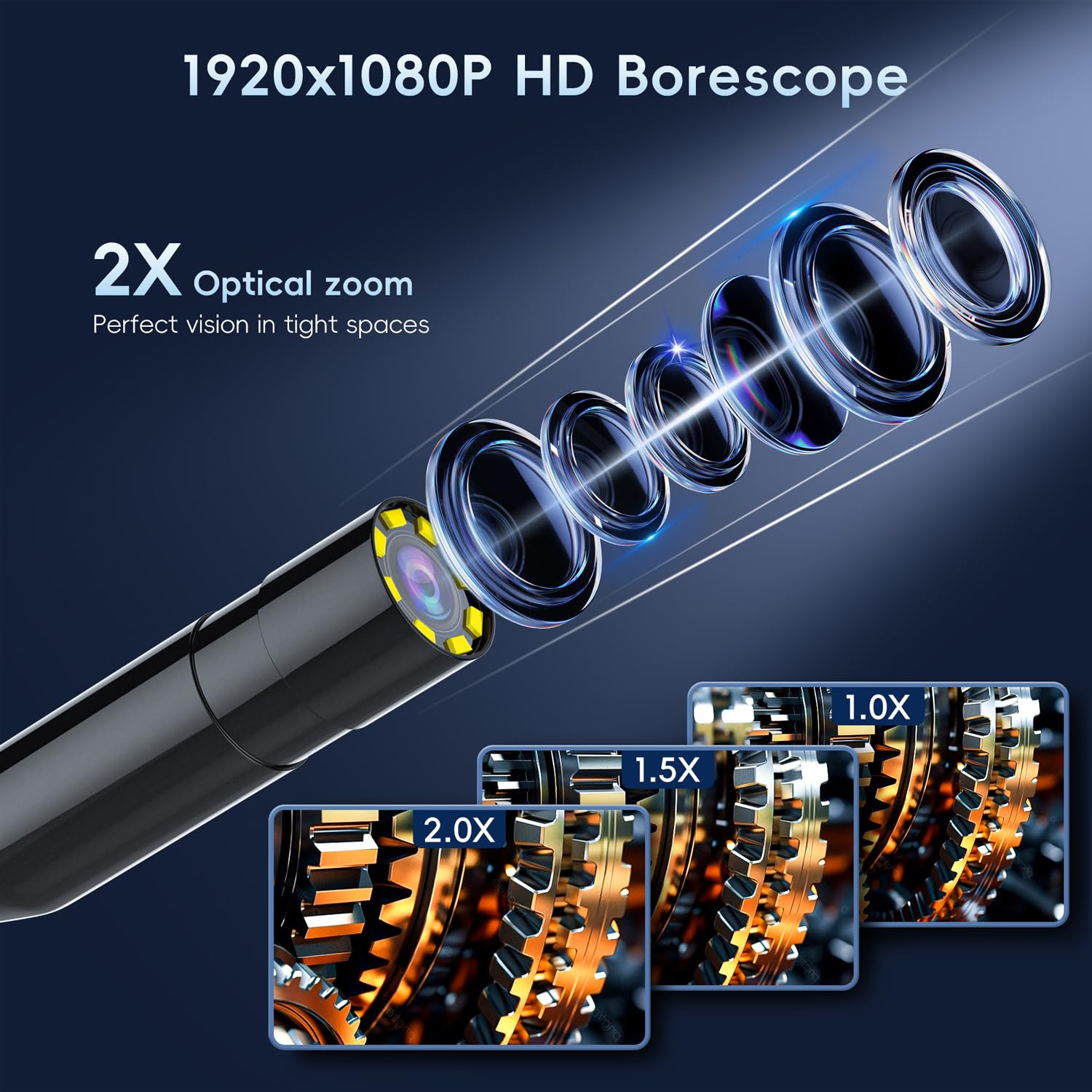
Figure 4: HD Borescope with 2X Optical Zoom

Figure 5: Various applications of the endoscope
5. וישאַלט
- רייניקונג: After each use, gently wipe the camera lens and cable with a soft, dry cloth. For stubborn dirt, a slightly damp cloth can be used, ensuring no liquid enters the main unit. The camera probe is IP67 waterproof, but the main unit is not.
- טשאַרדזשינג: Recharge the device when the battery indicator shows low power. Avoid completely draining the battery for prolonged periods to maintain battery health.
- סטאָרידזש: Store the endoscope in a cool, dry place away from direct sunlight and extreme temperatures. Coil the cable neatly to prevent kinks or damage.

Figure 6: Battery specifications and usage time
6. טראָובלעשאָאָטינג
- מיטל נישט פּאַוערינג אויף:
- זיכער מאַכן אַז די באַטאַרייע איז אויפגעלאָדן. פֿאַרבינדט עס צו אַ מאַכט מקור און פּרוּווט ווידער.
- Long press the power button for at least 3-5 seconds.
- נעבעך בילד קוואַליטעט:
- Adjust the LED light brightness to suit the environment.
- Ensure the camera lens is clean and free of debris.
- Verify the object is within the optimal focusing distance (2cm-10cm).
- Screen Freezes or Malfunctions:
- Locate the reset button (usually a small pinhole) on the device. Use a thin object (like a paperclip) to press and hold the reset button for a few seconds.
- Power off the device, then power it back on.
7. ספּעסאַפאַקיישאַנז
| שטריך | באַשרייַבונג |
|---|---|
| פּראָדוקט דימענשאַנז | 3.94 X 3.94 X 3.94 אינטשעס |
| פּונקט וואָג | 1.12 פונט |
| נומער מאָדעל נומער | 5M |
| באַטעריז | 1 ליטהיום פּאָלימער באַטאַרייע פארלאנגט (אַרייַנגערעכנט) |
| מאַקראָ פאָקוס קייט | 2-10 סענטימעטער |
| שיסערייַ מאָדעס | אָטאַמאַטיק |
| טיפּ פון ויסשטעלן קאָנטראָל | אָטאַמאַטיק |
| קאָליר | שוואַרץ |
| ווידעא קאַפּטורע רעסאָלוטיאָן | 1080 פּ |
8. וואָראַנטי און שטיצן
SKYBASIC offers a worry-free guarantee and a 1-year replacement or return service for this borescope. For any questions regarding your digital endoscope camera or its instructions, please contact SKYBASIC customer support. Support is available 24/7 to assist you with any issues.