
1. הקדמה
א דאנק פארן קויפןasing the DEPSTECH DS620-TL Triple Lens Endoscope Camera. This device is designed for visual inspection in hard-to-reach areas, featuring a 1080P triple-lens camera, a 5-inch IPS monitor, and an IP67 waterproof semi-rigid cable. This manual provides essential information for safe and effective use of your endoscope camera.
2. פּראָדוקט איבערview
2.1 שליסל פֿעיִקייטן
- 1080P Triple Lens Camera: Equipped with three cameras (front, side B, side C) for multi-angle inspection.
- 5-inch IPS Monitor: Provides clear, real-time images with excellent color reproduction.
- IP67 וואַסערפּרוף פּראָבע: The 7.9mm diameter semi-rigid cable is waterproof, suitable for wet environments.
- אַדזשאַסטאַבאַל געפירט לייץ: Features 8+1+1 high-brightness LED chips with adjustable intensity for optimal illumination.
- 5M Semi-Rigid Cable: Offers flexibility and durability for navigating various spaces.
- קריקאָנלאָדלעך באַטערי: Built-in battery provides approximately 2-3 hours of continuous operation.
2.2 פּעקל אינהאַלט
זיכער מאַכן אַז אַלע זאכן זענען פאַראַן אין פּעקל:
- DEPSTECH DS620-TL Endoscope Camera
- טיפּ-C טשאַרדזשינג קאַבלע
- Hook and Magnet Attachments
- Storage Drawstring Bag
- באַניצער מאַנואַל

פיגור 2.2: אריינגערעכנטע אַקסעסאָריעס און הויפּט אַפּאַראַט.
3. זיכערקייַט אינפֿאָרמאַציע
- ניצט נישט דעם אפאראט אין סביבות מיט ברענענדיקע אדער עקספלאזיווע גאזן.
- האַלטן די מיטל אַוועק פון שטאַרק ילעקטראָומאַגנעטיק פעלדער.
- Avoid direct exposure of the camera lens to strong light sources.
- פרובירט נישט צו צענעמען אדער מאדיפיצירן דעם אפאראט. רעפארן זאלן נאר דורכגעפירט ווערן דורך בארעכטיגטע פערסאנעל.
- Ensure the device is fully charged before use to avoid interruptions during inspection.
- Clean the probe and lens after each use, especially after contact with liquids or corrosive substances.
4. סעטאַפּ
4.1 טשאַרדזשינג די מיטל
Connect the provided Type-C charging cable to the device's charging port and a suitable USB power adapter (not included). The charging indicator will show the charging status. A full charge typically takes 2-3 hours.
4.2 ינסערטינג אַ מיקראָ סד קאָרט
To save photos and videos, a Micro SD card (Class 10/Class 10 or higher, 8-32GB) is required (not included). Locate the Micro SD card slot on the side of the monitor unit and insert the card until it clicks into place.
4.3 אַטאַטשינג אַקסעסעריז
The endoscope comes with hook and magnet attachments. These can be screwed onto the tip of the camera probe for retrieving small objects or maneuvering in tight spaces.

Figure 4.3: Magnet and hook attachments for the probe.
5. אַפּערייטינג ינסטרוקטיאָנס
5.1 פּאַוערינג אויף / אַוועק
Press and hold the power button (usually located on the side or front panel) for a few seconds to turn the device on. The screen will display the DEPSTECH logo. To power off, press and hold the power button again.

Figure 5.1: Monitor button layout and functions.
5.2 Switching Lenses
The DS620-TL features a triple-lens system. Press the lens switch button (often labeled with a camera icon or 'M') to cycle between Front Camera A, Side Camera B, and Side Camera C. This allows for comprehensive viewing without repositioning the probe.

Figure 5.2: Triple lens camera detail.
5.3 אַדזשאַסטירן LED ברייטקייט
Use the up/down arrow buttons on the monitor to adjust the brightness of the LED lights on the camera probe. There are multiple levels of brightness to suit different inspection environments.
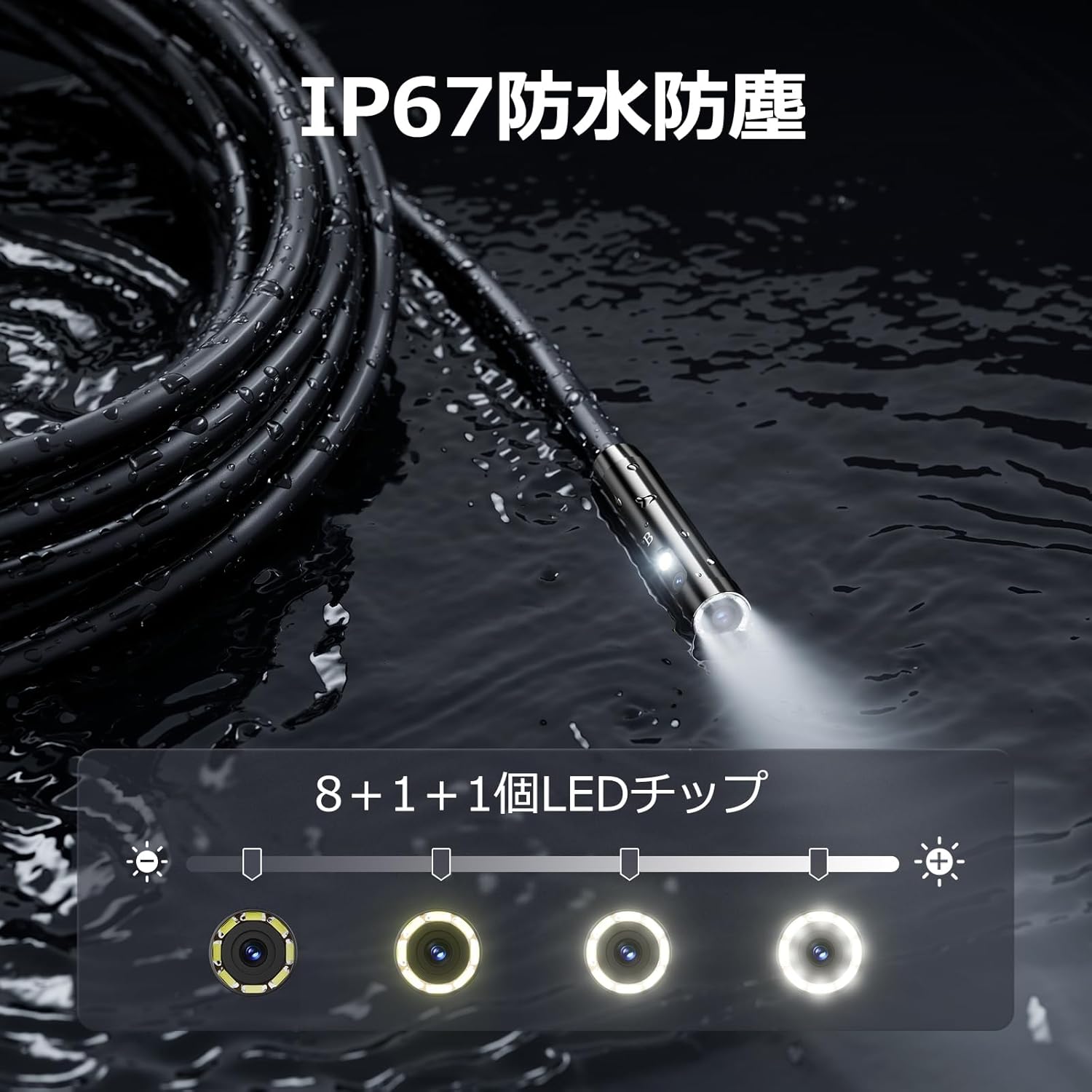
Figure 5.3: IP67 waterproof probe with adjustable LED illumination.
5.4 Taking Photos and Recording Videos
Press the photo/video button (usually a camera icon) to capture a still image. To record video, press and hold the photo/video button; press again to stop recording. Ensure a Micro SD card is inserted to save your media.

Figure 5.4: Monitor interface for photo and video capture.
5.5 סקרין ראָוטיישאַן
Press the screen rotation button (often a circular arrow icon) to rotate the image on the monitor by 180 degrees. This is useful when the probe is in an inverted position.
5.6 Practical Applications
The DS620-TL is suitable for various tasks including home appliance maintenance, pipe inspection, wall wiring checks, and automotive repairs.

Figure 5.6: Various inspection scenarios for the endoscope.
5.7 פּראָדוקט דעמאָנסטראַציע ווידעאָ
Video 5.7: A demonstration of the DEPSTECH DS620-TL endoscope camera in use, showcasinג זייַנע פֿעיִקייטן און אַפּליקאַציעס.
6. וישאַלט
6.1 Cleaning the Probe and Lens
After each use, especially in dirty or wet conditions, gently wipe the camera probe and lens with a soft, dry cloth. For stubborn dirt, a slightly damp מען קען ניצן אַ שטאָף, און דערנאָך עס טריקענען. ניצט נישט קיין שרײַבנדיקע רייניגערס אדער סאָלווענטן.
6.2 סטאָרידזש
Store the endoscope camera in a cool, dry place, away from direct sunlight and extreme temperatures. Use the provided drawstring bag for protection. Ensure the cable is coiled neatly without sharp bends.
6.3 באַטערי קער
To prolong battery life, avoid fully discharging the device frequently. If storing for an extended period, charge the battery to approximately 50% every three months.
7. טראָובלעשאָאָטינג
7.1 קיין בילד נישט אויפן עקראַן
- פאַרזיכערן אַז די מיטל איז פּאַוערד אויף און גאָר באפוילן.
- Check if the camera cable is securely connected to the monitor unit.
- Adjust the LED brightness to ensure adequate lighting in the inspection area.
7.2 Cannot Record Photos/Videos
- Verify that a compatible Micro SD card (Class 10/Class 10 or higher, 8-32GB) is inserted correctly.
- קוק אויב די מיקראָ SD קאַרטל האט גענוג פריי פּלאַץ.
- Ensure the Micro SD card is not locked (read-only).
- Try formatting the Micro SD card (this will erase all data).
7.3 אפאראט לאדט זיך נישט אויף
- Ensure the Type-C charging cable is properly connected to both the device and the power source.
- Try using a different USB power adapter or charging cable.
- קאָנטראָלירן די טשאַרדזשינג פּאָרט פֿאַר קיין דעבריס אָדער שעדיקן.
If you encounter issues not listed here or if the problem persists, please contact DEPSTECH customer support.
8. ספּעסאַפאַקיישאַנז
| שטריך | באַשרייַבונג |
|---|---|
| סאָרט | DEPSTECH |
| מאָדעל נאָמען | DS620TL-JP |
| קאָליר | שוואַרץ |
| וואָטערפּרוף לעוועל | IP67 |
| מעדיע טיפּ | SD Memory Card (8-32GB, Class 10/Class 10 or higher recommended) |
| File פֿאָרמאַט | MP4, MOV, AVI, JPEG, RAW |
| ווידעא קאַפּטורע פֿאָרמאַט | mp4 |
| Viewגעפֿינען טיפּ | IPS |
| סענסאָר טיפּ | קמאָס |
| פאָטאָ סענסאָר האַכלאָטע | 2.1 מפּ |
| פאָקוס פֿונקציע | פאַרפעסטיקט פאָקוס |
| אַוטאָ פאָקוס | ניין |
| באַטערי דורכשניטלעך לעבן | 2 שעה |
| אַרייַנגערעכנט קאַמפּאָונאַנץ | Type-C Cable, Attachments, Storage Drawstring Bag |
| פאַבריקאַנט וואָראַנטי | 2 יאר |
| לאַנד פון אָריגין | כינע |
9. וואָראַנטי און שטיצן
9.1 מאַנופאַקטורער וואָראַנטי
The DEPSTECH DS620-TL comes with a 24-month manufacturer warranty. Your order number serves as proof of purchase for warranty claims.
9.2 קונה שטיצן
For any inquiries, technical assistance, or warranty claims, please contact our dedicated support team:
- בליצפּאָסט: support@depstech.com
- ענטפער צייט: We aim to respond to all inquiries within 24 hours. For requests submitted on weekends or holidays, a response will be provided on the next business day.

Figure 9.2: DEPSTECH support details.


