
1. הקדמה
This manual provides instructions for the assembly, operation, and maintenance of your Okin Overbed Bedside Table with Wheels, Model OKPM50502716WAS. This versatile table is designed for various uses, including reading, writing, eating, or using a laptop, and features adjustable height and a tilting desktop for ergonomic comfort.

Image 1.1: The Okin Overbed Table is suitable for various scenarios, including use over a bed, next to a couch, or with a chair.
2. זיכערקייַט אינפֿאָרמאַציע
- מאַקסימום מאַסע קאַפּאַציטעט: נישט איבערשטייגן די מאקסימום סטאטישע לאסט קאפאציטעט פון 22 לבס (10 קג) on the desktop. Overloading can cause instability and damage.
- פעסטקייַט: Ensure the table is placed on a flat, stable surface. Lock the wheels when the table is in a stationary position to prevent unintended movement.
- Tilting Section: When the desktop is tilted, ensure items placed on it are secure and will not slide off. Avoid placing heavy or fragile items on the tilting section when it is not flat.
- ליקווידס: Exercise caution when placing beverages on the table, especially near electronic devices. Use the integrated cup holder for added security.
- פֿאַרזאַמלונג: פאָלגט אַלע פֿאַרזאַמלונג אינסטרוקציעס קערפֿול. מאַכט זיכער אַז אַלע שרויפֿן און פֿאַרשטאַרקערס זענען פֿעסט פֿאַרשטאַרקט איידער נוצן.
- קינדער: Keep children away from the table during assembly and adjustment to prevent injury.

Image 2.1: The H-base design provides stability, supporting up to 22 lbs (10 kg) of weight. Always adhere to the maximum load capacity.
3. פּעקל אינהאַלט
באַשטעטיקט אַז אַלע קאָמפּאָנענטן זענען פאַראַן איידער איר הייבט אָן צו פֿאַרזאַמלען. אויב עס פֿעלן אָדער זענען צעבראָכן טיילן, ביטע קאָנטאַקטירט קונה שטיצע.
- Desktop with tilting mechanism and cup holder
- Main Support Column (with pneumatic lifting system)
- באַזע ראַם
- Hidden Wheels (pre-installed or to be installed)
- פֿאַרזאַמלונג גייד
- Installation Tool (Hex key/Wrench)
4. אַסעמבלי אינסטרוקציעס
צוזאַמענשטעלן נעמט געוויינטלעך אַרום 15 מינוט. פֿאָלגט די סטעפּס קערפֿול:
- אָפּלייגן קאַמפּאָונאַנץ: פֿאָרזיכטיק אַרויסנעמען אַלע טיילן פֿון דער פֿאַרפּאַקונג און לייגן זיי אויס אויף אַ ריינער, ווייכער ייבערפֿלאַך כּדי צו פֿאַרמייַדן קראַצן.
- Attach Main Support Column to Base: Secure the main support column to the base frame using the provided screws and installation tool. Ensure it is firmly attached.
- Attach Desktop to Main Support Column: Connect the desktop assembly to the top of the main support column. Align the mounting points and secure with the provided fasteners.
- טשעק סטאַביליטי: Once assembled, gently shake the table to ensure all connections are secure and the table is stable.

Image 4.1: Visual guide illustrating the quick installation process, typically completed within 15 minutes.

בילד 4.2: אן עקספלאדירטע view of the table components, demonstrating how they fit together for assembly.
5. אַפּערייטינג ינסטרוקטיאָנס
5.1. הייך אַדזשאַסטמאַנט
The table features a gas spring pneumatic lifting system for smooth and quiet height adjustment. To adjust the height:
- Locate the height adjustment lever, typically found under the desktop.
- דריקן און האַלטן די הייבער.
- Gently raise or lower the desktop to your desired height (range: 29.7 to 43.3 inches).
- Release the lever to lock the desktop in place.

Image 5.1: The pneumatic lift system allows for easy and smooth height adjustments, accommodating both sitting and standing postures.
5.2. Desktop Tilt Function
The desktop is designed with a split surface: a larger section that tilts and a smaller fixed section with a cup holder. The tilting section can be adjusted from 0° to 70°.
- To tilt the desktop, locate the adjustment mechanism (usually a lever or knob) underneath the tilting section.
- Engage the mechanism to unlock the tilt.
- Adjust the tilting section to your desired angle. An anti-slip edge is present to prevent items from sliding off.
- Release the mechanism to lock the tilt in place.
- The smaller, fixed section remains flat, providing a stable surface for drinks or other items.

Image 5.2: The desktop can be tilted to various angles (0-70 degrees) for comfortable reading or laptop use, with a fixed section for beverages.

Image 5.3: The table features a movable desktop that tilts and a fixed desktop section to keep items steady and secure.
5.3. מאָביליטי
The table is equipped with hidden wheels for easy movement. The low-profile base (1.57 inches high) allows it to slide under most beds and furniture.
- To move the table, ensure the wheels are unlocked (if applicable).
- Gently push or pull the table to its desired location.
- Once positioned, lock the wheels to prevent accidental movement.
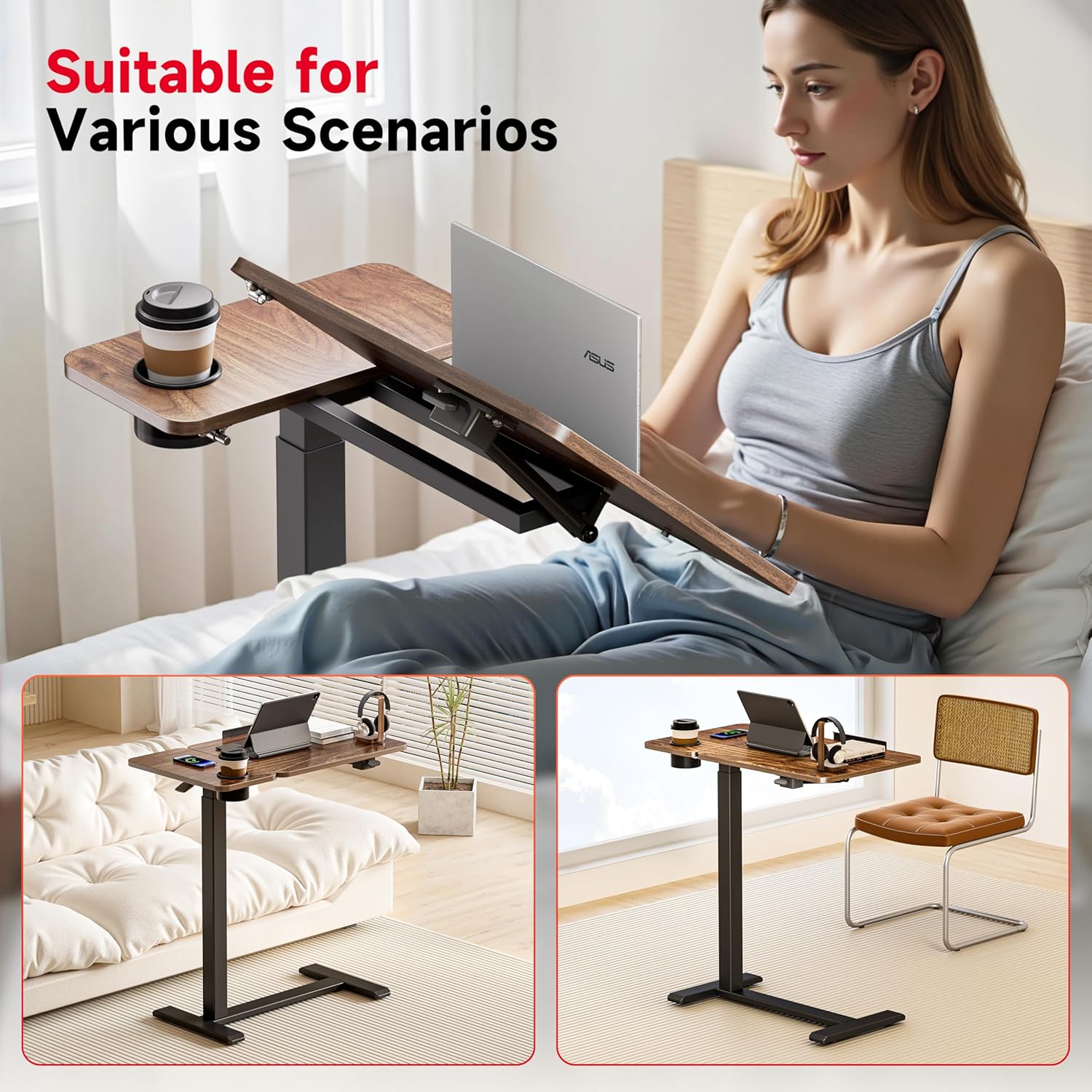
Image 5.4: The table features hidden casters for smooth movement, allowing it to easily slide under furniture.
6. וישאַלט
- רייניקונג: Wipe the tabletop and frame with a dry cloth. For stubborn marks, a slightly damp מען קען ניצן א שטאָף, און עס זאָל גלייך טריקענען. מען זאָל עס אויסמיידן אַברייסיוו רייניגער אָדער שאַרפע כעמיקאַלן.
- רעגולער טשעקס: קאָנטראָלירט פּעריִאָדיש אַלע שרויפן און פֿאַרשטאַרקער צו זיכער מאַכן אַז זיי בלייבן פֿעסט. פֿעסטשטײַערט ווידער אויב נייטיק צו האַלטן די סטאַביליטעט.
- ראָד זאָרג: האַלט די רעדער פריי פון שטויב און שמוץ צו ענשור אַ גלאַט באַוועגונג.
7. טראָובלעשאָאָטינג
- טיש וואָקלען:
לייזונג: Ensure all assembly screws are securely tightened. Verify the table is on a level surface. - שוועריקייט צו סטרויערן הייך:
לייזונג: Check if the height adjustment lever is fully engaged or disengaged. Ensure there are no obstructions in the pneumatic lifting mechanism. - Desktop Not Tilting Smoothly:
לייזונג: Inspect the tilting mechanism for any obstructions or debris. Ensure the locking mechanism is fully disengaged before attempting to tilt. - Wheels Not Rolling:
לייזונג: Check if the wheels are locked. Clean any hair or debris that may be caught in the wheel casters.
8. ספּעסאַפאַקיישאַנז

Image 8.1: Detailed dimensions and weight capacity of the Okin Overbed Table.
| שטריך | דעטאַל |
|---|---|
| מאָדעל נומער | OKPM50502716WAS |
| פּראָדוקט דימענשאַנז (ד רענטגענ וו רענטגענ ה) | 27.6" x 15.8" x 29.7" (minimum height) |
| אַדזשאַסטאַבאַל הייך קייט | 29.7" ביז 43.3" |
| Desktop Tilt Range | 0° צו 70° |
| מאַקסימום סטאַטיק מאַסע קאַפּאַציטעט | 22 לבס (10 קג) |
| פּונקט וואָג | 23.4 פונט |
| ראַם מאַטעריאַל | אַללוי סטיל |
| Top מאַטעריאַל | האלץ |
| באַזע הייך | 1.57 אינטשעס |
| אַרייַנגערעכנט קאַמפּאָונאַנץ | אַסעמבלי גייד, ייַנמאָנטירונג געצייַג |
| פּראָדוקט קער אינסטרוקציעס | ווישן מיט טרוקן שטאָף |
9. וואָראַנטי און שטיצן
Okin is committed to customer satisfaction. While specific warranty details are not provided in this manual, we offer 24-hour customer service for any pre- or post-purchase issues.
For assistance, please contact us via the Amazon Message Center. Your satisfaction is our priority.