
הקדמה
This manual provides detailed instructions for the DAREU A950GM Wireless Gaming Mouse. It covers product features, setup procedures, operational guidelines, maintenance tips, troubleshooting solutions, and technical specifications. Please read this manual thoroughly before using the product to ensure optimal performance and longevity.
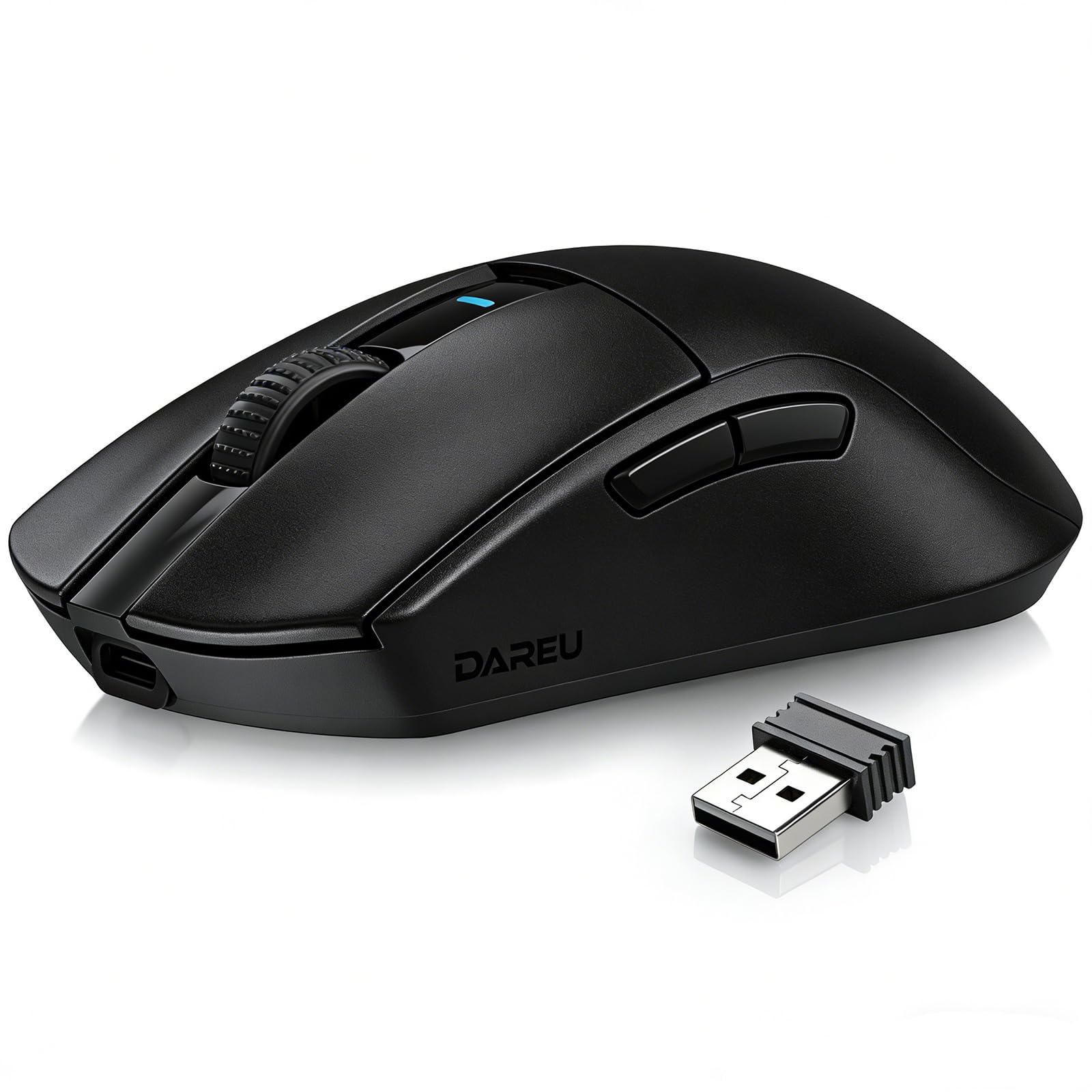
Image: The DAREU A950GM Wireless Gaming Mouse, showcasing its sleek black design and key features like lightweight design, tri-mode connectivity, high DPI, fast charge, Huano switches, and PAW3395 sensor.
סעטאַפּ
פּעקל אינהאַלט
זיכער מאַכן אַז אַלע זאכן זענען פאַראַן אין פּעקל:
- 1 x DAREU A950GM Mouse
- 1 רענטגענ טיפּ-C קאַבלע
- 1 רענטגענ וסב ריסיווער
- 1 x ענגליש באַניצער מאַנואַל

Image: Contents of the DAREU A950GM package, including the mouse, Type-C cable, USB receiver, user manual, and packaging box.
ערשט טשאַרדזשינג
Before first use, it is recommended to fully charge the mouse. Connect the provided Type-C cable to the mouse and a USB power source. A full charge typically takes 30-40 minutes for the 500mAh battery, providing up to 128 hours of use (16 days in 2.4G mode, 32 days in BT5.1 mode, based on 4 hours of connection per day).

Image: The DAREU A950GM mouse indicating its fast charge capability and battery life in different modes.
קאַנעקטיוויטי מאָדעס
The DAREU A950GM supports three connection modes: 2.4GHz Wireless, Bluetooth (BT5.1), and Wired (USB-C).
- 2.4GHz ווירעלעסס מאָדע:
- Locate the USB receiver stored in the bottom of the mouse.
- צאַפּן די וסב ופנעמער אין אַ בנימצא וסב פּאָרט אויף דיין קאָמפּיוטער.
- Slide the switch on the bottom of the mouse to the '2.4G' position. The mouse will automatically connect.
- בלועטאָאָטה מאָדע:
- רוקט דעם קנעפּל אויף דער אונטערשטער טייל פון דער מויז צו דער 'BT' פּאָזיציע.
- On your device (PC, laptop, smartphone, tablet), open Bluetooth settings and search for new devices.
- Select 'DAREU A950GM' from the list to pair.
- ווייערד מאָדע:
- Connect the provided Type-C cable to the mouse and the other end to a USB port on your computer.
- די מויז וועט פונקציאָנירן ווי אַ דראָטיקע מויז און וועט זיך אויפלאָדן סיימאַלטייניאַסלי.
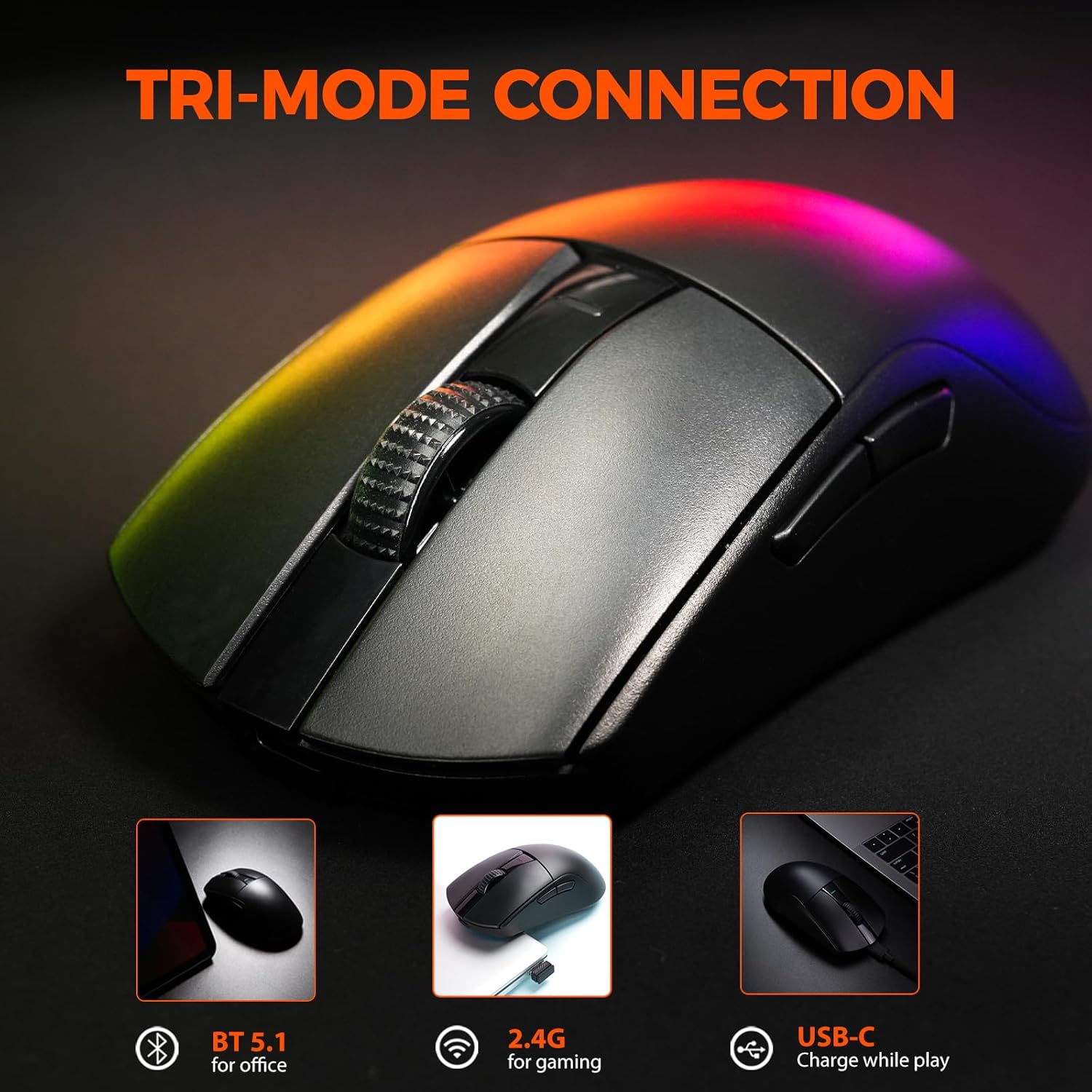
Image: The DAREU A950GM mouse demonstrating its tri-mode connectivity options: Bluetooth for office, 2.4G for gaming, and USB-C for charging while playing.
ווייכווארג ינסטאַלירונג
For advanced customization of buttons, macros, polling rate, and DPI settings, DAREU provides dual software support:
- Web-based Driver: Access the DAREU official webפּלאַץ פֿאַר אַ web-based configuration tool. No installation is required.
- דעסקטאָפּ ווייכווארג: Download and install the dedicated DAREU e-sports driver software for your operating system (Windows 7 or later, macOS).
Customized settings are saved via the mouse's onboard memory.

Image: Screenshot of the DAREU all-in-one driver software interface, showing options for button customization, macro management, DPI settings, and battery level.
אַפּערייטינג ינסטראַקשאַנז
קנעפּל פאַנגקשאַנז
The DAREU A950GM features 5 programmable buttons:
- לינקס דריקט קנעפּל
- רעכט גיט קנעפּל
- Scroll Wheel (Clickable)
- זייט קנעפּל 1 (פאָרווערטס)
- זייט קנעפּל 2 (צוריק)
These buttons can be customized using the DAREU software to assign various functions, shortcuts, or macros.
דפּי אַדזשאַסטמאַנט
The mouse features an advanced PAW3395 optical sensor with adjustable sensitivity up to 26,000 DPI. The DPI button is located on the bottom of the mouse. Press this button to cycle through preset DPI levels. The current DPI setting is often indicated by an LED color change above the scroll wheel.

Image: The underside of the DAREU A950GM mouse, highlighting the PAW3395 optical sensor and its specifications (26000 DPI, 650 IPS, 50g Acceleration).
מאָדע סוויטשינג
To switch between 2.4GHz, Bluetooth, and Off modes, use the physical switch located on the bottom of the mouse. For wired mode, simply connect the USB-C cable.

Image: The bottom of the DAREU A950GM mouse, showing the 2.4G/OFF/BT switch, DPI button, USB receiver storage, PTFE feet, and Type-C interface. Serial number: A950GMW250901750.
וישאַלט
רייניקונג
כדי צו האַלטן די בעסטע פאָרשטעלונג, רייניקט רעגולער אייער מויז. ניצט אַ ווייכע, טרוקענע שטאָף צו ווישן די ייבערפלאַך. פֿאַר שווערע שמוץ, ניצט אַ ביסלamp מען קען ניצן אַ שטאָף, און זיכער מאַכן אַז קיין נעץ גייט נישט אַרײַן אין די אינעווייניקסטע קאָמפּאָנענטן. פֿאַרמײַדט שטרענגע כעמיקאַלן אָדער אַברייסיוו מאַטעריאַלן.
PBT Buttons and Huano Micro Switches
The DAREU A950GM features durable PBT buttons designed to resist fading and oil buildup. The Huano micro switches are rated for up to 100 million clicks, ensuring long-lasting and consistent performance. No specific user maintenance is required for these components beyond general cleaning.
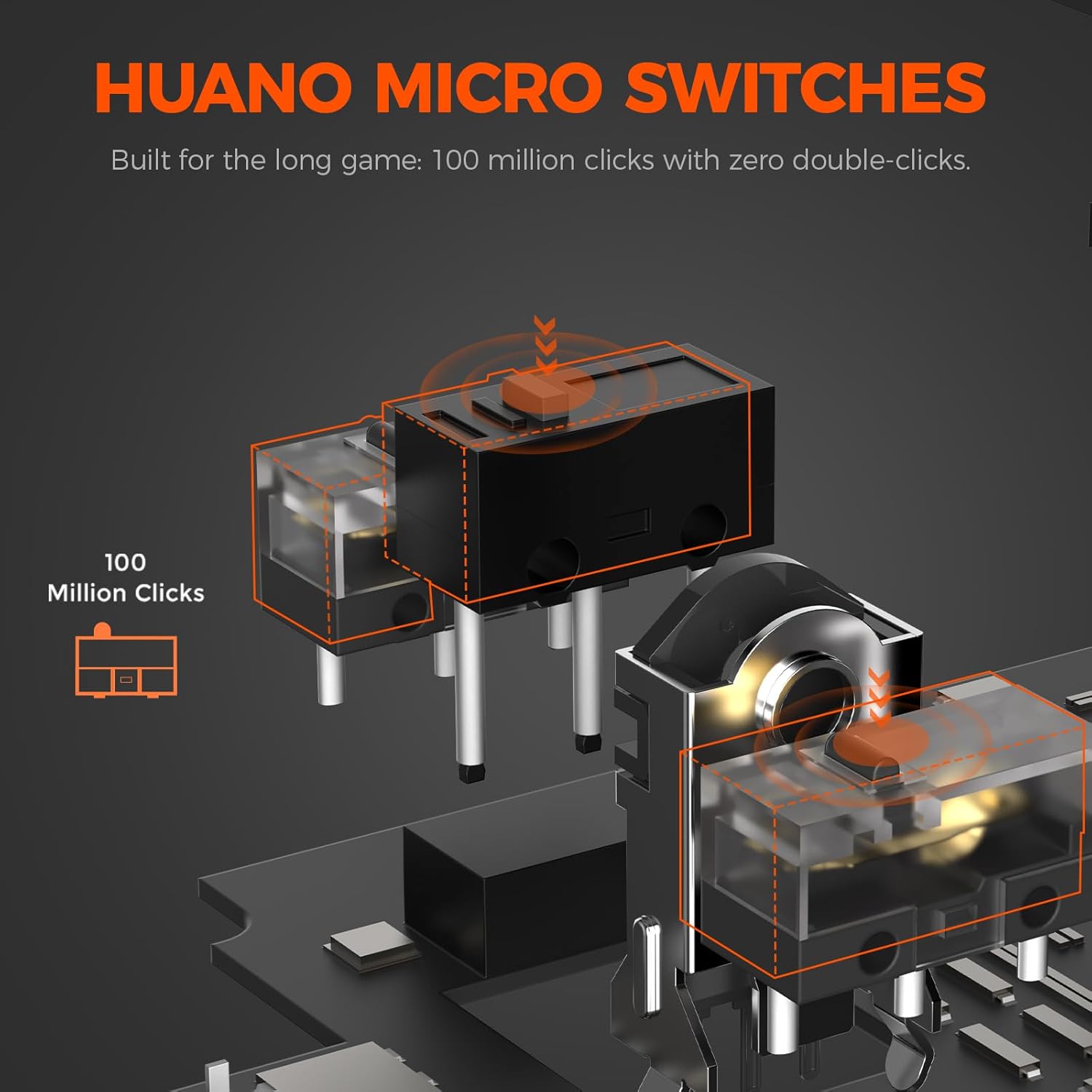
בילד: אן עקספלאדירטע view illustrating the Huano micro switches within the DAREU A950GM mouse, highlighting their 100 million click lifespan.
טראָובלעשאָאָטינג
קאַנעקטיוויטי ישוז
- מויז פֿאַרבינדט זיך נישט דורך בלוטוט: Ensure the mouse is in 'BT' mode and your device's Bluetooth is enabled and discoverable. Try re-pairing the mouse from your device's Bluetooth settings.
- Lag or intermittent connection in wireless modes: Ensure the USB receiver is plugged into a direct USB port, not a hub. Minimize interference from other wireless devices. If issues persist, try wired mode.
- 2.4GHz receiver not recognized: זיכער מאַכן אַז דער ריסיווער איז גאָר אַרײַנגעשטעקט אין דעם USB פּאָרט. פּרוּווט אַן אַנדער USB פּאָרט.
שאָפער / ווייכווארג ישוז
- ווייכווארג דעטעקטירט נישט מויז: Ensure the mouse is connected to your computer (preferably in wired or 2.4GHz mode for initial setup). Restart the software and/or your computer.
- Settings not saving: Ensure you are using only one instance of the DAREU software (either web-based or desktop app) at a time to avoid conflicts.
DPI Button Placement
The DPI adjustment button is located on the bottom of the mouse. This design choice means on-the-fly DPI changes during gameplay may require lifting the mouse. For frequent DPI adjustments, consider pre-setting preferred DPI stages via the software.
ספּעסאַפאַקיישאַנז
| שטריך | דעטאַל |
|---|---|
| סאָרט | DAREU |
| מאָדעל נאָמען | A950GM |
| קאָליר | שוואַרץ |
| קאַנעקטיוויטי טעכנאָלאָגיע | USB/BT/2.4G Hz |
| באַוועגונג דעטעקשאַן טעכנאָלאָגיע | אָפּטיש (PAW3395 סענסאָר) |
| Mouse Maximum Sensitivity | 26000 דפּי |
| IPS Speed | 650 יפּס |
| אַקסעלעריישאַן | 50ג |
| פּאָללינג קורס | 1000 הז |
| קנעפּל קוואַנטיטעט | 5 פּראָגראַממאַבלע קנעפּלעך |
| מיקראָ סוויטשאַז | Huano (100 Million Clicks) |
| באַטאַרייע קאַפּאַציטעט | 500 מאַה ליטהיום פּאָלימער |
| באַטערי דורכשניטלעך לעבן | Up to 128 hours (BT5.1 mode), 65 hours (2.4G mode) |
| אָפּצאָל צייט | 30-40 minutes (fast charge) |
| פּונקט וואָג | 60 ג |
| נומער דימענשאַנז (L X W X H) | 122.8 X 64 X 39 מם |
| קאַמפּאַטאַבאַל דעוויסעס | PC, Laptop, Mac, Gaming Console, Smartphone, Tablet |
| אַפּערייטינג סיסטעם שטיצן | Windows 7 or later, macOS, Android |
| אַרייַנגערעכנט קאַמפּאָונאַנץ | Mouse, Type-C cable, USB receiver, English user manual |
פּראָדוקט ווידיאס
Video: An official DAREU GAMING video showcasing the DAREU A950GM Wireless Gaming Mouse, highlighting its PAW3395 sensor and black color variant.
Video: An official DAREU GAMING video demonstrating the DAREU A950GM Wireless Gaming Mouse in use.
וואָראַנטי
The DAREU A950GM Wireless Gaming Mouse comes with a 1 יאָר וואָראַנטי פֿון דעם קויפֿדאַטום. ביטע באַהאַלטן אייער קויפֿבאַווײַז פֿאַר וואָראַנטי־פֿאָדערונגען. די וואָראַנטי דעקט פֿאַבריקאַציע־דעפֿעקטן און פֿאַלפֿונקציעס אונטער נאָרמאַלן באַנוץ. עס דעקט נישט שאָדן פֿאַראורזאַכט דורך אומרעכטן באַנוץ, אומגליקן, נישט־אָטעריזירטע מאָדיפֿיקאַציעס, אָדער נאָרמאַלן אָפּנוץ.
שטיצן
For further assistance, technical support, or warranty inquiries, please visit the official DAREU website or contact DAREU customer service. Refer to the packaging or the DAREU webזייטל פֿאַר די מערסט אַקטועלע קאָנטאַקט אינפֿאָרמאַציע.
איר קענט אויך באַזוכן די יו DAREU Store on Amazon פֿאַר מער פּראָדוקט אינפֿאָרמאַציע און שטיצע רעסורסן.