
1. הקדמה
The Generic HCT-311 Digital Hose Irrigation Water Timer is designed to automate garden watering, providing flexible scheduling options for lawns, beds, and potted plants. This device features an easy-to-read LCD display, manual watering capabilities, rain delay, and a child lock function. It is built for outdoor use with a rugged, leak-resistant construction and standard 3/4" garden tap compatibility.
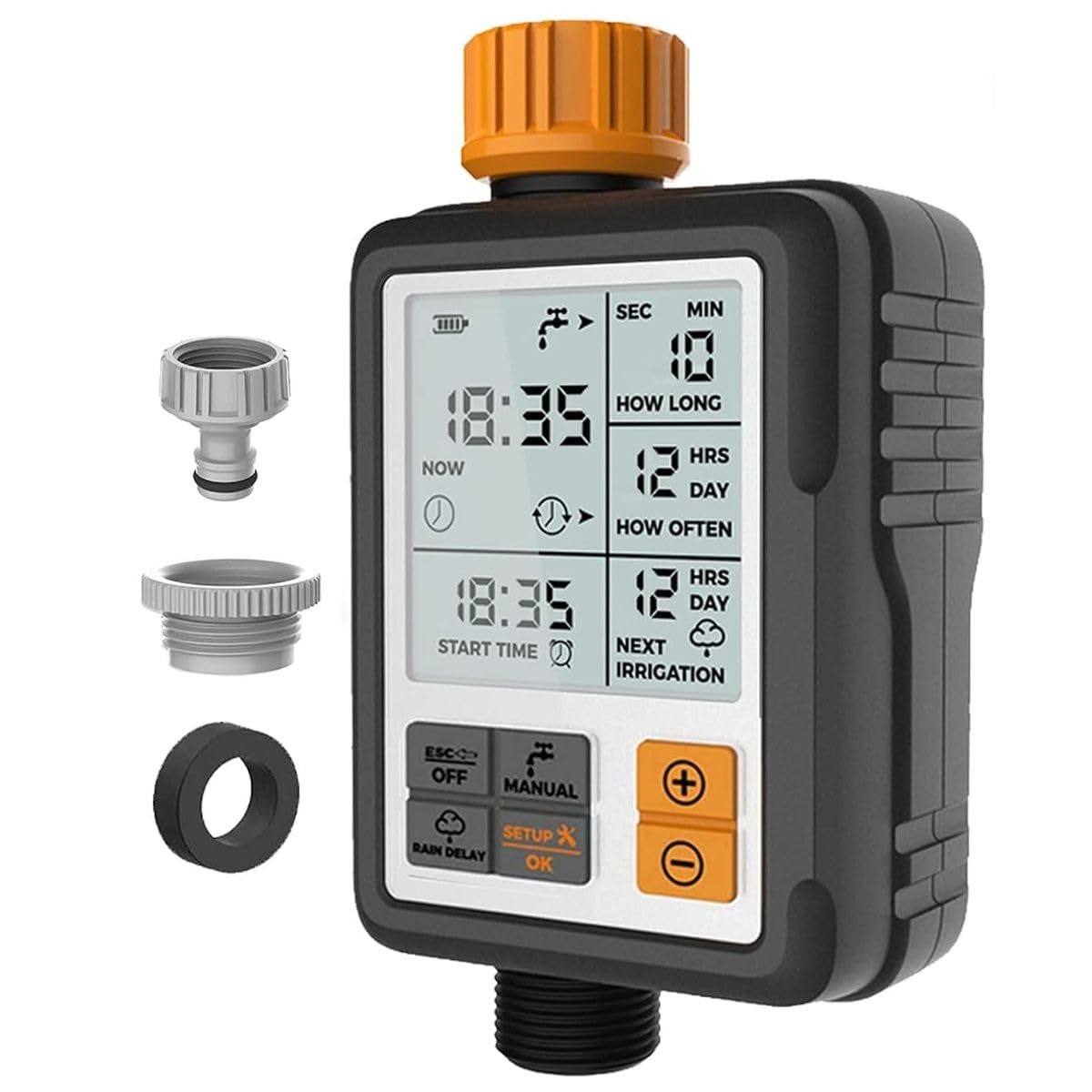
Image 1.1: HCT-311 Digital Hose Irrigation Water Timer in use, highlighting key features.
2. פּראָדוקט איבערview
Familiarize yourself with the components and display elements of your HCT-311 water timer.

Image 2.1: HCT-311 LCD Display and Control Buttons.
Key Display Elements:
- יעצטיגע צייט: Displays the current time in a 24-hour format.
- אָנהייב צייט: Indicates the programmed start time for watering.
- ווי לאנג: Shows the watering duration (1 second to 300 minutes).
- ווי אָפט: Displays the watering frequency (1-23 hours or 1-15 days).
- Next Irrigation: Automatically prompts the time for the next watering cycle.
- באַטערי מאַכט ינדיקאַטאָר: Blinks when power is low.
- Watering Indications: A water-drop icon blinks during irrigation.
קאָנטראָל קנעפּלעך:
- ESC/OFF (Rain Delay/Child Lock): Used to exit current settings, turn off the timer, activate Rain Delay, or activate Child Lock.
- מאַנואַל: Activates manual watering mode.
- SETUP/OK: Used to enter setup mode and confirm settings.
- +/- קנעפּלעך: Used to adjust time and system settings.
3. באַטאַרייע ייַנמאָנטירונג
The HCT-311 timer requires 2x AA alkaline batteries (not included) for operation. Ensure batteries are installed correctly for proper function.
- געפינט די באַטאַרייע אָפּטייל אויף דער צוריק פון דעם טייַמער.
- עפענען די באַטאַרייע אָפּטייל דעקן.
- Insert two new AA alkaline batteries, observing the correct polarity (+/-) as indicated inside the compartment.
- נאָענט די דעקן פון די באַטאַרייע אָפּטייל סיקיורלי.
The timer's screen will automatically turn off without operation within 30 seconds to conserve power, contributing to a battery life of over 6 months.

Image 3.1: Battery installation and power supply details.
4. ינסטאַלירונג
The HCT-311 timer is designed for easy connection to standard outdoor taps and garden hoses.
- Ensure the tap is turned off before installation.
- Screw the timer's 3/4" female inlet onto your outdoor garden tap. Hand-tighten only to prevent damage.
- Connect your garden hose to the timer's 3/4" male outlet.
- Turn on the tap. The timer is now ready for use.
טיפּ: For best longevity, avoid prolonged direct sun/heat; mount in shade where possible.

Image 4.1: Timer connected to a tap and hose.
5. Initial Setup: Setting Current Time
Before programming watering schedules, set the current time on your timer.
- דרוק די SETUP/OK button to enter setup mode. The 'Current Time' display will begin to flash.
- ניצן די +/- קנעפּלעך צו סטרויערן די שעה.
- דרוק SETUP/OK to confirm the hour and move to minutes.
- ניצן די +/- קנעפּלעך צו סטרויערן די מינוט.
- דרוק SETUP/OK to confirm the minutes and save the current time. The display will stop flashing.
6. Programming Watering Schedule
The HCT-311 allows for flexible automatic scheduling. You can set the watering duration, frequency, and a specific start time.
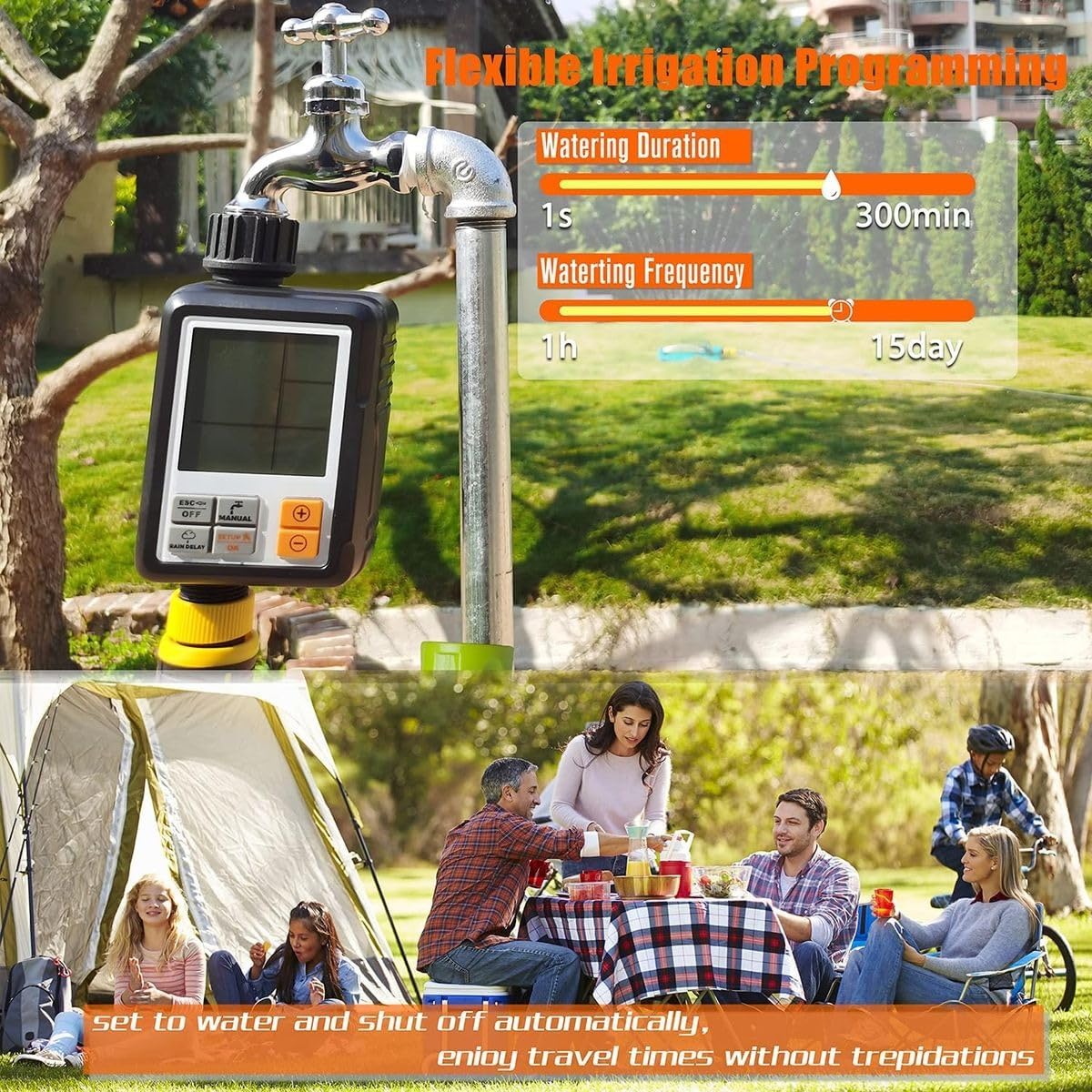
Image 6.1: Flexible Irrigation Programming parameters.
Setting Start Time:
- דרוק פון די הויפּט פאַרשטעלן SETUP/OK until 'Start Time' flashes.
- ניצן די +/- buttons to set your desired watering start hour (24-hour clock).
- דרוק SETUP/OK to confirm the hour and move to minutes.
- ניצן די +/- קנעפּלעך צו שטעלן די מינוט.
- דרוק SETUP/OK to confirm and save the start time.
Setting Watering Duration ('How Long'):
- דרוק פון די הויפּט פאַרשטעלן SETUP/OK until 'How Long' flashes.
- ניצן די +/- buttons to set the watering duration from 1 second to 300 minutes.
- דרוק SETUP/OK to confirm and save the duration.
Setting Watering Frequency ('How Often'):
- דרוק פון די הויפּט פאַרשטעלן SETUP/OK until 'How Often' flashes.
- ניצן די +/- buttons to set the watering frequency from every 1-23 hours or every 1-15 days.
- דרוק SETUP/OK to confirm and save the frequency.
Once all settings are confirmed, the timer will automatically follow the programmed schedule.
7. מאַנועלע וואַסערונג
The manual watering function allows you to water immediately without altering your saved program. You can set a manual watering duration from 1 second to 240 minutes.
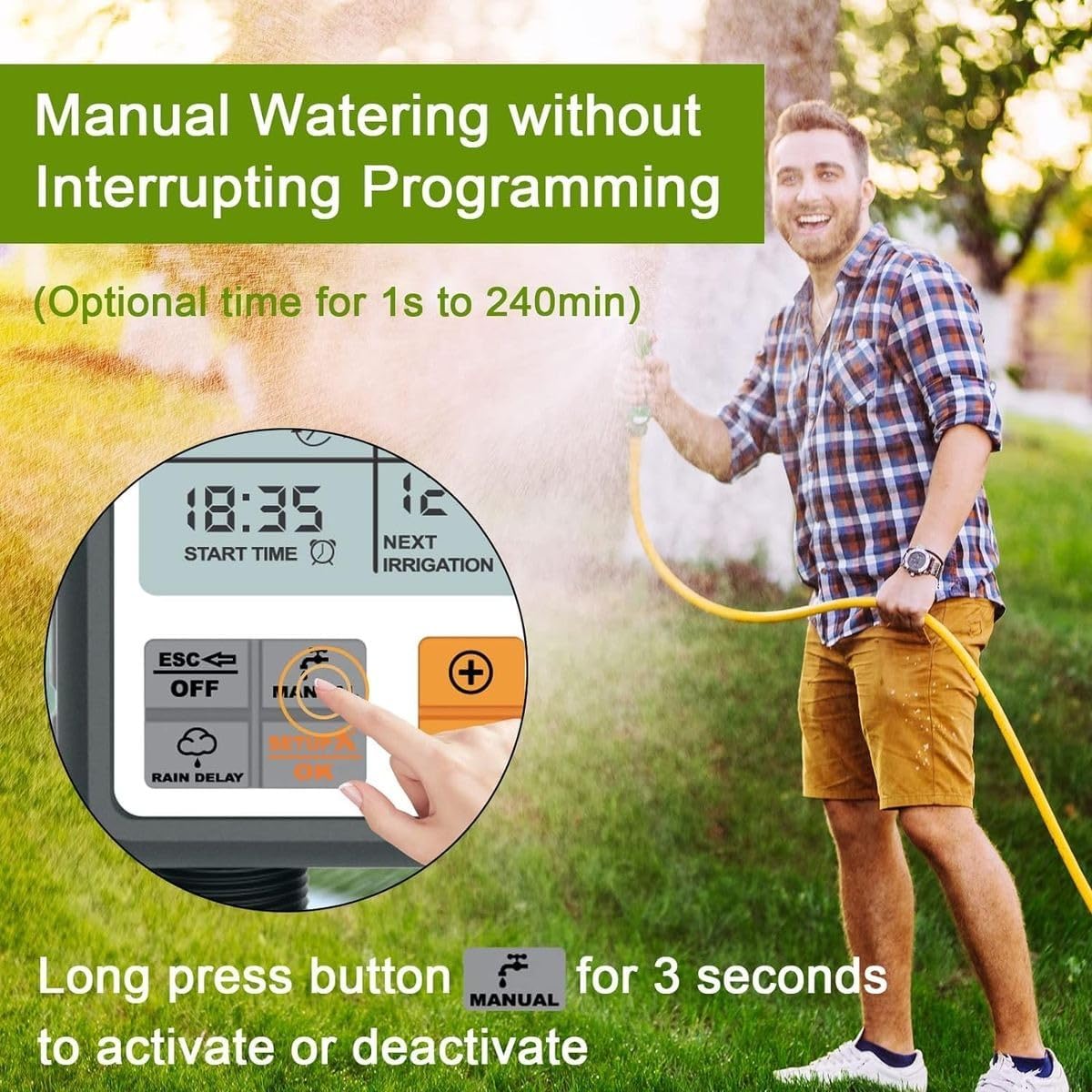
Image 7.1: Activating Manual Watering.
- פון די הויפּט פאַרשטעלן, long press the MANUAL button for 3 seconds to activate manual watering. The display will show 'MANUAL' and a default duration.
- ניצן די +/- buttons to adjust the desired manual watering duration (1 second to 240 minutes).
- דרוק SETUP/OK to start manual watering. The timer will begin watering for the set duration.
- To stop manual watering prematurely, long press the MANUAL button for 3 seconds ווידער, אָדער דריקן ESC/OFF.
8. רעגן פארלענגערונג פונקציע
The Rain Delay function allows you to temporarily pause your watering schedule to prevent over-watering after rainfall. This will skip the next scheduled watering cycle.
- דריקן די פֿון די הויפּט פאַרשטעלן ESC/OFF button once. The 'Rain Delay' icon will appear, and the delay duration will flash.
- ניצן די +/- buttons to select the desired delay period (e.g., 24 hours, 48 hours, etc.).
- דרוק SETUP/OK to confirm the rain delay. The timer will pause for the selected period and resume the schedule afterward.
- To cancel Rain Delay, press ESC/OFF again until the 'Rain Delay' icon disappears.
9. קינד לאַק פונקציע
The Child Lock function prevents accidental changes to your programmed settings by locking the control buttons.
- פון די הויפּט פאַרשטעלן, long press the ESC/OFF button for 3 seconds. A lock icon will appear on the display, indicating that the buttons are locked.
- To unlock the buttons, long press the ESC/OFF button for 3 seconds again. The lock icon will disappear.
10. וישאַלט
Proper maintenance ensures the longevity and optimal performance of your HCT-311 water timer.
- רייניקונג: רייניקן פּעריִאָדיש די אויסערלעכע זייט פון דעם טייַמער מיט אַ ווייכן, דamp שטאָף. דו זאלסט נישט נוצן אַברייסיוו קלינערז אָדער סאָלוואַנץ.
- פילטער וישאַלט: The timer includes an internal fine filter to prevent blockages. Regularly check and clean this filter to ensure proper water flow.
- באַטערי פאַרבייַט: Replace batteries when the low battery indicator blinks on the LCD. Always use new AA alkaline batteries.
- ווינטער סטאָרידזש: Before freezing temperatures, disconnect the timer from the tap and hose. Remove batteries and store the timer indoors in a dry, frost-free location.
- ינווייראַנמענאַל טנאָים: While rated IPX5 water-resistant, avoid prolonged direct exposure to intense sunlight or extreme heat. Mounting in a shaded area is recommended.
11. טראָובלעשאָאָטינג
If you encounter issues with your HCT-311 water timer, refer to the following common problems and solutions:
| פּראָבלעם | מעגלעך סיבה | לייזונג |
|---|---|---|
| Timer does not turn on or LCD is blank. | טויטע אדער נישט ריכטיק אינסטאלירטע באַטעריעס. | פאַרבייטן מיט נייַע AA אַלקאַליין באַטעריעס, ענשורינג ריכטיק פּאָלאַריטי. |
| Water does not flow at scheduled time. |
|
|
| טיימער איז ליקינג. |
|
|
| די קנעפּלעך זענען נישט ריספּאַנדינג. | קינד לאַק איז אַקטיוו. | לאנג דריקן די ESC/OFF button for 3 seconds to deactivate Child Lock. |
12. ספּעסאַפאַקיישאַנז
- מאָדעל: הקט-311
- דימענסיעס: 82 × 56 × 160 מם
- וואָטערפּרוף שאַץ: IPX5
- אַרבעט דרוק: 0.05-0.8 מפּאַ (7-116 פּסי)
- אַפּערייטינג טעמפּעראַטור: 1-45 °C
- Tap Connection: 3/4" female thread
- אָוטלעט קשר: 3/4" male thread
- מאַכט: 2× AA alkaline batteries (not included)
- מאַטעריאַל: Reinforced Nylon, Plastic
- קאָליר: שוואַרץ און אָראַנדזש
13. וואָראַנטי און שטיצן
For warranty information or technical support, please refer to the retailer or manufacturer's official webפּלאַץ וואו דער פּראָדוקט איז געקויפט געוואָרן. האַלט אייער קויף-באַווייַז פֿאַר יעדע וואָראַנטי-פאָדערונג.