
1. הקדמה
This manual provides detailed instructions for the proper setup, operation, and maintenance of your Vector Optics Frenzy Plus 1x18x22 3MOA Enclosed Red Dot Sight. Please read this manual thoroughly before using the product to ensure optimal performance and safety.
The Frenzy Plus red dot sight is designed for rapid target acquisition and enhanced situational awareness, featuring a durable enclosed design and versatile mounting options.
2. פּראָדוקט איבערview
The Vector Optics Frenzy Plus is an enclosed red dot sight with a 1x18x22 window, offering a wide field of view. It features a 3 MOA red dot with multiple brightness settings, including night vision compatibility, and a motion sensor for power management. The sight is designed for pistol use and comes with an adapter for various mounting footprints.
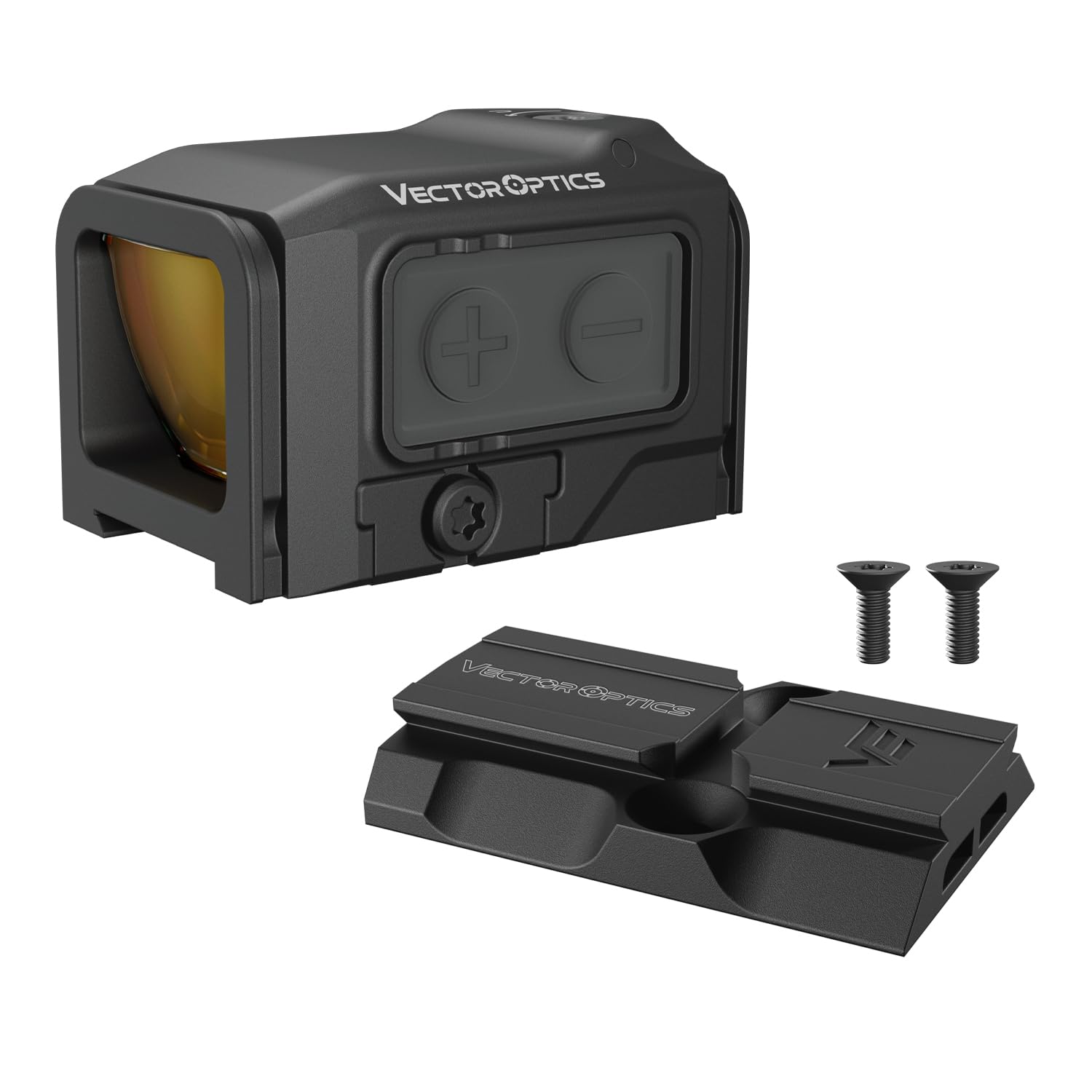
בילד 2.1: פראָנט view of the Vector Optics Frenzy Plus 1x18x22 Red Dot Sight, showing the objective lens and control buttons.

Image 2.2: Diagram illustrating the MOJ to VOD adapter, compatible with RMR footprints, along with the sight's dimensions (Height: 31mm, Width: 35mm).
3. סעטאַפּ און ייַנמאָנטירונג
3.1. באַטאַרייע ייַנמאָנטירונג
- Locate the battery compartment on the side of the red dot sight.
- Using a suitable tool, carefully open the battery compartment cover.
- Insert one CR2032 battery with the positive (+) side facing upwards.
- Replace the battery compartment cover and ensure it is securely fastened to maintain the IP67 waterproof rating.
The side-mounted battery design allows for battery replacement without removing the optic or re-zeroing.

Image 3.1: Illustration of the side-loaded battery compartment, showing the CR2032 battery and the ease of replacement.
3.2. אויפשטעלן דעם וויזיר
The Frenzy Plus red dot sight is compatible with MOJ (RMR footprint) and VOD-R (ACRO footprint) systems. Ensure you use the correct adapter for your firearm.
- Identify the appropriate mounting plate or adapter for your firearm's slide or rail system. The MOJ adapter is compatible with RMR footprints, and the VOD-R adapter is compatible with ACRO footprints.
- Secure the adapter plate to your firearm according to the firearm manufacturer's instructions.
- Place the Frenzy Plus red dot sight onto the adapter plate, aligning the mounting holes.
- Insert the provided screws and tighten them evenly and securely. Refer to your firearm's manual for specific torque specifications. Avoid over-tightening.

Image 3.2: The MOJ to VOD-R adapter, designed for mounting the red dot sight to compatible firearm systems.
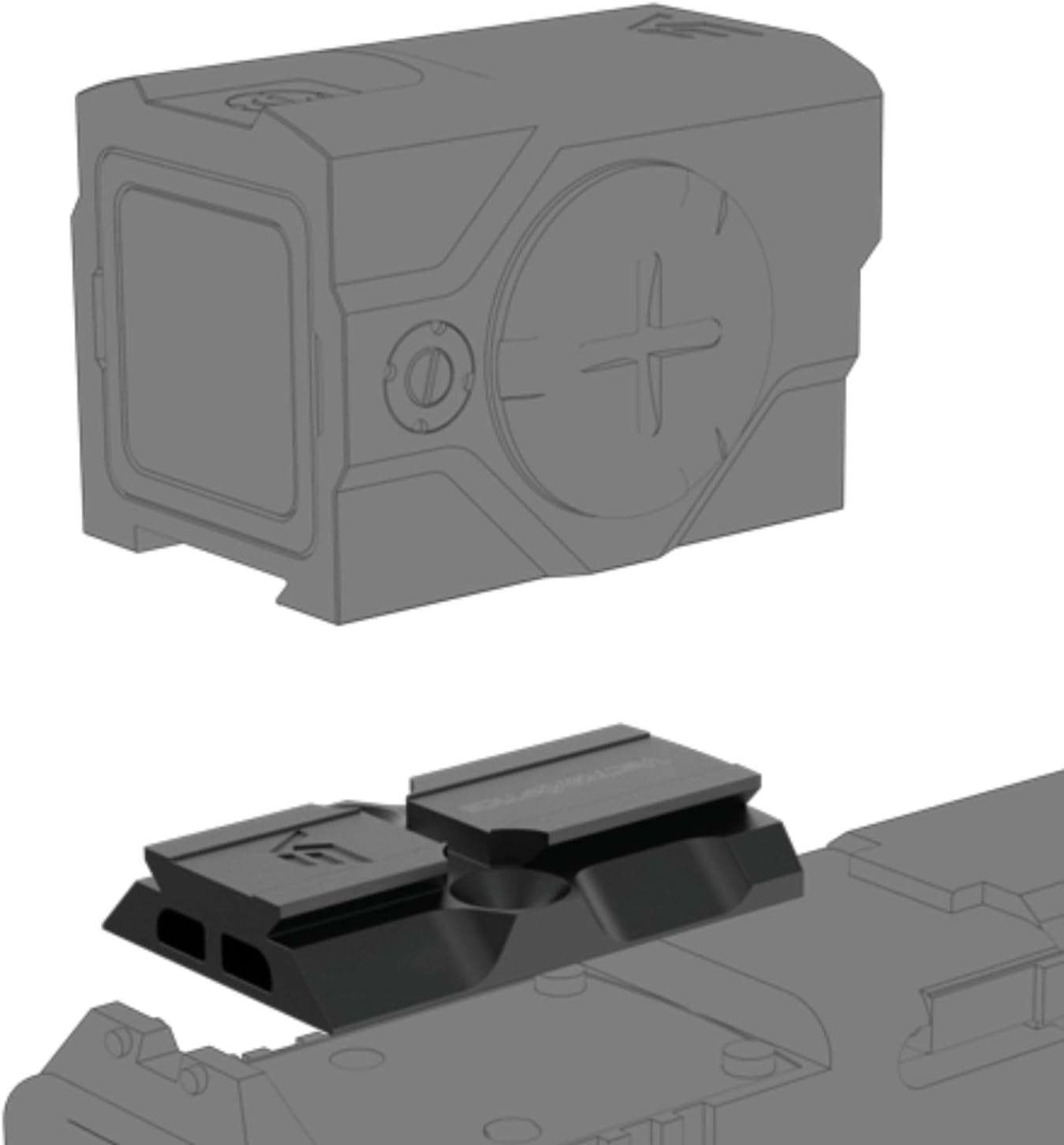
בילד 3.3: אן עקספלאדירטע view showing the red dot sight separated from its adapter plate, illustrating how they connect.

Image 3.4: Technical diagram detailing the VOD-M red dot footprint dimensions in millimeters.
4. אַפּערייטינג ינסטרוקטיאָנס
4.1. אײַנשטעלן/אויסשטעלן און ליכטיקייט אדזשאַסטמענט
The Frenzy Plus features a motion sensor for automatic power management. To manually adjust brightness:
- Press the '+' button to increase brightness.
- Press the '-' button to decrease brightness.
- The sight offers 9 brightness settings, including 7 for daylight conditions and 2 for night vision compatibility.

Image 4.1: Visual representation of the 9 illumination levels, including night vision, overcast, and daylight settings.
4.2. Motion Sensor (Shake Awake)
The integrated motion sensor automatically powers the sight on when movement is detected and powers it off after 3 minutes of inactivity to conserve battery life. This feature ensures the sight is ready when needed and extends battery runtime up to 50,000 hours.

Image 4.2: Diagram illustrating the motion sensor's auto shut-off, shake/move detection, and dot appearance.
4.3. נולירן דעם זיכט
To achieve accurate aiming, the red dot sight must be zeroed to your firearm. This involves adjusting the elevation and windage to match your point of impact with your point of aim.
- הייך אַדזשאַסטמאַנט: Locate the elevation adjustment screw, typically on the top of the sight. Turn the screw to move the point of impact up or down.
- ווינדאַגע אַדזשאַסטמאַנט: Locate the windage adjustment screw, typically on the side of the sight. Turn the screw to move the point of impact left or right.
Each click of adjustment typically corresponds to 1 MOA (Minute of Angle). Perform adjustments incrementally and test fire to confirm changes until the sight is accurately zeroed at your desired distance (e.g., 50 yards parallax setting).
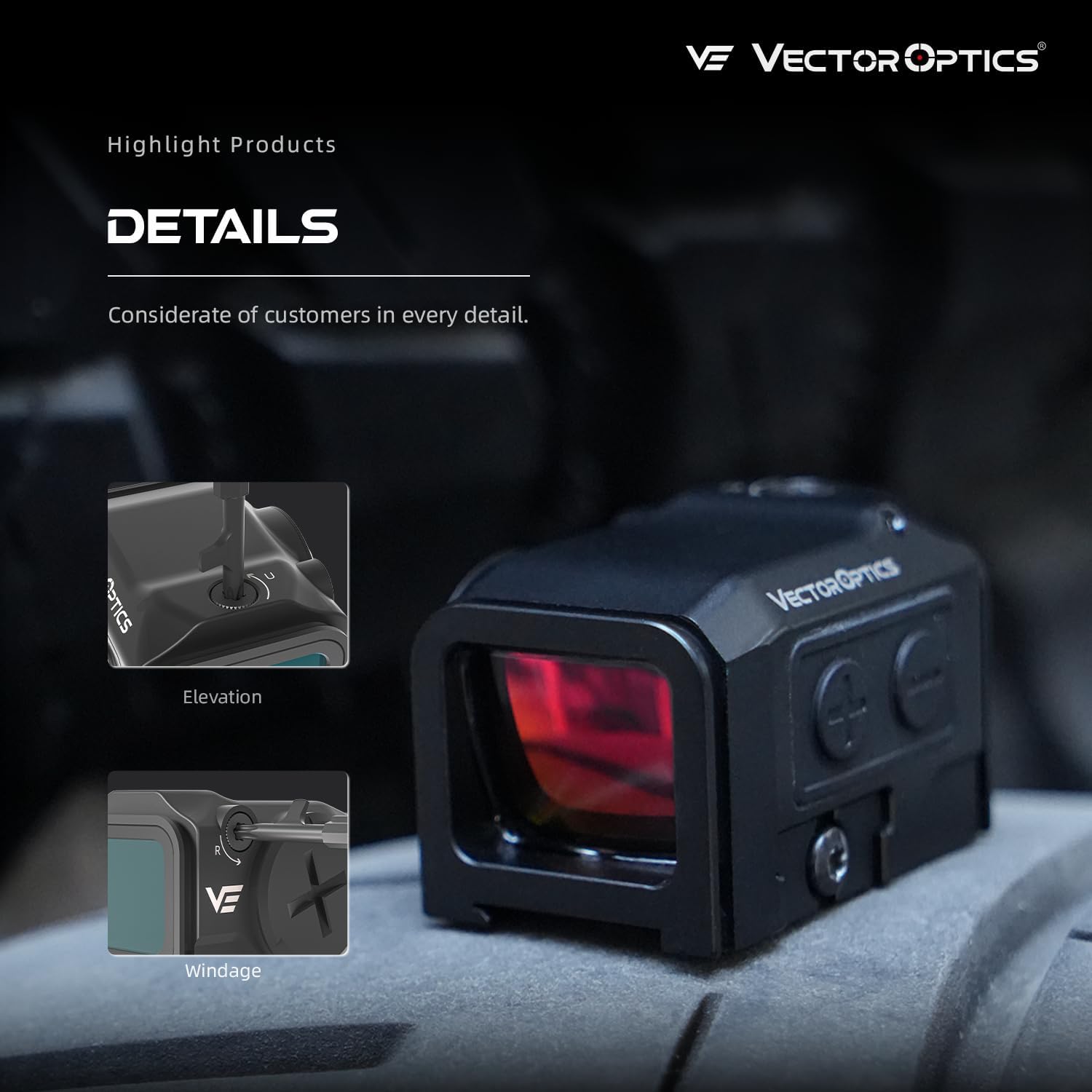
בילד 4.3: נאָענט־אַרויף view highlighting the elevation adjustment screw on top and the windage adjustment screw on the side of the red dot sight.
5. וישאַלט
5.1. רייניקונג
To maintain the clarity and performance of your red dot sight:
- Use a soft, clean cloth to wipe the exterior surfaces.
- For lenses, use a lens cleaning pen or a soft lens cloth with a small amount of lens cleaning solution. Avoid touching the lens surfaces with your fingers.
- Do not use harsh chemicals or abrasive materials, as these can damage the coatings and finish.
5.2. סטאָרידזש
When not in use, store the red dot sight in a dry, cool place, away from direct sunlight and extreme temperatures. If storing for extended periods, consider removing the battery to prevent potential leakage.
6. טראָובלעשאָאָטינג
If you encounter issues with your Vector Optics Frenzy Plus red dot sight, consider the following common troubleshooting steps:
- No Red Dot: Check if the battery is correctly installed and has sufficient charge. Replace the battery if necessary. Ensure the sight is not in auto shut-off mode (move the sight to activate).
- Dot Appears Dim or Flickering: Replace the battery. Adjust brightness settings using the '+' button.
- Inaccurate Aiming: Re-zero the sight according to the instructions in Section 4.3. Ensure the sight is securely mounted to the firearm. Check for any loose components.
- פאָגגינג: While the sight is IP67 waterproof, extreme temperature changes can sometimes cause external fogging. Allow the sight to acclimate to the ambient temperature.
If problems persist after attempting these steps, please contact Vector Optics customer support for further assistance.
7. ספּעסאַפאַקיישאַנז

Image 7.1: Detailed table of the Vector Optics Frenzy Plus 1x18x22 red dot sight specifications.
| שטריך | באַשרייַבונג |
|---|---|
| אָביעקטיוו לענס דיאַמעטער | 18x22mm / 0.71x0.87in |
| פּונקט גרייס | 3 מאָאַ |
| דריקט ווערט | 1 מאָאַ |
| שפּור | VOD (MOJ compatible with RMR, VOD-R compatible with ACRO) |
| האָוסינג מאַטעריאַל | 7075-ט6 אַלומינום צומיש |
| ארבעטן טעמפּעראַטור | -20~+60°C |
| פּאַראַלאַקס | Free (<2MOA) |
| פּאַראַללאַקס באַשטעטיקן | 50 יאַרדס |
| Dot/Reticle Color | רויט |
| סענסאָר | באַוועגונג סענסאָר |
| ליגהטינג סעטטינגס | 9 Daylight + 2 Night Vision |
| באַטערי טיפּ | CR2032 |
| באַטערי לעבן | Up to 50,000 hours (lowest power mode) |
| וואָטערפּרוף | IP67 |
| וואָג | 64 ג / 2.26 אַז |
8. וואָראַנטי און שטיצן
8.1. וואָראַנטי אינפֿאָרמאַציע
Vector Optics products are designed for durability and performance. For specific warranty terms and conditions, please refer to the official Vector Optics webזייטל אדער קאנטאקט זייער קאסטומער סערוויס גלייך. האלט אייער באווייז פון קויפן פאר גאראנטיע פארלאנגען.
8.2. קונה שטיצן
If you have any questions, require technical assistance, or need to report an issue with your Frenzy Plus red dot sight, please contact Vector Optics customer support. Contact information can typically be found on the official Vector Optics webוועבזייטל אדער דורך אייער הענדלער.