
1. הקדמה
Thank you for choosing the FLEXISPOT Electric Standing Desk. This manual provides detailed instructions for the assembly, operation, and maintenance of your new adjustable height desk. Designed to promote a healthier work environment, this desk allows you to easily switch between sitting and standing positions, reducing the negative effects of prolonged sitting. Please read this manual thoroughly before assembly and use to ensure proper function and safety.
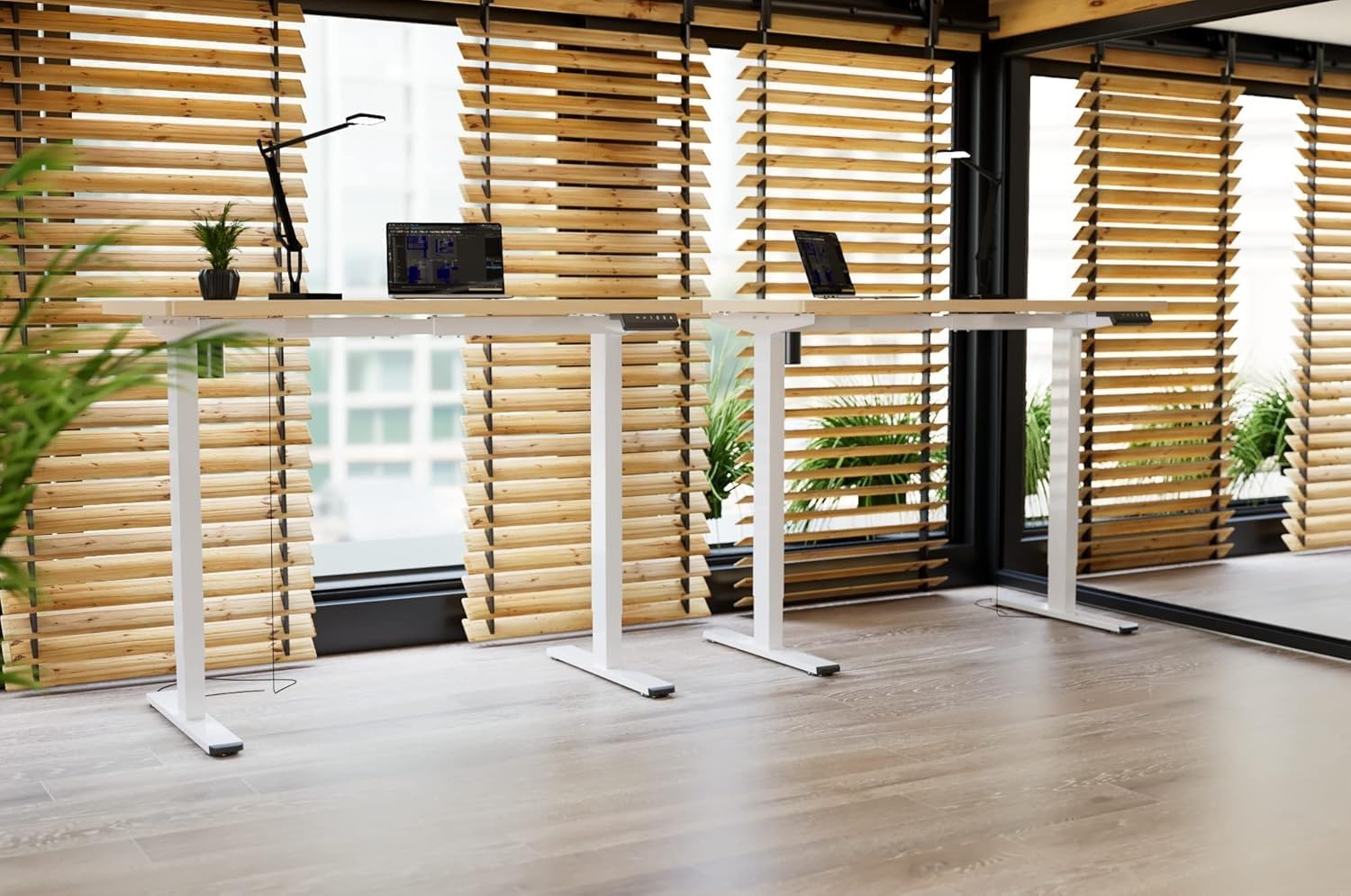
Image: Two FLEXISPOT electric standing desks with maple tops and white frames, set up in an office environment.
2. זיכערקייַט אינפֿאָרמאַציע
- זיכער מאַכן אַז אַלע קאָמפּאָנענטן זענען פאַראַן און נישט געשעדיגט איידער די פֿאַרזאַמלונג.
- האַלט קינדער און חיות אַוועק פון דעם טיש בעת אָפּעראַציע.
- Do not place hands or other body parts near moving parts of the desk frame.
- פֿאַרמײַדט איבערלאָדן דעם טיש איבער זײַן ספּעציפֿיצירטן וואָג קאַפּאַציטעט.
- Only use the provided power adapter and ensure it is connected to a grounded outlet.
- Do not disassemble or modify the desk's motor or control system.
- אויב עס פּאַסירט אַן אומגעוויינטלעכער גערויש אָדער באַוועגונג, זאָלט איר גלייך אָפּשטעלן דעם אָפּעראַציע און אַרויסנעמען דעם טיש פֿון דער מאַכט.
- דעם שרייַבטיש איז דיזיינד בלויז פֿאַר דרינענדיק נוצן.
3. פּעקל אינהאַלט
ביטע באַשטעטיקן אַז אַלע די פאלגענדע קאָמפּאָנענטן זענען אַרייַנגערעכנט אין דיין פּעקל:
- Desktop (Maple, 140x60cm)
- Electric Lifting Columns (2x)
- Desk Feet (2x)
- קראָסבאַר/ראַם קאָמפּאָנענטן
- קאָנטראָל באָקס
- מולטי-פונקציע קיפּאַד
- מאַכט אַדאַפּטער און קאַבלע
- Backpack Hook (2x)
- פֿאַרזאַמלונג האַרדווער (שרויף, אַלען שליסלען)
- ינסטראַקשאַנז מאַנואַל
4. סעטאַפּ און אַסעמבלי
Follow these steps to assemble your FLEXISPOT Electric Standing Desk. It is recommended to have two people for assembly.
- אָפּלייגן קאַמפּאָונאַנץ: פֿאָרזיכטיק אַרויסנעמען אַלע טיילן פֿון דער פֿאַרפּאַקונג און לייגן זיי אויס אויף אַ ריינער, ווייכער ייבערפֿלאַך כּדי צו פֿאַרמייַדן קראַצן.
- Assemble Desk Feet: Attach the desk feet to the bottom of the lifting columns using the provided screws.
- פֿאַרבינדן קראָסבאַר: Secure the crossbar components between the two lifting columns.
- צוטשעפּען דעסקטאָפּ: Place the desktop upside down on a soft surface. Carefully position the assembled frame onto the desktop, aligning the pre-drilled holes. Secure the frame to the desktop with the appropriate screws.
- אינסטאַלירן קאָנטראָל קעסטל און קלאַוויאַטור: Mount the control box and multi-function keypad to the underside of the desktop using the provided hardware.
- פאַרבינדן קאַבלעס: Connect the motor cables from the lifting columns to the control box. Connect the keypad cable to the control box. Finally, connect the power adapter to the control box and then to a power outlet.
- ינסטאַלירן אַקסעסעריז: Attach the backpack hooks to the desired location on the desk frame or desktop edge.
- קאַבלע פאַרוואַלטונג: Organize all cables using cable ties or management trays (not included) to prevent tangles and ensure safe operation.
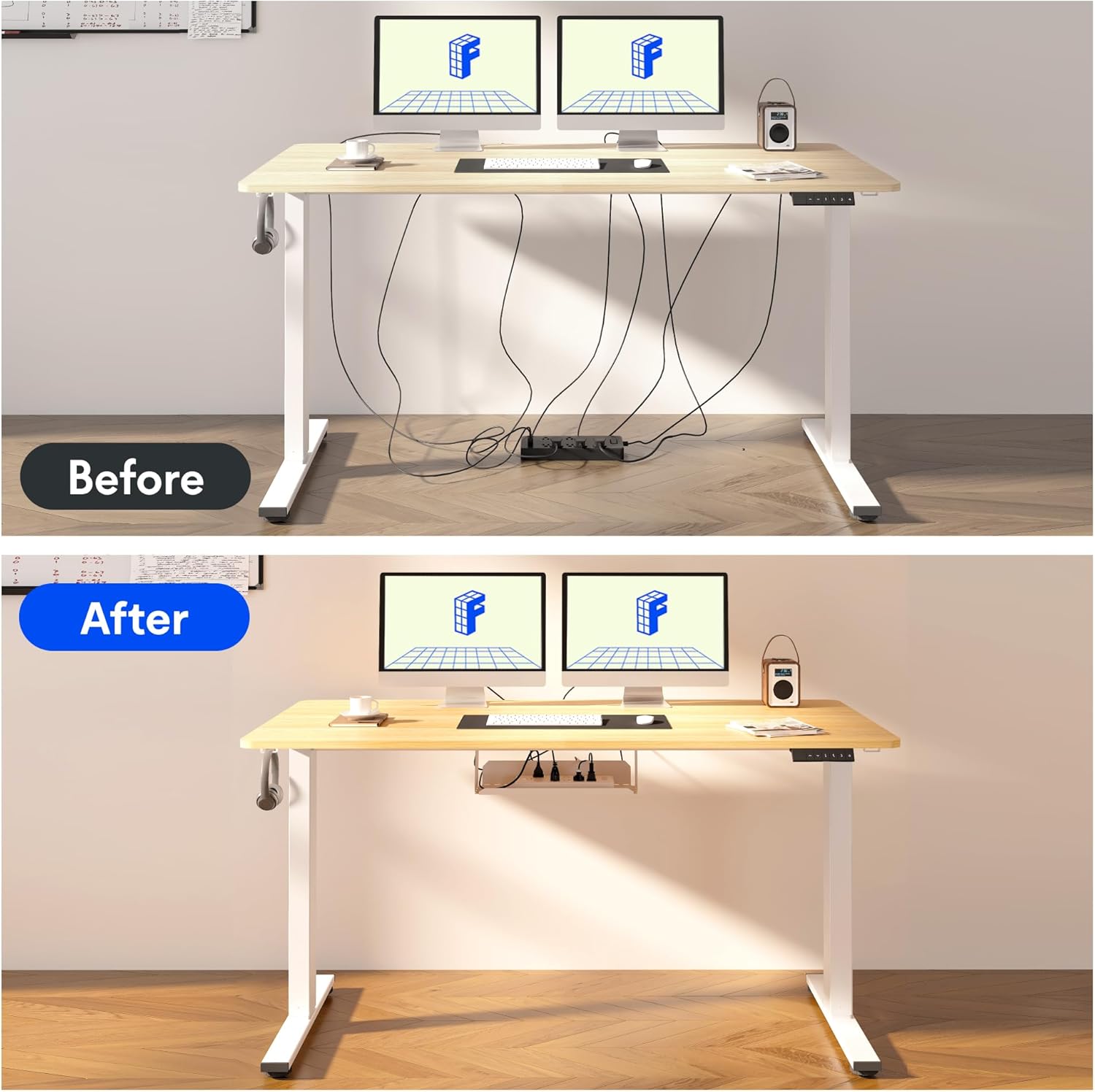
Image: Illustration of effective cable management for the desk, showing a 'before' state with loose cables and an 'after' state with cables neatly secured.

בילד: נאָענט-אַרויף view of the optional cup holder and backpack hooks, demonstrating their attachment to the desk.
5. אַפּערייטינג ינסטרוקטיאָנס
Your FLEXISPOT desk features an intuitive multi-function keypad for easy height adjustment and memory presets.

בילד: דעטאַלירט view of the multi-function keypad, highlighting the LED display, up and down adjustment keys, and four memory preset buttons.
- אַדזשאַסטינג הייך: ניצן די Up (▲) און אַראָפּ (▼) keys to raise or lower the desk to your desired height. The current height will be displayed on the LED screen.
- באַשטעטיקן זכּרון פּרעסעטס:
- Adjust the desk to your preferred sitting or standing height using the Up/Down keys.
- דרוק די "מ" button (or similar memory set button, if present, otherwise directly press a number).
- דריק גלייך אויף איינעם פון די נומערירטע זכרון קנעפלעך (1, 2, 3 אָדער 4) to save the current height to that preset. The LED display will confirm the setting.
- צוריקרופן זכּרון פּרעסעטס: Press any of the numbered memory buttons (1, 2, 3 אָדער 4) צו אויטאָמאַטיש באַוועגן דעם טיש צו דער געראַטעוועטער הייך.
- באַשטעטיק פֿונקציע: If the desk encounters an error or needs to be reset, press and hold the אַראָפּ (▼) button until the desk reaches its lowest position and then slightly rises, indicating a successful reset.
6. וישאַלט
- רייניקונג: ווישט אָפּ די טיש־איבערפֿלאַך און ראַם מיט אַ ווייכן, דamp שטאָף. פֿאַרמײַדט שאַרפֿע כעמיקאַלן אָדער אַברייסיוו רייניגער.
- קאַבלע פאַרוואַלטונג: Regularly check and organize cables to prevent damage and ensure smooth operation.
- שמירן: The lifting mechanism is designed to be maintenance-free. Do not apply lubricants to the columns.
- דורכקוק: קאָנטראָלירט פּעריִאָדיש אַלע שרויפֿן און פֿאַרבינדונגען צו זיכער מאַכן אַז זיי זענען פֿעסט. פֿעסטשטײַערט ווידער אויב נייטיק.
7. טראָובלעשאָאָטינג
| פּראָבלעם | מעגלעך סיבה | לייזונג |
|---|---|---|
| דער טיש רירט זיך נישט. | Power cable disconnected, control box cable loose, overload. | Check all cable connections. Reduce weight on the desk. Perform a reset (see Operating Instructions). |
| דער טיש באוועגט זיך נישט גלייך אדער מאכט אומגעווענליכע גערוישן. | Loose screws, obstruction, uneven load. | Check all assembly screws. Ensure no obstructions are in the path of the lifting columns. Distribute weight evenly. |
| זכּרון פּרעסעטס אַרבעטן נישט. | פאָרגעשטעלטע סעטס נישט ריכטיק געהיט. | Re-save the memory presets following the steps in the Operating Instructions. |
| די LED דיספּלעי ווײַזט אַ טעות קאָד. | סיסטעם טעות. | Perform a reset. If the error persists, contact customer support. |
8. ספּעסאַפאַקיישאַנז
- דעסקטאָפּ דימענסיעס: 140 סענטימעטער (לענג) רענטגענ 60 סענטימעטער (ברייט)
- אַדזשאַסטאַבאַל הייך קייט: 73.5 סענטימעטער צו 118 סענטימעטער
- מאַטעריאַל: Maple wood desktop, Metal frame (White)
- מאָטאָר: Single motor, quiet operation (below 50 dB)
- ספּעציעלע פֿעיִקייטן: Electric height adjustment, Smart memory panel (4 presets), Backpack hook (2x)
- פעסטקייַט: Enhanced frame design with wider feet and thicker columns for improved stability.

Image: Technical drawing illustrating the desktop dimensions (140x60cm) and the adjustable height range of the desk frame (73.5-118cm).

בילד: אינערלעך view of the desk's powerful and quiet motor, emphasizing its smooth and stable operation.
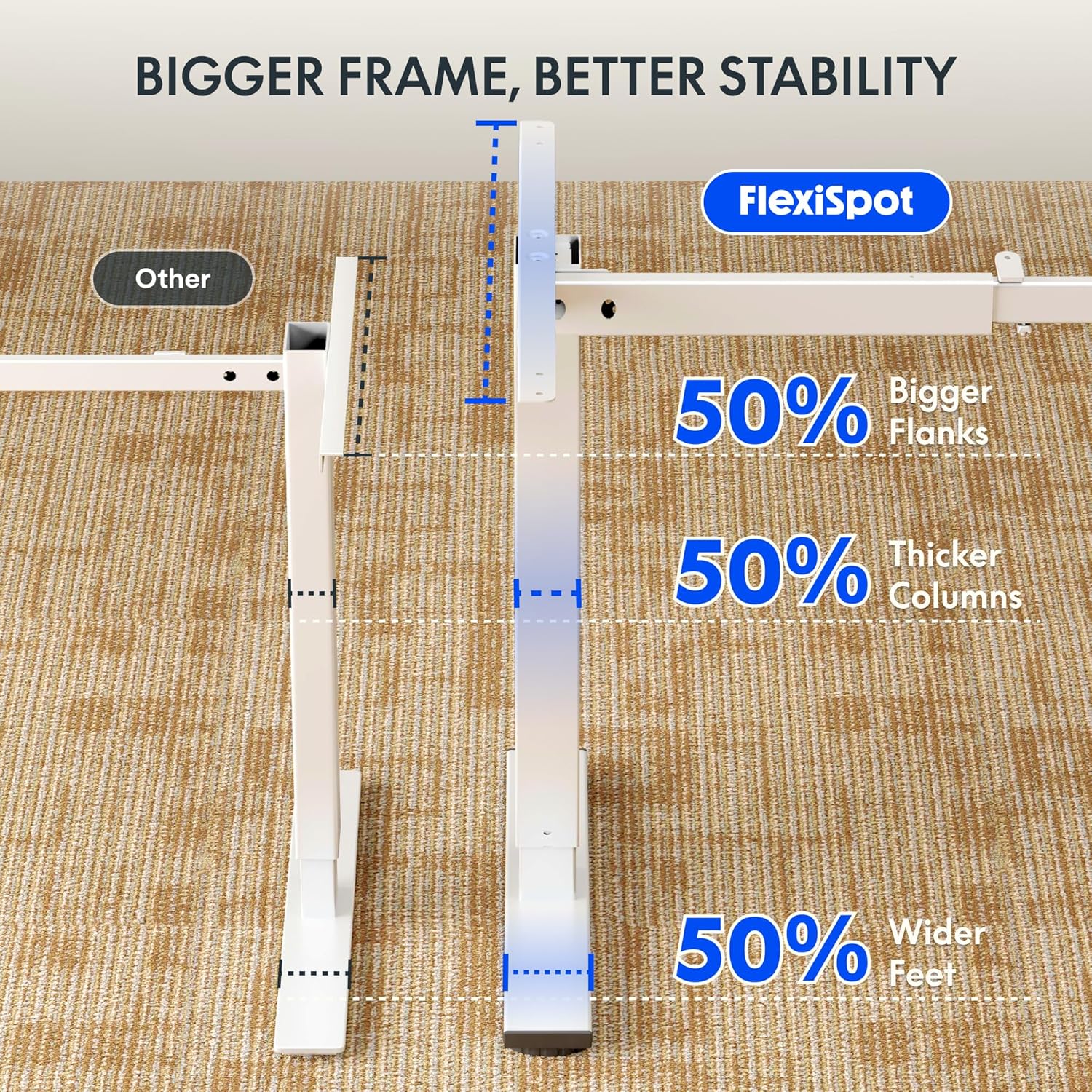
Image: Comparative diagram illustrating the superior stability of the FlexiSpot desk frame, featuring 50% bigger flanks, thicker columns, and wider feet compared to standard designs.
9. וואָראַנטי אינפֿאָרמאַציע
This FLEXISPOT Electric Standing Desk is covered by a limited manufacturer's warranty. Please refer to the warranty card included in your package or visit the official FLEXISPOT website for detailed terms and conditions regarding coverage, duration, and claims process. Keep your proof of purchase for warranty service.
10. קונה שטיצן
If you have any questions, require assistance with assembly, or encounter issues not covered in this manual, please contact FLEXISPOT customer support. You can find contact information on the official FLEXISPOT webוועבזייטל אדער דורך אייער הענדלער.
פֿאַר מער אינפֿאָרמאַציע, באַזוכן: www.flexispot.com