
1. הקדמה
Thank you for choosing the TOOLTOP Awithz SH2 Mini Spot Welding Machine. This compact and versatile 2-in-1 device is designed for precise spot welding of various lithium battery packs, including 18650, 26650, and 36650 cylindrical batteries, as well as mobile phone batteries. Featuring a large color screen, built-in smart chip, and adjustable welding pin spacing, the SH2 offers both automatic and manual welding modes for efficient and reliable repairs and DIY projects. Please read this manual thoroughly before operation to ensure safe and optimal performance.
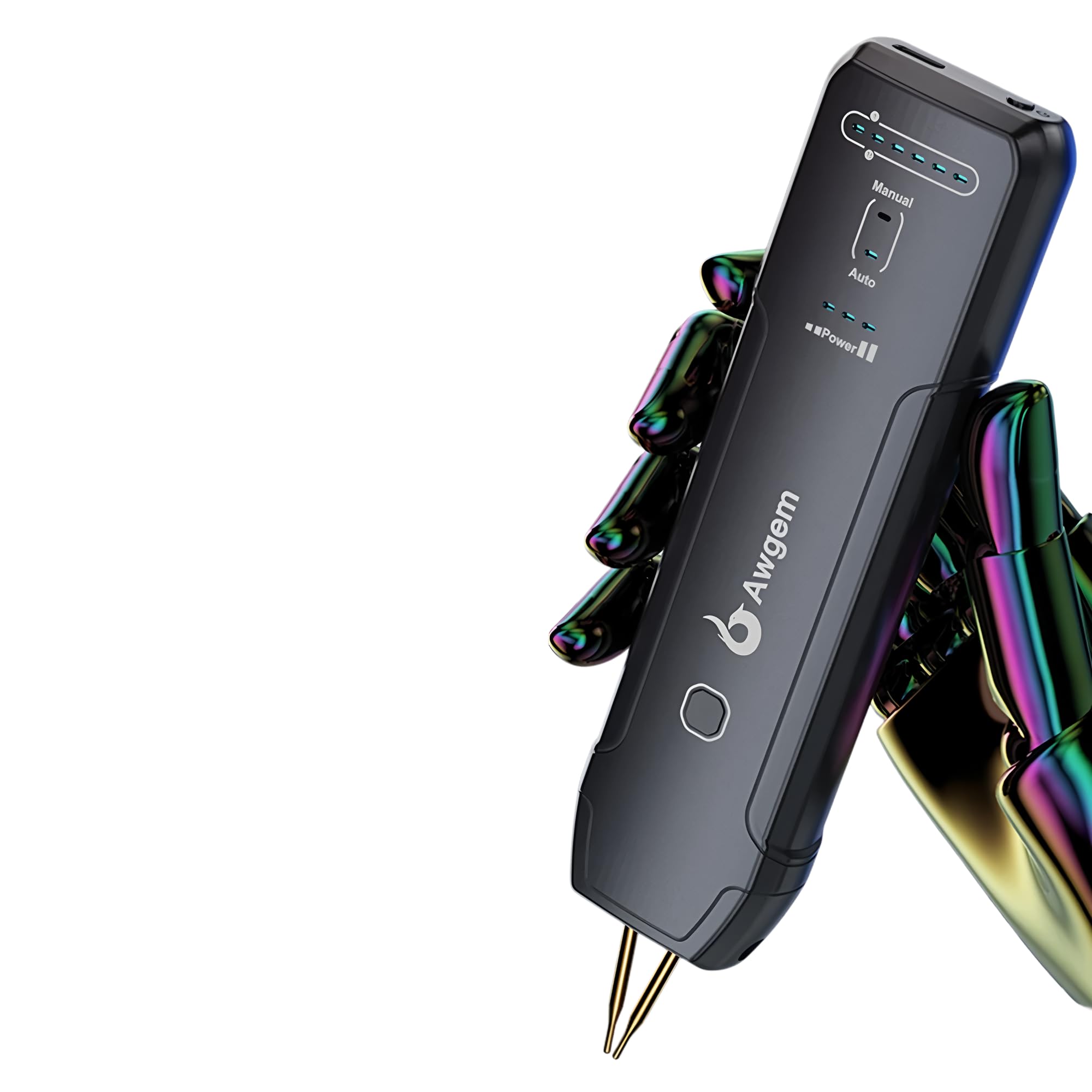
בילד 1.1: איבערview of the TOOLTOP Awithz SH2 Mini Spot Welding Machine.
2. זיכערקייַט אינפֿאָרמאַציע
Always prioritize safety when operating electrical equipment. Failure to follow these safety guidelines may result in injury or damage to the device.
- לייענען דעם מאַנואַל: Read and understand all instructions before using the spot welder.
- אויג שוץ: Always wear appropriate eye protection (safety glasses or goggles) to shield against sparks and debris.
- ווענטילאַטיאָן: Use the device in a well-ventilated area to avoid inhaling fumes.
- ברענעוודיק מאַטעריאַלס: Keep the work area clear of flammable liquids, gases, and materials.
- עלעקטריקאַל זיכערקייַט: דו זאלסט נישט אַרבעטן די מיטל מיט נאַס הענט אָדער אין דamp conditions. Ensure the charging cable and device are free from damage.
- באַטערי זיכערקייַט: Exercise extreme caution when working with batteries. Improper handling can lead to short circuits, fires, or explosions. Do not attempt to weld damaged or leaking batteries.
- קינדער און פּעץ: האַלטן די מיטל אויס פון דערגרייכן פון קינדער און פּעץ.
- וישאַלט: Only perform maintenance as described in this manual. For complex repairs, contact qualified service personnel.
- געהעריק נוצן: Use the device only for its intended purpose of spot welding compatible battery types.
3. פּעקל אינהאַלט
באַשטעטיקט אַז אַלע זאכן וואָס זענען אויסגערעכנט אונטן זענען פאַראַן אין אייער פּעקל:
- 1 x TOOLTOP Awithz SH2 Mini Spot Welding Machine (Model: TT-Awithz-SH2)
- 1 X Type-C טשאַרדזשינג קאַבלע
- Nickel Sheet (sampל)
- Sandpaper (sampל)
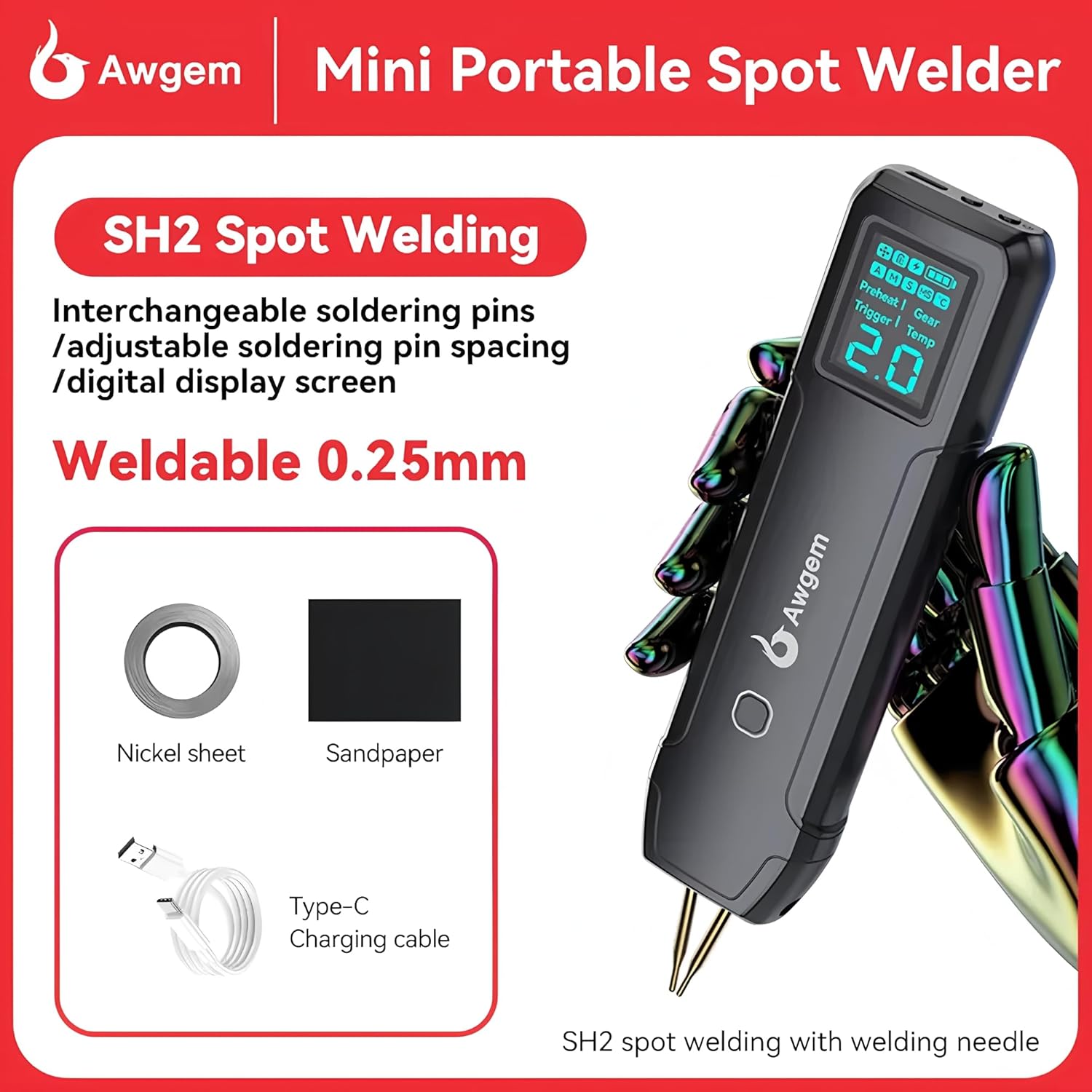
Image 3.1: Included accessories: Nickel sheet, sandpaper, and Type-C charging cable.
4. פּראָדוקט פֿעיִקייטן
The TOOLTOP Awithz SH2 Mini Spot Welding Machine incorporates several advanced features for enhanced performance and user convenience:
- 2-in-1 Lightweight Design: The welding machine and welding pen are integrated into a single, compact unit for portability and ease of use.
- געבויט-אין סמאַרט שפּאָן: Features an industrial-grade temperature sensor and safety chip for stable operation and protection.
- צווייענדיק מאָדע אָפּעראַציע: Supports both automatic and manual welding modes, providing flexible control for various welding tasks.
- Double Pulse Millisecond Welding: Ensures strong and reliable welds with precise control over welding pulses.
- Adjustable Welding Pin Spacing: The distance between welding pins can be adjusted from 0.5mm to 3mm to suit different welding requirements.
- ברייט קאַמפּאַטאַבילאַטי: Suitable for spot welding 18650, 26650, 36650 cylindrical batteries, and mobile phone batteries.
- וועַלדזשאַבאַל מאַטעריאַלס: Capable of welding nickel plating up to 0.25mm, steel sheet up to 0.2mm, iron sheet up to 0.2mm, and pure nickel sheet up to 0.15mm.
- Replaceable Welding Pins: Designed for easy replacement of welding pins, ensuring long-term usability and optimal performance.

Image 4.1: Illustration of double pulse welding capability and compatible battery types.

Image 4.2: Internal design emphasizing safety, durability, and endurance features.
5. סעטאַפּ
Before using your Awithz SH2 spot welder, follow these steps for initial setup:
- טשאַרדזשינג די מיטל: Connect the Type-C charging cable to the device and a suitable USB power adapter (not included). Ensure the device is fully charged before first use. The display will indicate charging status.
- Inspect Welding Pins: Check the welding pins for any damage or wear. Ensure they are clean and sharp for optimal conductivity.
- Adjust Welding Pin Spacing:
- Loosen the fixing screw for the welding needle.
- Adjust the welding needles to the desired spacing (0.5mm to 3mm) based on the material thickness and battery type.
- Tighten the fixing screw to secure the welding needles in place.
- צוגרייטן אַרבעט שטח: Ensure your work area is clean, well-lit, and free from flammable materials. Have appropriate safety gear, such as eye protection, readily available.
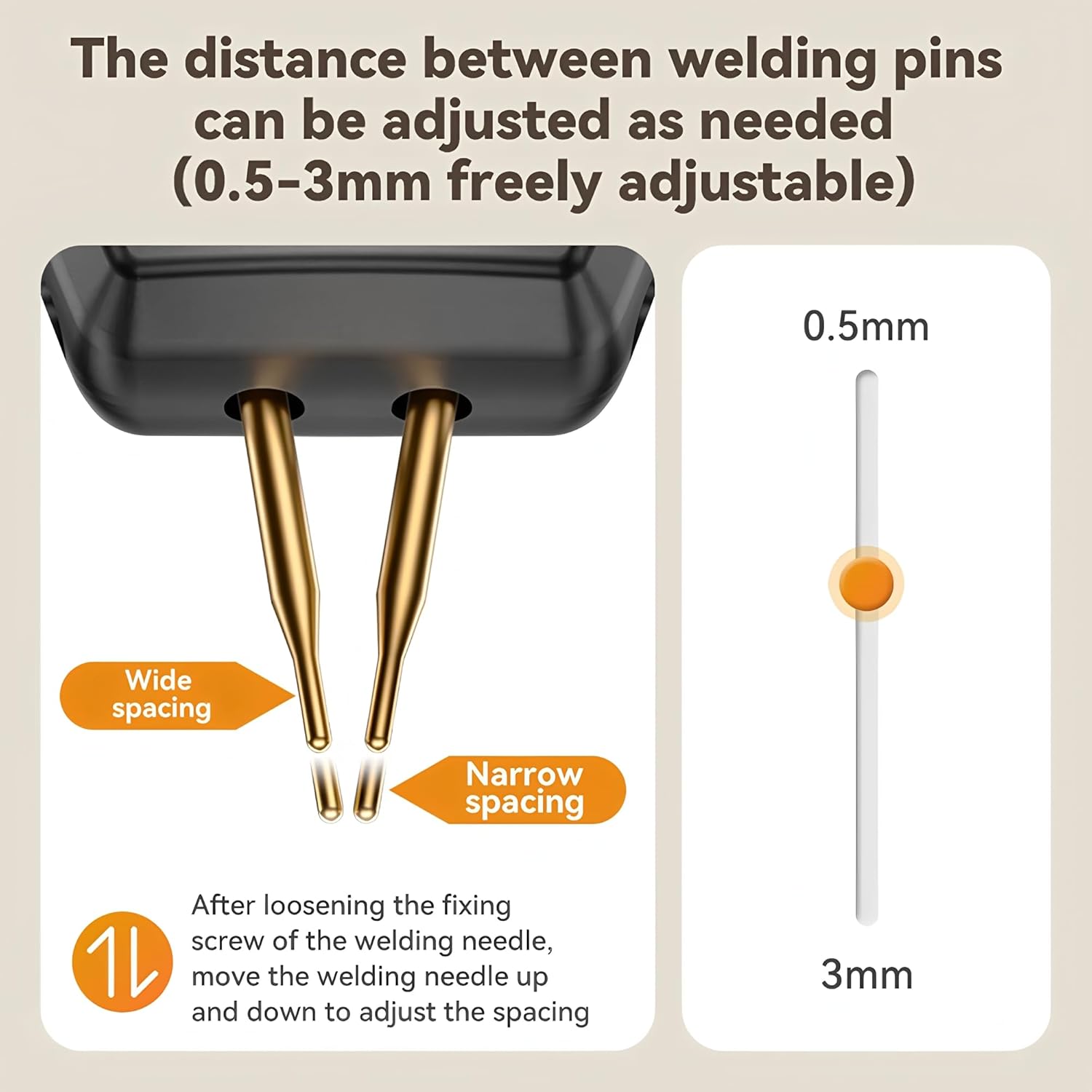
Image 5.1: Procedure for adjusting the welding pin spacing (0.5-3mm).
6. אַפּערייטינג ינסטרוקטיאָנס
Follow these steps to operate your Awithz SH2 Mini Spot Welding Machine:
- מאַכט אויף: Press and hold the power button to turn on the device. The large color screen will illuminate.
- אויסקלייַבן מאָדע: The device supports both automatic and manual welding modes. Use the control buttons to select your preferred mode.
- אָטאַמאַטיק מאָדע: The device will automatically detect contact and initiate the welding pulse.
- מאַנואַל מאָדע: You will manually trigger the welding pulse using a button or trigger mechanism.
- Adjust Welding Settings: Use the control buttons to adjust welding parameters such as power level (gear) and preheat settings, if available. Start with lower settings and gradually increase as needed for your material.
- צוגרייטן מאַטעריאַלס: Clean the surfaces of the battery and nickel strip to be welded. Use sandpaper if necessary to remove any oxidation.
- Position for Welding: Place the nickel strip firmly against the battery terminal. Position the welding pins squarely on the nickel strip, ensuring good contact with both the strip and the battery terminal underneath.
- Perform Weld:
- In אָטאַמאַטיק מאָדע, the weld will trigger automatically once good contact is made.
- In מאַנואַל מאָדע, press the trigger button to initiate the weld.
- איבערחזרן: Move to the next welding point and repeat the process.
- מאַכט אַוועק: נאך באניץ, דריק און האלט דעם מאַכט קנעפּל צו אויסלעשן דעם מיטל.

Image 6.1: Welding pulse characteristics and maximum weldable material thicknesses.
7. וישאַלט
Proper maintenance ensures the longevity and optimal performance of your spot welder.
- רייניקונג: After each use, ensure the welding pins are clean. Use fine sandpaper or a wire brush to remove any residue or oxidation from the tips.
- פּין פאַרבייַט: If the welding pins become excessively worn, pitted, or damaged, they can be replaced.
- Loosen the fixing screw that holds the welding pins.
- Carefully remove the old pins.
- Insert new, compatible welding pins.
- Adjust the spacing and tighten the fixing screw securely.
- סטאָרידזש: Store the device in a cool, dry place, away from direct sunlight and moisture. Ensure it is powered off before storage.
- באַטערי זאָרגן: For long-term storage, it is recommended to charge the internal battery to approximately 50-70% capacity. Recharge every few months to prevent deep discharge.

Image 7.1: Replaceable soldering pins for extended device lifespan.

Image 7.2: The scientific design of the welding needles allows for easy replacement and optimal alignment.
8. טראָובלעשאָאָטינג
If you encounter issues with your Awithz SH2 spot welder, refer to the following common problems and solutions:
| פּראָבלעם | מעגלעך סיבה | לייזונג |
|---|---|---|
| די מיטל טוט נישט מאַכט אויף. | Low battery or faulty charging cable. | Charge the device fully. Check the Type-C charging cable for damage and try a different power source. |
| שוואַכע אָדער נישט-קאָנסיסטענטע וועַלדז. | Insufficient power setting, dirty welding pins, poor contact, or incorrect material. | Increase the power setting. Clean welding pin tips. Ensure firm contact between pins, nickel strip, and battery. Verify material compatibility and thickness. |
| Welding pins stick to material. | Excessive power setting or dirty pins. | Reduce the power setting. Clean welding pin tips thoroughly. |
| די אַפּאַראַט ווערט איבערהייצט. | Continuous use at high power or poor ventilation. | Allow the device to cool down. Operate in a well-ventilated area. Avoid prolonged continuous welding. |
| ווייַז נישט ארבעטן ריכטיק. | ווייכווארג גליטש אדער אינערליכע פראבלעם. | Try restarting the device. If the problem persists, contact customer support. |
9. ספּעסאַפאַקיישאַנז
| שטריך | דעטאַל |
|---|---|
| מאָדעל | TT-Awithz-SH2 |
| סאָרט | TOOLTOP |
| וועלדינג מאָדע | Automatic / Manual Dual Mode, Double Pulse Millisecond Welding |
| Weldable Nickel Plating Thickness | Up to 0.25mm (MAX) |
| Weldable Steel Sheet Thickness | Up to 0.2mm (MAX) |
| Weldable Iron Sheet Thickness | Up to 0.2mm (MAX) |
| Weldable Pure Nickel Sheet Thickness | Up to 0.15mm (MAX) |
| Adjustable Welding Pin Spacing | 0.5מם - 3מם |
| באַטערי קאַמפּאַטאַבילאַטי | 18650, 26650, 36650 cylindrical batteries, mobile phone batteries |
| טשאַרדזשינג צובינד | טיפּ-C |
| סערטיפיקאַטיאָנס | CE, RoHS |
| ערשטער דאַטע בנימצא | אקטאבער 23, 2025 |
10. וואָראַנטי און שטיצן
The TOOLTOP Awithz SH2 Mini Spot Welding Machine comes with a standard manufacturer's warranty. Please refer to the warranty card included with your product or contact your retailer for specific warranty terms and conditions. For technical support, troubleshooting assistance, or inquiries regarding spare parts, please contact TOOLTOP customer service through their official webפּלאַץ אָדער די קאָנטאַקט אינפֿאָרמאַציע צוגעשטעלט מיט דיין קויפן.
EU Spare Part Availability Duration: 1 Year