
1. הקדמה
This manual provides detailed instructions for the safe and efficient operation of your TOOLTOP TT-Yihua-8858-I Portable Hot Air Station. This device is designed for various electronic repair tasks, including PCB SMD repair and BGA rework, offering precise temperature and airflow control. Please read this manual thoroughly before using the product and retain it for future reference.
2. זיכערקייַט אינסטרוקציעס
שטענדיק אָבסערווירן די פאלגענדע זיכערהייט מיטלען צו פאַרמייַדן שאָדן אָדער שעדיקן צו די מיטל:
- הויך טעמפּעראַטור ריזיקירן: The hot air nozzle and emitted air reach very high temperatures. Avoid direct contact with skin or flammable materials.
- ווענטילאַטיאָן: Use the hot air station in a well-ventilated area to disperse fumes generated during soldering or desoldering.
- מאַכט צושטעלן: פאַרזיכערן די מאַכט צושטעלן וואָלtage matches the specifications of the device. Do not use if the power cord is damaged.
- Children and Unauthorized Users: Keep the device out of reach of children and individuals not trained in its use.
- קיל אַראָפּ: לאָזן די מיטל צו קיל אַראָפּ גאָר איידער סטאָרינג עס.
- וישאַלט: Do not attempt to repair the device yourself. Refer all servicing to qualified personnel.
- געהעריק נוצן: ניצן די מיטל בלויז פֿאַר זייַן בדעה ציל.
3. פּעקל אינהאַלט
באַשטעטיקט אַז אַלע זאכן וואָס זענען אויסגערעכנט אונטן זענען פאַראַן אין אייער פּעקל:
- TOOLTOP TT-Yihua-8858-I Portable Hot Air Station (Main Unit)
- Hot Air Nozzles (Various sizes)
- מאַכט שנור
- באַניצער מאַנואַל (דעם דאָקומענט)

Image 3.1: The TOOLTOP TT-Yihua-8858-I Portable Hot Air Station shown with three included nozzles.
4. פּראָדוקט איבערview
Familiarize yourself with the components and controls of your hot air station.
4.1 הויפּט קאַמפּאָונאַנץ
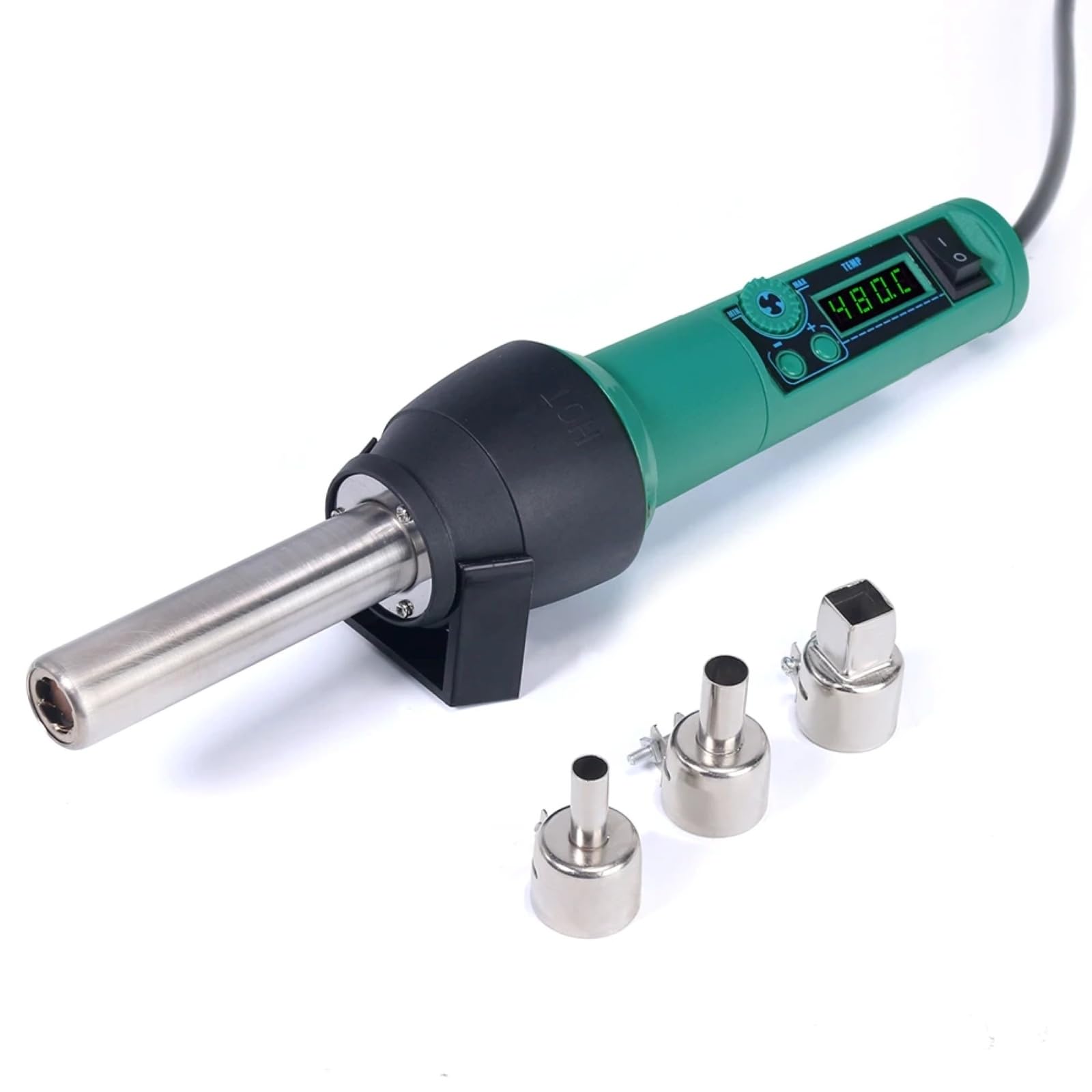
Image 4.1: The main unit of the hot air station, displaying the digital temperature display and control buttons.
4.2 Airflow System
The hot air station features a spiral wind airflow design for efficient and even heat distribution.

Image 4.2: Detail of the nozzle interior, illustrating the spiral wind air flow mechanism.
4.3 לופט ינלעט
The air inlet is located at the rear of the unit, ensuring proper air circulation for heating.

Image 4.3: The air inlet grille, essential for the device's cooling and heating functions.
4.4 קאָנטראָלס
The device features intuitive controls for adjusting air volume and temperature.

Image 4.4: The control panel showing buttons for adjusting air volume (MIN/MAX) and temperature (up/down arrows).
4.5 Hot Air Gun Holder
A dismountable holder is provided for safe placement of the hot air gun when not in use or during cool-down.
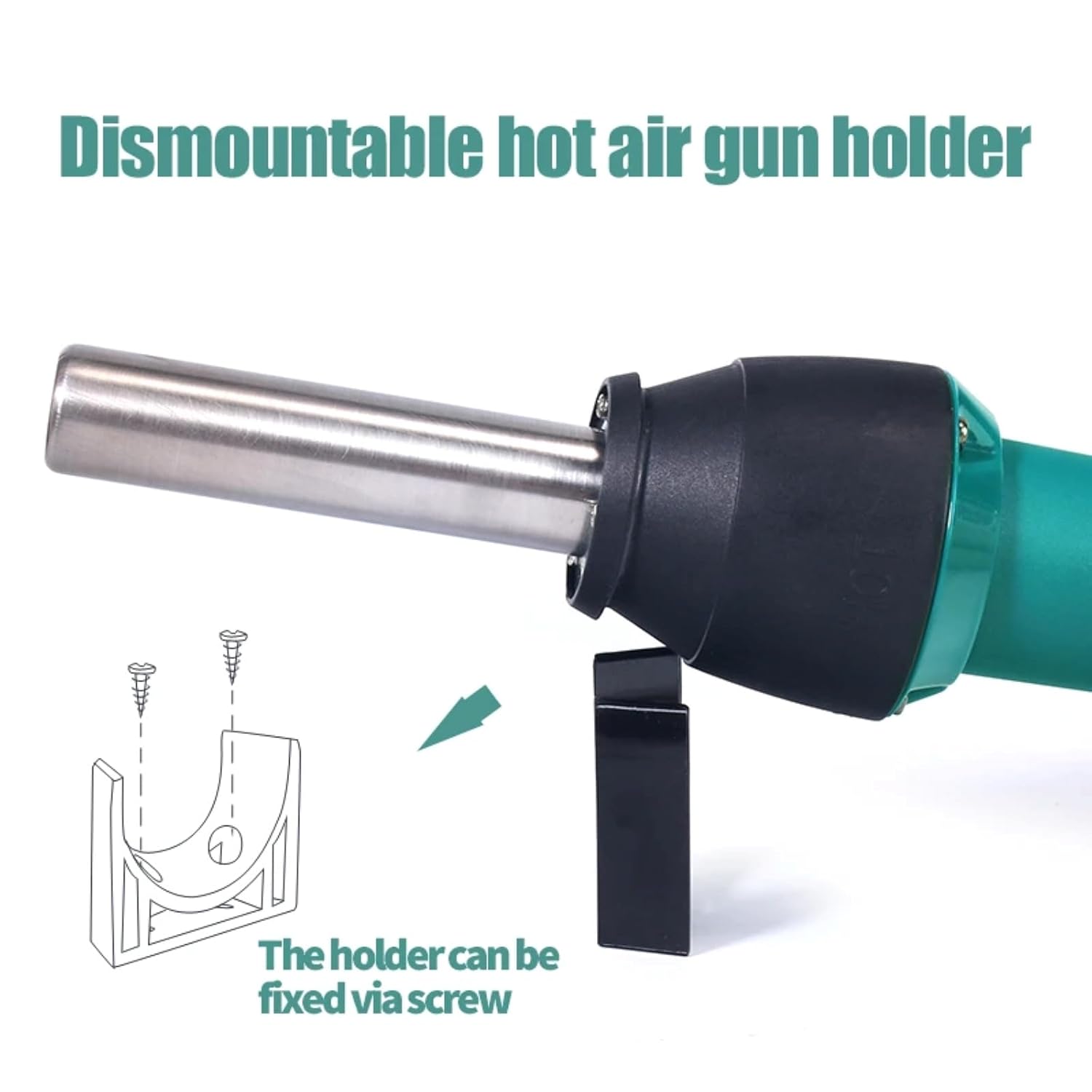
Image 4.5: The hot air gun holder, which can be fixed via screw for stability.
5. סעטאַפּ
- אַנפּאַק: קערפאַלי באַזייַטיקן אַלע קאַמפּאָונאַנץ פון די פּאַקקאַגינג.
- דורכקוקן: Check the device and accessories for any signs of damage. Do not use if damaged.
- אָרט: Place the hot air station on a stable, heat-resistant surface in a well-ventilated area. Ensure there is sufficient space around the air inlet and outlet for proper airflow.
- צוטשעפּען נעזל: Select the appropriate nozzle for your task and securely attach it to the hot air gun.
- פאַרבינדן מאַכט: Plug the power cord into the hot air station and then into a suitable power outlet.
- Install Holder (Optional): If desired, attach the dismountable hot air gun holder to a workbench using screws for convenient and safe storage during operation.
6. אַפּערייטינג ינסטרוקטיאָנס
- מאַכט אויף: Flip the power switch to the "ON" position. The LED digital display will illuminate, showing the current temperature.
- סטרויערן טעמפּעראַטור: Use the temperature adjustment buttons (up/down arrows) to set the desired temperature. The adjustable range is typically 100°C to 480°C. The display will show the set temperature and then the actual temperature as it heats up.
- אַדזשאַסטירן לופט באַנד: Use the air volume adjustment buttons (MIN/MAX) to set the desired airflow. Start with a lower setting and increase as needed for your application.
- פאַר-הייצונג: Allow the unit to reach the set temperature before beginning work. This usually takes a few seconds.
- אָפּעראַציע: Direct the hot air nozzle towards the component or area you wish to work on. Maintain a safe distance to avoid overheating or damaging surrounding components.
- קיל אַראָפּ: After use, place the hot air gun back into its holder. The unit will automatically enter a cool-down mode, blowing cool air until the temperature drops to a safe level. Do not switch off the power until the cool-down cycle is complete, as this protects the heating element.
- מאַכט אַוועק: Once the unit has cooled down and the display indicates a safe temperature, you can switch off the power.
7. וישאַלט
Regular maintenance ensures the longevity and optimal performance of your hot air station.
- רייניקונג: Ensure the device is unplugged and completely cool before cleaning. Wipe the exterior with a soft, damp שטאָף. דו זאלסט נישט נוצן אַברייסיוו קלינערז אָדער סאָלוואַנץ.
- לופט ינלעט / אָוטלעט: Periodically check the air inlet and nozzle for any obstructions (dust, debris). Clean gently with a soft brush if necessary to maintain proper airflow.
- נעזל: Clean the nozzles regularly to prevent solder or flux buildup, which can affect airflow and heat distribution.
- סטאָרידזש: Store the hot air station in a dry, dust-free environment when not in use.
8. טראָובלעשאָאָטינג
If you encounter issues with your hot air station, refer to the table below for common problems and solutions.
| פּראָבלעם | מעגלעך סיבה | לייזונג |
|---|---|---|
| די מיטל טוט נישט מאַכט אויף. | No power supply; power cord damaged; power switch off. | Check power connection; inspect power cord; ensure power switch is ON. |
| קיין הייסע לופט אדער נישט גענוג היץ. | Heating element failure; air inlet/outlet blocked; incorrect temperature setting. | Contact customer support; clean air inlets/outlets; verify temperature setting. |
| Airflow is weak or inconsistent. | Air volume set too low; fan malfunction; air path obstruction. | Increase air volume setting; clean air inlets/outlets; contact customer support. |
| טעמפּעראַטור אַרויסווייַזונג טעות. | סענסאָר מאַלפאַנגקשאַן. | Power cycle the device; if error persists, contact customer support. |
אויב די פראבלעם בלייבט נאך פרובירן די לייזונגען, ביטע קאנטאקטירט קאסטומער סופארט.
9. ספּעסאַפאַקיישאַנז
| מאָדעל נומער | TT-Yihua-8858-I |
| סאָרט | TOOLTOP |
| מאַכט קאַנסאַמשאַן | 700 וו |
| טעמפּעראַטור ראַנגע | 100°C - 480°C (212°F - 896°F) |
| ווייַז טיפּ | געפירט דיגיטאַל ווייַז |
| לופטפלוס טיפ | Spiral Wind |
| אַרייַנגערעכנט קאַמפּאָונאַנץ | Hot Air Station, Nozzles, Power Cord |
10. וואָראַנטי און שטיצן
The TOOLTOP TT-Yihua-8858-I Portable Hot Air Station comes with a 1-יאָר פאַבריקאַנט ס וואָראַנטי פון די דאַטע פון קויפן. די וואָראַנטי קאָווערס חסרונות אין מאַטעריאַלס און ווערקמאַנשיפּ אונטער נאָרמאַל נוצן.
For warranty claims, technical support, or any inquiries regarding your product, please contact TOOLTOP customer service through your retailer or the official TOOLTOP webזייטל. ביטע האַלט אייער מאָדעל נומער און קויף דאַטע גרייט ווען איר קאָנטאַקטירט שטיצע.


