
1. הקדמה
The TrustFire T80 is a high-performance tactical LED flashlight designed for various outdoor activities including hunting, search and rescue, and camping. It features a powerful LED, deep reflector, and dual-switch operation for versatile use.

Image 1.1: The TrustFire T80 Tactical Flashlight, highlighting its maximum output of 3800 lumens and a beam distance of 1050 meters.
2. זיכערקייַט אינסטרוקציעס
- שיינט נישט די פלאשליכט גלייך אין די אויגן. די הויך-אינטענסיטעט ליכט קען פאראורזאכן צייטווייליגע זעhkראַפט אָדער שטענדיקע שאָדן.
- האַלטן אויס פון דערגרייכן פון קינדער.
- Do not disassemble the flashlight head, as this may damage the reflector or LED.
- Use only the recommended batteries. Incorrect battery types may cause damage or explosion.
- פֿאַרמײַדן אויסצושטעלן די לאָמפּ צו עקסטרעמע טעמפּעראַטורן אָדער דירעקטע זון פֿאַר פֿאַרלענגערטע פּעריאָדן.
- If the flashlight becomes excessively hot during use, it may automatically reduce brightness to prevent damage. This is a normal safety feature.
3. פּעקל אינהאַלט
באַשטעטיקן אַז אַלע זאכן זענען פאַראַן אין דיין פּעקל:
- TrustFire T80 Tactical LED Flashlight
- Rechargeable Batteries (2x, non-standard type)
- וסב-C טשאַרדזשינג קאַבלע
- באַניצער מאַנואַל
- Lanyard (if included in specific kit)
- Holster (if included in specific kit)

Image 3.1: An illustration of the typical package contents for the TrustFire T80 flashlight, showing the flashlight, batteries, charging cable, and other accessories.
4. פּראָדוקט איבערview
The TrustFire T80 features a robust design with a dual-switch system for intuitive control.
שליסל קאַמפּאָונאַנץ:
- קאָפּ: Contains the LED and reflector.
- גוף: Houses the battery compartment.
- עק סוויטש: Tactical switch for momentary or constant on/off.
- זייט סוויטש: Functional switch for mode selection.
- USB-C טשאַרדזשינג פּאָרט: For convenient battery charging.
- באַטערי ינדיקאַטאָר: דיספּלייז קראַנט באַטאַרייע מדרגה.
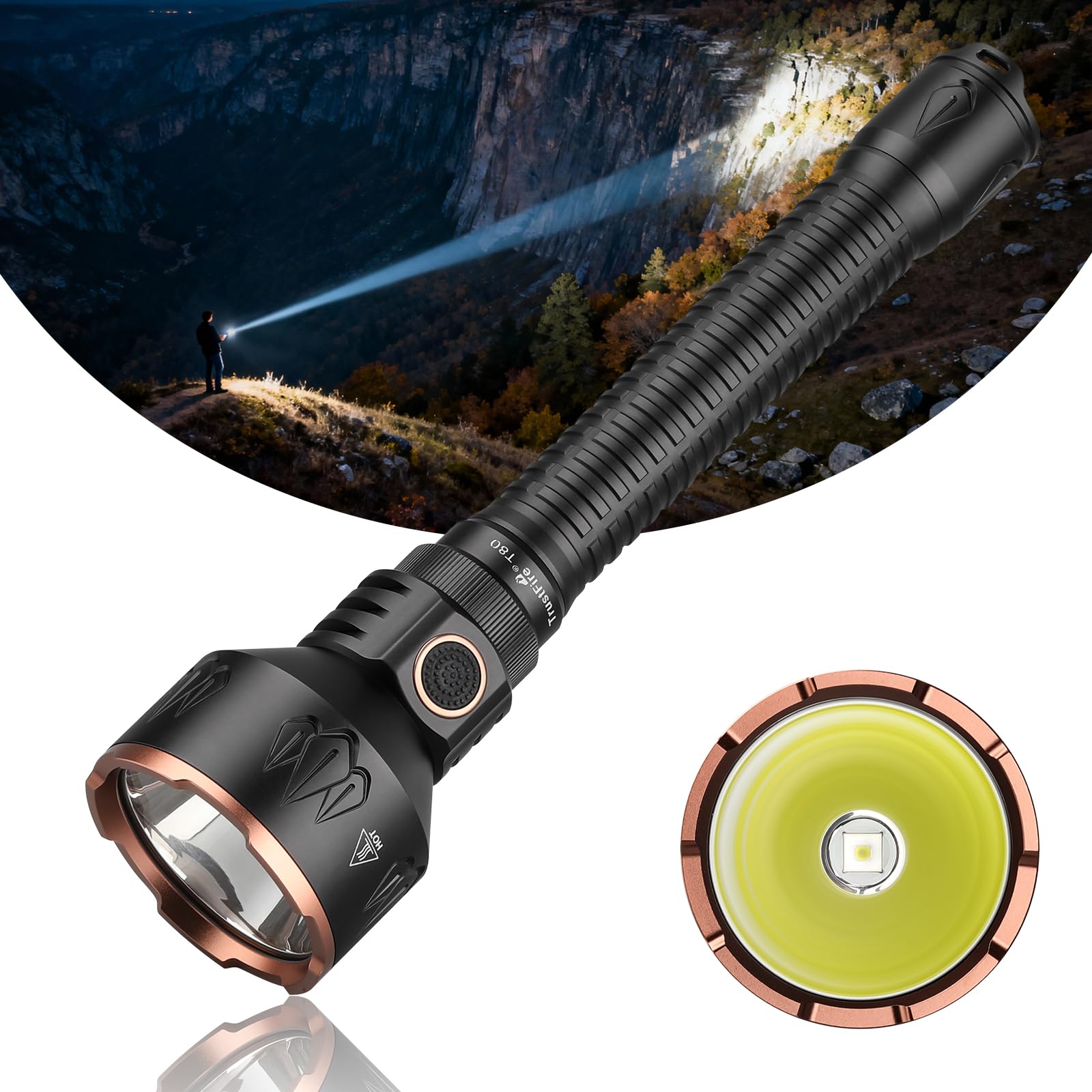
Image 4.1: A full view of the TrustFire T80 flashlight, illustrating its overall design and proportions.
5. סעטאַפּ
5.1 באַטאַרייע ייַנמאָנטירונג
- שרויפט אַראָפּ דעם עק דעקל פֿון דער טאַשלאָמפּ דורך עס דרייען קעגן דעם זייגער.
- Insert the two rechargeable batteries with the positive (+) terminal facing towards the head of the flashlight.
- Screw the tail cap back on clockwise until it is securely tightened. Ensure the O-rings are properly seated to maintain water resistance.
5.2 ערשט טשאַרדזשינג
Before first use, fully charge the batteries. Refer to the "6. Charging" section for detailed instructions.
6. אַפּערייטינג ינסטרוקטיאָנס
6.1 מאַכט אויף / אַוועק
- צו קער אויף: דריק גאָר דעם עק-קנעפּל ביז עס קליקט.
- צו קער אַוועק: דריק נאכאמאל אינגאנצן דעם עק-קנעפל ביז עס קליקט.
- צייט צייט: Lightly press and hold the tail switch for momentary illumination. Release to turn off.
6.2 Mode Selection (Side Switch)
When the flashlight is on, press the side switch to cycle through the brightness modes:
Low → Medium → High → Maximum
The flashlight will remember the last used brightness mode (except for special modes) when turned off and on again.
6.3 Special Modes (Strobe/SOS)
- אינסטאַנט סטראָוב: From any state (on or off), press and hold the side switch for approximately 2 seconds to activate Strobe mode. Release to return to the previous state or turn off.
- SOS מאָדע: From Strobe mode, press the side switch again to activate SOS mode. Press again to return to Strobe, or press and hold to turn off.
7. טשאַרדזשינג
The TrustFire T80 features a convenient USB-C charging port. Ensure the flashlight is turned off before charging.
- געפינט דעם USB-C טשאַרדזשינג פּאָרט אויף דער פלאַשלייט גוף.
- Connect the provided USB-C cable to the flashlight and the other end to a USB power source (e.g., wall adapter, power bank, computer USB port).
- די באַטאַרייע גראדן וועט ווייַזן די טשאַרדזשינג סטאַטוס.
7.1 באַטערי ינדיקאַטאָר
The battery indicator provides real-time feedback on the battery level:
- גרין ליכט: Battery level is sufficient (e.g., 80-100%).
- געל ליכט: Battery level is moderate (e.g., 30-80%).
- רויט ליכט: Battery level is low (e.g., 5-30%). Recharge soon.
- פלאַשינג רויט ליכט: Battery is critically low (below 5%). Recharge immediately.

Image 7.1: The USB-C charging port on the TrustFire T80, showing the connection point for the charging cable.

Image 7.2: Visual representation of the battery indicator lights on the TrustFire T80, illustrating different charge statuses.
8. וישאַלט
- רייניקונג: רייניקט דעם פלאַשלייט קערפּער מיט אַ ווייכן, דamp שטאָף. דו זאלסט נישט נוצן אַברייסיוו קלינערז אָדער סאָלוואַנץ.
- פֿעדעם און אָ-רינגס: Periodically lubricate the threads and O-rings with silicone grease to maintain water resistance and smooth operation.
- באַטערי זאָרגן: If the flashlight will not be used for an extended period, remove the batteries to prevent leakage. Store batteries in a cool, dry place.
- וואַסער קעגנשטעל: The T80 is IPX8 rated, meaning it is submersible up to 2 meters. Ensure all caps are tightly sealed before exposing to water.

Image 8.1: The TrustFire T80 flashlight undergoing water resistance testing, confirming its IPX8 rating for submersion.
9. טראָובלעשאָאָטינג
| פּראָבלעם | מעגלעך סיבה | לייזונג |
|---|---|---|
| פלאַשליגהט טוט נישט קער אויף. |
|
|
| Light output is weak or flickers. |
|
|
| די פלאַשליכט ווערט שנעל הייס. |
|
|
| Charging indicator does not light up. |
|
|
10. ספּעסאַפאַקיישאַנז
| שטריך | דעטאַל |
|---|---|
| מאָדעל נומער | TF-T80-001-ES |
| ליכט מקור | XN7070 LED |
| מאַקסימום ברייטנאַס | 3800 לומענס |
| מאַקסימום שטראַל דיסטאַנס | 1050 מעטער |
| מאָדעס | 6 (Maximum, High, Medium, Low, Strobe, SOS) |
| לויף-צייט (נידעריק מאָדע) | אַרויף צו 65 שעה |
| מאַכט מקור | 2x Non-standard Lithium-Ion Rechargeable Batteries (Included) |
| טשאַרדזשינג פּאָרט | וסב טיפּ-C |
| מאַטעריאַל | Aeronautical Grade Aluminum Alloy |
| וואַסער קעגנשטעל | IPX8 (Submersible up to 2 meters) |
| פּראַל קעגנשטעל | 1 מעטער |
| דימענסיעס (L X W X H) | 26.4 סענטימעטער X 2.7 סענטימעטער X 6.4 סענטימעטער |
| וואָג | 465.3 גראַמז (מיט באַטעריז) |
| ספּעציעלע פֿעיִקייטן | Dual Switch, Battery Indicator, Temperature Sensor for Overheat Protection |
Brightness and Runtime Details:
- מאַקסימום: 3800 lumens / 170 minutes
- הויך: 850 לומאַנז / 5 שעה
- מיטל: 220 לומאַנז / 18 שעה
- נידעריק: 30 לומאַנז / 65 שעה
11. וואָראַנטי און שטיצן
וואָראַנטי אינפֿאָרמאַציע:
TrustFire provides a 3-year after-sales service for this product. Please retain your proof of purchase for warranty claims.
קונה שטיצן:
For any questions, technical assistance, or warranty claims, please contact TrustFire customer support through the retailer where you purchased the product or visit the official TrustFire webפּלאַץ פֿאַר קאָנטאַקט אינפֿאָרמאַציע.
איר קענט אויך באַזוכן די יו TrustFire Store on Amazon פֿאַר מער אינפֿאָרמאַציע און שטיצן רעסורסן.