
1. הקדמה
Thank you for choosing the WOLFANG WT08-WB 4G Solar-Powered Outdoor Security Camera. This manual provides detailed instructions for the proper installation, operation, and maintenance of your camera. Please read this manual thoroughly before use to ensure optimal performance and longevity of your device. This camera is designed for outdoor surveillance in areas without Wi-Fi access, utilizing 4G LTE connectivity and solar power for continuous operation.
2. פּראָדוקט איבערview
The WOLFANG WT08-WB is a robust outdoor security camera featuring 2.5K HD video, 4G LTE connectivity, solar power, and advanced night vision capabilities. It is ideal for monitoring remote locations such as farms, cabins, or wildlife areas where traditional power and Wi-Fi are unavailable.
שליסל פֿעיִקייטן:
- 4G LTE קאָנעקטיוויטי: Operates independently without Wi-Fi, connecting to the strongest available 4G signal.
- זונ - פּאַוערד: Equipped with a 3W solar panel and a high-capacity 7800mAh built-in battery for continuous power.
- 2.5K HD ווידעא: Delivers clear images and video recordings.
- פּאַן/טילט/זום (PTZ): Offers 355° horizontal rotation, 90° vertical tilt, and 4x digital zoom for comprehensive coverage.
- Two Night Vision Modes: Supports black-and-white IR night vision and color night vision with integrated spotlights.
- PIR באַוועגונג דעטעקשאַן: Intelligent motion detection reduces false alarms and sends real-time notifications.
- צוויי-וועג אַודיאָ: Allows for remote communication.
- לאקאלע און קלאָוד סטאָרידזש: Includes a 32GB SD card for local recording and supports cloud storage services.
- וועטערפּראָאָף: IP66 rated for outdoor use, withstanding temperatures from -15°C to 50°C.
פּעקל אינהאַלט:
- WOLFANG WT08-WB 4G Camera
- זונ פּאַנעל (3 וו)
- מאַונטינג בראַקאַץ און סקרוז
- 32 גיגאבייט סד קאָרט
- SIM Card (with 300MB trial data)
- באַניצער מאַנואַל
3. סעטאַפּ
3.1 אריינשטעלן SIM און SD קארטלעך
Before mounting, ensure the SIM card and SD card are correctly inserted into their respective slots on the camera. The camera comes with a pre-installed SIM card and a 32GB SD card.
- Locate the SIM and SD card slots, usually protected by a rubber cover on the camera body.
- פֿאָרזיכטיק עפֿנט דעם דעקל.
- Insert the provided 4G SIM card into the SIM slot with the gold contacts facing down and the notched corner aligned correctly.
- Insert the 32GB SD card into the SD card slot until it clicks into place.
- Close the rubber cover firmly to ensure waterproofing.
3.2 מאָנטירן די קאַמעראַ און זונ פּאַנעל
Choose a location with good 4G signal reception and direct sunlight exposure for the solar panel. The camera can be mounted on a wall or tree.
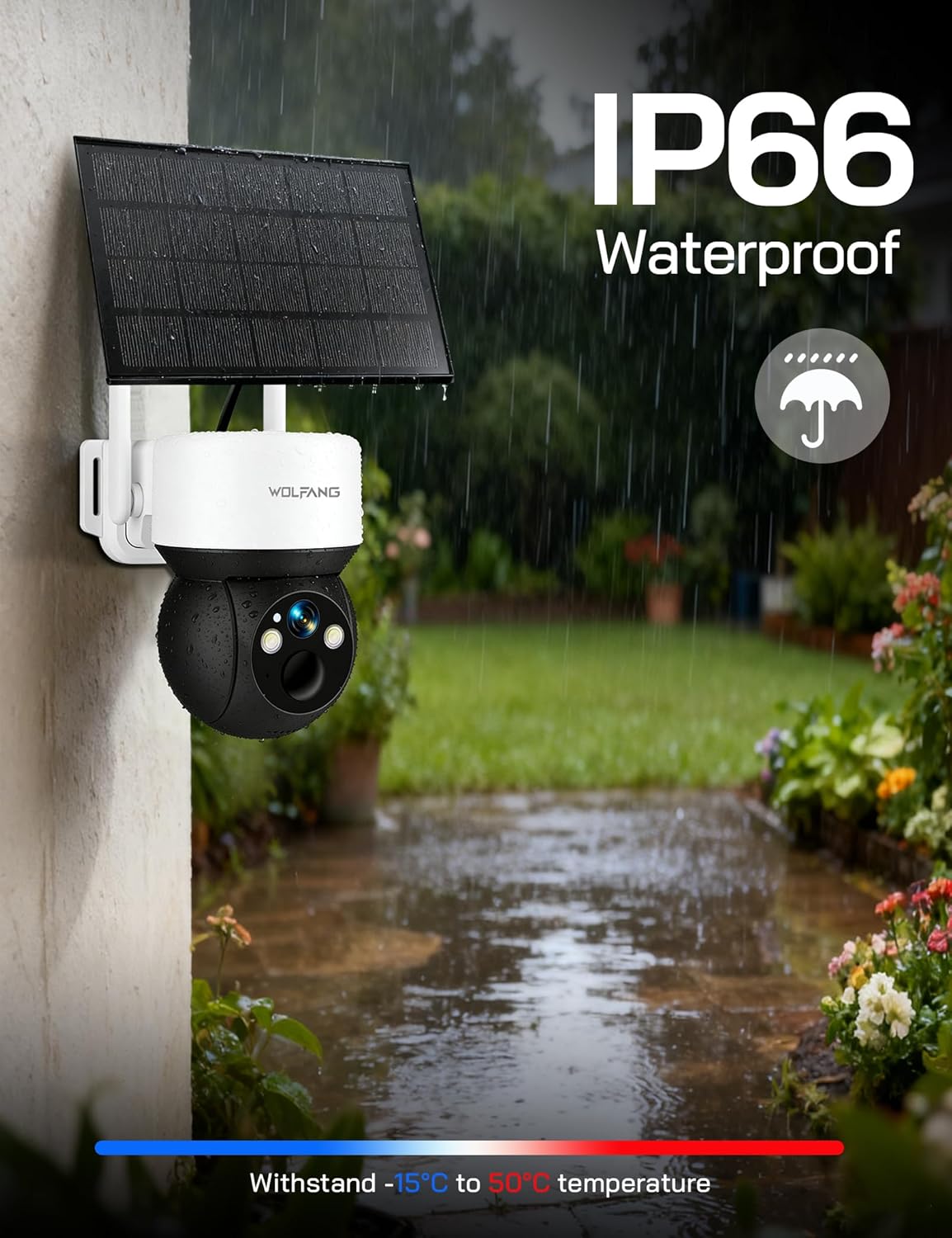
Image: The WOLFANG WT08-WB camera and solar panel mounted on an outdoor wall, illustrating a typical installation scenario for continuous power.
- אויסקלייַבן אָרט: Identify a mounting spot that provides the desired viewing angle and ensures the solar panel receives maximum sunlight throughout the day.
- ינסטאַלירן בראַקאַץ: Use the provided screws and mounting bracket to securely attach the camera to a wall or tree.
- צוטשעפּען זונ פּאַנעל: Connect the solar panel to the camera using the provided cable. Ensure the connection is secure and weatherproof.
- סטרויערן ווינקל: Adjust the camera and solar panel angles to optimize surveillance coverage and solar charging efficiency.
3.3 אַפּ דאַונלאָוד און ערשטע פֿאַרבינדונג
The camera is controlled via the UBox app.
- אראפקאפיע אַפּ: זוכן פֿאַר "UBox" in your smartphone's app store (iOS or Android) and download it.
- רעגיסטרירן אַקאַונט: Open the UBox app and follow the on-screen instructions to register a new account.
- לייג דיווייס: Power on the camera. In the UBox app, tap "Add Device" or the '+' icon. Follow the prompts to scan the QR code on the camera or manually add the device.
- Connect to 4G: The camera will automatically attempt to connect to the 4G network. Once connected, you should see the camera's live feed in the app.
4. אַפּערייטינג ינסטרוקטיאָנס
4.1 לעבן View און רעקאָרדינג
Access the camera's live feed and initiate manual recordings through the UBox app.
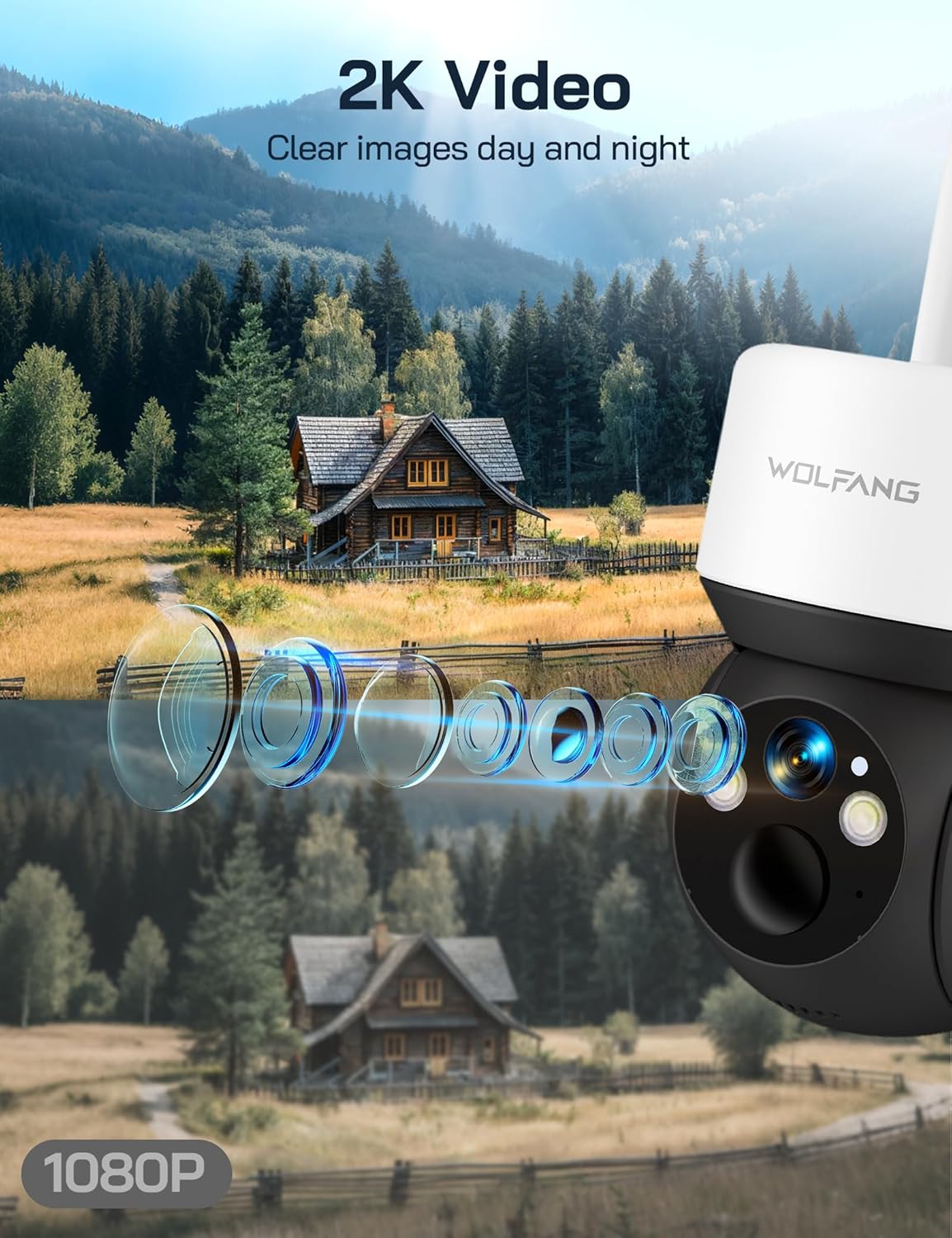
Image: A visual comparison demonstrating the superior clarity of 2.5K video resolution compared to 1080P, showcasing the camera's detailed image capture.
- Open the UBox app and select your camera from the device list.
- The live feed will display. You can tap the record button to start or stop manual recording.
- Recorded videos are saved to the SD card or cloud storage, depending on your settings.
4.2 פּאַן, טילט, און דיגיטאַל זום
קאָנטראָלירן די קאַמעראַ viewינג ווינקל רימאָוטלי.
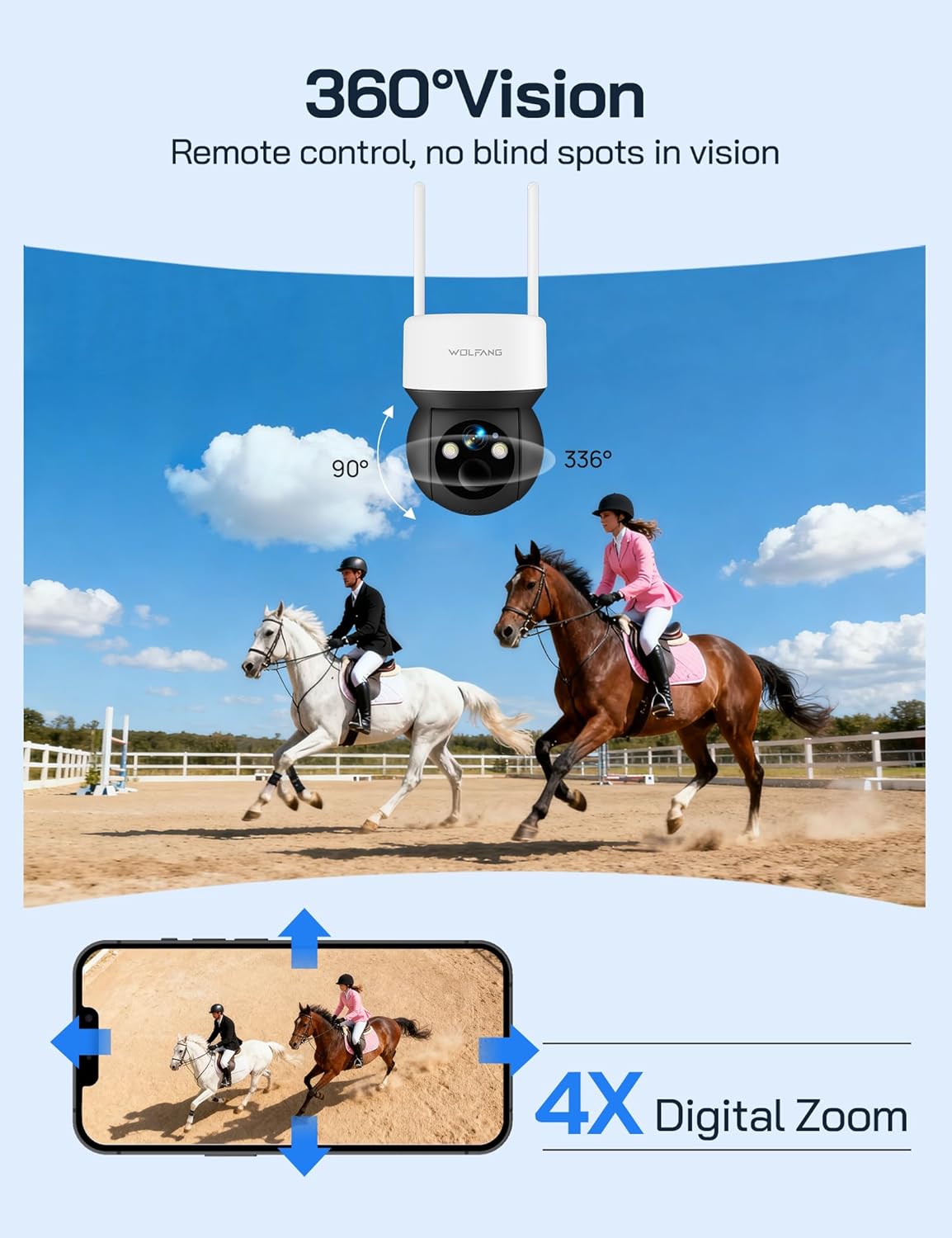
Image: The camera's 360-degree vision is depicted with directional arrows for pan and tilt, alongside a smartphone interface illustrating the 4x digital zoom function.
- אויף די לייוו view screen in the UBox app, use the directional controls to pan (355° horizontally) and tilt (90° vertically) the camera.
- Pinch to zoom on the live feed to utilize the 4x digital zoom feature.
4.3 נאַכט זעאונג מאָדעס
The camera offers two night vision options for different surveillance needs.

Image: A demonstration of the camera's night vision capabilities, including full-color night vision with spotlight, infrared (IR) black-and-white night vision, and smart night vision that automatically activates the spotlight.
- IR נאַכט וויזשאַן: Automatically activates in low-light conditions, providing clear black-and-white video without visible light.
- קאָליר נאַכט זעאונג: When enabled, the camera's built-in spotlights illuminate the area, allowing for full-color video recording at night. This can be manually activated or set to trigger upon motion detection.
- Adjust night vision settings in the UBox app.
4.4 באַוועגונג דעטעקציע און וואָרענונגען
Receive instant notifications when motion is detected.
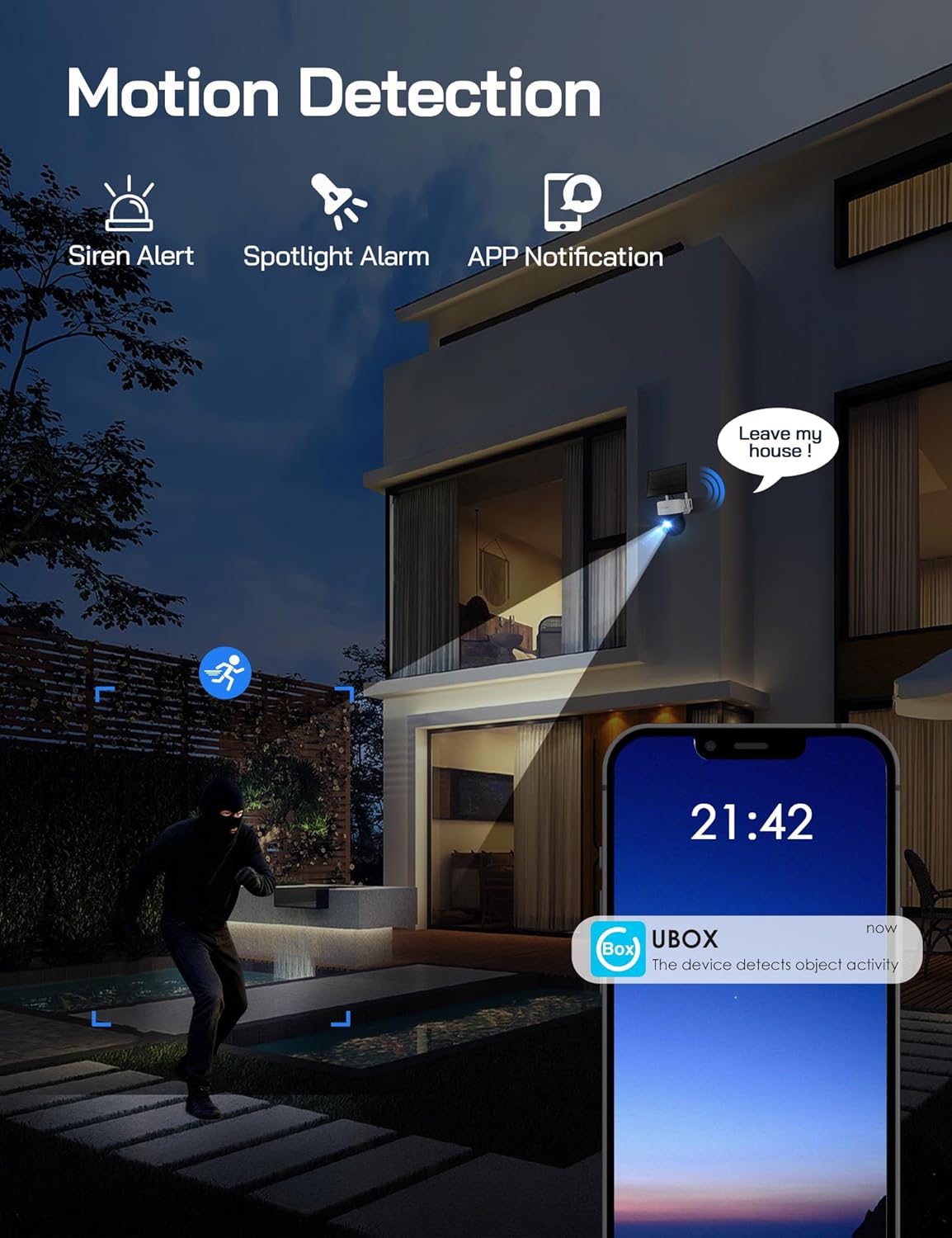
Image: A visual representation of the camera's motion detection system, showing a person being detected, which activates a spotlight, an audible siren, and sends an immediate notification to the user's smartphone via the UBox app.
- Enable motion detection in the UBox app settings.
- Adjust PIR sensitivity to minimize false alarms.
- When motion is detected, the camera will record a video clip, send a notification to your phone, and can optionally activate the spotlight and siren.
4.5 צוויי-וועג אַודיאָ
Communicate through the camera using the UBox app.
- אויף די לייוו view screen, tap the microphone icon to speak through the camera's speaker.
- צאַפּן אויף דעם רעדנער בילדל צו הערן אַודיאָ פֿון דער קאַמעראַ'ס מיקראָפֿאָן.
5. וישאַלט
5.1 רייניקונג
- רעגולער רייניקט די קאַמעראַ לינז און זונ פּאַנעל מיט אַ ווייכן, דamp cloth to ensure clear images and efficient charging.
- דו זאלסט נישט נוצן האַרב קעמיקאַלז אָדער אַברייסיוו מאַטעריאַלס.
5.2 באַטערי מאַנאַגעמענט
- The solar panel is designed to keep the built-in battery charged. Ensure the solar panel is free from obstructions and receives adequate sunlight.
- Monitor battery levels through the UBox app. If the battery level is consistently low, check the solar panel's placement and cleanliness.
5.3 SIM Card Data
- The included SIM card provides 300MB of trial data. After this is used, you will need to renew the data package through the UBox app or replace the SIM card with one from your preferred provider.
- Ensure your SIM card has an active data plan for continuous 4G connectivity.
5.4 פירמוואַרע דערהייַנטיקונגען
- Periodically check the UBox app for available firmware updates. Updates can improve performance, add new features, and enhance security.
- Follow the app's instructions carefully when performing firmware updates.
6. טראָובלעשאָאָטינג
6.1 Camera Not Connecting to 4G Network
- קוק די SIM קאָרט: זיכער מאַכן אַז די סים קאַרטל איז ריכטיק אַרײַנגעשטעלט און האָט אַן אַקטיוון דאַטן פּלאַן.
- סיגנאַל שטאַרקייט: Verify that the camera is in an area with sufficient 4G signal coverage. Relocate the camera if necessary.
- ריסטאַרט קאַמעראַ: Power cycle the camera by temporarily removing and reinserting the SIM/SD card cover (if accessible) or by pressing the reset button if available.
6.2 באַטעריע לאָדט זיך נישט אויף
- סאָלאַר פּאַנעל אָרט: זיכער מאַכן אַז די זונ - פּאַנעל איז פּאַזיציאָנירט צו באַקומען דירעקט זונשייַן פֿאַר עטלעכע שעה טעגלעך.
- מניעות: Clear any dirt, dust, or debris from the solar panel surface.
- קאַבלע קשר: Check that the solar panel cable is securely connected to the camera.
6.3 באַוועגונג דעטעקציע אַרבעט נישט אָדער צו פיל פאַלשע אַלאַרמס
- Enable Feature: Confirm motion detection is enabled in the UBox app settings.
- סטרויערן סענסיטיוויטי: Lower the PIR sensitivity in the app settings to reduce false alarms caused by small animals or environmental factors. Increase sensitivity if detections are missed.
- דעטעקשאַן זאָנע: זיכער מאַכן אַז די קאַמעראַ'ס פעלד פון view covers the desired detection area.
6.4 שלעכטע ווידעא קוואַליטעט
- ריין לענס: רייניקט די קאַמעראַ לענס צו באַזײַטיקן יעדע פֿלעק אָדער שמוץ.
- 4G סיגנאַל: A weak 4G signal can affect live stream quality. Ensure good signal strength.
- אַפּ סעטטינגס: Check video quality settings in the UBox app; higher quality settings require more bandwidth.
7. ספּעסאַפאַקיישאַנז
| שטריך | באַשרייַבונג |
|---|---|
| מאָדעל נומער | WT08-WB |
| ווידעא האַכלאָטע | 2.5K HD |
| קאַנעקטיוויטי | 4G LTE (No Wi-Fi) |
| מאַכט מקור | 3W Solar Panel, 7800mAh Built-in Battery |
| פּאַן אַנגלע | 355° |
| טילט ווינקל | 90° |
| דיגיטאַל פארגרעסער | 4x |
| נאַכט זעאונג | IR (Black & White), Color (with Spotlight) |
| סטאָרידזש | 32GB SD Card (included), Cloud Storage Support |
| אַודיאָ | צוויי-וועג ינטערקאַם |
| וועטער קעגנשטעל | IP66 |
| אַפּערייטינג טעמפּעראַטור | -15°C צו 50°C |
| דימענסיעס (L X W X H) | 11 X 13.8 X 14.8 סענטימעטער |
| וואָג | 1.04 קג |
8. וואָראַנטי און שטיצן
For warranty information or technical assistance, please contact WOLFANG customer service. Our support team is available to help with any questions or issues you may encounter with your WT08-WB camera.
- E- בריוו שטיצן: support.vc@wolfang.co
- Please provide your model number (WT08-WB) and a detailed description of your issue when contacting support.