
1. הקדמה
The GMKtec EVO-X1 AI Mini PC is a high-performance computing device designed for gaming, content creation, and demanding professional tasks. Featuring the AMD Ryzen AI 9 HX-370 Series processor with Zen 5 microarchitecture and XDNA 2 AI NPU, it delivers exceptional speed and efficiency in a compact form factor. This manual provides essential information for setting up, operating, maintaining, and troubleshooting your EVO-X1 Mini PC.
2. וואָס איז אין דער קעסטל
Upon unboxing your GMKtec EVO-X1, please ensure all the following items are present:
- GMKtec Nucbox EVO AMD Ryzen AI 9 HX 370 Mini PC Computer
- Power Supply & Cable
- HDMI קאַבלע
- VESA Mount and Screws
- באַניצער מאַנואַל

Image: Retail boxed packaging showing the EVO-X1 Mini PC, power supply, HDMI cable, VESA mount, and user manual.
3. פּראָדוקט פֿעיִקייטן
- פּראַסעסער: AMD Ryzen AI 9 HX-370 Series (Up to 5.1GHz) with Zen 5 Microarchitecture.
- AI NPU: XDNA 2 Architecture delivering up to 50 TOPS of AI processing power.
- גראַפיקס: Integrated AMD Radeon 890M iGPU (RDNA 3.5).
- זכּרון: Quad Channel LPDDR5X RAM, up to 8000MT/s.
- סטאָרידזש: 1TB PCIe 4.0 M.2 2280 SSD (Dual Slots, Max. 8TB).
- ווייַז שטיצן: Triple 8K simultaneous output via HDMI 2.1 (8K@60Hz), DisplayPort 2.1 (8K@60Hz), and USB4 (40Gbps, supporting PD3.0/DP1.4/DATA).
- נעץ: Dual Intel NIC i226V 2.5Gbps LAN ports, WiFi 6, and Bluetooth 5.2.
- יקספּאַנשאַן: Oculink port for external GPU setups (PCIe x4 speeds).
- קאָאָלינג: Upgraded Dual Cooling Fans with Hyper Ice Chamber 2.0 design (360-degree airflow, 35dB in Quiet mode).
- פאָרשטעלונג מאָדעס: Three selectable modes (Quiet 35W, Balance 54W, Performance 65W) via UEFI (BIOS).

בילד: איבערview of GMKtec EVO-X1 highlighting key features like AMD Ryzen AI 9 HX 370, 4nm FinFET Tech, PCIe 4.0 SSD, LPDDR5X, Triple Screens, Windows 11 Pro, Dual Cooling Fans, and WiFi 6.

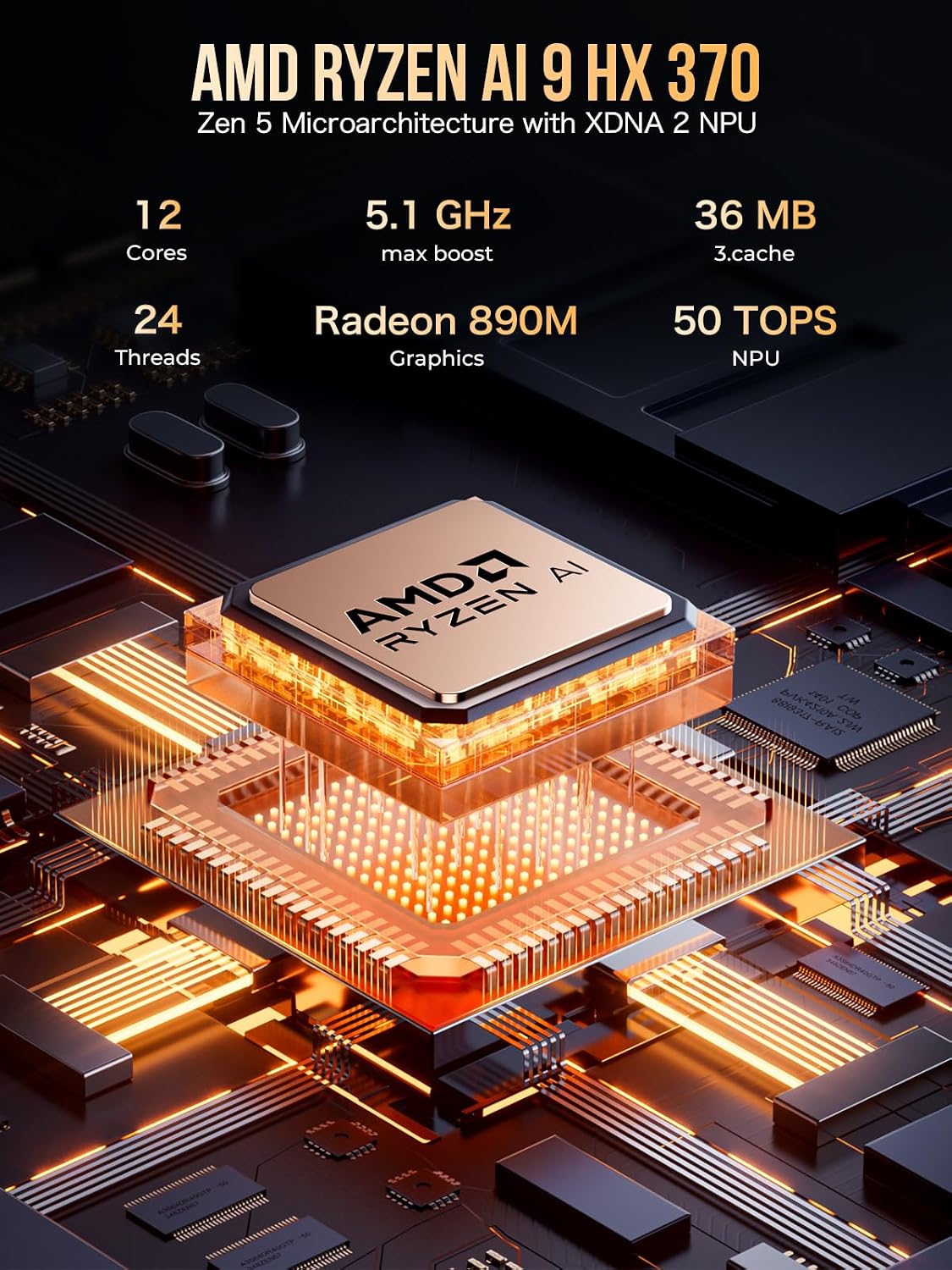
בילד: דעטאַלירט view of the AMD Ryzen AI 9 HX 370 processor, emphasizing its Zen 5 Microarchitecture with XDNA 2 NPU, 12 Cores, 24 Threads, 5.1 GHz max boost, Radeon 890M Graphics, and 50 TOPS NPU.

Image: Illustration of LPDDR5X 7500MHz Quad Channel memory, highlighting its speed of up to 7,500MT/s and performance improvements over older DDR generations.
4. סעטאַפּ אינסטרוקציעס
4.1 קאַנעקטינג פּעריפעראַלס
Before powering on your EVO-X1, connect your essential peripherals:
- Monitor(s): Connect your display(s) using the HDMI 2.1, DisplayPort 2.1, or USB4 ports. The device supports up to three 8K displays simultaneously.
- קלאַוויאַטור און מויז: Plug your USB keyboard and mouse into the available USB-A ports.
- נעץ: For wired internet, connect an Ethernet cable to one of the dual 2.5Gbps LAN ports. For wireless, ensure your Wi-Fi network is available.
- אַודיאָ: Connect headphones or speakers to the 3.5mm CTIA audio jack if needed.
4.2 מאַכט אויף
- Connect the power supply cable to the DC IN port on the rear of the Mini PC.
- צאַפּן די מאַכט אַדאַפּטער אין אַ וואַנט ווענטיל.
- Press the power button located on the front panel of the Mini PC. The power indicator will illuminate.
4.3 Initial Windows 11 Pro Setup
Upon first boot, the system will guide you through the Windows 11 Pro setup process. Follow the on-screen prompts to configure your language, region, network, user account, and other settings.
בילד: פאָרנט און הינטן views of the GMKtec EVO-X1, showing various ports including USB, HDMI, DisplayPort, Ethernet, Oculink, and power button.
5. אַפּערייטינג ינסטרוקטיאָנס
5.1 פאָרשטעלונג מאָדעס
The EVO-X1 AI Mini PC features three performance modes, configurable via the UEFI (BIOS) settings, to optimize power consumption and performance:
- Quiet Mode (35W): Ideal for light tasks and silent operation, with fan noise reduced to 35dB.
- Balance Mode (54W): A balanced setting for everyday use, offering a good mix of performance and efficiency.
- Performance Mode (65W): Maximizes CPU and GPU performance for demanding applications, gaming, and heavy workloads.
5.2 UEFI (BIOS) Settings
Access the UEFI (BIOS) settings during startup to configure advanced options such as VRAM Allocation, Auto Power On, and Wake-on-LAN. Consult the on-screen instructions within the BIOS for navigation and setting adjustments.
6. קאַנעקטיוויטי
The EVO-X1 offers a comprehensive array of ports and wireless options:
- וסב פּאָרץ: Multiple USB 3.0 and USB 2.0 ports for connecting various peripherals.
- USB4 פּאָרטן: Two 40Gbps USB4 ports (Type-C) supporting Power Delivery (PD3.0), DisplayPort (DP1.4), and high-speed data transfer.
- Oculink Port: A dedicated Oculink port (PCIe x4) for connecting external GPUs, offering higher bandwidth and lower latency compared to Thunderbolt.
- ווידעא אַוטפּוץ: HDMI 2.1 (8K@60Hz) and DisplayPort 2.1 (8K@60Hz) for high-resolution displays.
- עטהערנעט: Dual Intel NIC i226V 2.5Gbps LAN ports for robust wired network connections.
- ווירעלעסס: Integrated WiFi 6 for fast wireless internet and Bluetooth 5.2 for connecting wireless accessories.

בילד: דעטאַלירט view of the EVO-X1's rich interface, including USB4, HDMI 2.1, DisplayPort 2.1, USB 3.2, 2.5G LAN, CTIA audio, and Oculink ports.

Image: Depiction of the Oculink port supporting external graphics cards with data transfer speeds up to 64 Gbps for high-end gaming and professional graphics work.
7. Expandability
The EVO-X1 is designed with expandability in mind:
- באַראַן: The LPDDR5X memory is onboard, but the system supports high-speed performance.
- סטאָרידזש: Features dual M.2 2280 PCIe 4.0 SSD slots, allowing for up to 8TB of total storage. This provides ample space for applications, games, and large files.
- External GPU: The Oculink port offers a direct PCIe x4 connection for external graphics cards, significantly boosting graphical performance for gaming or professional applications.

בילד: עקספּלאָדירט view of the EVO-X1's internal structure, showing the metallic detachable cover lid, top cooling fan cover, mini fan cooling boost for DDR/SSD, dual M.2 2280 PCIe 4.0 slots (8TB total), VC copper premium cooling base, and air cooling vents.
8. וישאַלט
8.1 קאָאָלינג סיסטעם
The EVO-X1 features an upgraded Hyper Ice Chamber 2.0 cooling system with larger top and bottom cooling fans, providing 360-degree in and out airflow. The copper base helps maintain optimal temperatures.
- Ensure the side and bottom vents are clear of obstructions to allow for proper airflow.
- Regularly clean dust from the vents using compressed air to prevent overheating and maintain performance.
9. טראָובלעשאָאָטינג
If you encounter issues with your GMKtec EVO-X1, consider the following general troubleshooting steps:
- קיין מאַכט: Verify that the power cable is securely connected to both the Mini PC and the power outlet. Ensure the power adapter is functioning correctly.
- קיין ווייַז: Check all video cable connections (HDMI, DisplayPort, USB4) to your monitor(s). Try connecting to a different port or monitor if available.
- פּעריפערישע פּראָבלעמען: Ensure USB devices are properly connected. Try different USB ports. Update drivers if necessary.
- נעץ קאַנעקטיוויטי: For wired connections, check the Ethernet cable and router status. For Wi-Fi, ensure the network is selected and the password is correct.
- סיסטעם רעאַגירט נישט: Perform a hard reboot by holding down the power button until the device shuts off, then power it back on.
- איבערהייצונג: Ensure cooling vents are unobstructed. Consider switching to Quiet Mode for less demanding tasks.
For persistent issues, refer to the official GMKtec support resources or contact customer service.
10. ספּעסאַפאַקיישאַנז
| שטריך | דעטאַל |
|---|---|
| פּראַסעסער | AMD Ryzen AI 9 HX-370 Series (Up to 5.1 GHz) |
| AI NPU | XDNA 2 Architecture, 50 TOPS |
| גראַפיקס קאָופּראַסעסער | AMD Radeon 890M 2900MHz (Integrated) |
| באַראַן | 32 גיגאבייט LPDDR5X, 8000 מהז |
| שווער דרייוו | 1 TB PCIe 4.0 M.2 2280 SSD (Dual Slots, Max. 8TB) |
| אָפּערייטינג סיסטעם | Windows 11 פּראָ |
| מאַקסימום סקרין האַכלאָטע | 7680x4320 פּיקסעלס (8K) |
| וסב 3.0 פּאָרץ | 4 |
| וסב4 פּאָרץ | 2 (40Gbps, PD3.0/DP1.4/DATA compatible) |
| Oculink Port | 1 (PCIe x4) |
| עטהערנעט | Dual 2.5 Gbps LAN (Intel i226V) |
| ווירעלעסס טיפּ | WiFi 6 (2.4 GHz, 5 GHz, 5.8 GHz), Bluetooth 5.2 |
| פּונקט וואָג | 2.2 פונט |
| פּעקל דימענשאַנז | 5.19 X 4.9 X 2.28 אינטשעס |
11. וואָראַנטי און שטיצן
GMKtec offers a 1-year limited warranty for each Mini PC, starting from the date of purchase. This warranty covers all defects due to design and workmanship. For support, please contact the professional after-sales team. You can find contact information on the official GMKtec webזייטל אדער דורך אייער קויפן פּלאַטפאָרמע.