
הקדמה
This manual provides essential instructions for setting up, operating, and maintaining your SGIN-T12S Android Tablet. Please read this guide thoroughly to ensure proper use and to maximize your tablet's performance and longevity.

Image: The SGIN-T12S Android Tablet, showcasing its 12-inch screen with the Android 13 operating system and a protective blue case.
סעטאַפּ
1. דיווייס איבערview און פּאָרטן

Image: A detailed diagram illustrating the various components and ports of the SGIN-T12S tablet, including cameras, power button, volume controls, speakers, Type-C port, and TF mount.
- פראָנט אַפּאַראַט: פֿאַר ווידעאָ קאָלס און סעלפֿיז.
- דערציען אַפּאַראַט: פֿאַר כאַפּן בילדער און ווידעאָס.
- מאַכט אויף/אַוועק קנעפּל: דרוק און האַלטן צו מאַכט אויף אָדער אַוועק.
- Increase Volume Button: אַדזשאַסטירט אַודיאָ אַרויסגאַנג לעוועל.
- Reduce Volume Button: אַדזשאַסטירט אַודיאָ אַרויסגאַנג לעוועל.
- סטערעאָ ספּיקערז: גיט אַודיאָ רעזולטאַט.
- TF Mount: Slot for inserting a Micro TF (microSD) card.
- טיפּ-C פּאָרט: פֿאַר טשאַרדזשינג און דאַטן אַריבערפירן.
2. טשאַרדזשינג די טאַבלעט
Before first use, fully charge your tablet. Use the included Type-C fast charger.
- Connect the Type-C cable to the tablet's Type-C port.
- צאַפּן די טשאַרדזשער אין אַ מאַכט ווענטיל.
- דער באַטעריע אינדיקאַטאָר אויפן עקראַן וועט ווײַזן דעם טשאַרדזשינג סטאַטוס.

Image: Visual representation of the tablet's 8000mAh battery capacity and the Type-C universal charging port, emphasizing long battery life.
3. פּאָווערינג אויף / אויסגעלאשן
- צו מאַכט אויף: Press and hold the Power ON/OFF button until the SGIN logo appears.
- צו מאַכט אַוועק: Press and hold the Power ON/OFF button, then select 'Power off' from the options on the screen.
- צו ריסטאַרט: Press and hold the Power ON/OFF button, then select 'Restart' from the options.
4. ערשט סעטאַפּ
Upon first power-on, the tablet will guide you through the initial setup process for Android 13. This includes:
- אויסקלייבן אייער שפּראַך.
- קאַנעקטינג צו אַ Wi-Fi נעץ.
- Setting up your Google account (required for Google Mobile Services and app downloads).
- Setting up screen lock (PIN, pattern, or password).
5. Inserting a Micro TF Card
To expand storage, insert a Micro TF (microSD) card into the TF mount.
- Locate the TF mount on the side of the tablet (refer to the Device Overview בילד).
- Gently insert the Micro TF card into the slot until it clicks into place.
- The tablet supports up to 256GB TF card expansion.
אַפּערייטינג ינסטראַקשאַנז
1. Display and Touch Screen
The tablet features an 11.97-inch Full HD IPS touch screen with a resolution of 1920x1200 pixels.
- ריר דזשעסטשערז: Use standard Android touch gestures such as tap, swipe, pinch-to-zoom, and long-press.
- סקרין ראָוטיישאַן: The display automatically adjusts orientation based on how you hold the tablet. This can be locked or unlocked in the Quick Settings panel.
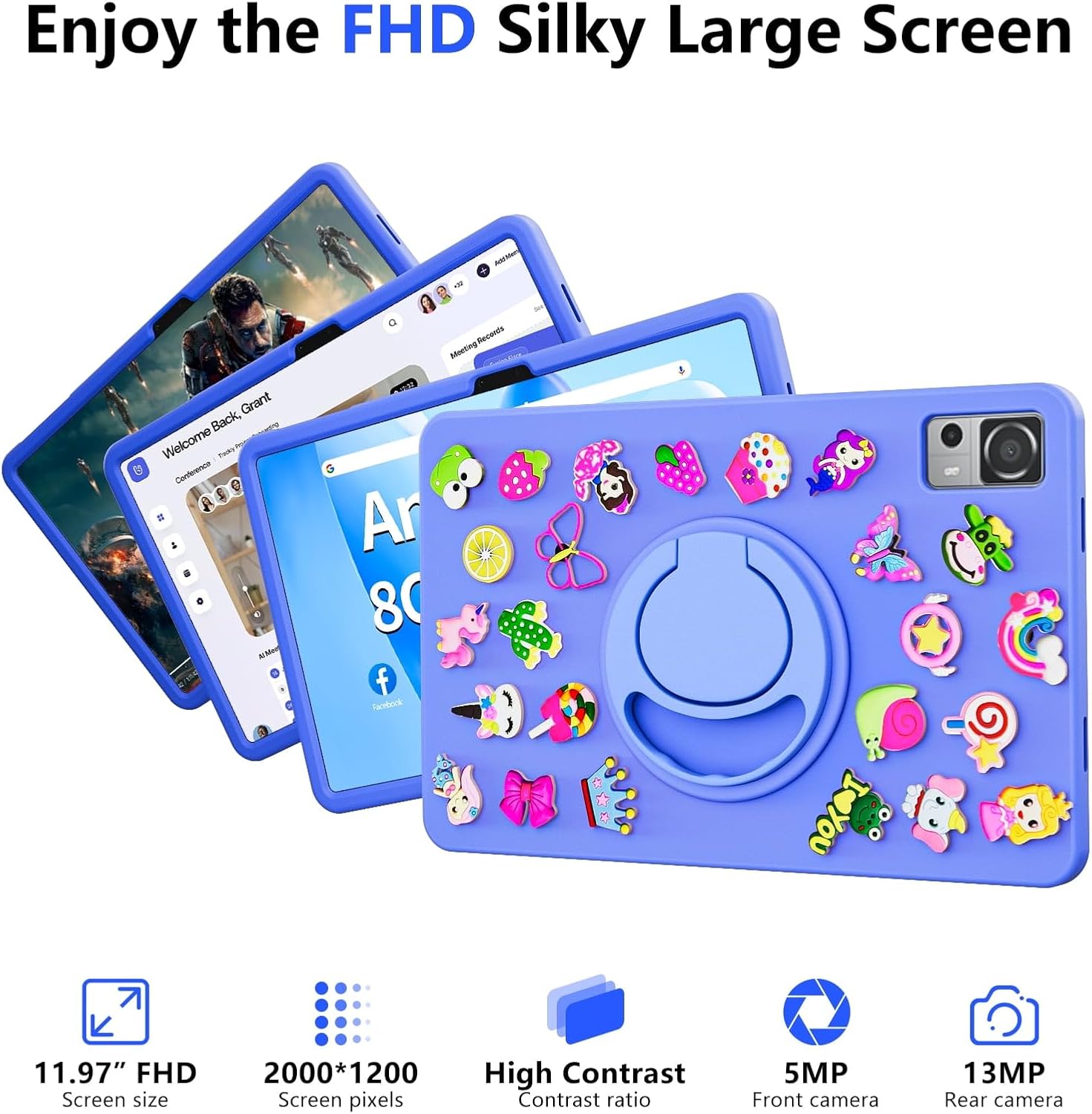
Image: The SGIN-T12S tablet highlighting its 11.97-inch FHD screen, 2000x1200 pixel resolution, 5MP front camera, and 13MP rear camera.
2. קאַמעראַס
The tablet is equipped with a 5MP front camera and a 13MP rear camera.
- עפֿנט די קאַמעראַ אַפּליקאַציע פֿון דער היים־עקראַן אָדער אַפּ־שוך.
- טוישט צווישן פראָנט און הינטערשטע קאַמעראַס ניצנדיק דעם בילדל אויפן עקראַן.
- Tap to focus and press the shutter button to capture photos or start/stop video recording.
3. אַודיאָ
Experience immersive sound with the tablet's quad speakers and 3.5mm headphone jack.
- קוואד רעדנערס: Located on the sides of the tablet, providing stereo sound.
- כעדפאָון דזשאַק: פֿאַרבינדט נאָרמאַלע 3.5 מם כעדפאָונז פֿאַר פּריוואַט צוהערן.
- Adjust volume using the physical volume buttons or the on-screen controls.

Image: The SGIN-T12S tablet illustrating its surround four-speaker stereo system, designed for an immersive audio experience.
4. קאַנעקטיוויטי
- ווי-פי: Supports dual-band Wi-Fi (2.4G/5G). Go to סעטטינגס > נעץ און אינטערנעט > Wi-Fi צו פֿאַרבינדן זיך צו פֿאַראַן נעטוואָרקס.
- בלועטאָאָטה 5.0: For connecting wireless accessories like headphones, keyboards, or mice. Go to סעטטינגס> קאָננעקטעד דעוויסעס> קאַנעקשאַן פּרעפֿערענצן> בלועטאָאָטה to pair devices.
5. סטאָרידזש און פאָרשטעלונג
The tablet comes with 8GB RAM and 256GB internal storage, expandable via Micro TF card.
- באַראַן: 8GB LPDDR4 RAM ensures smooth multitasking and app performance.
- אינערלעכער סטאָרידזש: 256GB ROM for apps, photos, videos, and documents.
- יקספּאַנדאַבאַל סטאָרידזש: Supports Micro TF cards up to 256GB for additional storage.
- פּראַסעסער: Powered by an ARM high-performance 8-core CPU with a frequency up to 2GHz for efficient operation.

Image: The SGIN-T12S tablet emphasizing its large memory capacity, including 8GB RAM, 256GB ROM, and the potential for 512GB expansion.
6. אַנדרויד 13 אָפּערייטינג סיסטעם
The tablet runs on Android 13, offering enhanced security and personalization features.
- זיכערהייט: Android 13 provides improved privacy controls and system security.
- פערזענליכען: Customize your tablet's interface, themes, and widgets to suit your preferences.
- Google Mobile Services: Access to Google Play Store for apps, Gmail, Google Maps, and other Google services.

Image: The SGIN-T12S tablet highlighting the benefits of Android 13, such as enhanced security and personalization, alongside its matte metal body and silicone shell options.
וישאַלט
1. רייניקונג
- ניצט אַ ווייכן, לינט-פֿרייע שטאָף צו רייניקן דעם עקראַן און קערפּער פֿון דער טאַבלעט.
- פֿאַר שווערע פֿלעקן, אַ ביסל דampווישט דעם שטאָף מיט וואַסער אָדער אַ פאַרשטעלן-רייניקונג לייזונג.
- פֿאַרמײַדן ניצן שטרענגע כעמיקאַלן, אַברייסיוו מאַטעריאַלן, אָדער איבערגעטריבענע פֿײַכטקייט.
2. באַטערי קער
- פֿאַרמײַדט עקסטרעמע טעמפּעראַטורן, ווײַל זיי קענען פֿאַרערגערן די לעבן פֿון דער באַטעריע.
- פֿאַר אָפּטימאַלער באַטאַריע געזונט, פֿאַרמייַדט אָפֿט אויסצולאָדן די באַטאַריע גאָר אָדער האַלטן זי ביי 100% אָפּצאָל פֿאַר לענגערע פּעריאָדן.
- The 8000mAh battery provides approximately 7-9 hours of usage depending on activity.
3. ווייכווארג דערהייַנטיקונגען
- קאָנטראָלירט און אינסטאַלירט רעגולער סיסטעם דערהייַנטיקונגען צו זיכער מאַכן אַז אייער טאַבלעט האט די לעצטע פֿעיִקייטן, זיכערהייט פּאַטשאַז און פאָרשטעלונג פֿאַרבעסערונגען.
- גיין צו סעטטינגס > סיסטעם > סיסטעם דערהייַנטיקונג צו קאָנטראָלירן פֿאַר דערהייַנטיקונגען.
טראָובלעשאָאָטינג
- טאַבלעט גייט נישט אָן: Ensure the tablet is charged. Connect it to the charger and wait a few minutes before attempting to power on again. If it still doesn't turn on, try holding the power button for 10-15 seconds.
- דער עקראַן רעאַגירט נישט: Try restarting the tablet. If the issue persists, ensure the screen is clean and free of debris.
- ווי-פי קשר ישוז: Check if Wi-Fi is enabled in settings. Restart your router and the tablet. Ensure you are within range of the Wi-Fi signal and have entered the correct password.
- אַפּפּס קראַשן אָדער פרירן: Close and reopen the app. Clear the app's cache (Settings > Apps > [App Name] > Storage & cache > Clear cache). If the problem continues, uninstall and reinstall the app.
- לאַנגזאַמע פאָרשטעלונג: Close unnecessary background apps. Clear cached data. Consider removing unused apps or large fileס צו באַפרייַען סטאָרידזש פּלאַץ.
ספּעסאַפאַקיישאַנז
| שטריך | באַשרייַבונג |
|---|---|
| מאָדעל נאָמען | SGIN-T12S |
| אָפּערייטינג סיסטעם | אַנדרויד 13 |
| פאַרשטעלן גרייס | 11.97 אינטשעס |
| מאַקסימום סקרין האַכלאָטע | 2000*1200 Pixels (FHD IPS) |
| פּראַסעסער | ARM Octa-Core 2.0 GHz (ARM_Cortex_A5) |
| באַראַן | 8 גיגאבייט DDR4 SDRAM |
| Hard Drive (ROM) | 256 גיגאבייט |
| יקספּאַנדאַבאַל סטאָרידזש | Supports Micro TF card up to 256 GB |
| פראָנט אַפּאַראַט | 5 מפּ |
| דערציען אַפּאַראַט | 13 מפּ |
| ווירעלעסס טיפּ | 802.11bgn (Dual-band 2.4G/5G Wi-Fi) |
| בלועטאָאָטה | בלועטאָאָטה 5.0 |
| באַטערי | 8000 mAh Lithium Ion (Average 6-9 hours) |
| פּאָרץ | Type-C, Micro TF slot, 3.5mm Headphone Jack |
| אַודיאָ | Quad Speakers |
| פּונקט וואָג | 2.2 פונט (בעערעך 500 גראַמז) |
| פּראָדוקט דימענשאַנז | 11.97 X 6.85 X 0.3 אינטשעס |
וואָראַנטי און שטיצן
Information regarding specific warranty terms and direct support contact details for the SGIN-T12S tablet is not provided in the available product data. Please refer to the product packaging or the official SGIN website for the most current warranty information and customer support options.