
1. הקדמה
This manual provides detailed instructions for the LAXASFIT GT1 Smart Watch. Please read this manual thoroughly before using your device to ensure proper operation and to maximize its features. Keep this manual for future reference.
2. פּראָדוקט איבערview
2.1 פּעקל אינהאַלט
ביים עפענען דעם פעקל, זיכער מאכן אז אלע זאכן זענען דא:
- LAXASFIT GT1 Smart Watch
- וסב טשאַרדזשינג קאַבלע
- באַניצער מאַנואַל (דעם דאָקומענט)
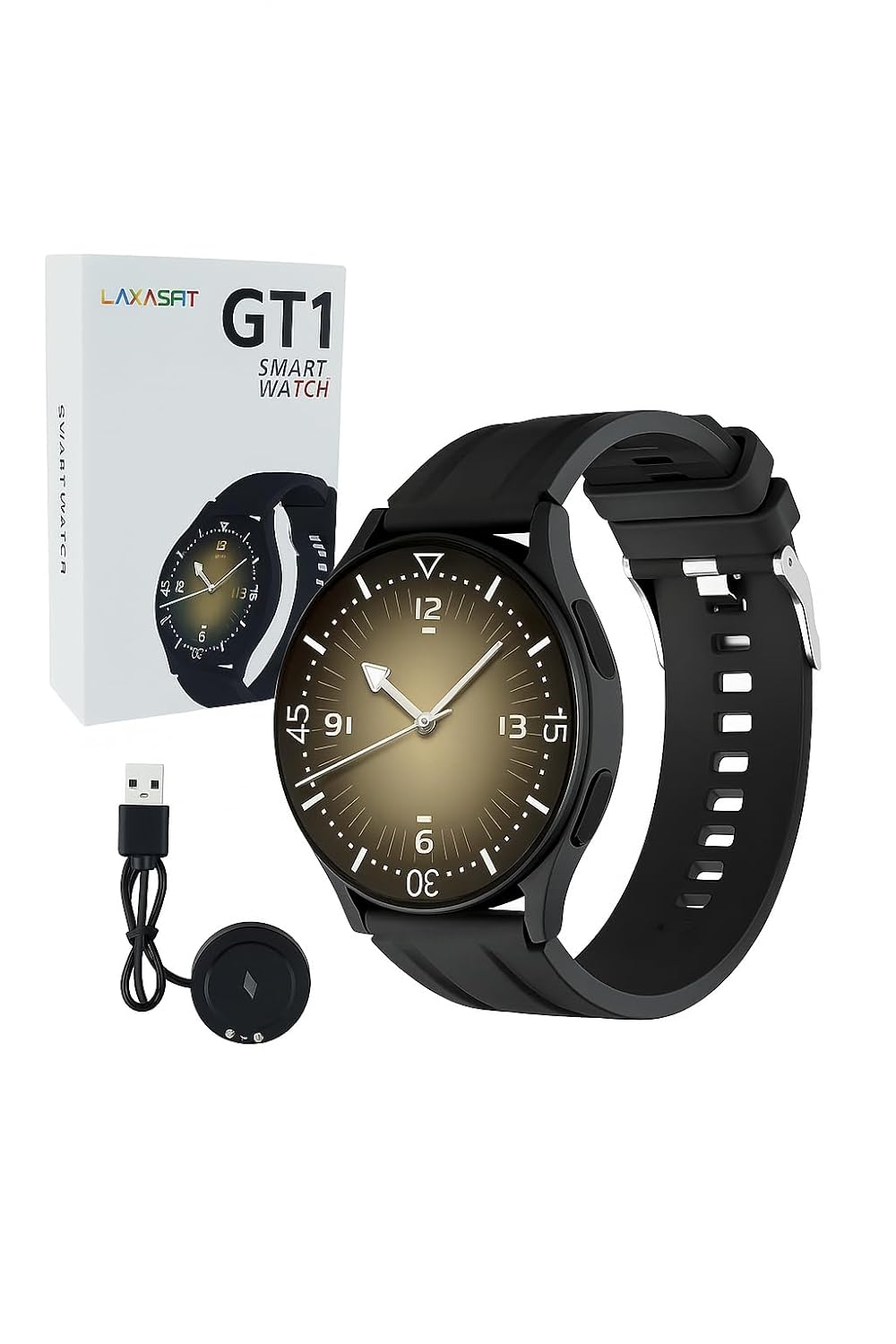
Image: The LAXASFIT GT1 Smart Watch, its retail packaging, and the included USB charging cable.
2.2 שליסל פֿעיִקייטן
The LAXASFIT GT1 Smart Watch offers a range of functionalities designed to enhance your daily life:
- 1.32" IPS Pure Round Full Touch Screen: Vibrant and responsive display for clear interaction.
- בלועטאָאָטה רופן פאַנגקשאַנאַליטי: מאַכט און באַקומט רופן גלייך פֿון אייער האַנטגעלענק.
- שלאָף מאָניטאָרינג: Tracks sleep patterns to help assess sleep quality.
- עטלעכע ספּאָרט מאָדעס: Records data for various physical activities.
- IP67 וואָטערפּרוף שאַץ: Resistant to splashes and brief immersion.
- SpO2 מאָניטאָר: מעסט בלוט זויערשטאָף זעטיקונג לעוועלס.
- האַרץ קורס מאָניטאָרינג: קאָנטינויִערלעכע האַרץ ראַטע טראַקינג.
- שריט טאָמבאַנק: Tracks daily steps and activity.
- נאָטיפיקאַטיאָנס: Receives alerts for calls, messages, and app notifications.
- דוראַבאַל פּלאַן: Features a black silicone strap with ventilation for comfort.
3. סעטאַפּ גייד
3.1 אויפלאָדן דעם סמאַרט וואַך
Before initial use, fully charge your LAXASFIT GT1 Smart Watch.
- Connect the USB charging cable to a standard USB power adapter (not included) or a computer's USB port.
- Attach the magnetic charging pins to the charging contacts on the back of the watch. Ensure a secure connection.
- דער זייגער אויסשטעל וועט ווייזן דעם טשאַרדזשינג סטאַטוס. א פולע טשאַרדזשינג נעמט טיפּיש אַרום 2 שעה.
3.2 מאַכט אויף / אַוועק
- צו מאַכט אויף: Press and hold the side button until the LAXASFIT logo appears on the screen.
- צו מאַכט אַוועק: From the watch face, swipe down to access the quick settings, then tap the power icon, or navigate to סעטטינגס > סיסטעם > אויסלאָשןבאַשטעטיקן אייער אויסוואל.
3.3 אַפּ אינסטאַלאַציע און דעווייס פּערינג
To unlock the full potential of your LAXASFIT GT1 Smart Watch, install the companion application on your smartphone.
- אראפקאפיע די אַפּ: זוכן פֿאַר "Laxasfit" in the Google Play Store (for Android devices) or the Apple App Store (for iOS devices).
- ינסטאַלירן די אַפּ: גיי די ינסטראַקשאַנז אויף דעם עקראַן צו ינסטאַלירן די אַפּלאַקיישאַן.

Image: Screenshot of the Laxasfit app listing on the Google Play Store.

Image: Screenshot of the Laxasfit app listing on the Apple App Store.
- געבן בלועטאָאָטה: מאַכן זיכער אַז בלועטאָאָטה איז ענייבאַלד אויף דיין סמאַרטפאָנע.
- עפֿענען די אַפּ: Launch the Laxasfit app and follow the on-screen prompts to create an account or log in.
- פּאָר דיווייס: Within the app, navigate to the device section and select "Add Device" or "Search Device." The app will scan for available smartwatches. Select "GT1" or the corresponding device name when it appears.
- באַשטעטיקן פּערינג: א פארבינדונגס-בעט קען דערשייַנען אויף ביידע אייער טעלעפאָן און זייגער. באַשטעטיקט די פארבינדונג אויף ביידע דעוויסעס.
4. אַפּערייטינג ינסטרוקטיאָנס
4.1 יקערדיק נאַוויגאַציע
- ריר סקרין: Swipe left, right, up, or down to navigate through menus and features. Tap to select an item.
- זייַט קנעפּל: Press the side button to return to the watch face or to wake the screen. A long press may access power options or other functions depending on context.
4.2 Bluetooth Call Function
After successful pairing with your smartphone, you can use the watch for Bluetooth calls:
- זיכער מאַכן אַז די זייגער איז פארבונדן צו דיין טעלעפאָן דורך בלועטוט.
- To make a call, access the dialer on the watch or select a contact from your synced phonebook.
- To answer an incoming call, tap the green answer icon on the watch screen.
- To reject a call, tap the red reject icon.
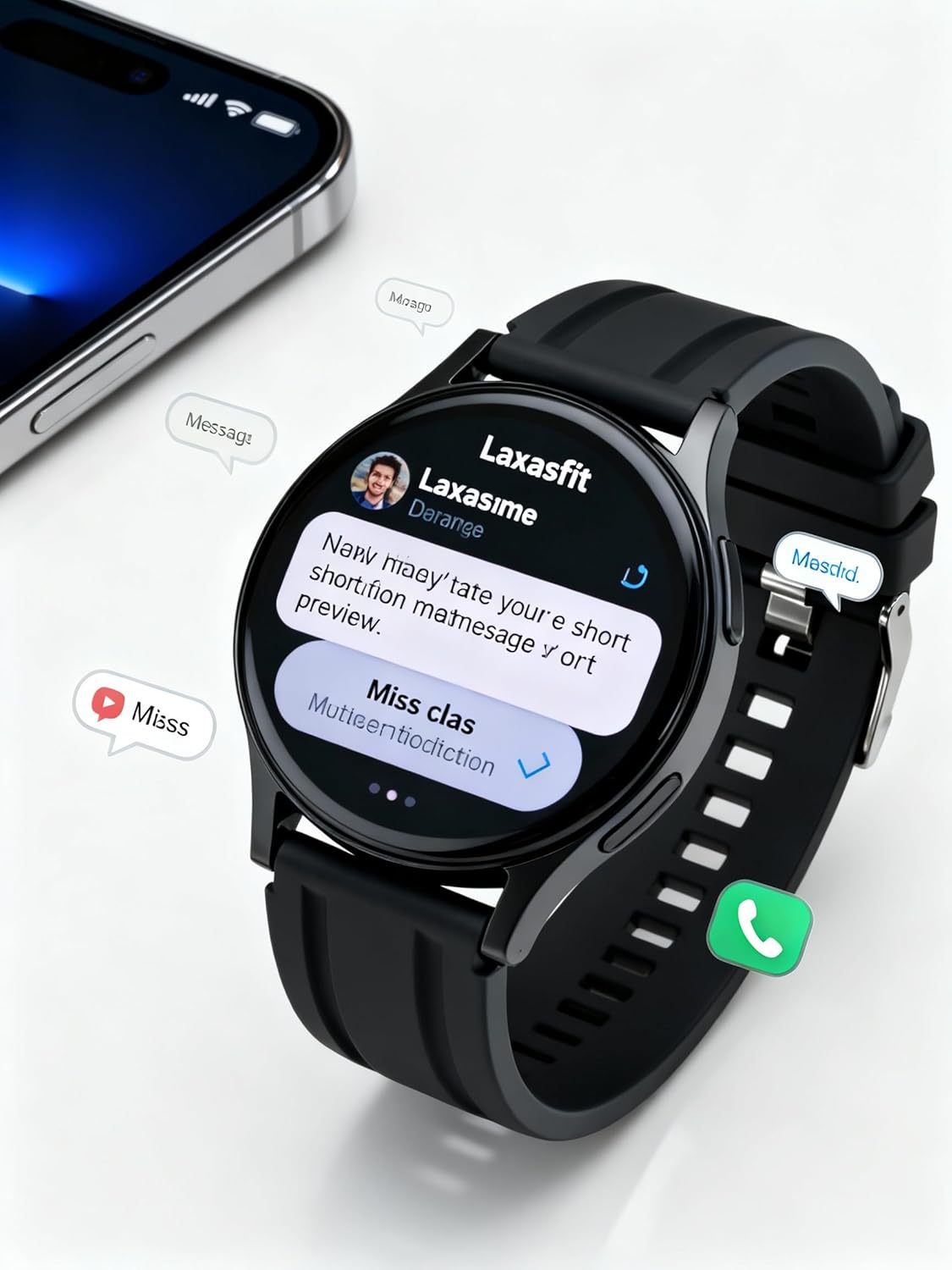
Image: The smart watch screen showing incoming message notifications and an icon for a phone call, indicating its communication features.
4.3 געזונט מאָניטאָרינג
The GT1 Smart Watch provides various health tracking features:
- הארץ ראטע: Access the heart rate monitor from the main menu. The watch will automatically measure and display your current heart rate. Continuous monitoring can be enabled via the app.
- ספּO2 (בלוט זויערשטאָף): Navigate to the SpO2 function. Keep your arm still during measurement for accurate results.
- שלאָף מאָניטאָרינג: Wear the watch to bed. It will automatically track your sleep duration and quality. View detailed sleep data in the Laxasfit app.
- שריט טאָמבאַנק: The watch continuously tracks your steps, distance, and calories burned throughout the day.

Image: The smart watch on a user's wrist, displaying sleep duration and quality metrics, with a person sleeping in the background.

Image: The smart watch screen showing a heart rate reading in BPM and the total number of steps taken.
4.4 ספּאָרט מאָדעס
The watch supports various sports modes to track your workouts:
- Navigate to the "Sports" or "Workout" menu on your watch.
- Select your desired activity (e.g., running, walking, cycling).
- The watch will begin recording data such as duration, distance, calories burned, and heart rate.
- End the workout by following the on-screen prompts. Data will sync to the Laxasfit app.
4.5 נאָוטאַפאַקיישאַנז
Receive notifications from your smartphone directly on your watch:
- Ensure notification permissions are granted to the Laxasfit app on your smartphone.
- Enable specific app notifications within the Laxasfit app settings.
- When a notification arrives, the watch will vibrate and display the message content.
5. וישאַלט
5.1 רייניקן אייער סמאַרט וואַך
- רעגולער רייניקט דעם זייגער עקראַן און רימען מיט אַ ווייכן, דamp שטאָף.
- Avoid using harsh chemicals, abrasive cleaners, or solvents, as these can damage the device.
- זיכער מאַכן אַז די טשאַרדזשינג קאָנטאַקטן זענען ריין און טרוקן איידער טשאַרדזשינג צו פאַרמייַדן קעראָוזשאַן.
5.2 וואַסער קעגנשטעל (IP67)
The LAXASFIT GT1 Smart Watch is rated IP67, meaning it is resistant to dust and can withstand immersion in water up to 1 meter for 30 minutes. However, it is not suitable for swimming, diving, or high-pressure water activities. Avoid exposure to hot water or steam.
5.3 בעסטע פּראַקטיקעס פֿאַר אָפּצאָלן
- ניצן בלויז די צוגעשטעלט טשאַרדזשינג קאַבלע.
- Avoid overcharging the device; disconnect once fully charged.
- Do not charge the watch in wet conditions.
6. טראָובלעשאָאָטינג
If you encounter issues with your LAXASFIT GT1 Smart Watch, refer to the following common solutions:
- זייגער טוט זיך נישט אן: זיכער מאַכן אַז די זייגער איז גאָר אויפגעלאָדן. פֿאַרבינדט עס צום טשאַרדזשער פֿאַר לפּחות 10 מינוט.
- קען נישט צוזאמענשטעלן מיטן טעלעפאן:
- זיכער מאַכן אַז בלועטוט איז ענייבאַלד אויף דיין טעלעפאָן און די זייגער.
- זייט זיכער אז די זייגער איז אין דער דערגרייכונג פון אייער טעלעפאָן.
- ריסטאַרט ביידע דיין טעלעפאָן און די זייגער.
- Clear Bluetooth cache on your phone (Android) or forget the device and re-pair (iOS/Android).
- נישט פּינקטלעכע געזונט דאַטן: זייט זיכער אז די זייגער טראָגט זיך גוט אויף אייער האַנטגעלענק, נישט צו ענג אדער צו לויז. האַלט דעם סענסאָר ריין.
- מעלדונגען נישט באקומען:
- קאָנטראָלירט די אַפּ נאָטיפיקאַציע פּערמישאַנז אויף דיין טעלעפאָן.
- Verify that notifications are enabled within the Laxasfit app.
- מאַכן זיכער אַז די וואַך איז קאָננעקטעד צו דיין טעלעפאָן.
- עקראַן רעאַגירט נישט: פרובירט צו ריסטאַרטן די זייגער דורך לאַנג דריקן דעם זייט קנעפּל. אויב עס רעאַגירט נישט, לאָזט די באַטאַרייע זיך גאָר אויסליידיקן און דערנאָך לאָדט עס אויף.
אויב פּראָבלעמס אָנהאַלטן, קאָנטאַקט קונה שטיצן פֿאַר ווייַטער הילף.
7. ספּעסאַפאַקיישאַנז
| שטריך | דעטאַל |
|---|---|
| סאָרט | לאַקסאַספיט |
| מאָדעל נאָמען | GT1 (Zt1) |
| נומער מאָדעל נומער | H9proMax |
| ווייַז טיפּ | AMOLED |
| שטייענדיק פאַרשטעלן ווייַז גרייס | 1.9 אינטשעס (Note: Product title states 1.32" IPS, specifications state 1.9" AMOLED. Using 1.9" from specifications for consistency in this section.) |
| אָפּערייטינג סיסטעם | וואַטש אָ. עס. (Note: This is likely a generic term or placeholder, as WatchOS is Apple's OS. The actual OS is typically proprietary for such devices.) |
| זכּרון סטאָרידזש קאַפּאַסיטי | 500 מב |
| ראַם זכּרון אינסטאַלירט גרייס | 0.13 מב |
| ספּעציעלע פֿעיִקייטן | גפּס |
| קאַמפּאַטאַבאַל דעוויסעס | iPhone (Note: Also compatible with Android via the Laxasfit app.) |
| באַטערי דורכשניטלעך לעבן | 1 טאָג |
| טשאַרדזשינג צייט | 2 שעה |
| באַטאַרייע קאַפּאַציטעט | 100 Amp שעהן (Note: This unit is unusual for smartwatches, typically mAh. Assuming it refers to 100mAh or similar capacity.) |
| ווירעלעסס טיפּ | בלועטאָאָטה |
| קאַנעקטער טיפּ | בלועטאָאָטה |
| מיטל צובינד - ערשטיק | טאָוטשסקרעען |
| מאַטעריאַל | סיליקאָנע |
| פּונקט וואָג | 200 ג |
| וואַסער קעגנשטעל שאַץ | IP67 |
8. וואָראַנטי און שטיצן
For warranty information and customer support, please refer to the documentation provided with your purchase or contact LAXASFIT customer service through their official website or the Laxasfit application. Keep your proof of purchase for warranty claims.