
הקדמה
The iLive Cinema Pop-up Movie Kit is a comprehensive portable entertainment solution designed to transform any space into a personal cinema. This kit includes a 720p projector, a 120-inch ultra-bright projector screen, an adjustable tripod, and a powerful Bluetooth 5.0 speaker system. Enjoy crisp images and rich audio for both indoor and outdoor movie nights.
וואָס איז אַרייַנגערעכנט
- 720 פּ פּראַדזשעקטער
- 120-inch Anti-Wrinkle Polyester Projector Screen (16:9 aspect ratio, 1.3 gain)
- Professional-Grade Tripod with integrated bubble level (360-degree pan, ±180-degree tilt, 41.73-inch max height, 4 kg capacity)
- Bluetooth 5.0 Speaker System (dual 4-inch full-range speakers, 16W peak output, LED light effects, rechargeable battery)
- ווייַט קאָנטראָל
- מאַכט קאַבלע
- HDMI קאַבלע
- 3.5 מם אַודיאָ קאַבלע
- וסב קאַבלע
- קעריינג קאַסע
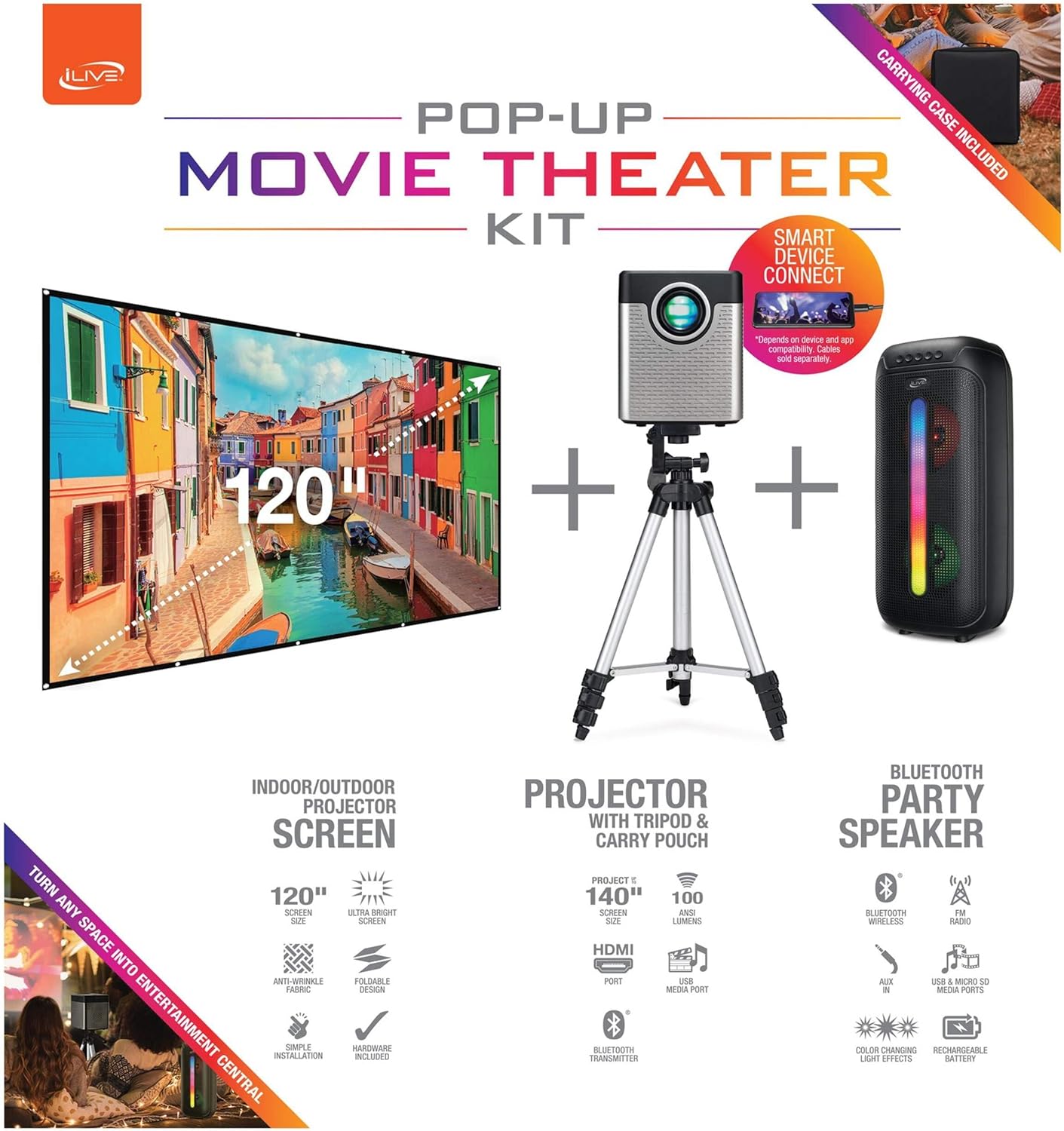
Figure 1: Diagram of the iLive Cinema Pop-up Movie Kit components.

Figure 2: The complete kit packed in its carrying case.
סעטאַפּ
- אָפּלייגן קאַמפּאָונאַנץ: Carefully remove all items from the carrying case.
- צוזאַמענשטעלן דרייפוס: Extend the legs of the tripod and secure them. Adjust the height to your desired viewing level. The integrated bubble level assists in ensuring a stable and level base.
- Mount Projector: Securely attach the projector to the tripod mount. Ensure it is stable and facing the desired projection area.
- Set Up Screen: Unfold the 120-inch anti-wrinkle screen. If using the tripod, attach the screen to the tripod frame using the provided fasteners. Ensure the screen is taut and wrinkle-free for optimal viewing. For alternative mounting, use the grommets along the screen's edges with appropriate wall hooks (not included).
- פּאָזיציע רעדנער: Place the Bluetooth speaker in a location that provides optimal sound distribution for your viewינג געגנט.
- פאַרבינדן מאַכט: פֿאַרבינדט דעם מאַכט קאַבל צום פּראָיעקטאָר און אַ פּאַסיק מאַכט ווענטיל.
- פֿאַרבינדן דעוויסעס (אָפּציאָנאַל): Connect your media source (e.g., laptop, gaming console, Blu-ray player) to the projector using an HDMI or USB cable. For external audio, use the 3.5mm audio input or connect wirelessly via Bluetooth to the speaker.

Figure 3: Projector mounted on the tripod.

פיגורע 4: עקסample outdoor setup with the projector and screen.
אַפּערייטינג ינסטראַקשאַנז
פּראַדזשעקטער אָפּעראַציע
- מאַכט אויף / אַוועק: דריק דעם מאַכט קנעפּל אויף דעם פּראָיעקטאָר אָדער ווײַטקאָנטראָל צו דרייען דעם אַפּאַראַט אָן אָדער אויס.
- אַרייַנשרייַב מקור: Use the remote control to select the desired input source (HDMI, USB, etc.).
- פאָקוס אַדזשאַסטמאַנט: Adjust the focus ring on the projector lens until the image is clear.
- Keystone Correction: If the projected image appears trapezoidal, use the keystone correction feature (manual or automatic, if available) to adjust the image to a rectangular shape. The projector supports vertical keystone correction.
- אַספּעקט פאַרהעלטעניש: Select between 16:9 and 4:3 aspect ratios based on your content and preference.
- פּרויעקציע דיסטאַנסע: The projector has a flexible projection range of 2.6 to 12.5 feet. Adjust the distance to achieve the desired screen size.
בלועטאָאָטה רעדנער אָפּעראַציע
- מאַכט אויף / אַוועק: דריק און האלט דעם מאַכט קנעפּל אויף דעם רעדנער צו עס אנצינדן אָדער אויסלעשן.
- Bluetooth Pairing: Activate Bluetooth on your device (e.g., smartphone, tablet). זוכן פֿאַר the iLive speaker in the list of available devices and pair.
- באַנד קאָנטראָל: סטרויערן די באַנד מיט די קאָנטראָלס אויף די רעדנער אָדער דיין פארבונדן מיטל.
- LED ליכט יפעקץ: The speaker features LED light effects. Refer to the speaker's specific controls for adjusting or disabling these effects.
- אמת ווירעלעסס סטערעאָ (TWS): If you have two iLive Bluetooth speakers, you can pair them together for a True Wireless Stereo experience. Follow the instructions provided with the speaker for TWS pairing.
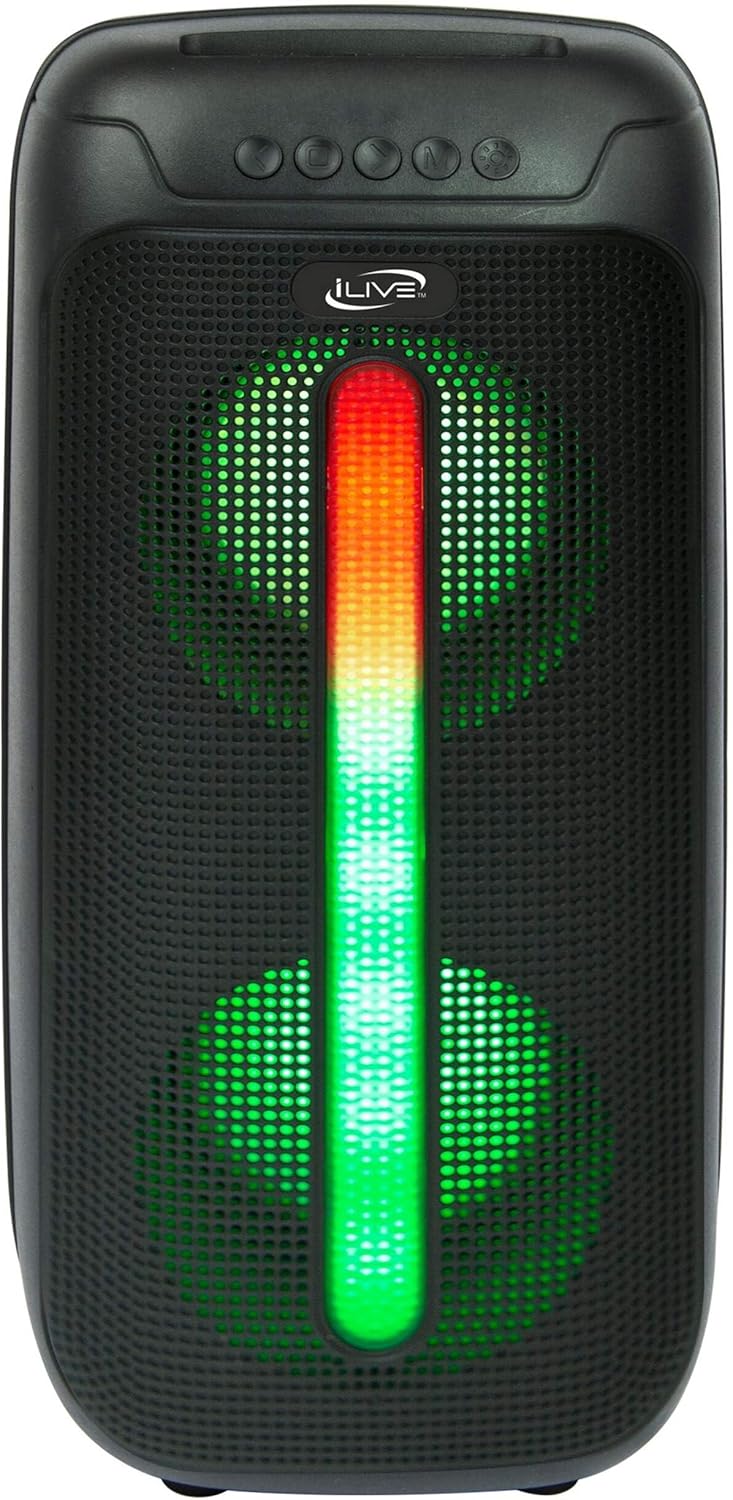
Figure 5: iLive Bluetooth 5.0 Speaker.
וישאַלט
- פּראָיעקטאָר לינז: Use a soft, lint-free cloth to gently clean the projector lens. Avoid abrasive materials or harsh chemicals.
- Projector Vents: Ensure the projector's ventilation openings are clear of dust and debris to prevent overheating.
- סקרין רייניקונג: The anti-wrinkle polyester screen can be gently wiped with a damp cloth if necessary. Allow it to air dry completely before folding or storing.
- רעדנער זאָרגן: Keep the speaker dry and clean. Avoid exposing it to extreme temperatures or direct sunlight.
- סטאָרידזש: When not in use, store all components in the provided carrying case in a cool, dry place to protect them from dust and damage.
טראָובלעשאָאָטינג
- קיין בילד אויף דעם עקראַן:
- זיכער מאַכן אַז דער פּראָיעקטאָר איז אנגעצינדן און די לענס דעקל איז אַוועקגענומען.
- באַשטעטיקן אַז די ריכטיקע אַרייַנגאַנג מקור איז אויסגעקליבן אויף דעם פּראָיעקטאָר.
- Check all cable connections (HDMI, USB) are secure.
- בלערי בילד:
- סטרויערן די פאָקוס רינג אויף די פּראַדזשעקטער אָביעקטיוו.
- Ensure the projection distance is within the recommended range (2.6-12.5 ft).
- Distorted Image (Trapezoidal):
- Use the keystone correction feature to adjust the image geometry.
- Ensure the projector is placed on a level surface or the tripod is properly adjusted.
- קיין קלאַנג פֿון רעדנער:
- Ensure the speaker is powered on and charged.
- Verify Bluetooth pairing or 3.5mm audio cable connection.
- Check volume levels on both the speaker and the connected device.
- בלועטאָאָטה פּערינג ישוז:
- מאַכן זיכער אַז די רעדנער איז אין פּערינג מאָדע.
- ריקט דעם רעדנער נענטער צו אייער דעווייס.
- Disconnect and re-pair the device.
ספּעסאַפאַקיישאַנז
| שטריך | באַשרייַבונג |
|---|---|
| מאָדעל נומער | THE2024BDL |
| ווייַז האַכלאָטע | 1280 X 720 (720 פּ) |
| ווייַז טיפּ | געפירט |
| ברייטנאַס | 3000 לומען |
| קאַנטראַסט פאַרהעלטעניש | 1000:1 |
| אַספּעקט ראַטיאָס | 16:9, 4:3 |
| ליכט מקור לעבן | 20,000 שעה |
| פּרויעקציע ראַנגע | 2.6 - 12.5 Feet |
| מאַקסימום בילד גרייס | 120 אינטשעס |
| קאַנעקטיוויטי | HDMI, USB, 3.5mm Audio, Bluetooth 5.0 |
| רעדנער רעזולטאַט | 16W Peak (Dual 4-inch drivers) |
| Speaker Battery Life | אַרויף צו 4 שעה (ביי 50% באַנד) |
| דרייַפוס פֿעיִקייטן | Integrated bubble level, 360-degree pan, ±180-degree tilt, 41.73-inch max height, 4 kg capacity |
| ווידעא ענקאָודינג שטיצע | ה.264, ה.265 |
| קאָנטראָל מעטאָד | ווייַט קאָנטראָל |
אפיציעלע פּראָדוקט ווידיאס
קיין אפיציעלע פארקויפער ווידעאס זענען נישט פאראן פאר דעם פראדוקט אין דעם מאמענט.
וואָראַנטי און שטיצן
For warranty information or technical support, please contact iLive customer service at 1-888-999-4215. Please have your model number (THE2024BDL) and proof of purchase ready when contacting support.