
1. הקדמה
Thank you for choosing the Black Shark BH02 Wireless Controller with Charging Dock. This manual provides detailed instructions for setting up, operating, and maintaining your controller to ensure optimal performance across various platforms, including PC, Nintendo Switch, iOS, and Android devices. Please read this manual thoroughly before use.
2. פּראָדוקט איבערview
The Black Shark BH02 is a versatile wireless gaming controller designed for an enhanced gaming experience. It features multiple connectivity options, precise controls, and an ergonomic design for comfortable extended play.
שליסל פֿעיִקייטן:
- מולטי-פּלאַטפאָרם קאַמפּאַטאַבילאַטי: Supports PC, Nintendo Switch, iOS, and Android.
- פלעקסאַבאַל קאַנעקטיוויטי: Bluetooth, 2.4G wireless receiver, and wired USB connection.
- הויך פּינטלעכקייַט: Equipped with a 6-axis gyroscope for accurate motion sensing and 2000-level sensitivity joysticks.
- קוסטאָמיזאַבלע קאָנטראָלס: Four programmable rear keys for personalized gameplay.
- לאַנג-בלייַביק באַטערי: Integrated 1000mAh rechargeable lithium-polymer battery.
- Smart Charging Dock: Efficient charging with automatic start and stop functions.
- ערגאָנאָמיק פּלאַן: Comfortable anti-slip grip with laser-textured bumps for secure handling.
פּעקל אינהאַלט:
- Black Shark BH02 Wireless Controller
- טשאַרדזשינג דאָק
- 2.4G ווירעלעסס ופנעמער
- וסב-C טשאַרדזשינג קאַבלע
- באַניצער מאַנואַל (דעם דאָקומענט)

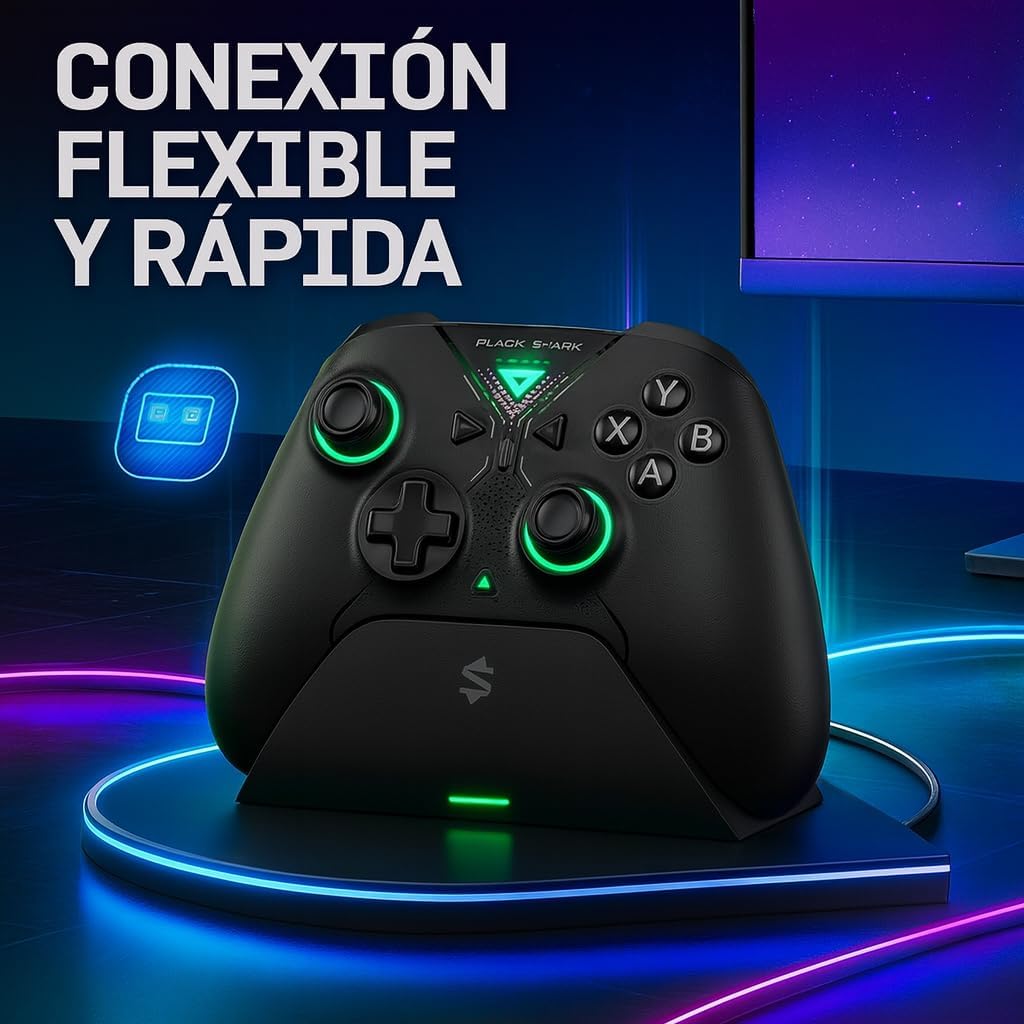
This image shows the Black Shark BH02 wireless controller securely placed on its dedicated charging dock. The controller features a black finish with green accents around the joysticks and buttons, indicating its power status or active connection.
3. סעטאַפּ
3.1 ערשט טשאַרדזשינג
- Connect the USB-C charging cable to the charging dock and a power source (e.g., USB wall adapter, PC USB port).
- Place the Black Shark BH02 controller onto the charging dock, ensuring the magnetic pins align. The LED indicator on the controller or dock will show charging status.
- Allow the controller to fully charge before first use. A full charge typically takes approximately 2-3 hours. The smart charging dock will automatically stop charging once the battery is full.
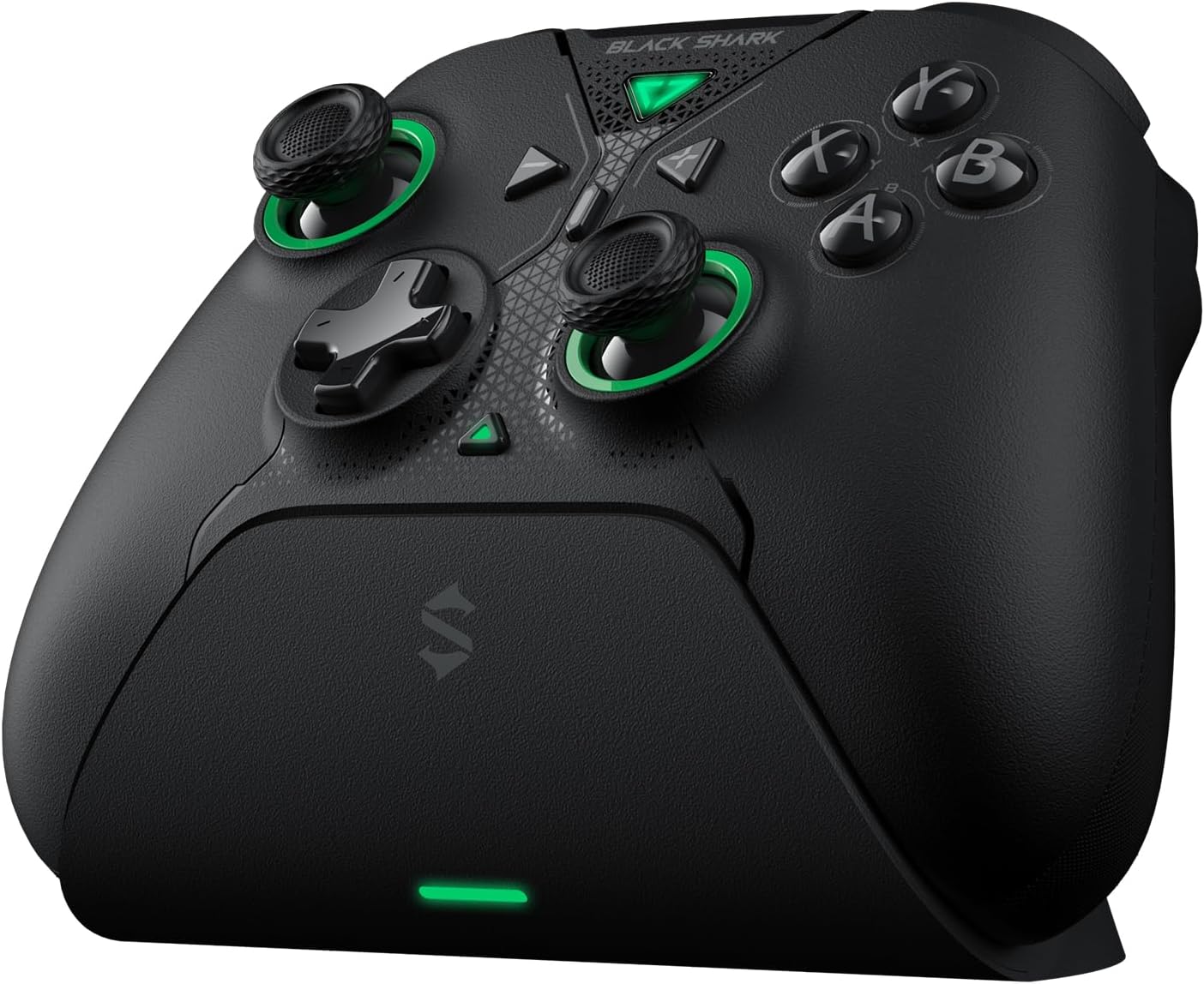
This image displays the Black Shark BH02 wireless controller from the front, detached from its charging dock. It highlights the ergonomic button layout, dual joysticks with green rings, and the central Black Shark logo.
3.2 קאַנעקטינג צו דעוויסעס
The Black Shark BH02 controller offers three connection methods:
3.2.1 Bluetooth Connection (PC, iOS, Android, Nintendo Switch)
- זייט זיכער אז דער קאנטראלער איז אויסגעלאשן.
- Press and hold the Bluetooth pairing button (refer to controller diagram for location) until the LED indicator starts flashing rapidly, indicating pairing mode.
- On your device (PC, iOS, Android, or Nintendo Switch), navigate to the Bluetooth settings.
- זוכן פֿאַר available devices and select "Black Shark BH02" (or similar name) from the list.
- Once connected, the LED indicator on the controller will become solid.
3.2.2 2.4G Wireless Connection (PC)
- Insert the 2.4G wireless receiver into an available USB port on your PC.
- Power on the Black Shark BH02 controller.
- The controller should automatically connect to the receiver. The LED indicator will become solid once connected.
3.2.3 Wired Connection (PC)
- Connect the USB-C charging cable directly from the controller to a USB port on your PC.
- The controller will be recognized as a wired gamepad. This connection offers a 1000Hz report rate for minimal input lag.
4. אַפּערייטינג ינסטרוקטיאָנס
4.1 מאַכט אויף / אַוועק
- מאַכט אויף: Press the central Black Shark logo button to power on the controller.
- מאַכט אַוועק: Press and hold the central Black Shark logo button for 3-5 seconds until the LED indicators turn off. The controller will also automatically power off after a period of inactivity to conserve battery.
4.2 Customizable Rear Keys
The Black Shark BH02 features four customizable rear keys (P1, P2, P3, P4) located on the back of the controller. These can be programmed to replicate other button inputs or complex macros.
- אַרייַן פּראָגראַממינג מאָדע: Press and hold the 'M' button (usually located on the back or bottom) until the indicator light flashes.
- Assigning a Button: Press the rear key you wish to program (e.g., P1), then press the button on the front of the controller you want it to emulate (e.g., 'A' button).
- אַרויסגאַנג פּראָגראַממינג מאָדע: Press the 'M' button again to save the setting and exit programming mode. The indicator light will stop flashing.
- Repeat for other rear keys as desired.
The back of the Black Shark BH02 controller is shown, highlighting the ergonomic grip texture, the four customizable rear paddle buttons, and the magnetic charging pins located at the bottom center for use with the charging dock. Product information and regulatory markings are also visible.
4.3 Gyroscope Functionality
The integrated 6-axis gyroscope provides precise motion control for compatible games. This feature is particularly useful for:
- נינטענדאָו סוויטש: Supports body sensing for games that utilize motion controls.
- פּיסי: Offers sensory body simulation for a more immersive experience in supported titles.
Ensure your game supports gyroscope input for this feature to function correctly.
5. וישאַלט
5.1 רייניקונג
- Use a soft, dry cloth to wipe the controller and charging dock.
- פֿאַר שווערן שמוץ, אַ ביסל דampווישט דעם שטאָף מיט וואַסער אָדער אַ מילדער רייניקונג לייזונג. פֿאַרמייַדט שטרענגע כעמיקאַלן אָדער אַברייסיוו מאַטעריאַלן.
- Do not allow liquids to enter the controller or charging dock.
5.2 סטאָרידזש
- Store the controller and dock in a cool, dry place away from direct sunlight and extreme temperatures.
- If storing for an extended period, ensure the controller has a partial charge (around 50%) to preserve battery health. Recharge every few months if not in use.
6. טראָובלעשאָאָטינג
6.1 קאָנטראָללער פֿאַרבינדט זיך נישט
- קאָנטראָלירן די באַטאַרייע: זיכער מאַכן אַז דער קאָנטראָללער איז גענוג אָנגעלאָדן.
- ריפּער: Delete the controller from your device's Bluetooth list and attempt to pair again.
- 2.4G ריסיווער: For PC, ensure the 2.4G receiver is securely plugged in and try a different USB port.
- ווייערד קשר: Test with a wired connection to rule out wireless issues.
- ריסטאַרט דיווייסאַז: ריסטאַרט ביידע דעם קאָנטראָללער און דעם מיטל צו וועלכן איר פּרוּווט זיך צו פֿאַרבינדן.
6.2 קנעפּלעך אדער דזשויסטיקס רעאגירן נישט
- ריסטאַרט קאָנטראָללער: Power off and then power on the controller.
- קוק פֿאַר אַבסטראַקשאַנז: זיכער מאַכן אַז קיין שמוץ איז נישטאָ אַרום די קנעפּלעך אָדער דזשויסטיקס.
- פּרובירן אויף אן אנדער מיטל: If possible, test the controller on a different device to determine if the issue is with the controller or the original device/game.
6.3 טשאַרדזשינג ישוז
- טשעק קאַבלע און אַדאַפּטער: Ensure the USB-C cable and power adapter are working correctly. Try a different cable or adapter.
- Dock Connection: Verify the controller is properly seated on the charging dock and the magnetic pins are making good contact.
- ריין קאָנטאַקט: Gently clean the charging pins on both the controller and the dock with a dry cloth.
7. ספּעסאַפאַקיישאַנז
| שטריך | באַשרייַבונג |
|---|---|
| מאָדעל | BH02 |
| קאַנעקטיוויטי | בלועטוט, 2.4G וויירלעס, ווייערד USB |
| באַטאַרייע קאַפּאַציטעט | 1000 מאַה ליטהיום פּאָלימער |
| גיראָסקאָפּע | 6-אַקס |
| דזשויסטיק סענסיטיוויטי | 2000 לעוועלס |
| דימענסיעס (קאָנטראָללער) | Approximately 15.5 x 10.5 x 6.5 cm (estimated from package dimensions) |
| וואָג (קאָנטראָללער) | Approximately 600g (total package weight, controller weight may vary) |
8. וואָראַנטי און שטיצן
Black Shark products are designed and manufactured to the highest quality standards. For information regarding warranty coverage, technical support, or service inquiries, please refer to the warranty card included with your product or visit the official Black Shark webזייטל. האַלט דיין קויפן באַווייַז פֿאַר וואָראַנטי קליימז.
Official Black Shark Webפּלאַץ: Black Shark Store on Amazon