
1. הקדמה
This manual provides essential instructions for the setup, operation, and maintenance of your ILIFE A30 Pro Robot Vacuum and Mop Combo. Please read this manual thoroughly before using the product to ensure proper function and safety.
2. פּעקל אינהאַלט
באַשטעטיקן אַז אַלע זאכן זענען פאַראַן אין פּעקל:
- ILIFE A30 Pro Self-Emptying Robot Vacuum Cleaner (x1)
- Self-Empty Station (x1)
- Dust Bags (5x 2.5L capacity)
- Replacement Side Brushes (4 Pcs)
- ווייַט קאָנטראָל (קס 1)
- 2-in-1 Integrated Water Tank (200ml dustbin, 200ml water tank)
- Mop Holder (x1)
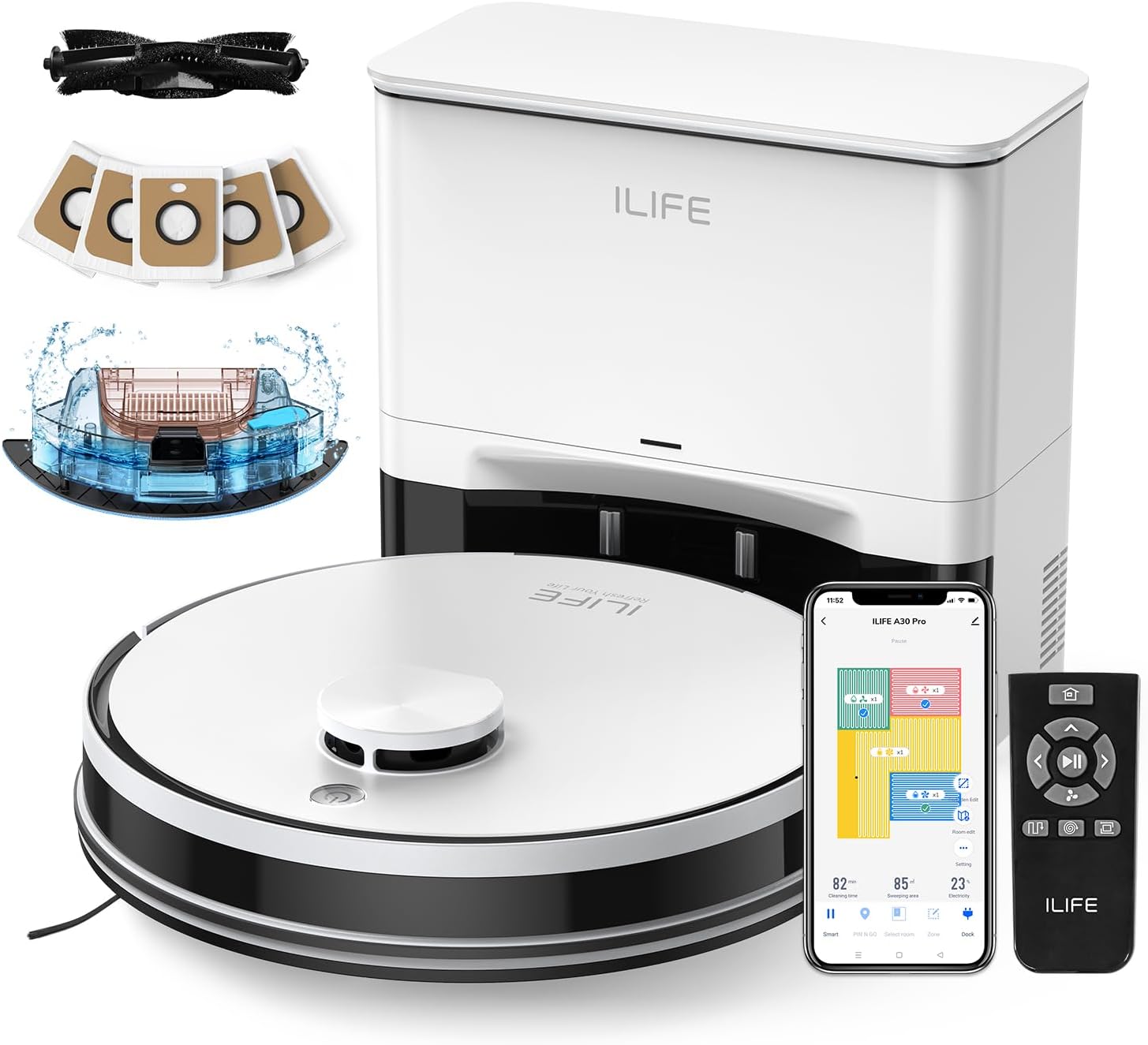
Image: The ILIFE A30 Pro robot vacuum, self-empty station, remote control, app interface, and various accessories including dust bags and side brushes.
3. סעטאַפּ
3.1 ערשט טשאַרדזשינג
- Place the self-empty station against a wall in an open area, ensuring there are no obstacles within 1 meter (3 feet) to the front and 0.5 meters (1.5 feet) to the sides.
- Connect the power adapter to the self-empty station and plug it into a wall outlet.
- Place the ILIFE A30 Pro robot vacuum onto the charging contacts of the self-empty station. Ensure the charging pins align. The robot will begin charging automatically. Fully charge the robot before first use.
3.2 אינסטאַלירן זייט ברושעס
- דריי דעם ראָבאָט וואַקוום קאַפּויער.
- Align the side brushes with the corresponding posts on the robot (L for left, R for right).
- Press the brushes down until they click into place.

Image: A pack of four replacement side brushes, showing their design for easy installation onto the robot vacuum.
3.3 App Connection (ILIFEClean App)
- Download the "ILIFEClean" app from your smartphone's app store.
- זיכער מאַכן אַז אייער סמאַרטפאָון איז פארבונדן צו אַ 2.4GHz WiFi נעץ. The robot does not support 5GHz networks.
- Open the app and follow the on-screen instructions to add your ILIFE A30 Pro robot vacuum. This typically involves resetting the robot's WiFi and connecting to its temporary hotspot before returning to your home network.
4. אַפּערייטינג ינסטרוקטיאָנס
4.1 אָנהייבן אַ רייניקונג ציקל
- מאַנואַל אָנהייב: Press the power button on the robot or the "Clean" button on the remote control.
- אַפּ אָנהייב: Open the ILIFEClean app and select the desired cleaning mode or schedule.
4.2 רייניקונג מאָדעס און זויגקראַפט
The A30 Pro offers four suction modes, adjustable via the ILIFEClean app or remote control:
- שטיל: 500Pa (for light cleaning, reduced noise)
- נאָרמאַל: 1000Pa (default cleaning)
- שטאַרק: 1800Pa (for moderate dirt)
- מאַקס: 5000Pa (for deep cleaning, pet hair)
4.3 Vacuum and Mop Function (3-in-1)
The A30 Pro features a 2-in-1 integrated water tank (200ml dustbin, 200ml water tank) allowing simultaneous vacuuming and mopping.
- Fill the water tank with clean water. Do not use cleaning solutions that may clog the nozzles.
- Attach the mop cloth to the mop holder and then attach the mop holder to the robot.
- Adjust the water level in the ILIFEClean app as needed.
- To use only the vacuum function, simply remove the mop holder.
4.4 Smart Navigation and App Features
The robot uses LIDAR navigation for smart home mapping, creating detailed maps for optimal cleaning routes.

Image: Illustration showing the robot vacuum using LIDAR navigation to create home maps, plan paths, and achieve efficient cleaning.
Using the ILIFEClean App, you can:
- שטעלן אַרויף ניט-גיין זאָנעס to restrict the robot from entering specific areas.
- דעפינירן ווירטואַל ווענט to create invisible barriers.
- Create cleaning schedules.
- Select specific rooms or areas for cleaning.
- Adjust water level and suction power.

Image: An illustration demonstrating how to set up No-Go Zones and Virtual Walls within the app to prevent the robot from entering certain areas.
5. וישאַלט
רעגולערע אויפהאלטונג גאראנטירט אפטימאלע פאָרשטעלונג און פארלענגערט די לעבנס-צייט פון אייער ILIFE A30 Pro.
5.1 Self-Empty Station Dust Bag Replacement
The self-empty station uses 2.5L dust bags, each capable of holding debris for up to 8 weeks. Replace the dust bag when the indicator light on the station or the app notifies you.
- Open the lid of the self-empty station.
- פֿאָרזיכטיק אַרויסנעמען דעם פֿולן שטויב־זאַק, און זיכער מאַכן אַז די עפענונג איז פֿאַרזיגלט כּדי צו פֿאַרמייַדן שטויב־ליקאַדזש.
- אַרײַנשטעלן אַ נײַעם שטויב־זאַק אין דעם שפּאַלט, און זיכער מאַכן אַז עס איז ריכטיק אַרײַנגעזעצט.
- נאָענט די דעקל.

Image: The ILIFE A30 Pro robot vacuum next to its self-empty station, highlighting the 5x 2.5L dust bags that provide up to 8 weeks of hands-free cleaning per bag.
5.2 רייניקן די הויפּט באַרשט און זייט באַרשטן
- הויפּט באַרשט: Regularly remove hair and debris tangled around the main brush using the cleaning tool provided.
- זייט ברושעס: Check side brushes for wear or damage. Clean any tangled hair or debris. Replace them if they are worn out (replacement brushes are included).
5.3 רייניקונג סענסאָרן
Wipe all sensors (cliff sensors, wall sensors, charging contacts) with a clean, dry cloth to ensure proper navigation and charging.
5.4 וואַסער טאַנק און מאַפּ שטאָף וישאַלט
- After each mopping cycle, empty any remaining water from the tank.
- Clean the mop cloth thoroughly and allow it to air dry before next use.
6. טראָובלעשאָאָטינג
If your robot vacuum encounters an issue, refer to the following common solutions:
- ראָבאָט לאָדט זיך נישט אויף: Ensure the charging contacts on both the robot and the self-empty station are clean and free of debris. Verify the power adapter is securely plugged in.
- ראָבאָט פֿאַרשטעקט אָדער באַוועגט זיך נישט ריכטיק: Clean all sensors. Remove any obstacles from the robot's path. Check for tangled hair in the main brush or side brushes.
- אַפּ קאַנעקשאַן פּראָבלעמען: Confirm your WiFi network is 2.4GHz. Restart your router and the robot. Try re-pairing the robot with the app.
- שלעכטע רייניקונג פאָרשטעלונג: Empty the dustbin/dust bag. Clean the main brush and side brushes. Ensure the water tank is filled for mopping.
- Self-empty station not emptying: Check if the dust bag is full or improperly installed. Ensure the suction path is clear.
For persistent issues, please contact ILIFE customer support.
7. ספּעסאַפאַקיישאַנז
| שטריך | באַשרייַבונג |
|---|---|
| מאָדעל | אילייף A30 פּראָ |
| סאַקשאַן מאַכט | Up to 5000Pa (Quiet: 500Pa, Standard: 1000Pa, Strong: 1800Pa, Max: 5000Pa) |
| שטויב זעקל קאַפּאַציטעט (זעלבסט-ליידיקע סטאנציע) | 5 x 2.5L (up to 280 days hands-free cleaning) |
| 2-in-1 Water Tank Capacity | 200ml Dustbin, 200ml Water Tank |
| נאַוויגאַציע טיפּ | LIDAR Navigation, Smart Home Mapping |
| אַפּ קאָנטראָל | ILIFEClean App (supports 2.4GHz WiFi only) |
8. וואָראַנטי און שטיצן
For warranty information, technical support, or service inquiries, please refer to the warranty card included with your product or visit the official ILIFE website. You can also contact ILIFE customer support through the ILIFEClean app or the contact information provided on the ILIFE official webפּלאַץ.
באַמערקונג: די וואָראַנטי טערמינען און באדינגונגען קענען זיין אַנדערש לויט ראַיאָן. ביטע האַלטן דיין קויפן באַווייַז.