
1. הקדמה
Thank you for choosing the BESTISAN GM07 Computer Gaming Speakers. These 30W powered monitor speakers are designed to enhance your audio experience for gaming, movies, and music. Featuring versatile connectivity options including Bluetooth, AUX, and Type-C, along with customizable RGB lighting, the GM07 speakers offer powerful sound in a compact design.
This manual provides essential information for setting up, operating, and maintaining your speakers. Please read it thoroughly before use to ensure proper function and to maximize your enjoyment of the product.
2. וואָס איז אין דער קעסטל
פּאַקט אויס די שאכטל פֿאָרזיכטיק און מאַכט זיכער אַז אַלע זאַכן זענען דאָרט און אין גוטן צושטאַנד. אויב עס פֿעלן אָדער זענען געשעדיגט, ביטע קאָנטאַקטירט קונה שטיצע.
- BESTISAN GM07 Speakers (2 units)
- מאַכט קאַבלע
- Audio Cable (AUX)
- שנעל אָנהייב גייד

Image: The package contents for the BESTISAN GM07 speakers, showing the two speaker units, power adapter, AUX cable, and the quick start guide.
3. פּראָדוקט איבערview
3.1 רעדנער קאָמפּאָנענטן
Each speaker unit features a front-facing grille covering the audio drivers and an integrated RGB light bar at the base. The primary controls and connection ports are located on one of the speaker units.
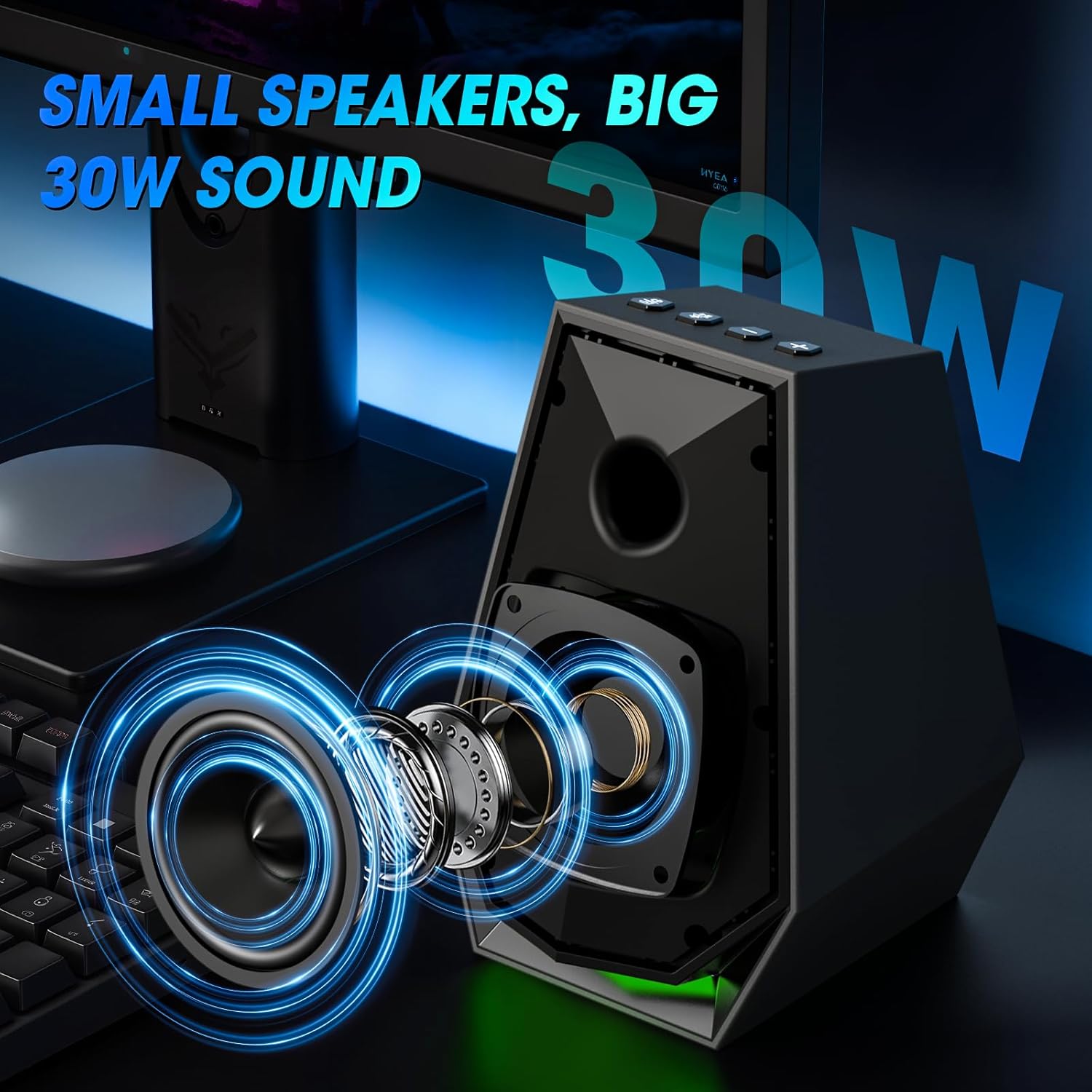
בילד: אן אינערליכע view of the speaker, illustrating the acoustic components responsible for sound output.
3.2 קאָנטראָלן און פּאָרטן
The main speaker unit includes the following controls and ports:
- מאַכט / מאָדע קנעפּל: Short press to switch input modes (Bluetooth/AUX/Type-C). Long press to power off. Double press to change EQ mode.
- Play/Pause/Light Button: Short press to play/pause audio. Long press to disconnect Bluetooth. Double press to change light mode.
- באַנד אַרויף (+) קנעפּל: ינקריסאַז באַנד.
- באַנד אַראָפּ (-) קנעפּל: דיקריסיז באַנד.
- AUX אין פּאָרט: For wired audio connection via 3.5mm audio cable.
- טיפּ-C פּאָרט: For wired audio connection via Type-C cable.
- DC מאַכט אַרייַנשרייַב: קאַנעקץ צו די מאַכט אַדאַפּטער.
- רעדנער רעזולטאַט: Connects to the secondary speaker unit.

Image: A user interacting with the control buttons located on the top of the speaker unit.

Image: The rear panel of the speaker, highlighting the AUX and Type-C input ports for various device connections.
4. סעטאַפּ
4.1 רעדנער פּלייסמאַנט
Place the two speaker units on either side of your monitor or laptop, ensuring they are at an equal distance from your listening position for optimal stereo sound. The compact design allows them to fit comfortably on most desks.
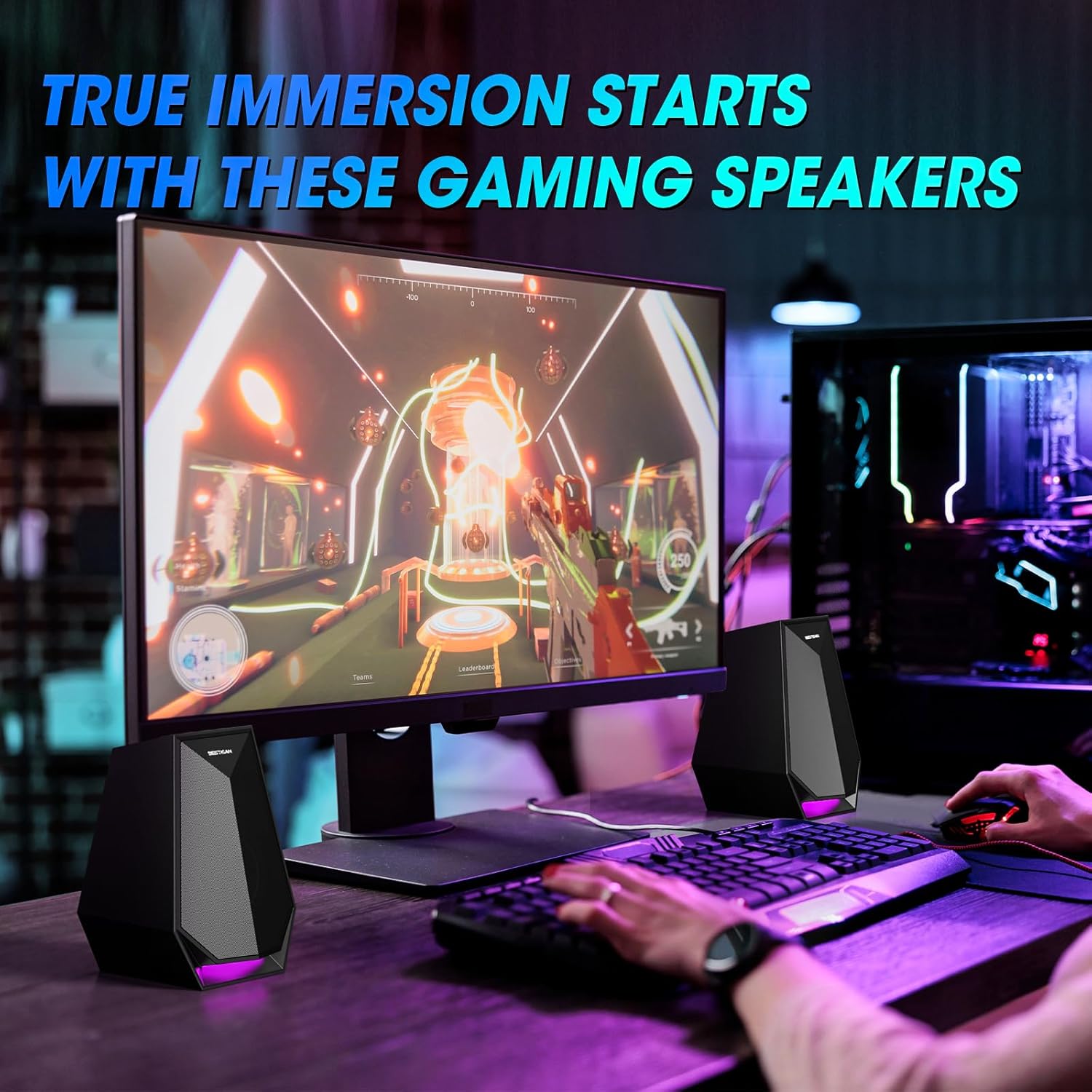
Image: The speakers are set up on a desk, flanking a computer monitor, demonstrating ideal placement.
4.2 מאַכט קאַנעקשאַן
- Connect the power cable to the DC Power Input port on the main speaker unit.
- צאַפּן די מאַכט אַדאַפּטער אין אַ נאָרמאַל וואַנט ווענטיל.
4.3 Connecting the Secondary Speaker
Connect the cable from the secondary speaker unit to the Speaker Output port on the main speaker unit.
5. אַפּערייטינג ינסטרוקטיאָנס
5.1 מאַכט אויף / אַוועק
- מאַכט אויף: Short press the Power/Mode button.
- מאַכט אַוועק: Long press the Power/Mode button.
5.2 Switching Input Modes
After powering on, short press the Power/Mode button to cycle through the available input modes: Bluetooth, AUX, and Type-C. The speaker will indicate the current mode.
5.3 בלועטאָאָטה קאַנעקשאַן
- Switch the speaker to Bluetooth mode. The indicator light will flash, indicating it is ready for pairing.
- On your device (phone, laptop, etc.), enable Bluetooth and search for "BESTISAN GM07".
- Select "BESTISAN GM07" to pair. Once connected, the indicator light will stop flashing.
- To disconnect Bluetooth, long press the Play/Pause/Light button.
5.4 AUX קאַנעקשאַן
Connect your audio source (e.g., computer, gaming console) to the AUX In port on the main speaker unit using the provided 3.5mm audio cable. Switch the speaker to AUX mode.
5.5 טיפּ-C קאַנעקשאַן
Connect your audio source (e.g., laptop, monitor) to the Type-C port on the main speaker unit using a compatible Type-C cable. Switch the speaker to Type-C mode.
5.6 אַדזשאַסטירן באַנד
Use the Volume Up (+) and Volume Down (-) buttons on the main speaker unit to adjust the audio volume.
5.7 טוישן ליכט מאָדעס
The speakers feature 6 customizable colorful light modes. Double press the Play/Pause/Light button to cycle through the different lighting effects.
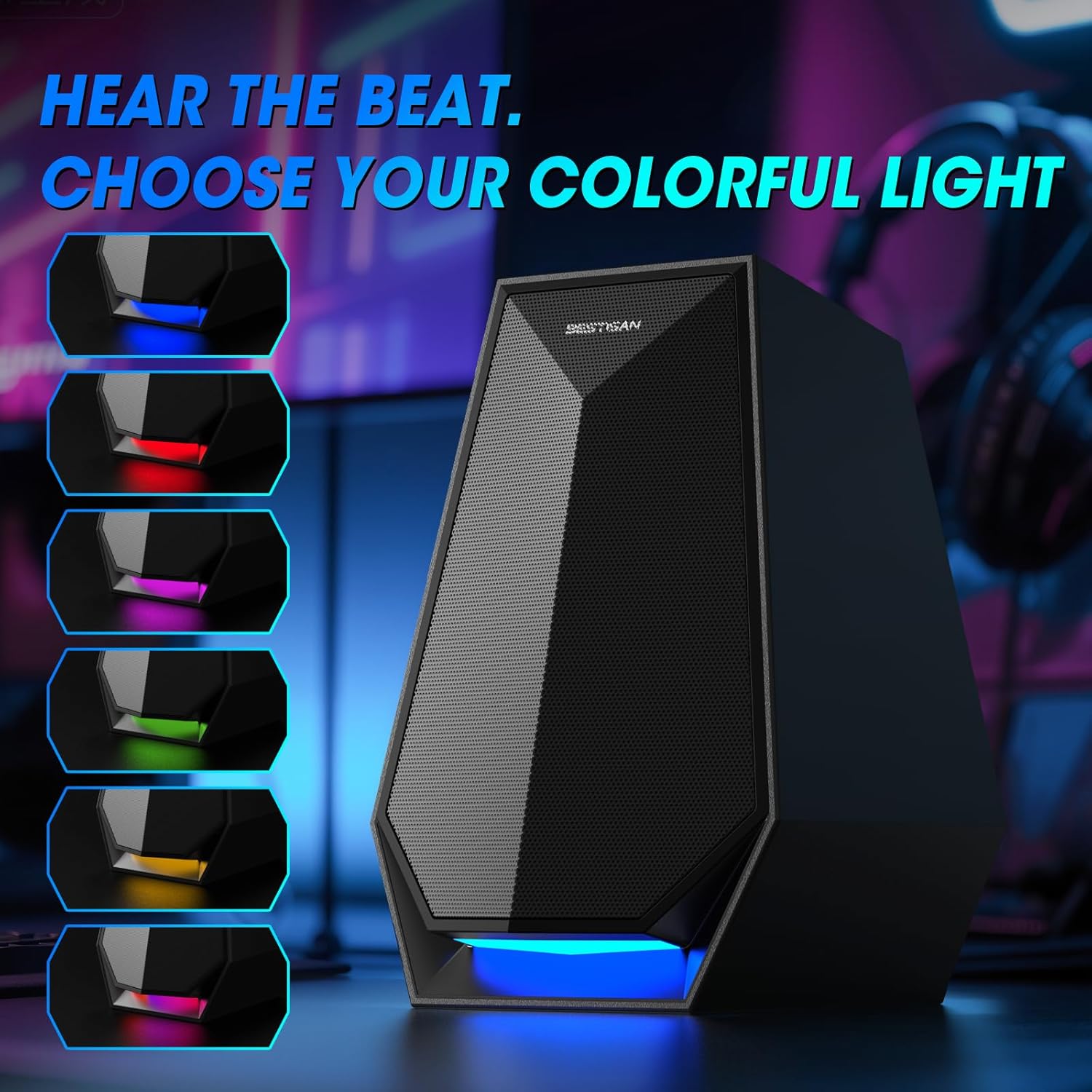
Image: The speaker's base illuminated with different colors, demonstrating the customizable lighting options.
6. וישאַלט
To ensure the longevity and optimal performance of your BESTISAN GM07 speakers, follow these maintenance guidelines:
- רייניקונג: Use a soft, dry cloth to wipe the speaker surfaces. Avoid using abrasive cleaners, solvents, or chemical sprays, as these can damage the finish.
- שטויב: רעגולער ווישן שטויב פון די רעדנער גרילן צו פאַרמייַדן אָנקלייַבונג, וואָס קען ווירקן אויף די קוואַליטעט פון די געזונט.
- סוויווע: Keep the speakers away from direct sunlight, excessive heat, humidity, and water. Ensure adequate ventilation around the units.
- האַנדלינג: פֿאַרמײַדט צו לאָזן פאַלן אָדער אויסשטעלן די רעדנערס צו שטאַרקע קלאַפּן.
7. טראָובלעשאָאָטינג
אויב איר טרעפט פּראָבלעמען מיט אייערע רעדנערס, זעט די פאלגענדע געוויינטלעכע פּראָבלעמען און לייזונגען:
| פּראָבלעם | מעגלעך סיבה | לייזונג |
|---|---|---|
| קיין געזונט | Speakers not powered on; incorrect input mode; volume too low; loose cable connection; device volume too low. | Ensure speakers are powered on. Switch to the correct input mode (Bluetooth, AUX, Type-C). Increase speaker and device volume. Check all cable connections. |
| בלועטאָאָטה פּערינג דורכפאַל | Speakers not in pairing mode; device Bluetooth off; interference; previously paired device connected. | Ensure speakers are in Bluetooth pairing mode (flashing indicator). Turn on Bluetooth on your device. Move closer to speakers. Disconnect from any other paired devices. |
| RGB lights not working/changing | Incorrect button press; internal issue. | Double press the Play/Pause/Light button to cycle modes. If issue persists, power cycle the speakers. |
| פאַרקרימט געזונט | Volume too high; poor audio source quality; loose connection. | Reduce volume on both speakers and audio source. Test with a different audio source. Check cable connections. |
If the problem persists after trying these solutions, please contact BESTISAN customer support.
8. ספּעסאַפאַקיישאַנז
| שטריך | דעטאַל |
|---|---|
| מאָדעל נאָמען | GM07 |
| סאָרט | BESTISAN |
| רעדנער טיפּ | אַרומרינגלען סאָונד |
| קאַנעקטיוויטי טעכנאָלאָגיע | Auxiliary, Bluetooth, Type-C |
| רעדנער מאַקסימום רעזולטאַט מאַכט | 30 Watts (29.99 Watts) |
| פּראָדוקט דימענשאַנז | 4.53"ד רענטגענ 4.72"וו רענטגענ 6.77"ה |
| פּונקט וואָג | 3.41 פונט |
| קאָליר | שוואַרץ |
| מאַונטינג טיפּ | טאַבלעטאָפּ בארג |
9. וואָראַנטי און שטיצן
BESTISAN products are designed and manufactured to the highest quality standards. This product is covered by a standard manufacturer's warranty against defects in materials and workmanship from the date of purchase. Please refer to the warranty card included in your package for specific terms and conditions.
For technical support, warranty claims, or any questions regarding your BESTISAN GM07 speakers, please contact BESTISAN customer service through the retailer where you purchased the product or visit the official BESTISAN webפּלאַץ פֿאַר קאָנטאַקט אינפֿאָרמאַציע.
ביטע באַהאַלטן אייער קויפן-באַווייַז פֿאַר גאַראַנטיע צוועקן.