
1. הקדמה
This manual provides detailed instructions for the installation, operation, and maintenance of your CAMECHO 2K 9.66 Inch Mirror Dash Cam. Please read this manual thoroughly before using the product to ensure proper functionality and to maximize your driving safety and recording experience. This device features a 9.66-inch IPS touchscreen, 2K front camera, and 1080P rear camera, offering a wide field of view and advanced recording capabilities.
2. פּראָדוקט איבערview
2.1 שליסל פֿעיִקייטן
- 9.66-אינטש IPS טאָוטשסקרין: Premium display for clear viewing and easy navigation.
- טריפּל קאַמעראַ סיסטעם: Front 2K (150°), Interior 1080P, and Rear 1080P (120°) cameras for comprehensive coverage.
- Super Night Vision: High-quality capture in low-light conditions.
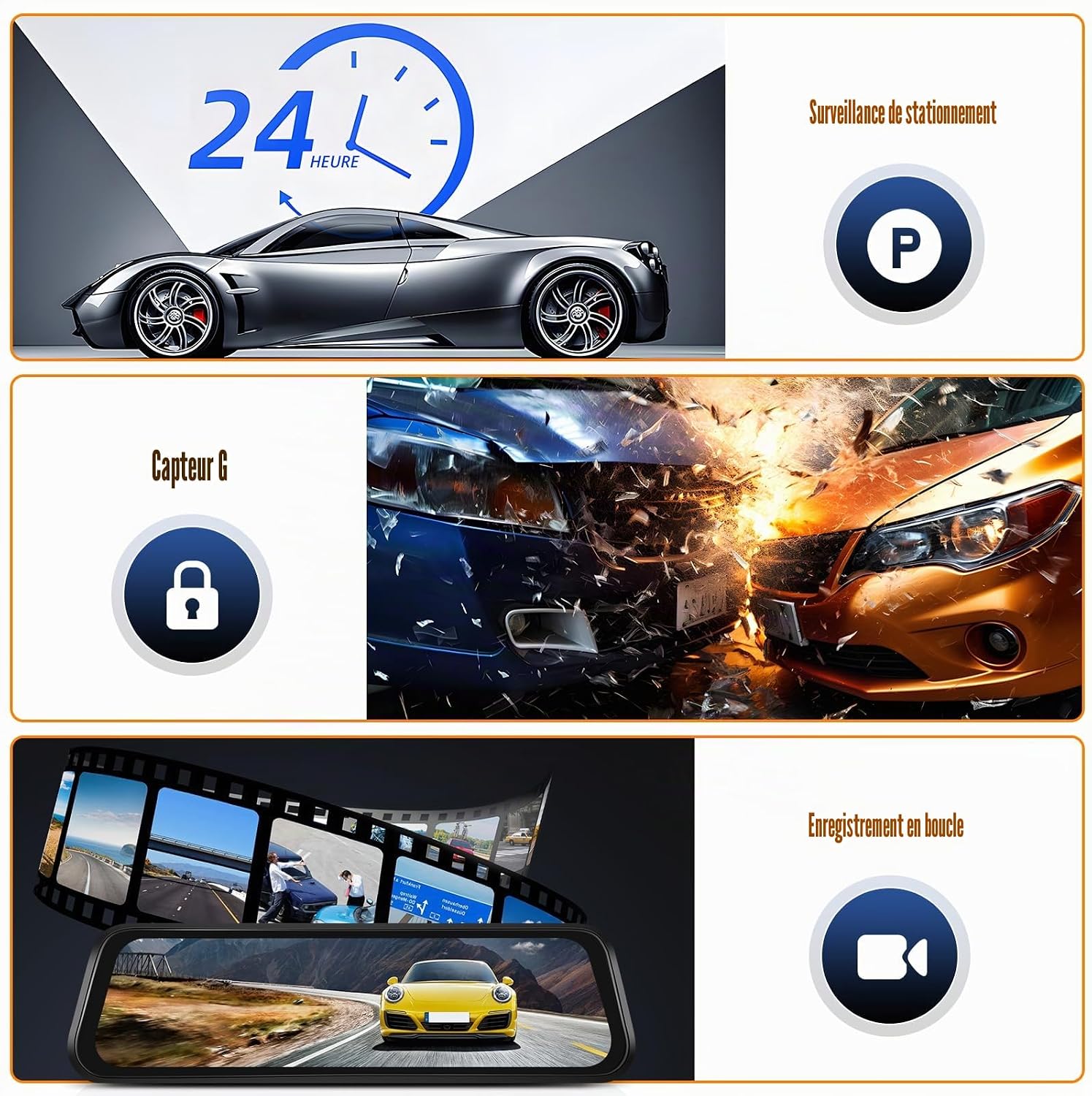
- 24-Hour Loop Recording: Continuous recording, overwriting oldest files ווען די זכּרון קאָרט איז פול.
- ג-סענסאָר: Automatically activates emergency video recording upon sudden impact or braking.
- Reverse Assist: Displays reversing lines on the screen to aid in safe parking.
- WiFi & APP Control: Connect to your smartphone via Wi-Fi for real-time viewing, management, and sharing of recordings.


2.2 פּעקל אינהאַלט
זיכער מאַכן אַז אַלע זאכן זענען פאַראַן אין פּעקל:
- 1 x DVR Mirror Dash Cam
- 1 x Integrated Camera (likely referring to the interior camera, or the main unit itself)
- 1 רענטגענ דערציען View אַפּאַראַט
- 1 רענטגענ דערציען View קאַמעראַ קאַבלע
- 1 x מאַשין טשאַרדזשער
- 1 x באַניצער מאַנואַל
- Bandages for mounting

3. אויפשטעלן און אינסטאַלירן
3.1 ינסטאַללאַטיאָן טיפּ
The CAMECHO Mirror Dash Cam is designed for rearview mirror installation, suitable for all vehicles equipped with a standard rearview שפּיגל.
3.2 ינסטאַללאַטיאָן סטעפּס
- בארג די דאַש קאַם: Securely attach the mirror dash cam over your existing rearview mirror using the provided bandages. Ensure it is centered and stable.
- פאַרבינדן מאַכט: Plug the car charger into your vehicle's cigarette lighter socket and connect the other end to the dash cam's power input. Route the cable neatly along the windshield trim to avoid obstruction.
- אינסטאַלירן הינטערשטע קאַמעראַ: Mount the rear camera at the back of your vehicle, typically above the license plate or inside the rear window. Ensure a clear view.
- Route Rear Camera Cable: Connect the rear camera cable to the dash cam. Carefully route the cable from the rear camera to the main unit, tucking it under the vehicle's interior trim for a clean installation.
- אַריינשטעלן TF קאַרטל: Insert a compatible TF (microSD) card (maximum 128GB, not included) into the designated slot on the dash cam. Ensure the card is formatted before first use.
- טעסט פאַנגקשאַנאַליטי: Start your vehicle to power on the dash cam. Verify that both front and rear cameras are displaying video on the screen and that recording has started. Test the reverse assist function by engaging reverse gear.

4. אַפּערייטינג ינסטרוקטיאָנס
4.1 מאַכט אויף / אַוועק
- אָטאַמאַטיק: די דאַש קאַמעראַ וועט זיך אויטאָמאַטיש אָנצינדן און אָנהייבן רעקאָרדירן ווען אייער פאָרמיטל'ס איגנישאַן ווערט אָנגעצונדן. עס וועט זיך אויטאָמאַטיש אויסלאָשן ווען די איגנישאַן ווערט אויסגעלאָשן.
- מאַנואַל: Press and hold the power button located on the device to manually turn it on or off.
4.2 טאָוטשסקרעען צובינד
The 9.66-inch IPS touchscreen allows for intuitive control. Tap icons to access menus, change settings, view recordings, and switch camera views.
4.3 רעקאָרדינג מאָדעס
- נאָרמאַלע רעקאָרדינג: קאָנטינויִערלעכע רעקאָרדינג בשעתן דרייווינג. Files are saved in segments (e.g., 1, 3, or 5 minutes) and loop recording ensures older files זענען אָוווערריטאַן.
- נויטפאַל רעקאָרדינג: Triggered by the G-Sensor, these recordings are locked and protected from being overwritten.
- פּאַרקינג מאָניטאָרינג: Records events when the vehicle is parked and detects impact (requires continuous power supply or built-in battery charge).
5. WiFi APP Control
The dash cam supports WiFi connectivity, allowing you to connect your smartphone via the dedicated app (Viidure). This enables real-time viewing, management, and sharing of your recordings.
5.1 קאַנעקשאַן סטעפּס
- אראפקאפיע אַפּ: Scan the QR code provided in the manual or on the device packaging, or search for "Viidure" in your smartphone's app store (iOS or Android) to download and install the application.
- אַקטיווירן WiFi אויף דאַש קאַם: Access the dash cam's settings menu and enable the Wi-Fi function. The screen will display the Wi-Fi network name (SSID) and password.
- פאַרבינדן סמאַרטפאָנע: On your smartphone, go to Wi-Fi settings, find the dash cam's Wi-Fi network (e.g., "CAMECHO_XXXX"), and connect using the provided password.
- עפענען אַפּ: Launch the Viidure app. The app should automatically detect and connect to the dash cam, allowing you to view לעבן פאָאָtage, בלעטערן רעקאָרדירט files, download videos, and adjust settings.

6. אַוואַנסירטע פֿעיִקייטן
6.1 נאַכט זעאונג
The dash cam is equipped with super night vision technology, ensuring high-quality video capture even in low-light conditions, tunnels, or at night. This feature enhances visibility and recording clarity during dark environments.

6.2 G-Sensor (Gravity Detection)
The built-in G-Sensor automatically detects sudden movements, impacts, or rapid braking. When triggered, it locks the current video segment, preventing it from being overwritten by loop recording. This ensures critical footage from accidents or incidents is preserved.
6.3 24-שעה פּאַרקינג מאָניטאָרינג
With 24-hour parking monitoring, the dash cam continues to protect your vehicle even when parked. If an impact is detected while the vehicle is off, the dash cam will automatically power on and record a short video. This feature requires a continuous power supply (e.g., hardwire kit, sold separately) or sufficient internal battery charge.
6.4 שלייף רעקאָרדינג
Loop recording ensures continuous recording by overwriting the oldest unlocked video files when the memory card reaches its capacity. This eliminates the need to manually clear the memory card.
6.5 Reverse Assist
When you engage reverse gear, the dash cam automatically displays the rear camera view in full screen with guiding lines. These auxiliary lines assist in safer and more efficient parking, helping to prevent collisions.

7. וישאַלט
- ריין די לענס: Regularly clean the front and rear camera lenses with a soft, lint-free cloth to ensure clear video quality.
- פֿאָרמאַטירונג TF קאָרט: It is recommended to format the TF card periodically (e.g., once a month) to maintain optimal performance and prevent data corruption. Back up any important files איידער פאָרמאַטטינג.
- Firmware דערהייַנטיקונגען: Check the official CAMECHO webוועבזייטל אדער אפליקאציע פאר אלע פארהאן פירמווער אפדעיטס צו זיכער מאכן אז אייער דעש קעם האט די לעצטע אייגנשאפטן און באַג פיקסעס.
- טעמפּעראַטור: Avoid exposing the dash cam to extreme temperatures for extended periods, as this can affect battery life and device performance.
8. טראָובלעשאָאָטינג
| פּראָבלעם | מעגלעך סיבה | לייזונג |
|---|---|---|
| די דאַש קאַם גייט נישט אָן. | קיין שטראָם צושטעל; דעפעקטיווער אויטאָ טשאַרדזשער; פרייַ פֿאַרבינדונג. | Check car charger connection and vehicle's cigarette lighter. Ensure the car charger is functional. |
| די רעקאָרדירונג שטעלט זיך אָפּ אָדער פֿאַרפֿרירט זיך. | TF card full; slow TF card; TF card error. | Format the TF card. Use a high-speed (Class 10 or U3) TF card. Replace faulty TF card. |
| נעבעך ווידעא קוואַליטעט. | שמוציקע לינז; שוץ־פילם נאך אויף דער לינז; אומרעכטע רעזאלוציע־סעטינגס. | Clean camera lenses. Remove any protective film. Adjust video resolution settings in the menu. |
| די הינטערשטע קאַמעראַ ווײַזט זיך נישט. | לויזע קאַבל פֿאַרבינדונג; דעפעקטיווע הינטערשטע קאַמעראַ. | קאָנטראָלירט די פֿאַרבינדונג פֿון דער הינטערשטער קאַמעראַ קאַבל צום הויפּט אַפּאַראַט. מאַכט זיכער אַז דער קאַבל איז נישט געשעדיגט. |
| WiFi פֿאַרבינדונג פּראָבלעמען. | Incorrect password; app not updated; interference. | Verify Wi-Fi password. Update the Viidure app. Try connecting in a different location to rule out interference. |
9. ספּעסאַפאַקיישאַנז
| שטריך | דעטאַל |
|---|---|
| סאָרט | CAMECHO |
| מאָדעל נאָמען | Dual Cámara |
| פאַרשטעלן גרייס | 9.66 אינטשעס IPS טאָוטשסקרין |
| פראָנט קאַמעראַ האַכלאָטע | 2K (1440p) |
| דערציען אַפּאַראַט האַכלאָטע | 1080 פּ |
| פעלד פון View (פראָנט) | 150 דיגריז |
| פעלד פון View (דערציען) | 120 דיגריז |
| קאַנעקטיוויטי טעכנאָלאָגיע | ווי-פי |
| ספּעציעלע פֿעיִקייטן | Night Vision, G-Sensor, Loop Recording, Parking Monitoring, Reverse Assist, APP Control |
| ווידעא פֿאָרמאַט | TS |
| פאָטאָ פֿאָרמאַט | M-JPG |
| ראַם קורס | 25 FPS |
| סטאָרידזש | Supports TF (microSD) card up to 128GB (not included) |
| מאַונטינג טיפּ | דערציעןview שפּיגל בארג |
| קאָנטראָל מעטאָד | טאָוטשסקרעען |
| קאַמפּאַטאַבאַל דעוויסעס | Smartphone (via Viidure App) |
| פּונקט וואָג | 600 גראַמז |
10. וואָראַנטי & שטיצן
10.1 וואָראַנטי אינפֿאָרמאַציע
CAMECHO provides a 2-year warranty for this product. This includes a 30-day return policy and a response to inquiries within 24 hours.
10.2 קונה שטיצן
For any questions, technical assistance, or warranty claims, please contact CAMECHO customer support:
- בליצפּאָסט: bs_support21@126.com
- Please include your product model and a detailed description of your issue for faster assistance.
