
1. הקדמה
The Fenvi FU-AX300 is a compact Wi-Fi 6 USB adapter designed to provide wireless connectivity to your desktop or laptop computer. It offers AX300 speeds on the 2.4 GHz band, making it suitable for everyday internet activities such as browsing, online classes, and HD streaming. Featuring OFDMA technology, it enhances efficiency in crowded network environments, and WPA3 security provides improved protection for your wireless connection. Its nano form factor allows it to remain plugged into a USB port without obstructing adjacent ports.
- AX300 Class Speed: Up to 287 Mbps on 2.4 GHz for reliable performance.
- Wi-Fi 6 Efficiency: OFDMA technology reduces network congestion.
- ימפּרוווד זיכערהייט: Supports WPA3 encryption (requires compatible router).
- הינטער-קאָמפּאַקט פּלאַן: Nano form factor for discreet use.
- גרינג ינסטאַלירונג: Driver installation for Windows 11/10.
2. פּעקל אינהאַלט
ביטע באַשטעטיקן אַז אייער פּעקל כּולל די פאלגענדע זאכן:
- Fenvi FU-AX300 Wireless USB Adapter
Note: Drivers are typically included on the device itself for easy installation or can be downloaded from the manufacturer's webפּלאַץ.
3. סעטאַפּ אינסטרוקציעס
Follow these steps to install and set up your Fenvi FU-AX300 Wi-Fi 6 USB Adapter:
- אַרייַנלייגן די אַדאַפּטער: Locate an available USB port on your desktop or laptop computer. Carefully insert the Fenvi FU-AX300 USB adapter into the USB port. Ensure it is fully seated.
- Driver Installation (Windows 11/10):
- For most Windows 11/10 systems, the operating system may automatically detect and install the necessary drivers. Wait a few moments for this process to complete.
- If automatic installation does not occur, or if prompted, you may need to run the driver installer. The FU-AX300 is often "driver-free" meaning the driver is stored on the device itself and can be accessed like a USB drive.
- Open "This PC" or "My Computer" and look for a new drive labeled "FENVI" or similar. Double-click to open it and run the setup executable (e.g., "setup.exe" or "install.exe").
- גיי די ינסטראַקשאַנז אויף דעם עקראַן צו פאַרענדיקן די ינסטאַלירונג פון די שאָפער.
- Alternatively, download the latest drivers from the official Fenvi support website if you encounter issues.
- באַשטעטיקן ינסטאַלירונג: After driver installation, check your computer's Device Manager (search for "Device Manager" in Windows search) under "Network adapters" to confirm that the Fenvi FU-AX300 adapter is listed and functioning correctly.
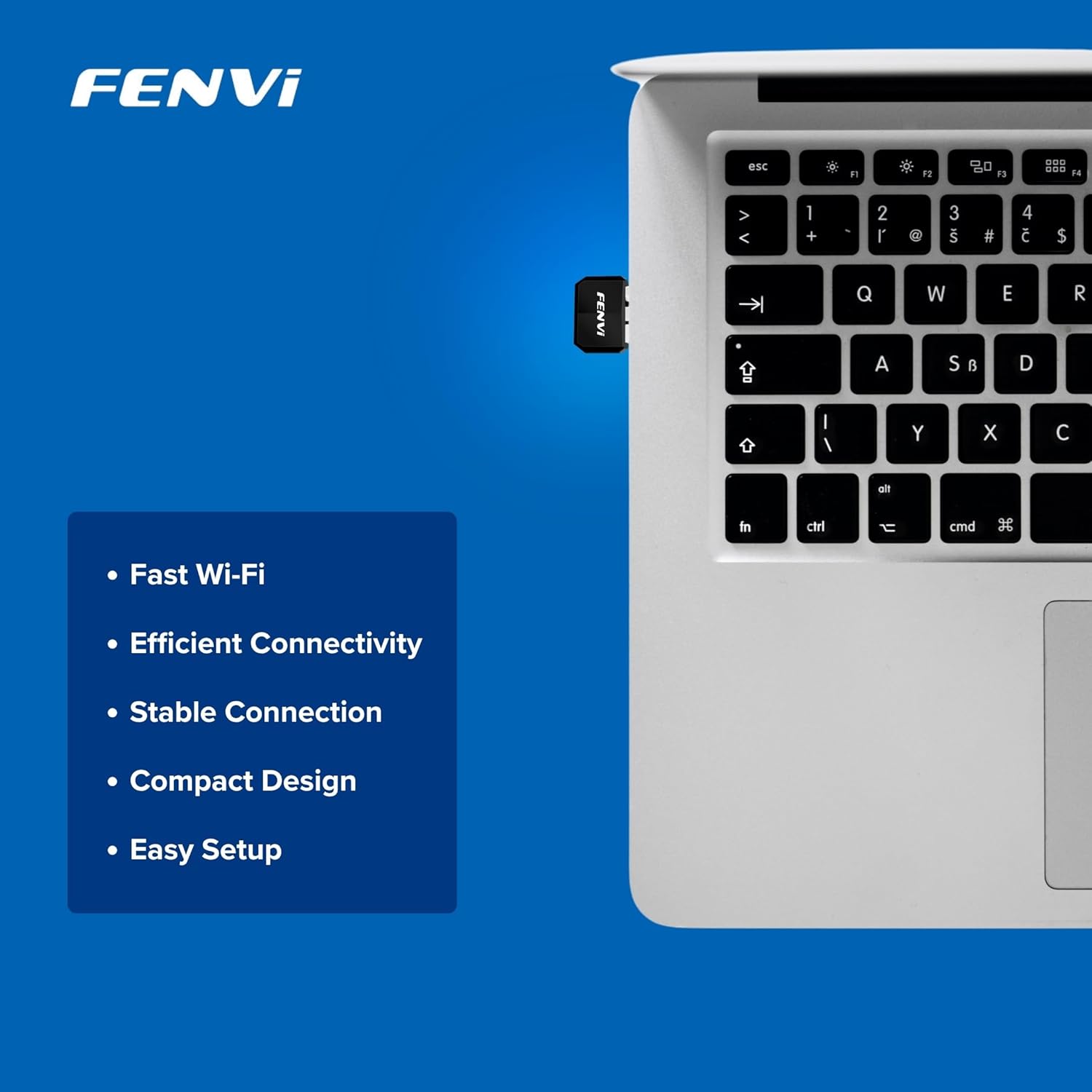
Image: The Fenvi FU-AX300 adapter shown plugged into a laptop, demonstrating its small size. Key features such as Fast Wi-Fi, Efficient Connectivity, Stable Connection, Compact Design, and Easy Setup are listed alongside.
4. אַפּערייטינג ינסטרוקטיאָנס
Once the drivers are successfully installed, you can connect to a wireless network:
- אַקסעס Wi-Fi סעטטינגס: Click on the Wi-Fi icon in the system tray (usually in the bottom-right corner of your screen) or navigate to סעטטינגס> נעץ און אינטערנעט> ווי-פי.
- אויסקלייַבן נעץ: א ליסטע פון פאראן Wi-Fi נעטוואָרקס וועט דערשייַנען. אויסקלייבן אייער געוואונטשענע נעטוואָרק (SSID).
- פאַרבינדן: Click "Connect" and enter the network security key (Wi-Fi password) if prompted.
- באַשטעטיקן קשר: Once connected, the Wi-Fi icon will indicate an active connection, and you should have internet access.

Image: This diagram illustrates the benefits of Wi-Fi 6 technology, specifically OFDMA and MU-MIMO, in improving network efficiency compared to older Wi-Fi 4 standards, especially in scenarios with multiple connected devices.
5. וישאַלט
To ensure optimal performance and longevity of your Fenvi FU-AX300 adapter, consider the following maintenance tips:
- האַלטן דריווערס דערהייַנטיקט: Periodically check the Fenvi official website for the latest driver updates. Updated drivers can improve performance, stability, and security.
- ריין דזשענטלי: If necessary, gently clean the adapter with a soft, dry cloth. Avoid using liquid cleaners or solvents.
- ויסמיידן פיזיש שעדיקן: While compact, avoid bending or applying excessive force to the adapter when it is plugged in or stored.
- אָפּטימאַל אָרט: For best signal strength, ensure the adapter is not obstructed by other objects or placed in an enclosed space.
6. טראָובלעשאָאָטינג
If you encounter issues with your Fenvi FU-AX300 adapter, refer to the following troubleshooting steps:
- קיין Wi-Fi נעטוואָרקס נישט דעטעקטירט:
- זיכער מאַכן אַז דער אַדאַפּטער איז זיכער אַרייַנגעשטעקט אין אַ USB פּאָרט.
- Verify that the drivers are correctly installed in Device Manager. Reinstall drivers if necessary.
- Check if your computer's Wi-Fi is enabled (e.g., via a physical switch or keyboard shortcut).
- Restart your computer and your Wi-Fi router.
- לאַנגזאַמע פֿאַרבינדונג גיכקייט:
- זייט זיכער אז איר זענט אין דער דערגרייכונג פון אייער Wi-Fi ראַוטער.
- מינימיזירן אריינמישונג פון אנדערע עלעקטראָנישע דעוויסעס (למשל, מייקראַווייווז, שנורלאָזע טעלעפאָנען).
- דערהייַנטיקט די דרייווערס פון דיין אַדאַפּטער צו די לעצטע ווערסיע.
- קאָנטראָלירט די גיכקייט פון אייער אינטערנעט סערוויס פּראַוויידער.
- "Driver not compatible with Windows 11" (as per some user feedback):
- While the product is advertised for Windows 11/10, if you face compatibility issues, ensure you have downloaded the absolute latest drivers directly from the Fenvi official webפּלאַץ.
- Try installing the driver in compatibility mode for an earlier Windows version if available.
- Contact Fenvi technical support for specific Windows 11 driver assistance.
- אָפטע דיסקאַנעקשאַנז:
- גיי נענטער צו דיין Wi-Fi ראַוטער.
- זיכער מאַכן אַז אייער ראַוטער'ס פירמווער איז אַרויף צו דאַטע.
- Disable power-saving features for the USB port in Device Manager (under USB Root Hub properties, Power Management tab, uncheck "Allow the computer to turn off this device to save power").
7. ספּעסאַפאַקיישאַנז

Image: This image displays the compact dimensions of the Fenvi FU-AX300 USB adapter, measuring 24mm in length, 16mm in width, and 7mm in thickness. It also highlights the 3-year warranty.
| שטריך | דעטאַל |
|---|---|
| סאָרט | פֿענווי |
| מאָדעל נומער | FU-AX300 |
| ייַזנוואַרג צובינד | וסב 2.0 |
| דאַטאַ לינק פּראָטאָקאָל | IEEE 802.11a (Wi-Fi 6 / 802.11ax compatible) |
| דאַטאַ אַריבערפירן קורס | ביז 300 מעגאַביט פּער סעקונדע (2.4 גיגאַהערץ) |
| זיכערהייַט | WPA3 (router support required) |
| פֿעיִקייטן | MU-MIMO, OFDMA |
| קאַמפּאַטאַבאַל אַפּערייטינג סיסטעמס | Windows 11, Windows 10 |
| פּראָדוקט דימענשאַנז (L x W x H) | 40 x 20 x 15 מילימעטער |
| פּונקט וואָג | 25 גראַמז |
| קאָליר | שוואַרץ |
| לאַנד פון אָריגין | כינע |

Image: This image provides a summary of the Fenvi FU-AX300's key specifications, such as its brand (Fenvi), model (FU-AX300), Wi-Fi standard (IEEE 802.11ax), USB 2.0 interface, WPA3 security, 2.4GHz data rate, MU-MIMO/OFDMA features, Windows 7/10/11 compatibility, and 3-year warranty.
8. וואָראַנטי און שטיצן
וואָראַנטי אינפֿאָרמאַציע: The Fenvi FU-AX300 Wi-Fi 6 USB Adapter comes with a 3-יאָר מאַנופאַקטורער וואָראַנטיביטע באַהאַלטן אייער קויפן באַווייַז פֿאַר וואָראַנטי קליימז.
טעכניש שטיצן: For further assistance, driver downloads, or troubleshooting not covered in this manual, please visit the official Fenvi support website or contact their customer service. Contact details are typically available on the manufacturer's webזייטל אדער פּראָדוקט פּאַקאַדזשינג.
פאַבריקאַנט: פֿענווי
Importer Contact Information: Compassco No 98 1st Floor Digital Park Road Yeshwanthpur Industrial Suburb Bangalore Karnataka 560022 India
Packer Contact Information: Shenzhen fenvi Technology Co., Ltd 401C West Area,North Block, High tech Industrial Park,Beier Road,Bantian Community, Bantian Street, Longgang District, Shenzhen China