
הקדמה
This manual provides detailed instructions for the setup, operation, and maintenance of your Bmax Mini PC B1 Pro. Please read this manual thoroughly before using the device to ensure proper functionality and to prevent damage.
פּעקל אינהאַלט
ביים אויספּאַקן, ביטע באַשטעטיקן אַז אַלע זאכן וואָס זענען ליסטעד אונטן זענען פאַראַן און אין גוטן צושטאַנד:
- Bmax Mini PC B1 Pro unit
- מאַכט אַדאַפּטער
- HDMI קאַבלע
- באַניצער מאַנואַל (דעם דאָקומענט)
- Mounting Bracket (if included)
If any items are missing or damaged, please contact Bmax customer support.
פּראָדוקט איבערview
The Bmax Mini PC B1 Pro is a compact computing solution designed for home and office use. It features various ports for connectivity and expansion.
Internal Chassis View
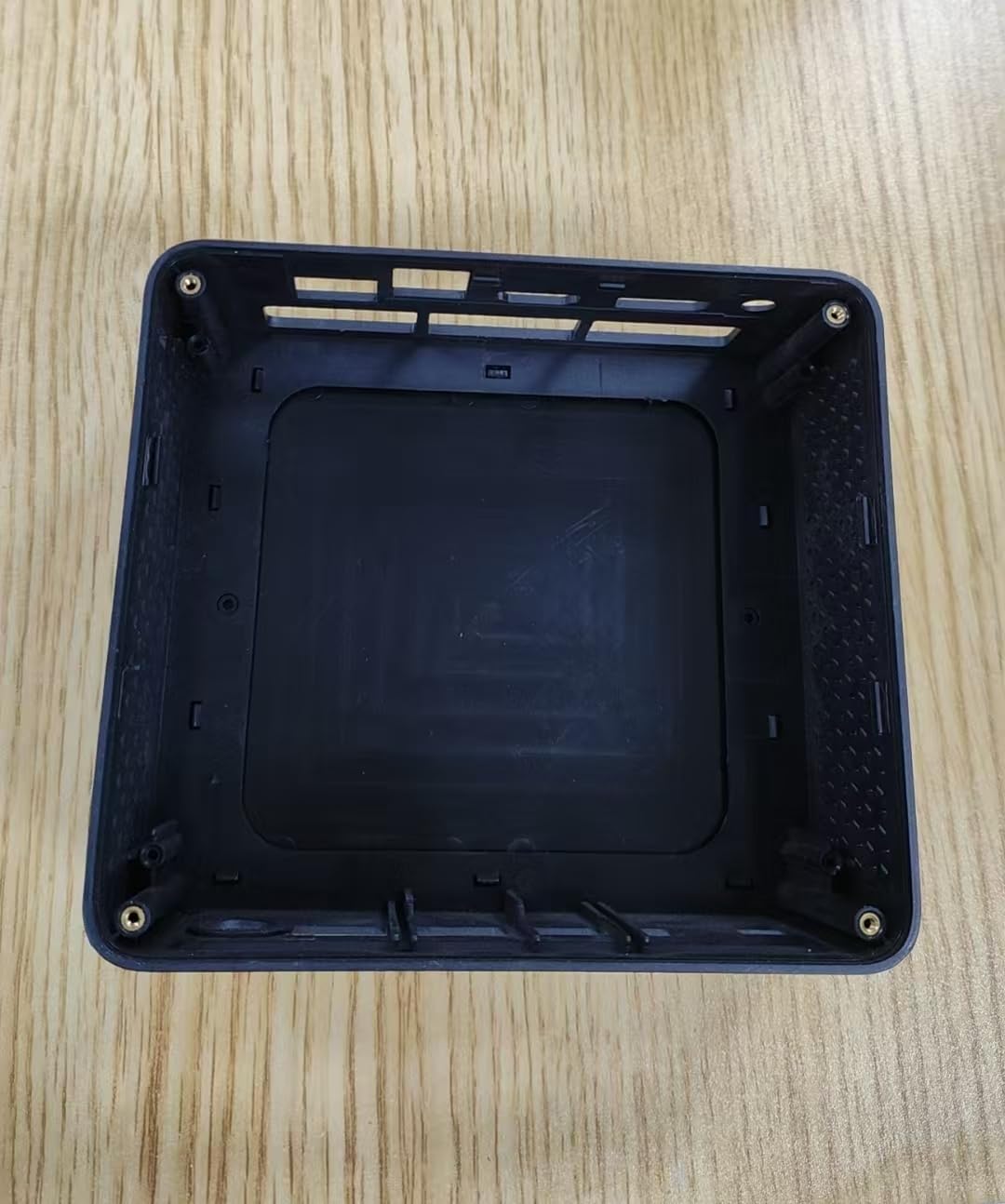
This image displays the internal housing of the Bmax Mini PC B1 Pro, showing the structural components and mounting points within the device's casing. It illustrates the design of the enclosure without the internal electronic components installed.
Port Layout (Typical)
The B1 Pro typically includes the following ports:
- הדמי פּאָרט: For connecting to a display (supports 4K 60Hz).
- וסב 3.0 פּאָרץ: Two ports for high-speed data transfer and peripheral connection.
- וסב 2.0 פּאָרץ: Two ports for connecting standard peripherals.
- גיגאַביט עטהערנעט פּאָרט: פֿאַר אַ דראָטיקער נעץ פֿאַרבינדונג.
- מאַכט אַרייַנשרייַב: פֿאַר קאַנעקטינג די מאַכט אַדאַפּטער.
- אַודיאָ דזשאַק: פֿאַר כעדפאָונז אָדער ספּיקערז.
סעטאַפּ
1. קאַנעקטינג פּעריפעראַלס
- Connect your monitor or TV to the HDMI פּאָרט ניצן אַ HDMI קאַבלע.
- Connect your keyboard and mouse to the available וסב פּאָרץ (USB 2.0 or USB 3.0).
- (Optional) For a wired internet connection, connect an Ethernet cable to the גיגאבייט עטהערנעט פּאָרט.
- (Optional) Connect speakers or headphones to the אַודיאָ דזשאַק.
2. פּאַוערינג אויף
- פאַרבינדן די מאַכט אַדאַפּטער צו די power input port on the Mini PC.
- צאַפּן די מאַכט אַדאַפּטער אין אַ וואַנט ווענטיל.
- דרוק די מאַכט קנעפּל (location may vary, typically on the front or side) to turn on the device.
- The power indicator light will illuminate, and the system will begin to boot.
3. ערשט קאָנפיגוראַטיאָן
Follow the on-screen instructions to complete the initial setup of the operating system (e.g., Windows, Linux). This typically includes setting up user accounts, network connections, and regional settings.
אַפּערייטינג ינסטראַקשאַנז
יקערדיק באַניץ
- מאַכט אויף / אַוועק: Press the power button to turn on. To shut down, use the operating system's shutdown function. A short press of the power button can put the device to sleep.
- ריסטאַרט: Use the operating system's restart function.
- קאַנעקטינג וסב דעוויסעס: Insert USB drives, external hard drives, or other peripherals into the available USB 2.0 or USB 3.0 ports.
קאַנעקטינג צו נעטוואָרק
- ווי-פי: The B1 Pro supports Dual-Band Wi-Fi. Access your operating system's network settings, select your desired Wi-Fi network, and enter the password.
- עטהערנעט: If you connected an Ethernet cable during setup, the system should automatically detect and connect to the wired network.
- בלועטאָאָטה: The B1 Pro features Bluetooth 5.0. Enable Bluetooth in your operating system settings to pair with compatible devices like keyboards, mice, or headphones.
ווייַז רעזולטאַט
The Mini PC supports 4K resolution at 60Hz via its HDMI port. Ensure your display and HDMI cable are compatible with these specifications for optimal performance.
וישאַלט
- רייניקונג: Use a soft, dry cloth to clean the exterior of the Mini PC. Avoid liquid cleaners directly on the device. Use compressed air to clear dust from vents periodically.
- ווייכווארג דערהייַנטיקונגען: רעגולער אַפּדייט אייער אָפּערייטינג סיסטעם און דרייווערס צו ענשור אָפּטימאַל פאָרשטעלונג און זיכערהייט.
- ווענטילאַטיאָן: Ensure the Mini PC is placed in a well-ventilated area to prevent overheating. Do not block the ventilation holes.
טראָובלעשאָאָטינג
| פּראָבלעם | מעגלעך סיבה | לייזונג |
|---|---|---|
| קיין מאַכט | שטראָם אַדאַפּטער נישט פארבונדן אדער אַ דעפעקטיווע אַוטלעט. | קאָנטראָלירט די עלעקטרישע פֿאַרבינדונגען. פּרוּווט אַן אַנדער אַוטלעט. |
| ניט קיין אַרויסווייַזן רעזולטאַט | Incorrect HDMI connection, faulty cable, or incorrect input selected on monitor. | Ensure HDMI cable is securely connected. Try a different HDMI cable. Select correct input source on your monitor. |
| Wi-Fi איז נישט קאַנעקטינג | אומרעכט פּאַראָל, אַרויס פון קייט, אָדער ראַוטער פּראָבלעם. | Verify Wi-Fi password. Move closer to the router. Restart router. |
| פּאַמעלעך פאָרשטעלונג | צו פיל אַפּליקאַציעס לויפן, נישט גענוג סטאָרידזש, אָדער אַלטע דרייווערס. | Close unnecessary applications. Free up disk space. Update operating system and drivers. |
For further assistance, please contact Bmax customer support.
ספּעסאַפאַקיישאַנז
| שטריך | דעטאַל |
|---|---|
| מאָדעל | B1 Pro |
| פּראַסעסער | Intel Celeron (2.4 GHz) |
| באַראַן | LPDDR4 |
| סטאָרידזש | 128 GB SSD (PCIE x 4 interface) |
| גראַפיקס | Integrated, 8 GB Graphics RAM |
| אָפּערייטינג סיסטעם | אָפּערירן סיסטעם (פאַר-אינסטאַלירט אָדער באַניצער-אינסטאַלירבאר) |
| וסב פּאָרץ | 2 קס וסב 3.0, 2 קס וסב 2.0 |
| ווידעא רעזולטאַט | HDMI (supports 4K 60Hz) |
| נעץ | Gigabit Ethernet, Dual-Band Wi-Fi, Bluetooth 5.0 |
| דימענשאַנז | 10.5 X 6 X 2.8 אינטשעס |
| וואָג | 1.3 פונט |
| בדעה ניצן | Business, Home & Office |
זיכערקייַט אינפֿאָרמאַציע
- דו זאלסט נישט ויסשטעלן די מיטל צו עקסטרעם טעמפּעראַטורעס, הומידיטי אָדער דירעקט זונשייַן.
- ויסמיידן דראַפּינג אָדער אונטערטעניק די מיטל צו שטאַרק ימפּאַקץ.
- פּרוּווט נישט צו צענעמען אָדער פאַרריכטן דעם אַפּאַראַט אַליין. ווענדט זיך צו קוואַליפֿיצירטע סערוויס פּערסאָנעל.
- ניצן בלויז די צוגעשטעלט מאַכט אַדאַפּטער.
- האַלטן די מיטל אַוועק פון ליקווידס.
וואָראַנטי און שטיצן
The Bmax Mini PC B1 Pro comes with a standard manufacturer's warranty. Please refer to the warranty card included in your package or visit the official Bmax webזייטל פֿאַר דעטאַלירטע וואָראַנטי טערמינען און באדינגונגען.
For technical support, troubleshooting, or service inquiries, please contact Bmax customer support through their official channels. Contact information can typically be found on the Bmax webוועבזייטל אדער אויף דער פּראָדוקט פּאַקאַדזשינג.
Bmax Official Webפּלאַץ: Visit the Bmax Store on Amazon