
1. הקדמה
This manual provides essential information for the safe and efficient operation, maintenance, and troubleshooting of your kolegend Hobby Metal Mini RC Excavator Model 520. Please read this manual thoroughly before operating the product to ensure proper function and longevity.
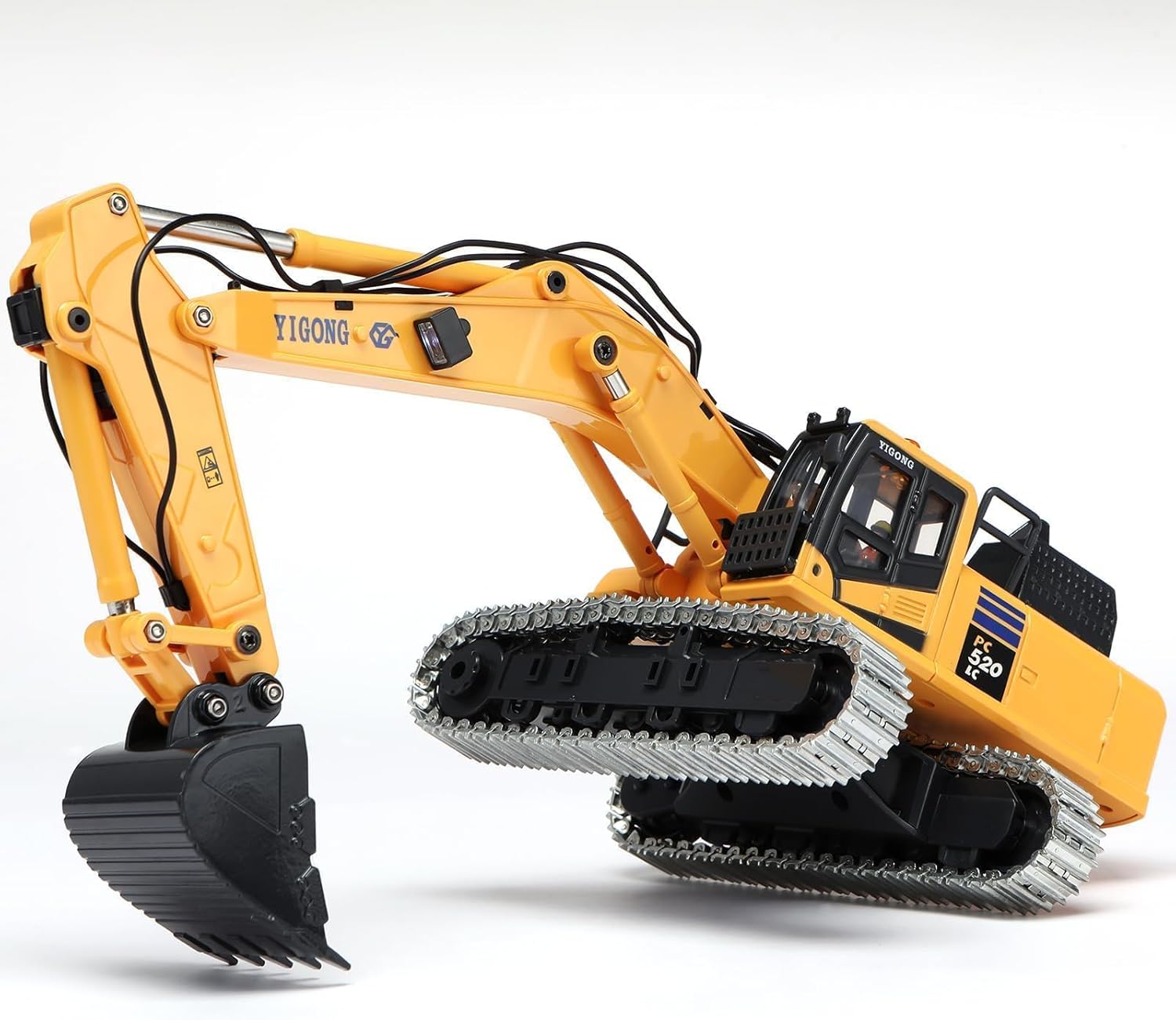
Figure 1: The kolegend Hobby Metal Mini RC Excavator Model 520.
2. פּעקל אינהאַלט
באַשטעטיקט אַז אַלע זאכן וואָס זענען אויסגערעכנט אונטן זענען אַרייַנגערעכנט אין אייער פּעקל:
- kolegend Hobby Metal Mini RC Excavator Model 520
- ווייַט קאָנטראָל טראַנסמיטער
- 2 x UL-Certified Li-ion Batteries
- טשאַרדזשינג קאַבלע
- פּאָרטאַטיוו קערי קאַסע
- Additional Plastic Tracks (if included in specific package variant)
- ינסטרוקטיאָן מאַנואַל (דעם דאָקומענט)

Figure 2: Contents of the portable carry case, including the excavator, remote control, batteries, and accessories.
3. זיכערקייַט אינפֿאָרמאַציע
- WARNING: CHOKING HAZARD - Small parts. ניט פּאַסיק פֿאַר קינדער אונטער 3 יאר אַלט.
- Always operate the excavator in a safe environment, away from people, pets, and obstacles.
- ארבעט נישט לעבן וואַסער אדער אין נאַסע באדינגונגען צו פאַרמייַדן עלעקטרישע שאָדן.
- Ensure batteries are correctly installed and charged using the provided charging cable.
- השגחה אויף קינדער בעת די אפעראציע.
- ויסמיידן עקסטרעם טעמפּעראַטורעס און דירעקט זונשייַן.
4. סעטאַפּ
4.1. עקסקאַווייטער באַטערי ינסטאַללאַטיאָן
- Locate the battery compartment on the rear of the excavator.
- עפענען די באַטאַרייע אָפּטייל דעקן.
- Connect one of the provided Li-ion batteries to the excavator's power connector.
- לייגט פֿאָרזיכטיק די באַטעריע אַרײַן אין דעם אָפּטייל און פֿאַרמאַכט דעם דעקל זיכער.

Figure 3: Installing the battery into the excavator's compartment.
4.2. רימאָוט קאָנטראָל באַטערי ינסטאַללאַטיאָן
- געפֿינען די באַטאַרייע אָפּטייל אויף די צוריק פון די ווייַט קאָנטראָל.
- עפענען די באַטאַרייע אָפּטייל דעקן.
- Insert 1 AAA battery (included) into the compartment, ensuring correct polarity.
- פאַרמאַכן די באַטאַרייע אָפּטייל דעקן סיקיורלי.

Figure 4: The remote control unit with its LED display and various controls.
4.3. ערשט פּערינג
The excavator and remote control are typically pre-paired. If re-pairing is needed:
- Ensure both the excavator and remote control are powered off.
- Turn on the excavator. The indicator light will flash.
- Turn on the remote control. The indicator light will flash.
- Move the left joystick up and then down. The indicator lights on both devices should become solid, indicating successful pairing.
5. אַפּערייטינג ינסטרוקטיאָנס
5.1. רימאָוט קאָנטראָל פאַנגקשאַנז
The remote control features two joysticks and several buttons for precise control:
- לינקס דזשויסטיק: Controls the movement of the excavator tracks (forward/backward, left/right turn).
- רעכט דזשויסטיק: Controls the excavator arm and bucket movements (up/down, scoop/dump).
- לייטינג קנעפּל: Toggles the working lights on/off.
- Sound Effects Button: Activates engine sounds and other operational sound effects.
- ראָוטיישאַן קנעפּל: Initiates 360-degree rotation of the excavator's cabin.
Video 1: Demonstration of the kolegend Hobby Metal Mini RC Excavator's basic movements and functions.
5.2. Basic Movements
- פאָרויס / צוריק: שטופּ דעם לינקן דזשויסטיק פאָרויס אָדער צוריק.
- דרייען לינקס / רעכט: דריק דעם לינקן דזשויסטיק לינקס אדער רעכטס.
- Arm Up/Down: שטופּ דעם רעכטן דזשויסטיק פאָרויס אָדער צוריק.
- Bucket Scoop/Dump: דריק דעם רעכטן דזשויסטיק לינקס אדער רעכטס.

Figure 5: The excavator's ability to rotate 360 degrees, allowing for versatile operation.
5.3. Advanced Operations (Leadscrew Digging System)
The Leadscrew Digging System provides realistic and powerful digging capabilities. Practice combining joystick movements for complex actions:
- To dig, extend the arm and lower the bucket into the material. Use the right joystick to scoop the material.
- To lift and dump, raise the arm and rotate the cabin to the desired dumping location, then use the right joystick to dump the material.
Video 2: Detailed demonstration of the Leadscrew Digging System in action, showing precise control over the arm and bucket.
6. וישאַלט
- רייניקונג: Wipe the excavator and remote control with a dry, soft cloth after each use. Avoid water or harsh chemicals.
- באַטערי זאָרגן: Always remove batteries from the excavator and remote control when not in use. Store batteries in a cool, dry place. Do not overcharge or completely discharge the batteries.
- סטאָרידזש: Store the excavator and its accessories in the provided portable carry case to protect them from dust and damage.
- Track Inspection: Periodically check the tracks for any debris or damage. Clean as necessary.
7. טראָובלעשאָאָטינג
| פּראָבלעם | מעגלעך סיבה | לייזונג |
|---|---|---|
| Excavator does not respond. | Low battery in excavator or remote control; Not paired; Power switch off. | Charge/replace batteries; Re-pair devices; Ensure power switches are ON. |
| Limited range or interference. | Other RC devices nearby; Obstacles blocking signal. | Move to an open area; Turn off other RC devices. |
| Excavator arm/bucket not moving smoothly. | Debris in moving parts; Low battery. | Clean moving parts; Charge battery. |
8. ספּעסאַפאַקיישאַנז
- מאָדעל: 520
- סאָרט: kolegend
- מאַטעריאַל: Metal (Zinc-Alloy bucket/tracks), ABS Body
- מאַכט מקור: Battery Powered (2 x UL-Certified Li-ion Batteries included)
- רימאָוט קאָנטראָל באַטעריז: 1 X AAA (אַרייַנגערעכנט)
- אָפּעראַציע מאָדע: ווייַט קאָנטראָל
- פֿעיִקייטן: Leadscrew Digging System, Engine Sound, Working Lights, 360-degree Rotation
- מאָדעל גרייס: בעערעך 15 X 9.25 X 3.74 אינטשעס
- נומער וואָג: 0.6 פונט
9. וואָראַנטי און שטיצן
kolegend provides lifetime support for this RC Excavator. This includes expert engineering guidance, a 72-hour response time for inquiries, and full maintenance documentation. For any questions or assistance, please contact kolegend customer support through your purchase platform or the official brand webפּלאַץ.
This product is designed for durability with its zinc-alloy bucket/tracks and reinforced ABS body. Please refer to the safety guidelines and maintenance instructions to ensure optimal performance and longevity.