
1. הקדמה
Thank you for choosing the MECHEN M33 Hi-Res MP3 Player. This device is designed to provide a high-fidelity audio experience with support for various lossless formats, Bluetooth 5.3 connectivity, and a user-friendly touchscreen interface. This manual will guide you through the setup, operation, and maintenance of your new MP3 player.
2. פּעקל אינהאַלט
ביטע באַשטעטיקן אַז אַלע זאכן וואָס זענען ליסטעד אונטן זענען אַרייַנגערעכנט אין דיין פּעקל:
- MECHEN M33 Hi-Res MP3 Player
- וסב- C דאַטאַ קאַבלע
- פּראַטעקטיוו לעדער קעסטל
- 128GB External Memory Card (pre-installed or separate)
- באַניצער מאַנואַל (דעם דאָקומענט)
3. פּראָדוקט איבערview
The MECHEN M33 features a compact design with a durable zinc alloy body and a 2.8-inch HD touchscreen for intuitive navigation. It supports high-resolution audio formats and offers versatile connectivity options.
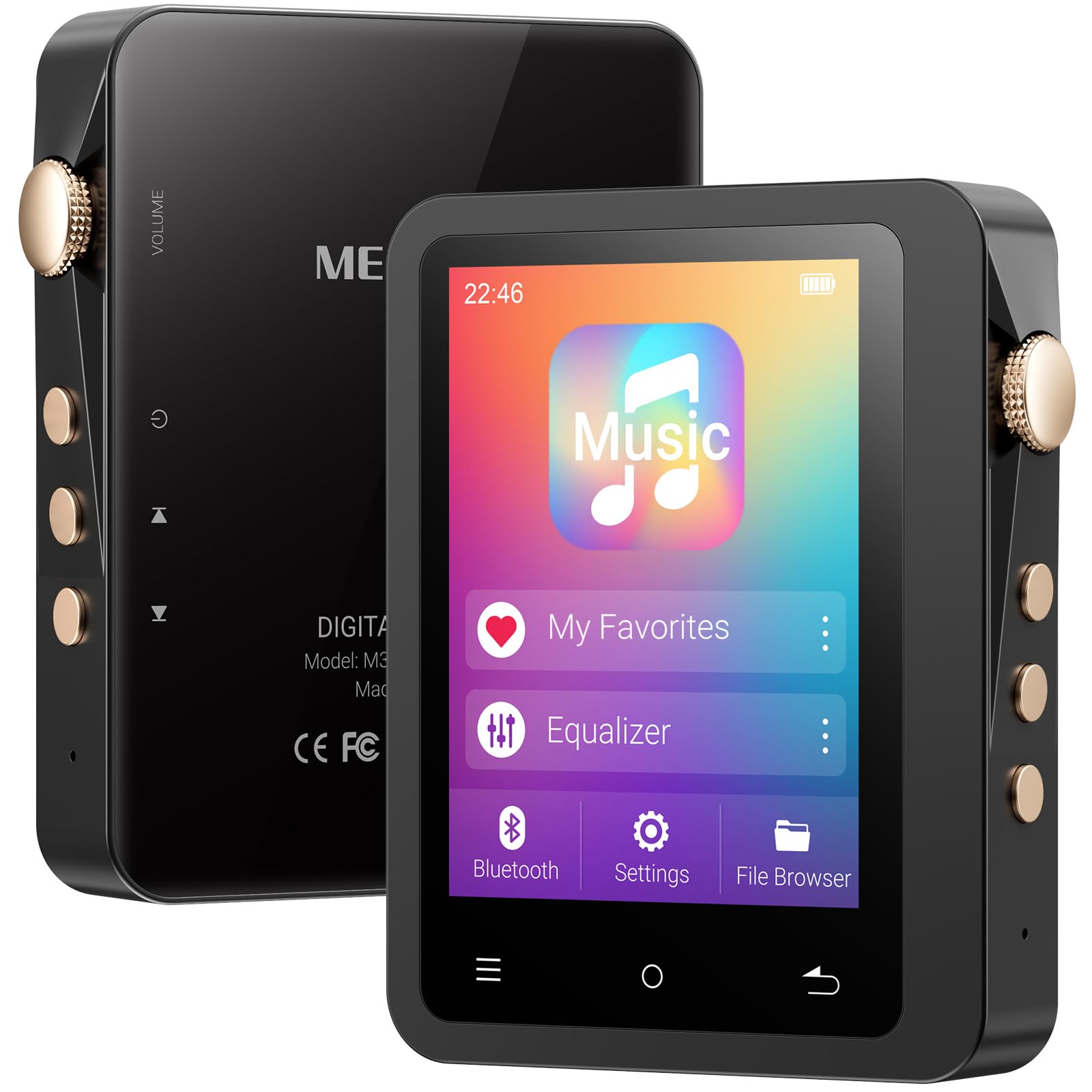
Image: The MECHEN M33 Hi-Res MP3 Player, showcasing its 2.8-inch touchscreen and compact form factor, often accompanied by its protective leather case.
שליסל פֿעיִקייטן:
- Hi-Fi געזונט קוואַליטעט: Built-in DAC decoding chip supports DSD (DSF/DFF), FLAC, APE, ALAC, MP3, AAC, and other formats.
- בלועטאָאָטה 5.3: Stable wireless connection for headphones and speakers.
- לאנג באַטאַרייע לעבן: 2000mAh battery provides up to 60 hours of continuous playback.
- יקספּאַנדאַבאַל סטאָרידזש: Standard 128GB external memory card, expandable up to 512GB (TF card not included for expansion).
- 2.8-אינטש HD טאָוטשסקרין: Simple UI design for easy navigation and song categorization.
- דוראַבאַל בילד: Solid zinc alloy shell, scratch-resistant and wear-resistant.
4. סעטאַפּ
4.1 טשאַרדזשינג די מיטל
Before first use, fully charge the MP3 player. Connect the provided USB-C data cable to the player's USB-C port and the other end to a USB power adapter (not included) or a computer's USB port. The charging indicator will show the charging status. A full charge typically takes a few hours.
4.2 מאַכט אויף / אַוועק
- צו מאַכט אויף: Press and hold the Power button (usually located on the side) for a few seconds until the screen lights up.
- צו מאַכט אַוועק: Press and hold the Power button for a few seconds. A power-off prompt will appear on the screen. Select 'Power Off' to shut down the device.
4.3 Inserting/Removing MicroSD Card
The device comes with a 128GB external memory card. If you wish to use a different card or expand storage further (up to 512GB), follow these steps:
- צו אַרייַנלייגן: Locate the MicroSD card slot on the device. Gently push the MicroSD card into the slot until it clicks into place. Ensure the card is oriented correctly.
- צו באַזייַטיקן: Gently push the MicroSD card inward until it springs out slightly. Then, pull it out of the slot. Always ensure the device is powered off before removing the card to prevent data loss.
5. יקערדיק אָפּעראַציע
5.1 נאַוויגירן דעם צובינד
The MECHEN M33 features a 2.8-inch touchscreen. Swipe left, right, up, or down to navigate through menus and options. Tap on icons to select them. The user interface is designed for simplicity and ease of use.
5.2 מוזיק פּלייבאַק
- From the main menu, tap on 'Music' or 'Player'.
- Browse your music library by artist, album, genre, or folder.
- Tap on a song to begin playback.
- During playback, you can control volume, skip tracks, pause/play, and access playback settings from the screen.
5.3 בלועטאָאָטה פּערינג
To connect your MECHEN M33 to Bluetooth headphones or speakers:
- זיכער מאַכן אַז אייער בלוטוט אַודיאָ מיטל איז אין פּערינג מאָדע.
- On the MP3 player, go to 'Settings' and then 'Bluetooth'.
- Turn Bluetooth 'On'. The player will scan for available devices.
- Select your desired device from the list to pair. Once paired, audio will be routed wirelessly.
6. אַוואַנסירטע פֿעיִקייטן
6.1 Hi-Fi Audio Playback
The MECHEN M33 supports various high-resolution lossless audio formats including DSD (DSF/DFF), FLAC, APE, and ALAC, in addition to common formats like MP3 and AAC. For the best audio experience, use high-quality headphones and lossless audio files.
6.2 עקוואַליזער
The device includes an equalizer function to customize your audio output. Access the equalizer settings during music playback or through the 'Settings' menu to adjust sound profiles according to your preference.
6.3 OTG פונקציאָנאַליטעט
The MECHEN M33 supports OTG (On-The-Go) functionality, allowing it to act as a host to connect other USB devices, such as USB flash drives, for direct file transfer or playback. A compatible OTG adapter (not included) may be required.
7. File פאַרוואַלטונג
צו אַריבערפירן מוזיק files to your MECHEN M33:
- Connect the MP3 player to your computer using the provided USB-C data cable.
- דער שפּילער וועט דערשייַנען ווי אַ אַרויסנעמבאַר דיסק דרייוו אויף דיין קאָמפּיוטער.
- שלעפּן און פאַלן דיין אַודיאָ files into the appropriate folders on the player's internal storage or the MicroSD card.
- אַמאָל files ווערן איבערגעפירט, זיכער ארויסשטויסן דעם אפאראט פון אייער קאמפיוטער איידער איר דיסקאנעקטירט דעם USB קאבל.
8. וישאַלט
8.1 רייניקונג די מיטל
Wipe the device with a soft, dry, lint-free cloth. Do not use abrasive cleaners, alcohol, or solvents, as these may damage the surface or internal components.
8.2 באַטערי קער
- Avoid exposing the device to extreme temperatures (hot or cold) as this can reduce battery life.
- פֿאַר אַן אָפּטימאַלע לענג פֿון באַטאַריע, זאָל מען נישט אָפֿט גאָר אויסליידיקן די באַטאַריע.
- אויב איר לייגט דאָס אַפּאַראַט אַוועק פֿאַר אַ לענגערע צײַט, זאָלט איר עס אויפֿלאָדן ביז 50% איידער איר לייגט עס אַוועק.
9. טראָובלעשאָאָטינג
- מיטל נישט קער אויף: זיכער מאַכן אַז די באַטאַרייע איז אויפגעלאָדן. פֿאַרבינדט עס צו אַ מאַכט מקור און פּרוּווט ווידער.
- קיין קול: Check volume levels. Ensure headphones are properly connected or Bluetooth is paired correctly. Verify audio file פֿאָרמאַט קאַמפּאַטאַבילאַטי.
- פּראָבלעמען מיט בלוטוט פֿאַרבינדונג: Ensure both devices are in pairing mode and within range. Try unpairing and re-pairing the device.
- Files not recognized: פאַרזיכערן אַודיאָ files are in a supported format. Check if the MicroSD card is properly inserted and formatted.
- Device frozen: דריק און האלט דעם פּאַוער קנעפּל פֿאַר אַרום 10-15 סעקונדעס צו צווינגען אַ ריסטאַרט.
10. ספּעסאַפאַקיישאַנז
| שטריך | באַשרייַבונג |
|---|---|
| סאָרט | MECHEN |
| מאָדעל נאָמען | M33 |
| ספּעציעלע שטריך | Equalizer, Touch Screen |
| קאַנעקטיוויטי טעכנאָלאָגיע | Aux, Bluetooth 5.3, USB-C |
| זכּרון סטאָרידזש קאַפּאַסיטי | 128 GB (external card included), expandable up to 512 GB |
| קאָליר | DE-Black01 |
| פאַרשטעלן גרייס | 2.8 אינטשעס |
| קאַמפּאַטאַבאַל דעוויסעס | Headphones, Speakers, Cars (via Aux/Bluetooth) |
| אַרייַנגערעכנט קאַמפּאָונאַנץ | 1*MP3 Player, Data Cable, Protective Case, 128GB Memory Card |
| ווייַז טעכנאָלאָגיע | לקד |
| פּונקט וואָג | 167 גראַמז |
| פאַבריקאַנט | MECHEN |
| מאָדעל נומער | M33 |
11. וואָראַנטי און שטיצן
This product includes a 30-day unconditional return policy and a 1-year exchange service. For any questions, technical support, or warranty claims, please contact MECHEN customer support. We aim to reply to all inquiries within 24 hours.