
1. הקדמה
The INIA SPHERA is an advanced 8-in-1 microcurrent facial device designed for comprehensive at-home skincare. It integrates multiple beauty technologies to support daily skin stimulation and enhance glow. This device offers 5 targeted modes to address various skincare goals, providing a versatile solution for facial and neck treatments.

Image: The INIA SPHERA device showcasing its compact design and various light functions.
2. זיכערקייַט אינפֿאָרמאַציע
Please read this manual thoroughly before use to ensure safe and effective operation. This device is equipped with smart sense technology that activates only upon direct skin contact, ensuring precise treatment and enhanced safety. Consult a healthcare professional if you have any pre-existing skin conditions or concerns.
וויכטיק: Do not immerse the device body in water. Only the treatment head is waterproof for cleaning. Always dry the device after use.
3. פּראָדוקט קאַמפּאָונאַנץ
- INIA SPHERA Facial Device
- טשאַרדזשינג באַזע
- וסב טשאַרדזשינג קאַבלע
- Hydrating Conductive Gel (with Aloe Vera and Sodium Hyaluronate)
- ינסטראַקשאַנז מאַנואַל
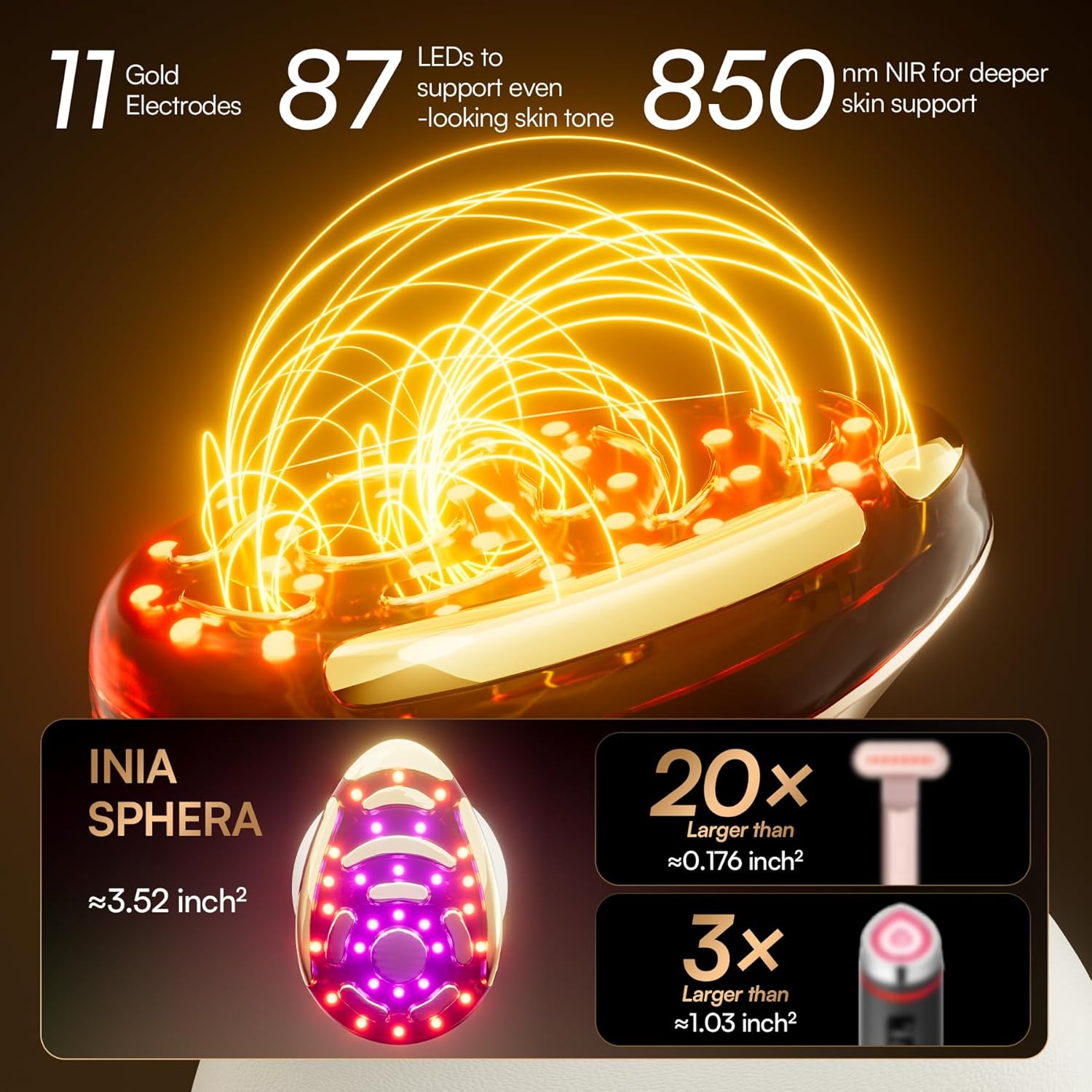
Image: The INIA SPHERA device, charging base, and conductive gel as packaged.
4. סעטאַפּ
- טשאַרדזשינג די מיטל: Before first use, fully charge the device using the provided USB cable and charging base. The indicator lights will show charging status.
- רייניקן הויט: Thoroughly clean your face and neck, ensuring it is free from makeup, oils, or dirt.
- Apply Conductive Gel: For LIFT, RF-TI, and INFUSE+ modes, apply a thin, even layer of the INIA Hydrating Conductive Gel to the treatment area. For A-SHOT mode, apply to clean, dry skin. For COOL mode, apply serum/lotion/cream if desired.
5. אַפּערייטינג ינסטרוקטיאָנס
Press and hold the power button for 1.5 seconds to turn the device ON/OFF. Press the 'M' button to cycle through the 5 modes. The intensity level can be adjusted by pressing the power button briefly after the device is on.
5.1. Mode 1: LIFT (Microcurrent & Vibration)
- פֿונקציע: Stimulates facial muscles to increase skin elasticity and define facial contours.
- ליכט אָפּעראַציע: Red + Blue + NIR Light (all lights steady on).
- Best Used With: Conductive Gel.

Image: The device applying red and blue light therapy to the cheek for lifting.
5.2. Mode 2: RF-TI (Thermal Frequency)
- פֿונקציע: Promotes firm-looking skin and accelerates collagen production to reduce the appearance of wrinkles.
- ליכט אָפּעראַציע: Red + NIR Light (all lights steady on).
- Best Used With: Conductive Gel.

Image: The device applying red light therapy to the cheek for tightening.
5.3. Mode 3: INFUSE+ (Electroporation)
- פֿונקציע: Enhances product absorption to penetrate key ingredients into the stratum corneum, promoting plumper and more moisturized skin.
- ליכט אָפּעראַציע: Amber + NIR Light (all lights steady on).
- Best Used With: Serum/Lotion/Cream.

Image: The device applying amber light therapy to the cheek for enhanced serum infusion.
5.4. Mode 4: A-SHOT (Electric Microneedle)
- פֿונקציע: Minimizes the look of pores and refines skin texture for a smooth, flawless finish.
- ליכט אָפּעראַציע: Outer blue LEDs blink, inner blue LEDs remain steady.
- Best Used With: No topical products (use on clean, dry skin).

Image: The device applying blue light therapy to the cheek for pore refinement.
5.5. Mode 5: COOL (Cryo Cooling)
- פֿונקציע: Reduces puffiness and inflammation, providing instant soothing and calming.
- ליכט אָפּעראַציע: Blue LEDs in the cooling area remain steady.
- Best Used With: Serum/Lotion/Cream.

Image: The device applying blue light therapy to the cheek for cooling and soothing.
5.6. Treatment Duration & Beep Signals
All five modes are set for a 5-minute treatment cycle. For facial treatment, it is recommended to spend 2 minutes on the left cheek, 2 minutes on the right cheek, and 1 minute on the forehead. After the first 2 minutes, you will hear two short beeps signaling the end of the treatment for the left cheek, prompting you to switch to the right cheek. After another 2 minutes, you will hear two short beeps again, signaling to switch to the forehead. When the forehead treatment ends, the device will emit one long beep to indicate the end of the treatment.
| צייט | ביפּ סאָונד | פּינטלעך |
|---|---|---|
| 0:00 | -- (Two Short Beeps) | Start Treatment on Left Cheek |
| 2:00 | -- (Two Short Beeps) | Switch to Right Cheek |
| 4:00 | -- (Two Short Beeps) | Switch to Forehead |
| 5:00 | --- (One Long Beep) | באַהאַנדלונג גאַנץ |
6. וישאַלט
After each use, gently wipe the treatment head with a soft, damp cloth to remove any residual gel or skincare products. Ensure the device is completely dry before storing. Store the device in its charging base or a clean, dry place away from direct sunlight and extreme temperatures.
7. טראָובלעשאָאָטינג
- מיטל נישט קער אויף: זיכער מאַכן אַז די דעווייס איז גאָר אויפגעלאָדן. דריק און האַלט די מאַכט קנעפּל פֿאַר 1.5 סעקונדעס.
- No sensation during treatment: Ensure sufficient conductive gel is applied (for LIFT, RF-TI, INFUSE+ modes) and that the device head is in full contact with the skin. The smart sense technology requires proper skin contact to activate.
- Redness after treatment: Some temporary redness is normal, especially after modes involving heat or microcurrent. Use the COOL mode to soothe the skin. If irritation persists, discontinue use and consult a professional.
8. ספּעסאַפאַקיישאַנז
| שטריך | דעטאַל |
|---|---|
| מאָדעל נאָמען | INIA SPHERA |
| נומער מאָדעל נומער | INIA-BD002 |
| Technologies Integrated | Red LED Light, Microcurrent, Thermal Frequency, Needle-Free Infusion (Electroporation), Cryo Cooling, Vibration Massage, Blue LED Light, Amber LED Light, NIR Light |
| מנהג מאָדעס | 5 (LIFT, RF-TI, INFUSE+, A-SHOT, COOL) |
| הויט טיפּ קאַמפּאַטאַבילאַטי | אַלע |
| מאַטעריאַל טיפּ | אַקרילאָניטרילע בוטאַדיענע סטירענע (אַבס), פּלאַסטיק |
| קאָליר | גאָלד |
| פּעקל דימענשאַנז | 8.62 X 5.71 X 3.9 אינטשעס |
| וואָג | 1.79 פונט |
| פאַבריקאַנט | INIA |
9. וואָראַנטי און שטיצן
INIA offers optional protection plans for your device:
- 2-יאָר שוץ פּלאַן
- 3-יאָר שוץ פּלאַן
- קאָמפּלעט פּראָטעקט (מאָנטלעך רעכענונג)
For further assistance or inquiries, please contact INIA customer support. Refer to the product packaging or official INIA webוועבזייטל פֿאַר ספּעציפֿישע קאָנטאַקט דעטאַלן.